Apple showed off a rebuilt Health app in the iOS 27.2 beta, then quietly pulled it before release. If you were waiting for it, iOS 27.3 beta 1 brings it back.
Apple released the first iOS 27.3 developer beta on November 3, 2026, one week after iOS 27.2 shipped to everyone on October 26. Testers in China got it on November 4. This isn’t a small cleanup build. It carries three headline changes: the redesigned Health app, Live Rewind and Siri Recap for Apple Watch, and the first Apple Intelligence launch in China.
Here’s what’s in the beta, who it actually affects, and what’s still missing.
iOS 27.3 Beta 1 Release Date, Build Number, and Public Release
- Developer beta 1: November 3, 2026 (November 4 in China)
- iOS and iPadOS 27.3 build: 24C5037i
- watchOS 27.3 build: 24S5284h
- macOS 27.3 build: 26C5035r
- Public release: December 2026, per Apple
Apple hasn’t named a date. Past x.2 releases landed between December 11 and 12 (iOS 17.2, iOS 18.2, iOS 26.2), so a mid-December launch is the safe bet. A public beta usually follows the developer beta within days.
You need a registered Apple developer account to install it today. If you have one, go to Settings > General > Software Update > Beta Updates and select the iOS 27 Developer Beta. New to beta testing? Our guide to installing the iOS 27 beta covers backups and setup.
The Redesigned Health App Is Back in iOS 27.3
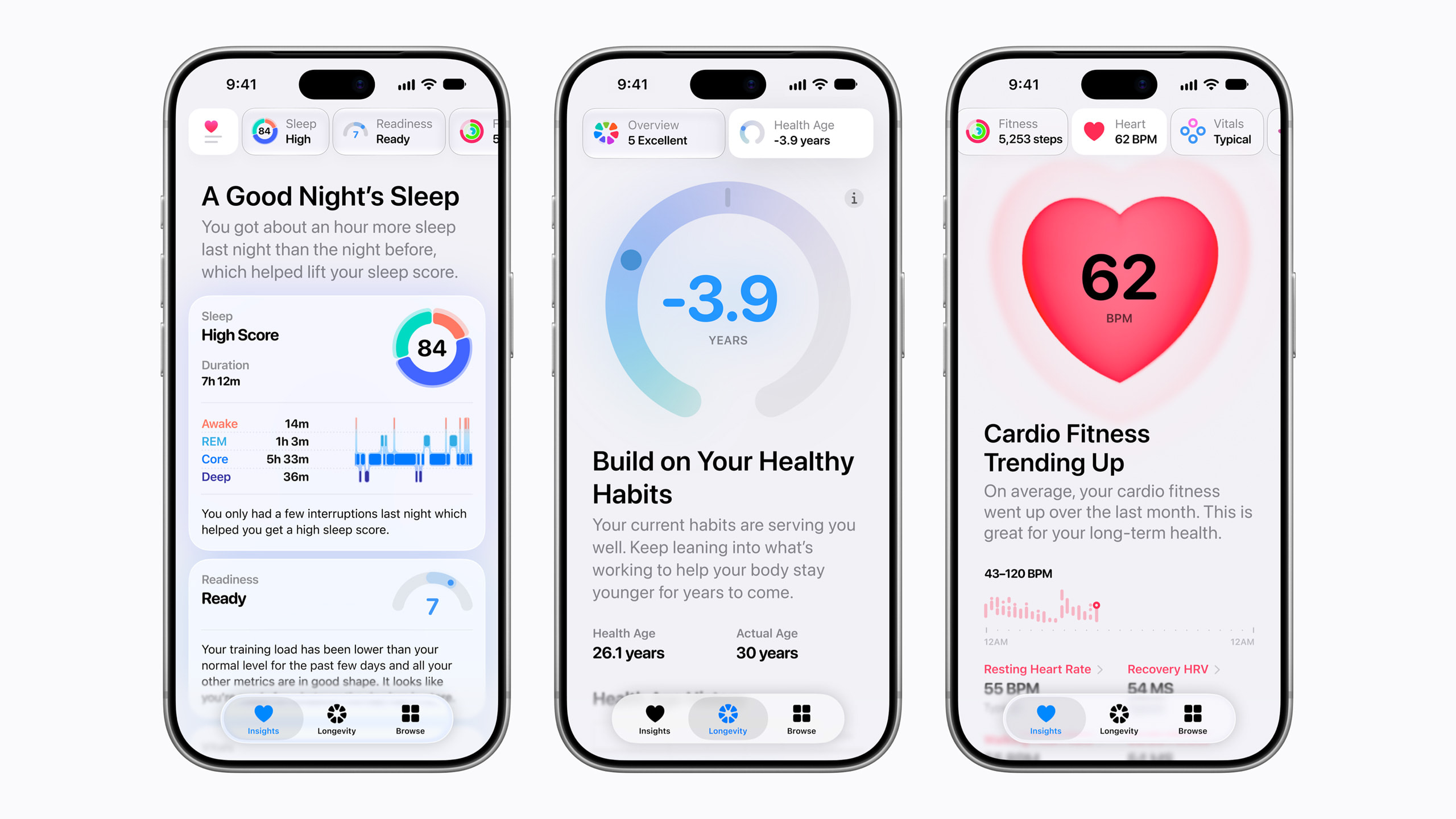
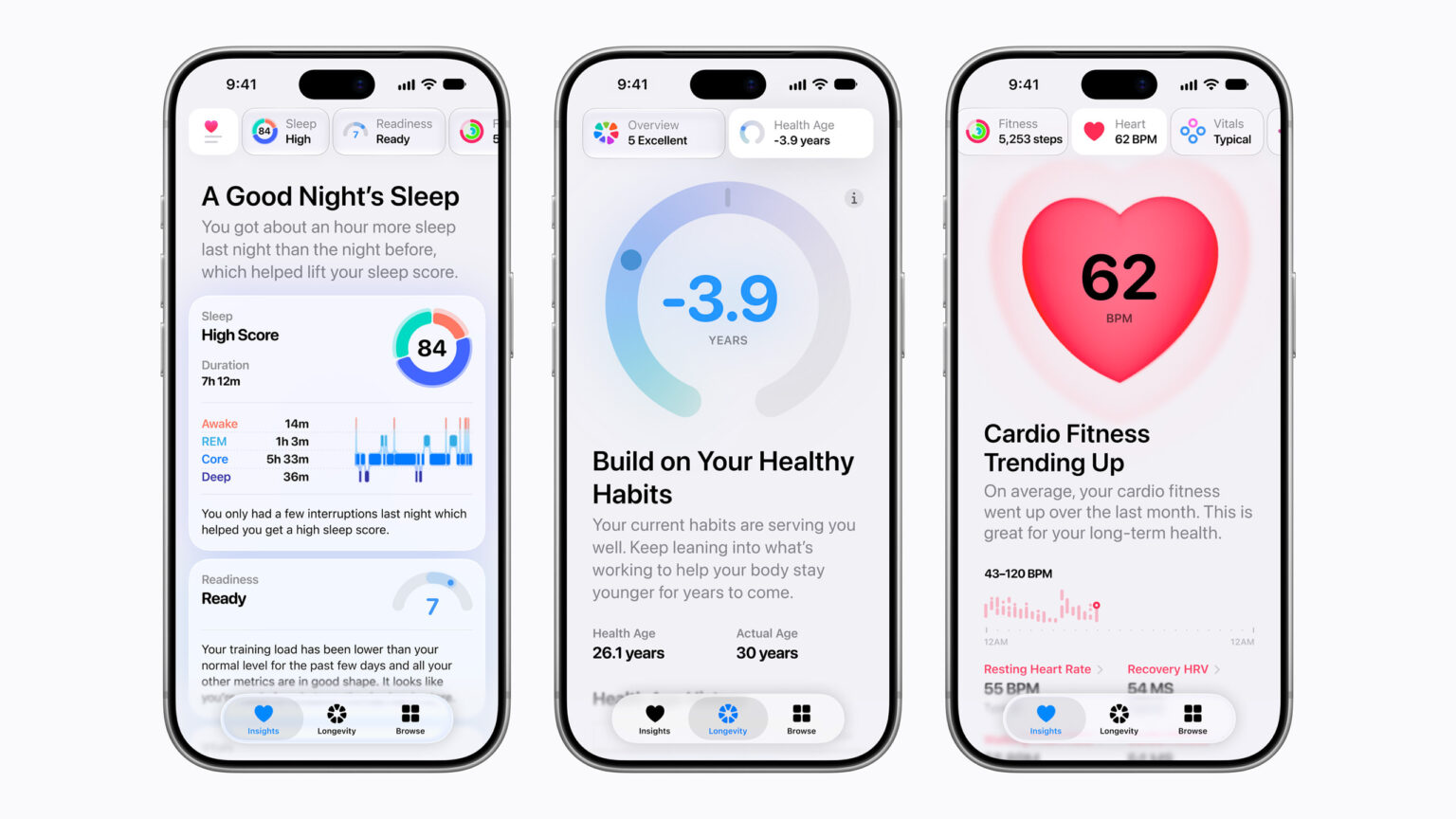
Apple first put this Health app in the iOS 27.2 beta, then restored the old app in iOS 27.2 beta 4 and shipped iOS 27.2 without it. With iOS 27.3, Apple’s Newsroom confirms the redesign is in the developer beta now and arrives as a free update later this year.
The old Health app stored plenty of data but rarely told you what it meant. The redesign shifts from a data locker to a coach.
Insights Tab
Insights pulls your Activity Rings, heart rate, sleep score, and vitals into one daily view. Apple Intelligence reads that data and offers Personal Guidance. A “For You” section turns patterns into suggestions. Sleep badly for several nights and it might recommend changing your wind-down routine.
Vitals now has separate overnight and daytime views, plus heart rate variability (HRV) readings for overall HRV and recovery HRV.
Apple Watch Series 12 and Ultra 4 owners also get a readiness score, shown in Insights and on the watch. It tells you whether to push hard, rest, or train normally.
Longevity Tab and Health Age
Longevity looks at long-term trends across seven areas: heart health, sleep, mental wellbeing, movement, metabolic health, hearing, and nutrition.
Its centerpiece is Health Age, which estimates how your body is aging compared with your actual age. It uses resting heart rate, VO2 max, HRV, sleep, and optional blood-work biomarkers like A1c and LDL cholesterol. You can upload recent lab results or sync medical records. Health Age requires an Apple Watch.
Apple also plans a $119 Quest Diagnostics lab panel that feeds directly into Health Age. Apple says it’s coming “eventually,” so don’t expect it in beta 1, and it targets U.S. users.
At-Home Movement Evaluations
Prop your iPhone up, wear your Apple Watch, and the Health app tests your flexibility, strength, balance, movement mechanics, and VO2 max. You get real-time audio and visual feedback as you move. Analysis runs entirely on-device, and Apple says it doesn’t record, store, or share video. The VO2 max estimate needs an Apple Watch, AirPods Pro 3, or a third-party heart rate sensor.
Who Gets the New Health App
The redesign runs on Apple Intelligence-enabled iPhone and iPad models, though some features work only on iPhone. Older devices keep the current app. Some features also require you to be 18 or older.
Supported languages: global English, Chinese (Simplified and Traditional), French, Japanese, Korean, Norwegian, Portuguese, Spanish, Turkish, and Vietnamese. Apple says some features may not be available in every region or language.
One caveat worth weighing: Apple already pulled this app once. Your health history is the last data you want sitting on unstable software, so back up before installing.
Apple Watch Audio Intelligence: Live Rewind and Siri Recap
The Health app turns your watch data into advice. Audio Intelligence goes further and turns what you hear into notes. Apple announced it at its September 2026 event, and watchOS 27.3 beta 1 is the first build to include its two conversation tools.
- Live Rewind shows the last 15 seconds of speech as text.
- Siri Recap summarizes conversations into a short sentence plus bullet points for dates, deadlines, and prices.
The other two Audio Intelligence features, Sound Recognition (sirens, alarms, doorbells) and Shazam-powered Music Recognition, already work on iOS 27 with these watches. They don’t need the beta.
How Live Rewind Works
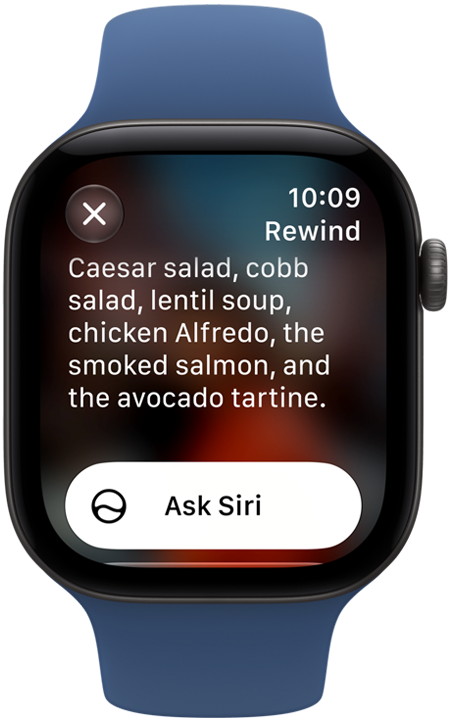
Someone mumbles a meeting time and you miss it. Double-press the Digital Crown and the last 15 seconds appear on your wrist. A chime, a full-screen animation, and a microphone indicator tell people nearby it’s capturing. The snippet disappears about 30 seconds after the display dims unless you save it to the Siri app, and an Ask Siri button explains unfamiliar terms.
To turn it on, open the Watch app on your iPhone, go to Siri > Live Rewind, and enable Double Click Digital Crown. Live Rewind runs on-device and doesn’t transcribe in the background. Snippets go to Private Cloud Compute only if you ask Siri about them or save them.
How Siri Recap Handles Privacy
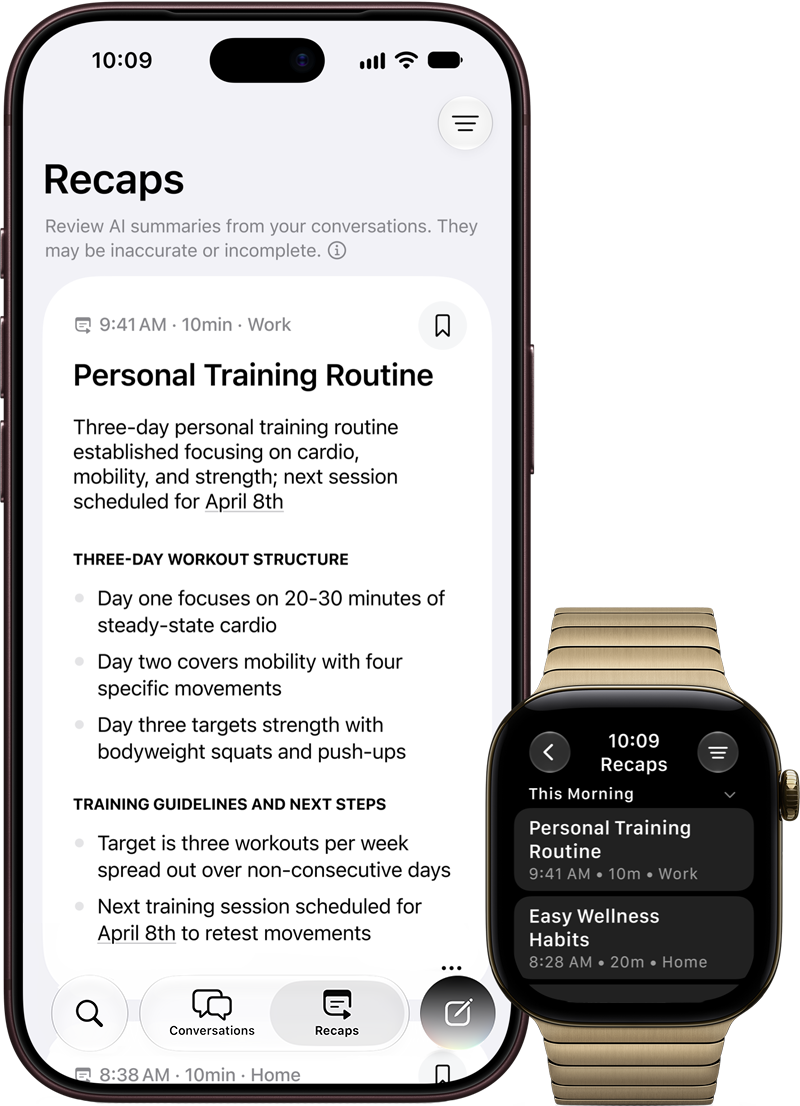
Apple built Siri Recap to avoid the creepy parts. It doesn’t attribute comments to speakers, keep raw audio, or produce word-for-word transcripts. It also tries to skip sensitive data like government IDs, financial details, and authentication codes, though Apple admits the filter may not catch everything.
The pipeline explains why it needs new hardware. Audio is processed in the Secure Exclave of the watch’s S11 chip and deleted right after analysis. Your iPhone transcribes it and condenses it into text. That text goes, encrypted, to Private Cloud Compute, which builds the summary. Saved recaps sync end-to-end encrypted through iCloud.
You review recaps at the end of the day or when you first unlock your watch in the morning. Save them to Notes or Journal, or they disappear after seven days. You can schedule Siri Recap by time or location, or switch it off in Control Center. Apple warns summaries may be incomplete or inaccurate, so double-check anything important.
Which Apple Watch and iPhone You Need
Live Rewind and Siri Recap need an Apple Watch Series 12 or Ultra 4 paired with an iPhone 16 or later running Apple Intelligence and Siri AI. That rules out the iPhone 15 Pro, even though it supports Apple Intelligence. Both features are English-only for now, and Siri AI isn’t initially available in the EU. If you own an older watch, nothing here applies to you.
Apple Intelligence Launches in China With iOS 27.3
The biggest change for the most people happens in China. After years of regulatory talks, Apple Intelligence reaches Chinese iPhones for the first time in iOS 27.3.
Alibaba’s Qwen powers parts of Siri, Writing Tools, and Visual Intelligence. You sign in with a Qwen account or Sign in with Apple.
Features Included in China
- Writing Tools, including generating text from scratch
- Visual Intelligence for photos and documents, including PDFs
- Type to Siri, with Qwen answering certain requests
- Genmoji, Clean Up in Photos, and natural-language photo search
- Notification summaries, priority notifications, and Smart Reply
- Live Translation in Messages, FaceTime, Phone, and with AirPods
What’s Missing in China
Siri AI and the other WWDC 2026 Apple Intelligence features aren’t part of this launch. Bloomberg reports the upgraded Siri relies on Google models that aren’t available in China, which explains the gap. Image Playground is also excluded.
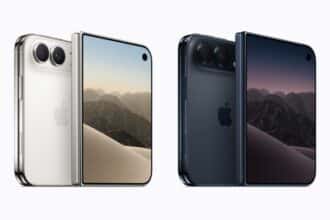
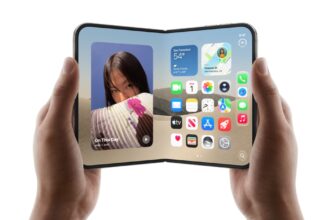
Supported iPhones: iPhone 15 Pro, iPhone 15 Pro Max, iPhone 16 and later, iPhone Air, and iPhone Duo. Both your device language and Siri language must be English or Simplified Chinese. Mac, iPad, and other devices will follow once Apple gets regulatory approval.
If you live outside China, nothing changes here. For the global feature set, see our breakdown of iOS 27 Apple Intelligence features.
Siri AI Languages: What Apple Has and Hasn’t Confirmed
Apple said on October 26 that Siri AI will add Chinese (Traditional), Norwegian, Turkish, and Vietnamese “later this year.” Siri AI launched in English in September and added French, Japanese, Korean, Portuguese, and Spanish in iOS 27.2.
Early tester reports say iOS 27.3 beta 1 expands Siri AI language support. Apple hasn’t confirmed which build delivers these four languages. Notice, though, that the new Health app’s language list matches Siri AI’s exactly, including the four newcomers. That suggests both features share the same Apple Intelligence language pipeline.
Features Still Missing From iOS 27.3 Beta 1
Apple promised several iOS 27 features that still haven’t arrived:
- Reachability on iPhone Duo, announced for iOS 27
- Safari password fixing with Apple Intelligence for weak or compromised passwords
- RCS for Telstra in Australia, which MacRumors says iOS 27.3 could bring
Some outlets also list Edge Light on more iPhones, customizable notification badges, and Mail upgrades for iOS 27.3. We haven’t found Apple confirmation or hands-on proof of these in beta 1, so treat them as unverified.
Should You Install iOS 27.3 Beta 1?
Most people should wait. Here’s the quick breakdown:
- Install it if you’re a developer testing HealthKit, Apple Intelligence, or China-market apps, and you have a spare iPhone.
- Wait for the public beta if you want the Health app early but use your iPhone daily.
- Wait for December if you rely on Health data, Apple Pay, or work apps.
Changed your mind after installing? Here’s how to remove the iOS 27 beta and return to the stable release.
The Bottom Line
iOS 27.3 beta 1 delivers features Apple promised months ago rather than new surprises. The Health app finally looks ready, Live Rewind and Siri Recap show what the new Apple Watch hardware is for, and China finally gets a working, if trimmed-down, Apple Intelligence.
The catch is that the best parts depend on recent hardware: an Apple Intelligence iPhone for Health, a Series 12 or Ultra 4 plus an iPhone 16 for Live Rewind. If you have both, December looks like a big month. Which iOS 27.3 feature are you most likely to use?