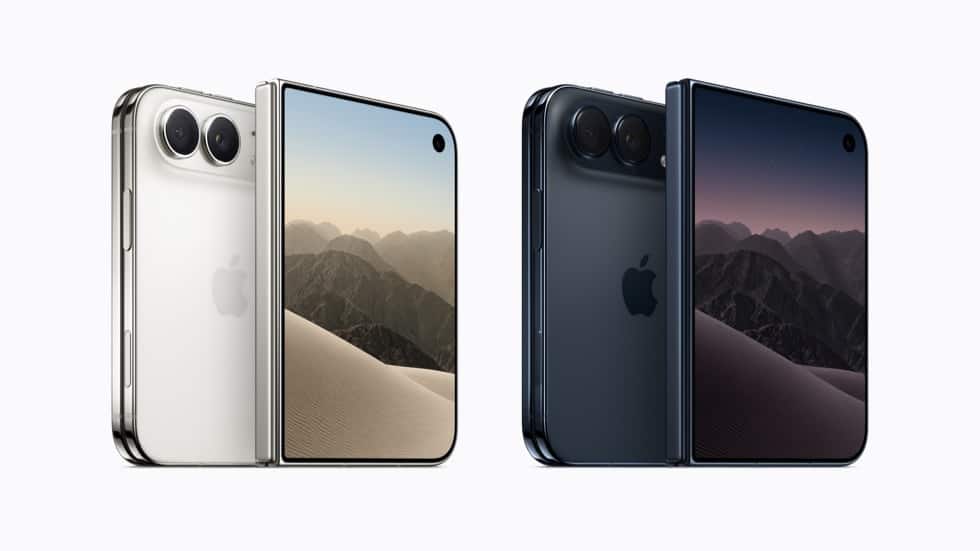
You plug in your new iPhone Duo before bed, glance at the Lock Screen, and see “Slow Charger.” Or you drop it on your MagSafe stand, unfold it to watch something, and it tips sideways and stops charging.
Apple’s first foldable launched on October 23, 2026, and most charging complaints so far trace back to setup, not hardware. The Duo charges differently from a regular iPhone in three ways: it needs a stronger adapter for its rated speed, its MagSafe magnets sit on only one half, and it splits power between two batteries.
Here’s how to find the cause and fix it, starting with the most likely one.
Why Your iPhone Duo Charges Slowly: Start With the Adapter
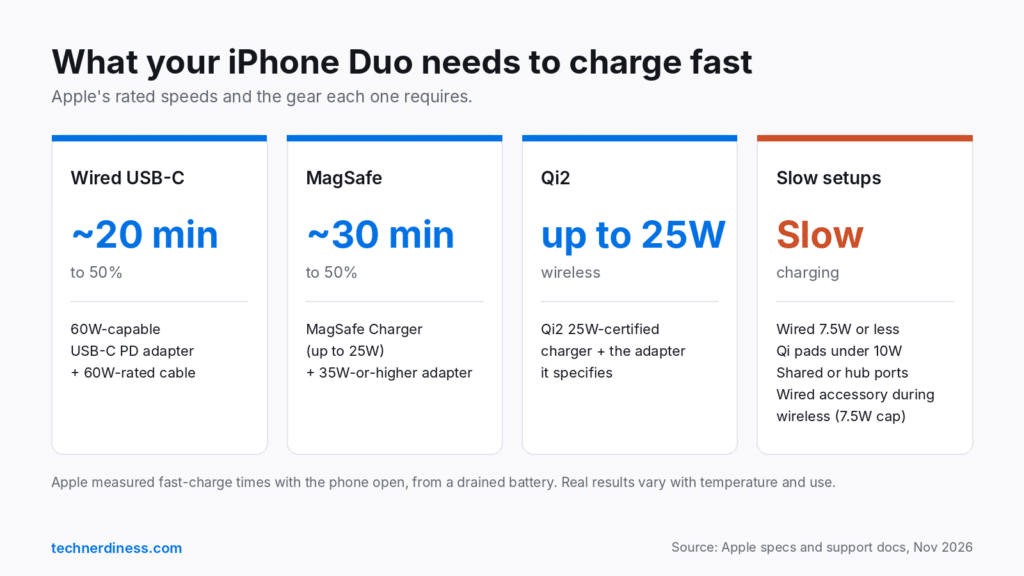
The adapter is the number one culprit. Apple says the Duo reaches 50% in about 20 minutes only with a 60W-capable (or higher) USB-C PD adapter and a USB-C cable that supports it. Apple’s own test used its 40W Dynamic Power Adapter with 60W Max.
That 20W brick from your old iPhone still works. It just won’t come close to Apple’s number, and iOS will tell you so.
How to check:
- Plug in your Duo.
- Open Settings > Battery.
- Look for a Slow Charger label. Tap the info button for details.
Apple says “Slow Charger” isn’t a fault. It means a higher-wattage charger would charge faster. The same screen shows a time-to-full estimate (to 80%, or to your charge limit if you’re already past 80%), which helps you compare chargers in real numbers.
Other speed killers Apple lists:
- Shared ports. Multi-port chargers, laptops, USB hubs, and car ports often split or cap power.
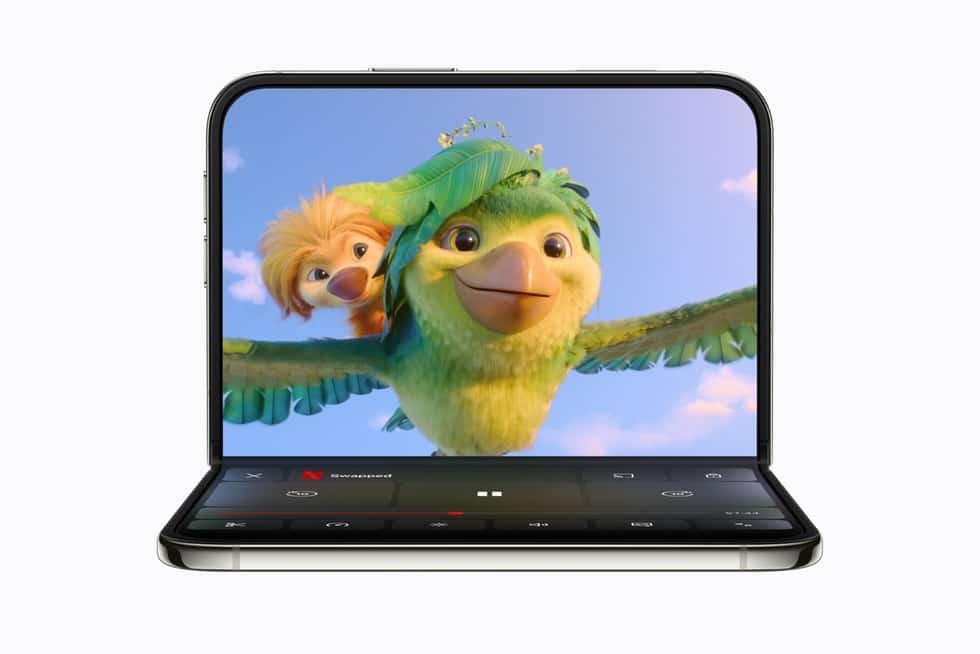
- Heavy use. Gaming, camera use, or streaming at full brightness slows charging. On the Duo, Apple rates video playback at up to 44 hours on the outer display versus 31 hours on the inner one, so folding the phone shut while it charges helps.
- Cheap cables. A cable that can’t carry 60W caps the adapter, no matter what the brick says.
Worth knowing: Apple timed its 20-minute figure with the phone open, from a drained battery. Your real-world time will differ, but a 60W setup should land in that range.
iPhone Duo Stops at 80%? Check Charge Limit
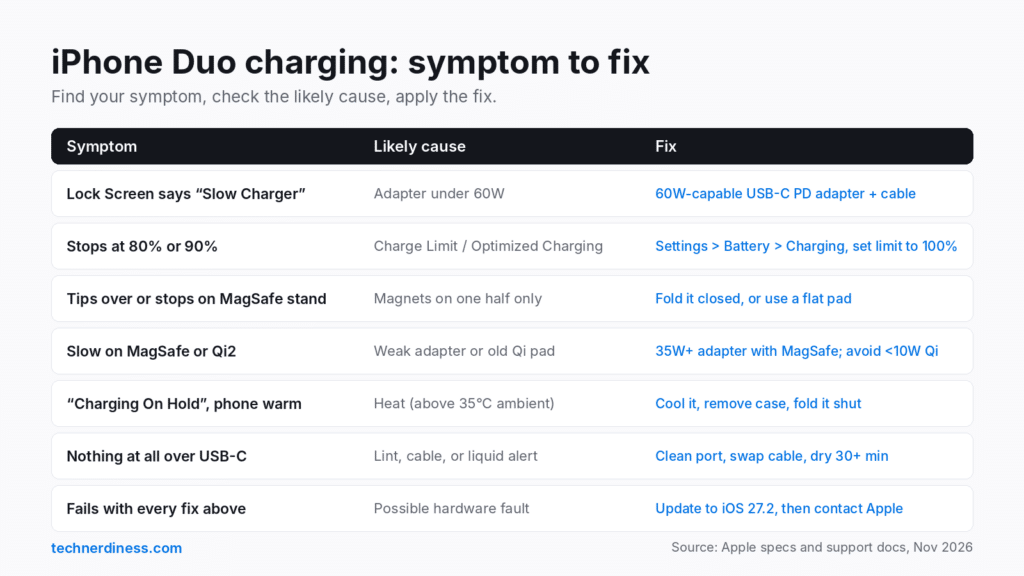
If your Duo charges fine but parks at 80% or 90%, that’s usually a setting, not a defect.
Go to Settings > Battery > Charging. You’ll find:
- Charge Limit: a slider from 80% to 100% in 5% steps. Set it to 100% if you want a full charge.
- Optimized Battery Charging: only available at a 100% limit. It learns your routine and holds at 80% overnight, then finishes before you usually unplug. Tap Charge Now on the Lock Screen notification to override it.
Two quirks catch people out. Even with a limit below 100%, your iPhone occasionally charges to 100% to keep its battery percentage accurate. And if you’re in the US, Clean Energy Charging can delay charging until your grid uses cleaner power.
iPhone Duo MagSafe Not Charging or Falling Off the Stand
This one is Duo-specific. The MagSafe ring covers only one half of the back, so when you unfold the phone, the other half’s weight pulls it off balance. MacRumors reported on October 21, 2026, that the Duo tilts on some upright MagSafe stands when open, as Mrwhosetheboss showed on video. Others, including The Verge’s Nilay Patel, charged it on MagSafe without trouble, so it depends on the stand.
When the coil shifts, charging stops or slows. Fixes, in order:
- Fold it closed on upright stands. This removes the leverage problem.
- Use a flat pad if you want to use the phone open while charging.
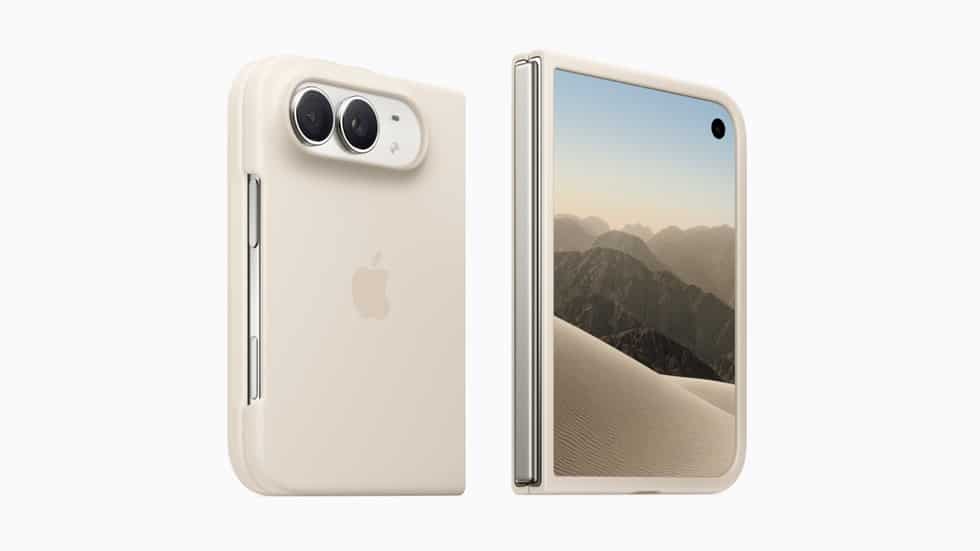
- Remove the case and test the bare phone. Thick, metal, or ring-equipped cases can push the coil out of alignment. Apple’s own iPhone Duo Case and Folio work with MagSafe and Qi2 25W chargers; for other options, see the best iPhone Duo cases with proper MagSafe support.
- Unplug the USB-C cable. Apple says a wired connection takes priority over wireless, and any wired accessory connected during wireless charging caps it at 7.5W.
- Reseat the phone. Power the charger first, then attach the Duo. If you attached it first, lift it, wait a few seconds, and reattach.
Speed matters here too. The Duo supports MagSafe and Qi2 at up to 25W, but Apple’s fast-charge claim (50% in about 30 minutes) requires a MagSafe Charger plus a 35W-or-higher adapter. Older Qi chargers under 10W will feel painfully slow. Our iPhone Duo MagSafe and Qi2 guide covers which chargers hit 25W.
“Charging On Hold” or a Hot iPhone Duo
If your Duo feels warm and charging pauses, iOS is protecting the battery. Apple rates the phone for 0°C to 35°C ambient temperature, and outside that range it slows or stops charging. Settings > Battery shows when charging is on hold.
Common triggers on the Duo:
- Gaming or video calls on the inner display while plugged in.
- Charging under a pillow, in a car mount in direct sun, or on a warm wireless pad.
- A thick case trapping heat during wireless charging.
Move the phone somewhere cooler, take off the case, and fold it shut. Charging resumes once the temperature drops. For long navigation drives, a wired car charger avoids the extra heat a wireless pad adds.
iPhone Duo Not Charging at All Over USB-C
When nothing happens at all, work from the outside in.
- Inspect the port. iFixit found dust inside the USB-C port during its teardown, and pocket lint builds up over time. Look with a flashlight and clear it gently with a wooden toothpick. Never use metal.
- Swap the cable and adapter. Test each with another device. This tells you whether the fault follows the charger or the phone.
- Read the alerts. On iOS 26 and later, Settings > Battery shows “Incompatible Charger” when something’s connected but not charging. If you see a liquid-detection alert, unplug, tap the phone gently against your hand with the port facing down, and leave it somewhere dry with airflow. Wait at least 30 minutes before retrying. Apple says not to use rice, a hair dryer, or compressed air.
- Force restart. Quickly press and release volume up, then volume down, then hold the power button until the Apple logo appears.
- Revive a fully drained phone. If the screen stays black, leave it on a wall charger for at least 30 minutes. If it hangs on the battery icon, see our guide to fixing an iPhone stuck on the charging screen.
Update to iOS 27.2 Before Assuming It’s Hardware
The Duo shipped with iOS 27.1, a Duo-only build with unspecified bug fixes. Apple released iOS 27.2 on October 26, 2026, for all supported iPhones including the Duo. Its release notes list no charging fixes, but staying current rules out a software glitch before you book a repair. Apple fixed a wired charging bug on the iPhone 17 and iPhone Air with iOS 26.5.1 earlier this year, so software causes aren’t hypothetical.
Go to Settings > General > Software Update to check.
When Charging Problems Mean a Repair
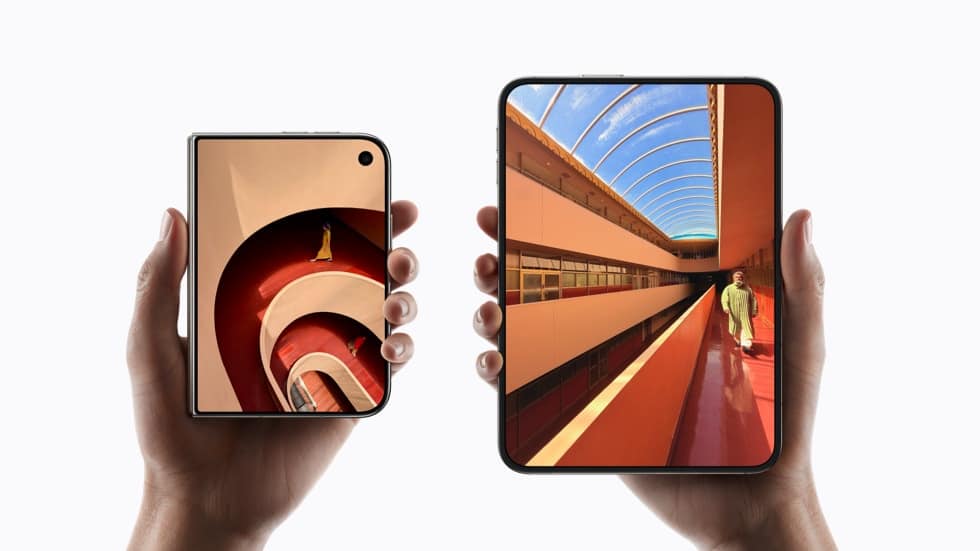
Here’s what makes the Duo different under the hood. Apple places one battery on each side of the phone and uses energy rebalancing so they work as one. iFixit’s teardown found the two cells are 7.5Wh and 11.6Wh (19.1Wh total), with the charging hardware on one side only. One battery receives charge through a flex cable that crosses the hinge, the same cable that carries data and audio.
So if charging turns erratic after a drop or hinge damage, or you also notice audio or display glitches, settings won’t fix it. Apple hasn’t confirmed any Duo charging defect as of November 1, 2026, but a phone that fails with a known-good 60W adapter, a clean port, and the latest iOS needs Apple Support or an Apple Store visit. It’s still under warranty, so don’t open it yourself.
Final thoughs
Most iPhone Duo charging complaints come down to three things: an adapter that’s too weak for a 60W-rated phone, a MagSafe stand that can’t hold an unfolded foldable, or a charge limit doing its job. Fix those, and the Duo should charge close to Apple’s numbers.
If you’re still shopping for gear, our list of iPhone Duo accessories worth buying includes chargers that match the phone’s speed. Has your Duo charged slower than expected?