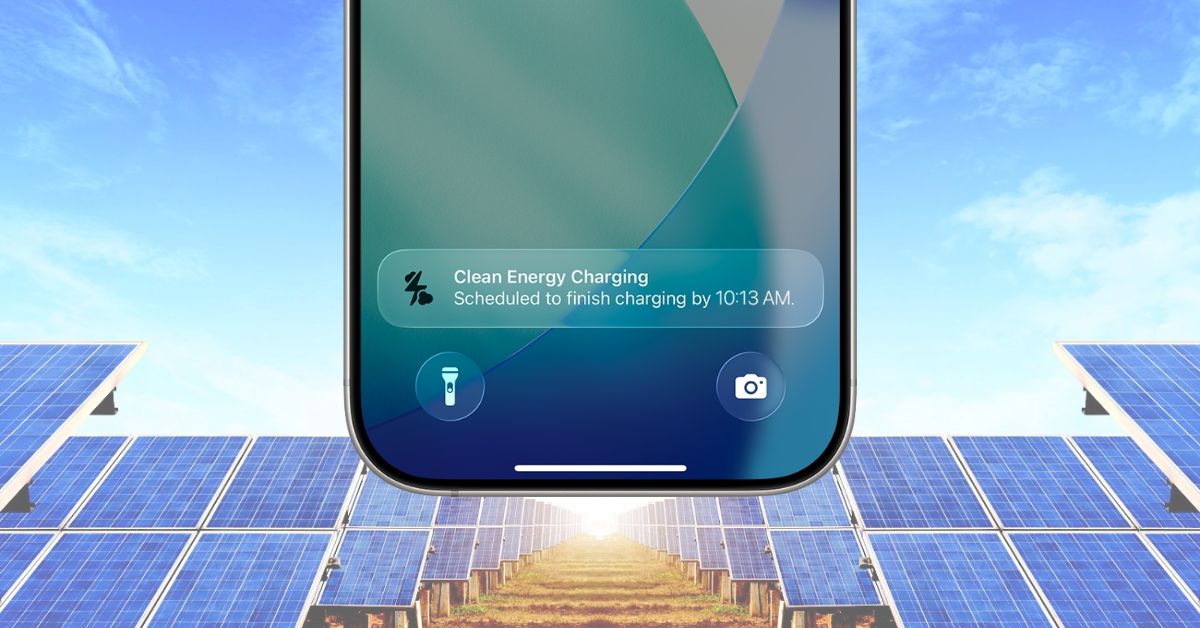
If you have an iPhone and notice it sometimes charges more slowly than usual or pauses at random, you might have encountered Clean Energy Charging. Apple added this feature for U.S. users back in 2022 with iOS 16.1 to reduce the carbon footprint of charging.
However, some users are upset because this setting affects their charging speed. If you’re in that boat, let’s break down what Clean Energy Charging actually does, why Apple rolled it out, and whether you should keep it on or turn it off.
What Is Clean Energy Charging on iPhone?
Clean Energy Charging reduces your carbon footprint by scheduling your charging during periods when your local power grid draws on cleaner energy, such as solar or wind.
Here’s the basic flow: you plug in your iPhone, and it checks the local energy forecast for your location. If the grid is currently running on cleaner power, it charges as usual. If the grid is currently leaning on fossil fuels, your phone may take a little longer to reach full charge.
This feature is currently available only in the United States, and it activates specifically at the locations where you spend most of your time each day. So if you’re traveling abroad, your charging will feel normal again. But why did Apple build this in the first place? Let’s talk about it.
Apple’s Push Toward Sustainability
The world is pushing big companies to step up on pollution, climate change, and sustainable energy. Apple has been on this track for years with recycled aluminum in MacBooks, refurbished iPhones, and reduced packaging.
Clean Energy Charging is another move in that direction. It doesn’t magically turn your charger into a solar panel, but it does help lower carbon emissions in a clever way.
How Clean Energy Charging Works
This feature runs on your device’s machine learning algorithm, tracking your behavior and daily charging routine.
It Works With Optimized Battery Charging
You might already know Optimized Battery Charging, which learns your routine and slows charging above 80 percent to protect battery health. Clean Energy Charging and Optimized Battery Charging work together, but they solve different problems:
- Optimized Battery Charging: Focuses on long-term battery health and lifespan.
- Clean Energy Charging: Focuses on when to charge based on the availability of cleaner energy.
Both learn from your habits, like when you typically sleep or when you charge your phone at your desk.
Also Read: How to Check Battery Cycle Count on iPhone (All Models)
It Only Activates in Familiar Places
This is key: Clean Energy Charging doesn’t trigger everywhere. It only kicks in if:
- You charge regularly in the same place for an extended period.
- You’re at a Significant Location, like your home or work.
- Your iPhone can confirm it will finish charging before you unplug it, based on the clean energy forecast and your habits.
If you’re at a hotel, a friend’s house, or charging while traveling, your iPhone usually won’t wait for clean energy data. It just charges as usual.
Settings You Must Keep On
For Clean Energy Charging to work, certain settings must be enabled. Go to Settings > Privacy & Security > Location Services and check that the following are toggled on:
- Location Services
- System Customization (under System Services)
- Significant Locations (or Significant Locations & Routes on newer models)
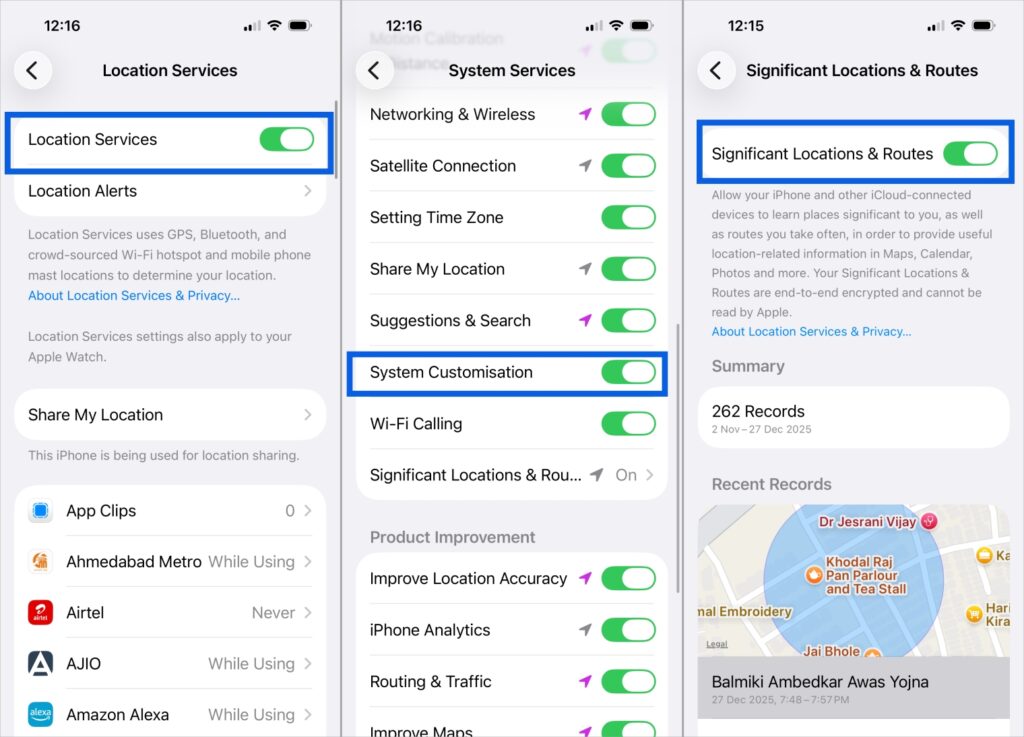
You also need Clean Energy Charging turned on under Battery > Battery Health & Charging. This lets the system estimate carbon forecasts for your area. Apple states that this location data stays on your device and never gets shared.
When Clean Energy Charging Might Annoy You
Let’s be honest. If you need a fast charge before heading out, and your phone pauses because the grid is currently heavy on fossil fuels, that can feel frustrating. It’s why some users turn the feature off right away.
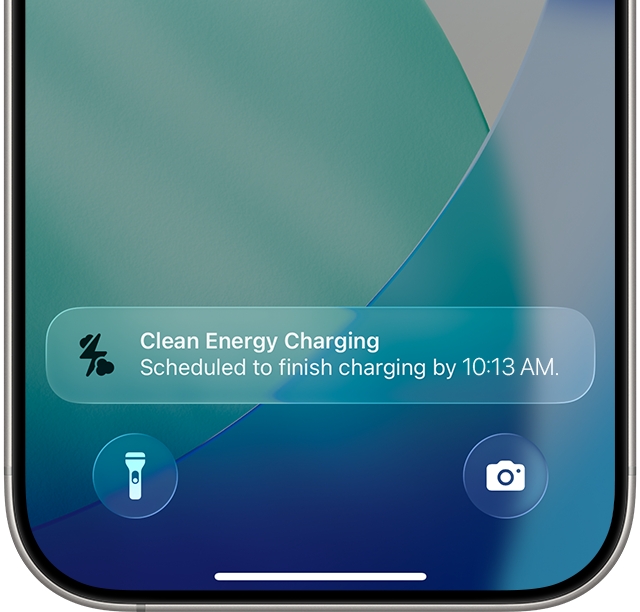
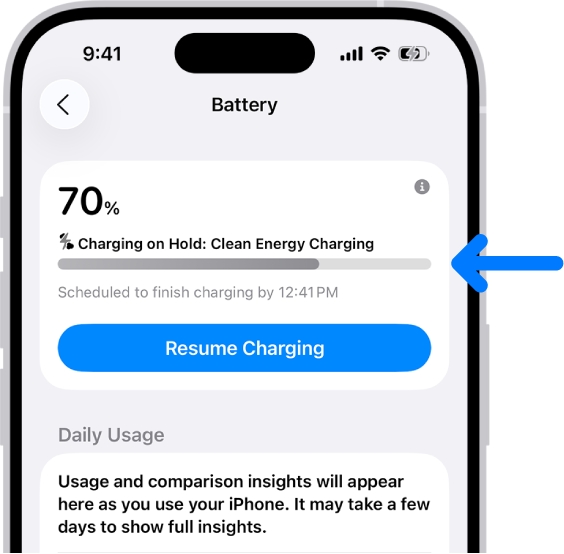
That said, Apple always notifies you when it suspends charging for cleaner energy. You’ll see a notification on your Lock Screen with the estimated time your iPhone will finish charging. And the good news: you can override it for fast charging whenever you want.
- Tap and hold the Clean Energy Charging notification.
- Select Charge Now.
Alternatively, open the Settings app, select Battery, and tap Resume Charging at the top.
How to Turn Off Clean Energy Charging on iPhone
If this feature isn’t for you, here’s how to disable it:
- Open Settings.
- Scroll down and tap Battery.
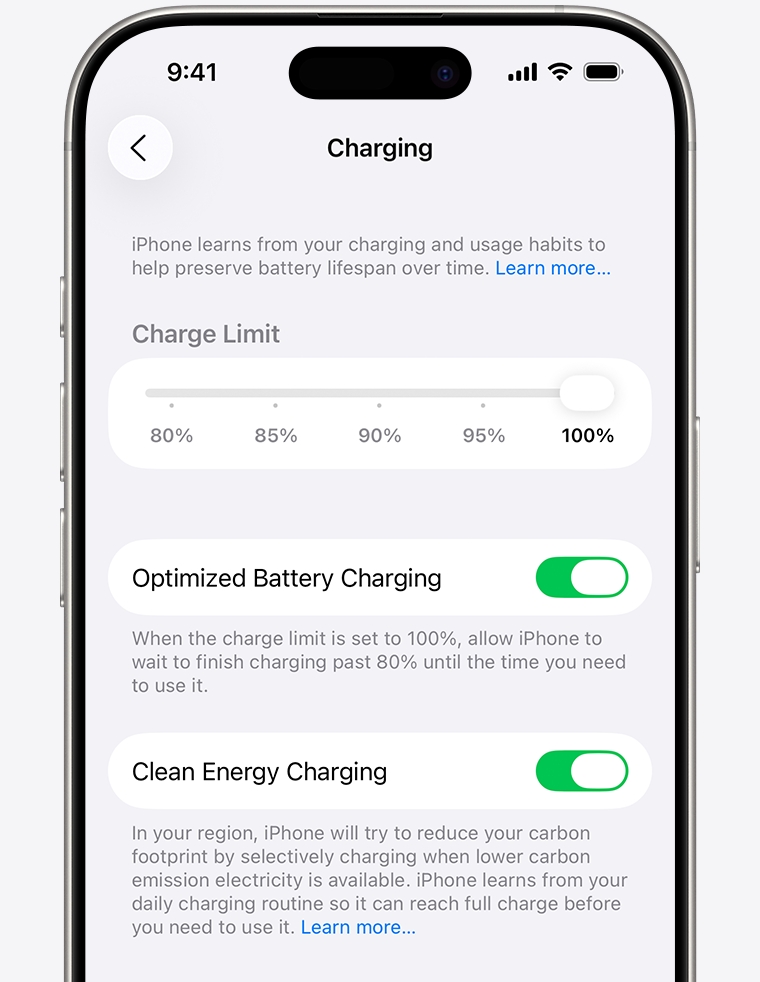
- Tap Battery Health & Charging (or Charging on iPhone 15 series and newer)
- Toggle off Clean Energy Charging. ( You might get options like: Turn Off and Turn Off Until Tomorrow. )
Why Apple Thinks It’s Worth Keeping On
Clean Energy Charging by itself won’t save the planet, but small actions at scale add up. When millions of iPhones shift their charging to cleaner windows of the day:
- Carbon emissions drop.
- Power grids handle less stress during peak times.
- Grids burn less dirty fuel, such as coal, to compensate.
There’s also a ripple effect here. Microsoft does something similar with Xbox downloads when renewable energy is more available. These small tweaks across tech add up.
Should You Keep It On or Turn It Off?
It depends on your priorities.
Choose keep it on if:
- You care about the environment and can handle occasional slower charging.
- You charge your phone overnight anyway.
- Delayed charging does not affect you much.
Choose turn it off if:
- You need fast charging anytime you plug in.
- Your schedule is unpredictable.
- You travel a lot and notice inconsistent charging.
No guilt on either side. It is your phone, your power.
Final Thoughts
Clean Energy Charging is Apple’s quiet attempt to help reduce pollution without making users do extra work. For most people, it’s harmless and genuinely helpful over time. For anyone who wants full control over charging speed, there’s a good reason to shut it off.
If you’re fine with your iPhone occasionally waiting for cleaner grid energy, leave it on. If convenience matters more, flip the switch and move on.
FAQs About Clean Energy Charging on iPhone
Your iPhone may slow down charging if the local power grid is powered by higher-carbon energy. The feature waits for cleaner energy sources, such as wind or solar. If you need a quick charge, tap the notification on the Lock Screen and select Charge Now or turn the feature off in Battery settings.
Go to Settings > Battery > Battery Health & Charging (or Charging on newer models) and turn off Clean Energy Charging. You can disable it permanently or choose Turn Off Until Tomorrow if you just need temporary control.
No. Clean Energy Charging is currently available only in the United States. If you travel outside the US, your iPhone will charge normally without delays from clean energy.
No. Optimized Battery Charging protects long-term battery health by reducing time spent at 100 percent. Clean Energy Charging monitors the energy grid and schedules charging when cleaner power is available. They work together but solve different problems.
It only activates at familiar places like home or work and requires Location Services, System Customization, and Significant Locations to be on. If you’re traveling or charging in a new spot, it usually won’t pause charging for clean energy forecasting.