If you’ve been running the iOS 27 betas since June, you’ve probably noticed Siri’s new AI brain still felt a little unfinished. Voices that wouldn’t load their settings, a preview screen that popped up with no explanation, options buried under three taps instead of one. None of it broke the experience, but it all had that “still cooking” texture betas tend to have.
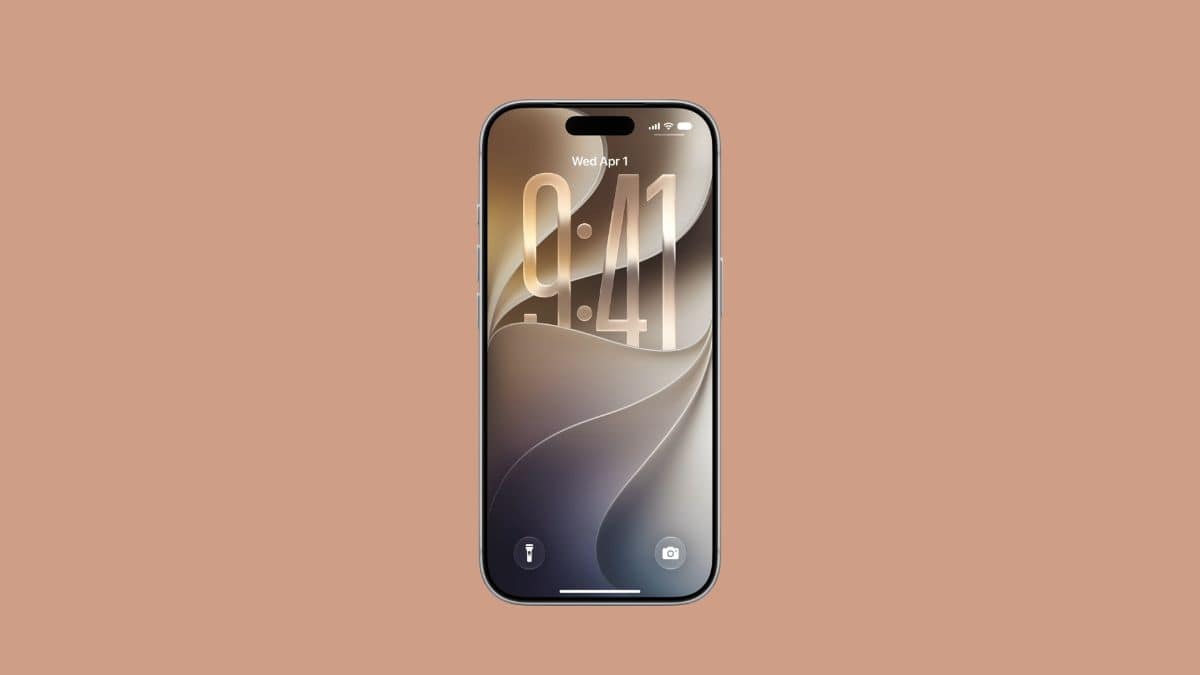
Beta 4 is where a lot of that gets cleaned up. Apple seeded iOS 27 beta 4 to developers on July 20, 2026, two weeks after beta 3 and about a week after the first public beta opened Siri’s AI overhaul to anyone willing to install it. This isn’t a release that reinvents anything. It’s Apple tightening bolts on the biggest Siri rebuild in a decade before it ships to hundreds of millions of iPhones in the fall.
Bloomberg’s Mark Gurman has described this cycle as Apple’s “Snow Leopard moment,” a release built more on stability and refinement than headline features. Beta 4 backs that up. Here’s what actually changed, and what it means for you.
When iOS 27 Beta 4 Arrived, and What Comes Next
Developer beta 1: June 8, 2026 (announced at WWDC) Developer beta 2: June 22, 2026 Developer beta 3: July 6, 2026 Developer beta 4: July 20, 2026 Public beta 1: July 13, 2026 Expected stable release: around September 14, 2026, alongside new iPhone hardware
Apple has kept a tight two-week rhythm for developer betas so far, each one landing on a Monday. If that pattern holds, expect at least one or two more betas before a release candidate shows up near Apple’s early-September keynote.
iOS 27 runs on the same device list as iOS 26: iPhone 11 and later, plus the second-generation iPhone SE. Check the full iOS 27 compatible devices list if you’re not sure your phone qualifies. Worth knowing before you install anything, though: the rebuilt Siri AI needs newer, Apple Intelligence-compatible hardware, and the most demanding parts of it, like fully custom Siri voices, are currently limited to iPhone 17 Pro, iPhone 17 Pro Max, and iPhone Air in this beta. If your phone doesn’t fall into that upper tier, you’ll still get the new Siri, just not every piece of it.
And as always with beta software: back up your phone first, and think twice about installing this on the device you actually rely on. Bugs happen, even in beta 4.
Siri’s AI Overhaul Finally Gets Some Polish
The headline story of iOS 27 isn’t a single feature; it’s Siri itself. Apple rebuilt the assistant around next-generation Apple Intelligence, promising richer conversations, awareness of what’s on your screen, personal context pulled from apps like Messages and Mail, and the ability to actually take action inside apps instead of just answering questions. Early hands-on coverage has compared it to a ChatGPT-style assistant living inside iOS, complete with its own dedicated Siri app for reviewing past conversations across your devices.
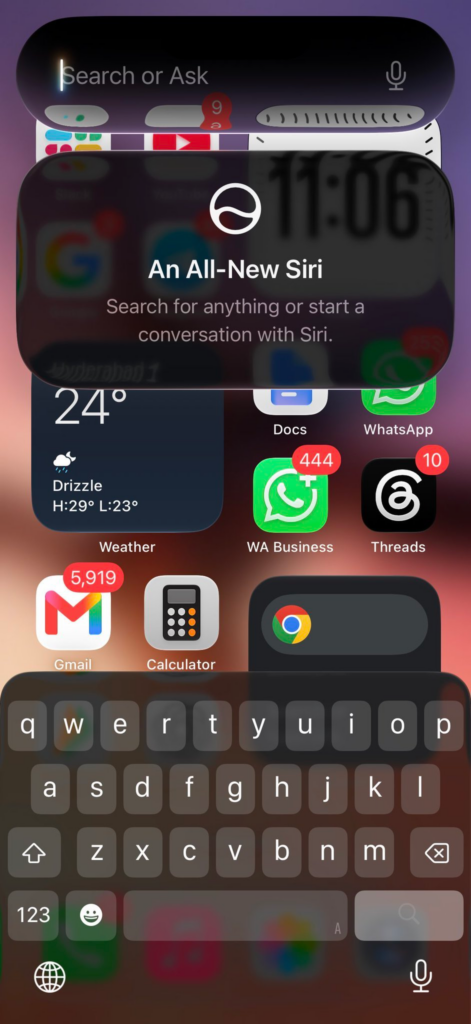
Beta 4 doesn’t touch that core ambition. What it fixes is the rough edges you’d actually notice day to day. Invoking Siri from the Dynamic Island or by swiping down on the Home Screen now shows a proper introductory “splash screen” instead of dropping you straight into a half-loaded interface.
Two of Siri’s newer, more expressive voices finally have working pace and expressivity controls, the sliders that let you speed Siri up or make it sound less robotic. The five legacy voices still mark those same controls “coming soon,” so if you’re attached to a classic Siri voice, you’re not getting the new controls just yet.
The voice picker itself got redesigned too, and you can now adjust how much text Siri shows in its response previews, anywhere from five lines down to none at all. There’s also a new “Always Show Request” option that keeps an on-screen transcription of what you asked visible, which is a small but genuinely useful change if you’ve ever second-guessed whether Siri actually heard you correctly.
None of this is flashy. It’s the unglamorous work of making an ambitious feature feel trustworthy before it reaches a general audience in September, and that’s exactly what a fourth beta is supposed to do.
Camera and Photos Get More Serious Upgrades
Two changes here matter more to people who actually edit their photos and video than to casual shooters, but they’re worth knowing about either way.
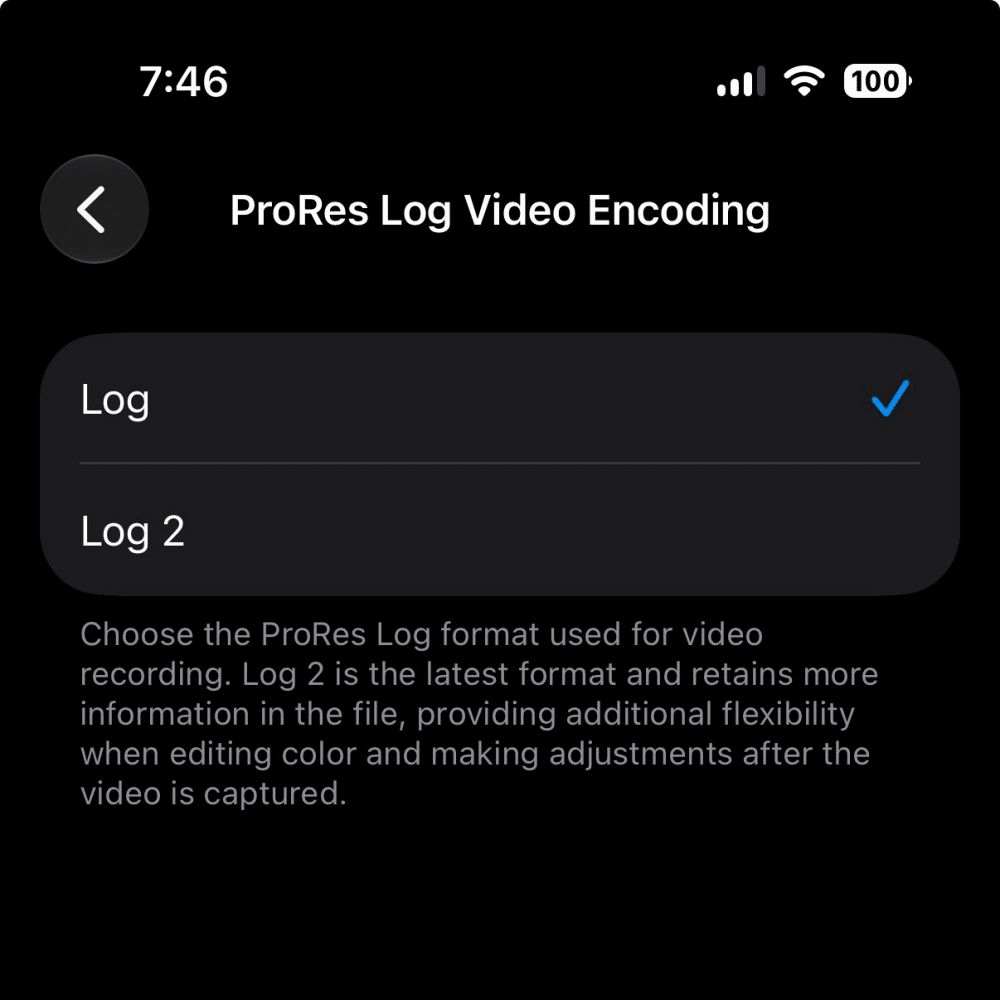
ProRes video now supports Log 2 encoding, joining the standard Log format already available on compatible iPhones. The difference matters if you shoot for editing: Log format flattens contrast and color to preserve more dynamic range for grading later, and Log 2 retains even more of that information, giving colorists more room to work with in post. If you’re not editing your iPhone footage in something like DaVinci Resolve or Final Cut, this one’s easy to skip.
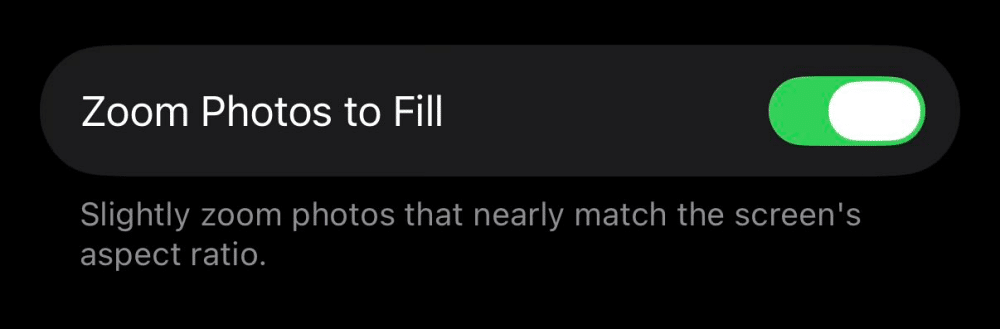
Photos picked up a new “Zoom to Fill” setting, and it’s the kind of change most people will notice without knowing why. It zooms images to more closely match your screen’s aspect ratio, cutting down on the black borders you sometimes see around photos that don’t perfectly fit your display. It’s reportedly on by default in beta 4, which is convenient if you like it and mildly annoying if you don’t, since it does mean Photos is cropping into your images automatically rather than leaving them untouched.
Small Changes That Quietly Make the Phone Feel Different
Beyond Siri and the camera, beta 4 is mostly a grab bag of smaller refinements. None of these is a headline feature on its own, but together they’re the kind of polish that separates a finished OS release from a rushed one.
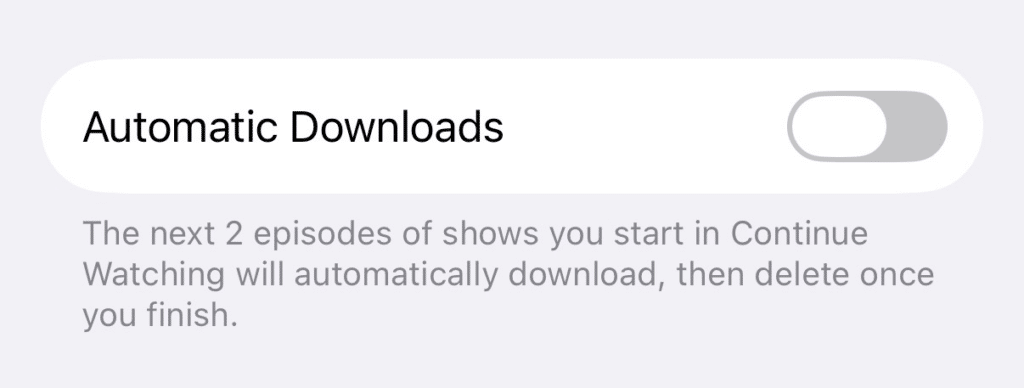
The Apple TV app can now auto-download upcoming episodes. Turn on the new Automatic Downloads toggle and it’ll grab the next two episodes of anything in your Continue Watching list, then quietly delete them once you’ve finished. Handy if you travel or deal with spotty connections.
Connectivity Assist in Wi-Fi settings is now per-network. Previously it was an all-or-nothing switch; now you can turn it on or off for individual networks, which is a small but sensible fix for anyone who’s had it interfere with a specific router.
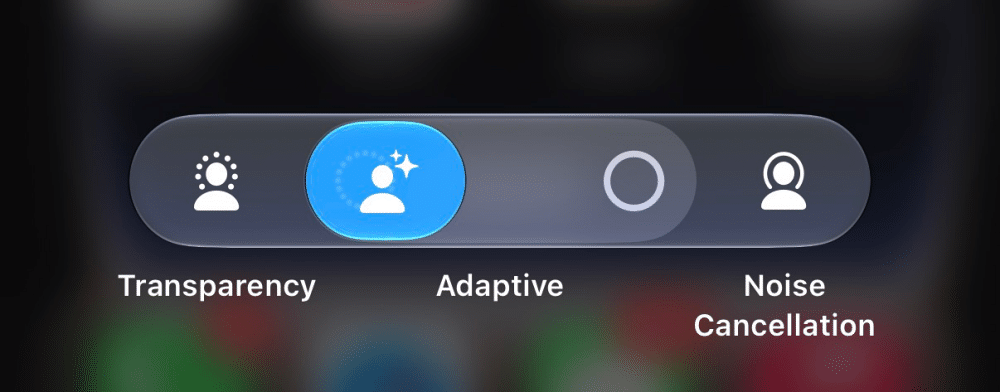
AirPods’ Control Center panel was redesigned, with more Adaptive Audio mode options exposed directly in Control Center instead of buried in Settings.
Health added a new alert for data sharing, working similarly to the location-sharing notifications you’re probably already used to, so you’ll know when an app requests access to your health data.
The Notification Center wallpaper animation that showed up in beta 3 is gone. Apple pulled it just as quickly as it appeared, which happens more often in betas than people realize; not every experiment makes it to the next build, let alone to launch.
A depth-effect bug from beta 3 has been fixed.
None of these will make anyone switch phones, but they’re the exact kind of accumulated detail work that makes an OS feel considered rather than rushed out the door.
One Beta 4 Clue Worth Watching (But Don’t Get Too Excited)
Code digging in beta 4 turned up new Battery Health strings that reference an iPhone with two internal batteries, which several outlets have connected to long-running rumors about a foldable iPhone. Worth being clear about what this actually is: a string of internal code, not a feature, not an announcement, and not confirmation of anything Apple has said publicly.
Companies plant hardware references in beta software well before, sometimes years before, a product ships, and plenty of those references never turn into a real device at all. Treat it as a rumor with a slightly firmer foundation than usual, not as news about your next iPhone.
How to Install iOS 27 Beta 4
If you’re already enrolled in the developer or public beta program, updating is the same as any other software update:
- Open Settings, then tap General.
- Tap Software Update.
- Under Beta Updates, confirm you’re on the iOS 27 Developer Beta or Public Beta track.
- Tap Download and Install, and let your phone finish before you rely on it for anything important.
If you’re not enrolled yet and want in, the free Apple Beta Software Program at beta.apple.com is the way to get the public beta track without a developer account. For a step-by-step walkthrough, see how to install the iOS 27 public beta. Just remember it’s beta software: expect the occasional glitch, and keep a backup on hand.
The Bottom Line
iOS 27 beta 4 doesn’t add anything that will make headlines on its own, and that’s kind of the point. Apple spent its big swings on the Siri rebuild back at WWDC; this build is about making that rebuild actually feel ready for the hundreds of millions of iPhones that will get it in September.
If beta 3 was about adding pieces, beta 4 is about making the pieces that already exist work the way they’re supposed to. That’s a good sign heading into the fall, even if it doesn’t make for the most exciting changelog.
Make the Most of Your Apple Devices: