Apple pushed iOS 27 Beta 3 (build 24A5380h) to developers on July 6, 2026, the second follow-up since the software debuted at WWDC last month. If you tracked the earlier builds, this one arrives right on schedule, roughly two weeks after iOS 27 Beta 2, and marks a subtle shift in tone. Apple has stopped adding big-ticket features and started enabling the ones it already introduced.
That’s exactly what a healthy third beta looks like. Instead of a brand-new headline feature, you get refinement: bug fixes, stability improvements, and a handful of features and settings quietly coming to life. The biggest addition is Siri voice customization, which sat dormant in previous builds and finally works here. Alongside it, there’s a fun wallpaper animation, a new Accessibility feature called Live Recognition, and small but welcome tweaks across Photos, Shortcuts, and Control Center. If you’ve been following the broader iOS 27 features rollout, these updates build directly on the release’s core themes.
Below is a complete breakdown of everything new in iOS 27 Beta 3, why each change matters, and whether it’s worth installing today.
Should you install iOS 27 Beta 3?
The short answer is no, at least not on your primary iPhone. This is still an early developer beta, so expect bugs, occasional battery drain, and the odd app that refuses to cooperate. It isn’t polished enough to trust as a daily driver.
Before installing, keep a few things in mind. Apple re-downloads certain Apple Intelligence assets between Beta 2 and Beta 3, temporarily resetting access to the new Siri while your device re-indexes. Don’t be surprised if Siri appears unavailable for a while after updating. As always, back up your iPhone first.
As for timing, Apple has already confirmed that the first iOS 27 public beta will arrive later this month, with most reports pointing to mid-July. It will likely be based on this very build. The stable release remains on track for September alongside the next iPhone lineup. If you’d rather avoid the rough edges, waiting another week or two is the smarter move.
Siri Voice Customization is Finally Live
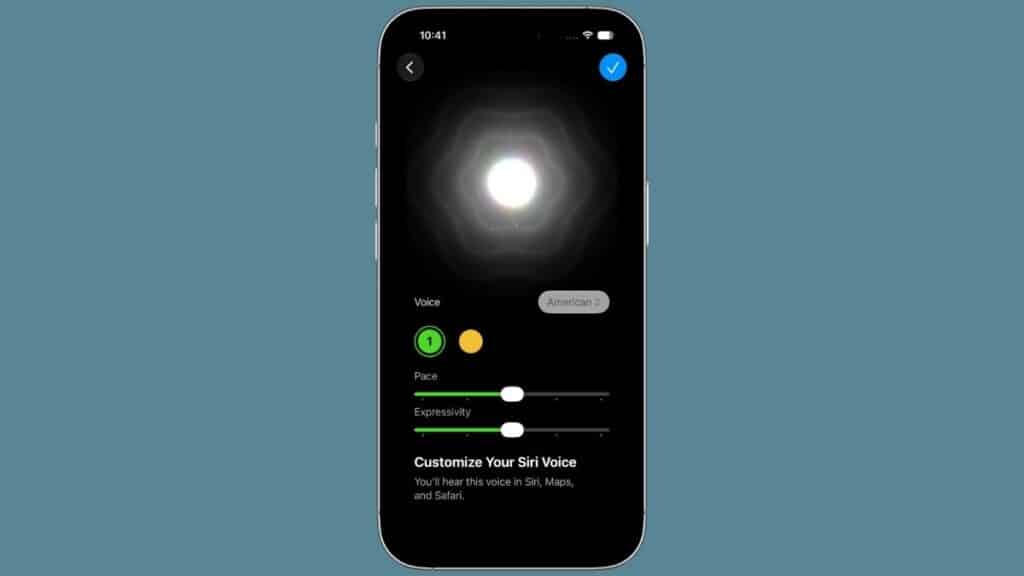
This is the feature most users will immediately notice. Siri voice customization technically appeared in earlier betas, but the controls remained disabled. In Beta 3, they’re fully functional.
Open Siri settings and you’ll now find two new sliders: Pace and Expressivity, along with two available voice options. Pace lets you speed up or slow down Siri’s speech, while Expressivity adjusts how animated or natural the voice sounds. It’s a relatively small addition, but after years of a fixed Siri voice, the extra personalization makes the assistant feel much more natural.
There is one hardware limitation. Because everything runs on-device, Siri voice customization currently requires an iPhone 17 Pro, iPhone 17 Pro Max, or iPhone Air.
Apple also refined several parts of the Siri experience. When Siri is listening, the interface now uses a softer, colorful reflective animation. Siri Mode in the Camera app integrates with the updated assistant, and the Settings banner has been renamed from “Indexing” to Optimizing Search and Siri.
watchOS 27 Beta 3 also gains the upgraded Siri experience, complete with a dedicated Siri app on Apple Watch.
Live Recognition Brings On-Device Camera Intelligence to Accessibility
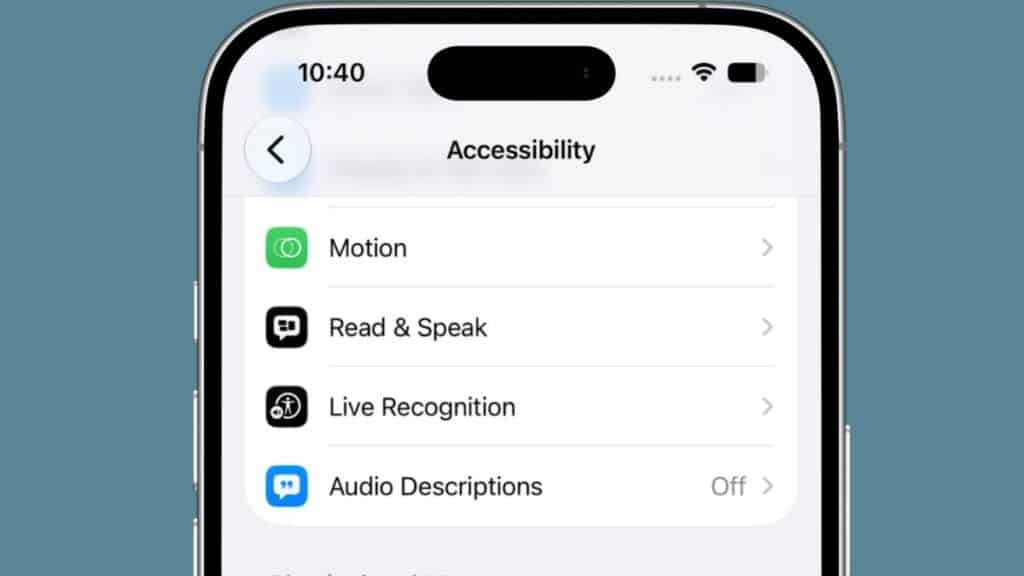
Hidden inside Accessibility is one of Beta 3’s most impressive additions: Live Recognition.
Using on-device Apple Intelligence, Live Recognition analyzes your surroundings through the camera, identifies objects, reads scenes aloud, and provides contextual descriptions in real time.
It also supports follow-up questions. You can ask about objects the camera sees, configure a default question for repeated use, and even create custom activities. For users who rely on Accessibility features, this could become one of the most meaningful additions in iOS 27.
Liquid Glass Gets Softer, and the Wallpaper Effect Returns
Apple continues refining the Liquid Glass design language, and Beta 3 noticeably tones down the visual effects.
Home Screen icons now feature softer highlights, lighter shadows, and reduced outlines, especially when using the Clear or Tinted icon styles, making the interface feel less aggressive than before.
The biggest visual upgrade is the new wallpaper depth animation. Pull down Notification Center and the wallpaper subject now floats above the interface before revealing notifications. The effect looks remarkably smooth, although some wallpapers produce better results than others.
Apple also refreshed several interface elements.
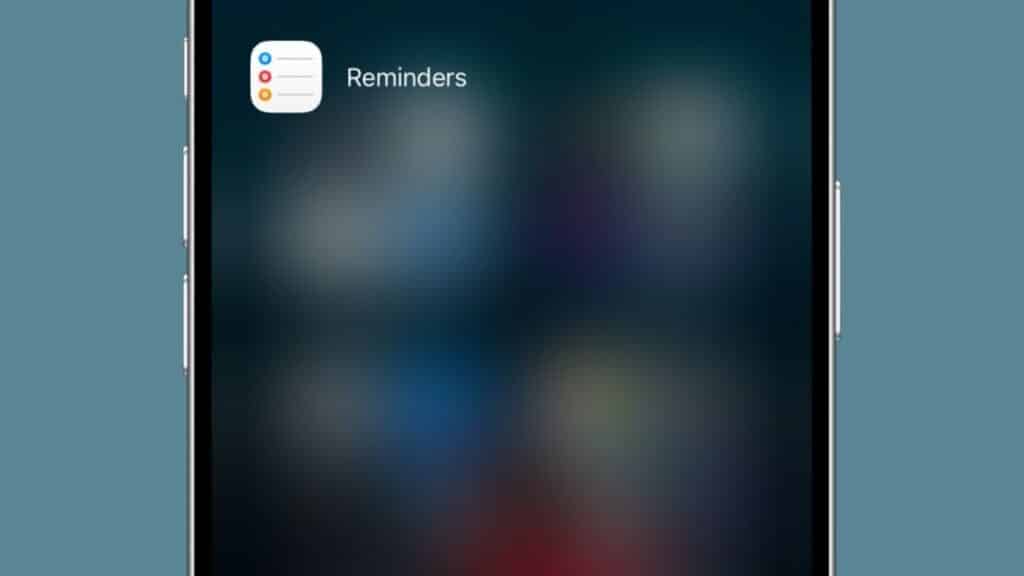
- Reminders now uses hollow colored bullets instead of solid dots.
- The Feedback app has received an updated icon.
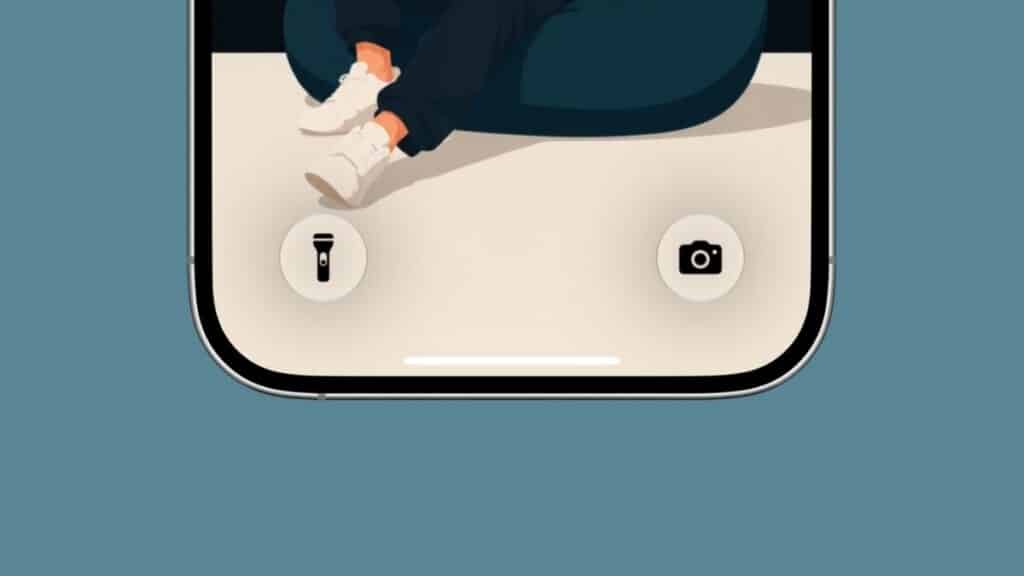
- Control Center buttons on the Lock Screen now switch to black icons on compatible wallpapers, improving readability.
Photos and Camera Receive Rating Controls
Inside Settings → Photos, Apple has added a new Show Rating Controls option.
Enable it, and you’ll be able to assign star ratings to photos and videos. Rated items also display badges directly on thumbnails, making it much easier to organize large libraries. It complements the AI photo editing features in iOS 27 that Apple introduced earlier this year.
Control Center and Status Bar Improvements
Control Center now exposes more network information than before.
Even while connected to Wi-Fi, you’ll see your cellular connection type and signal strength, allowing you to confirm whether you’re using LTE or 5G without disconnecting.
Apple has also added a new Show Borders toggle under Vision Accessibility, providing clearer outlines around interface elements for improved visibility.
Shortcuts Becomes Easier to Use
Shortcuts gains a surprisingly useful quality-of-life improvement.
When creating a shortcut, you can now choose whether to start inside the Describe a Shortcut interface powered by Apple Intelligence or jump directly into the traditional manual editor. For experienced Shortcuts users, this removes an unnecessary extra step.
Apple has also made the Edit button more visible, while Apple Intelligence can now summarize what an existing shortcut actually does, making complex automation much easier to understand.
AirPods, Home, Maps, and Find My Improvements
Several smaller improvements round out the update.
- AirPods: Adaptive Audio now includes a dedicated slider inside Listening Mode, giving you finer control over transparency and noise cancellation.
- Home: Apple now clearly states that Apple Intelligence features inside the Home app require a 2TB iCloud+ subscription, either standalone or through Apple One Premier.
- Maps: A new tooltip explains where route preferences are located after earlier beta testers struggled to find them.
- Find My: The app now displays a “What’s New” screen highlighting flexible location sharing and redesigned Apple Watch integration.
5G+ Arrives in India, Alongside Bug Fixes
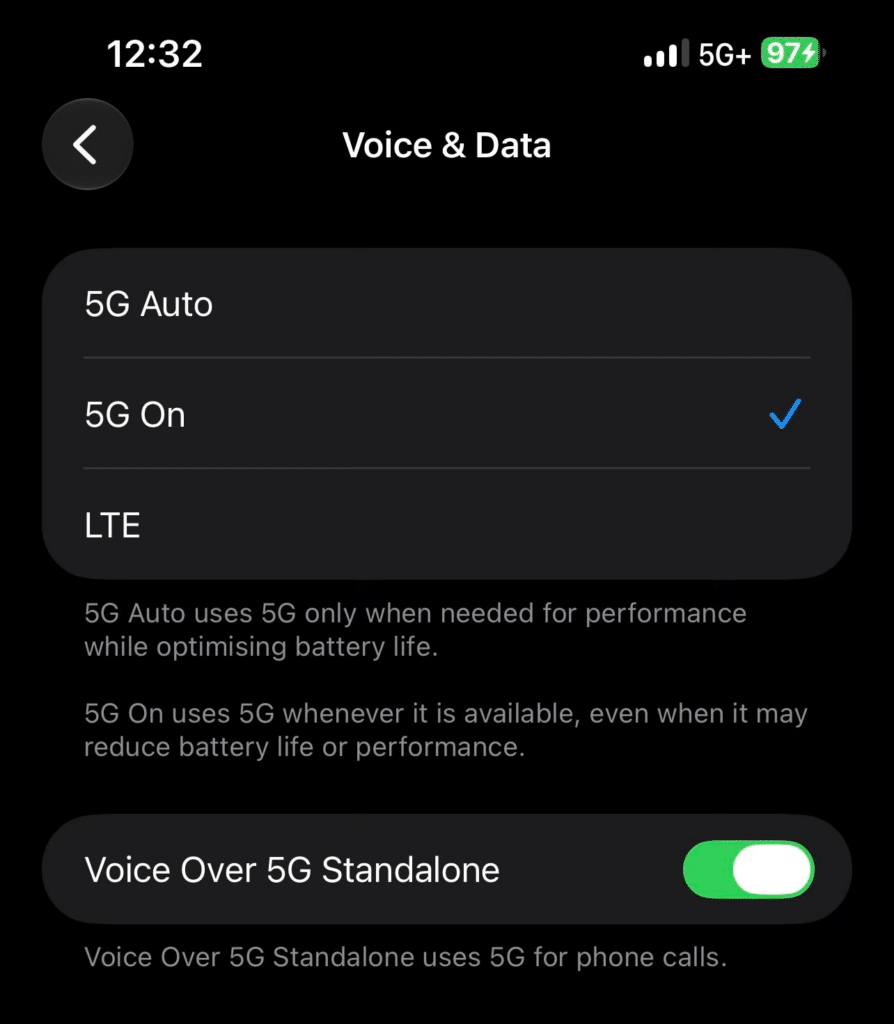
For users in India, Beta 3 enables 5G+ support on compatible carriers, improving download speeds, streaming performance, and background syncing.
Apple also fixes several bugs throughout the system.
One particularly welcome fix addresses an issue where completely drained iPhones could become stuck on the red battery icon until users force restarted the device or reconnected the charger. Sticker bugs and boot issues have also been resolved.
Battery life also appears to be improving compared to Beta 2, according to early testers.
Safari receives several updates as well, highlighting four newer capabilities:
- Automatic tab organization
- Topic-based bookmark browsing
- “Notify Me” page-change tracking
- Custom extension creation
What Changed in watchOS 27 and macOS 27?
Beta 3 wasn’t limited to iPhones.
watchOS 27 Beta 3 adds Apple Intelligence-powered Siri along with the new standalone Siri app.
Meanwhile, macOS 27 introduces new Golden Gate Bridge wallpapers and screen savers, reflecting this year’s “Golden Gate” release theme.
Wrapping up
Taken together, the changes in iOS 27 Beta 3 suggest Apple is moving from feature development to refinement. Siri voice customization is finally active, Live Recognition expands Accessibility in meaningful ways, and several Apple Intelligence features are becoming fully operational rather than remaining hidden behind unfinished interfaces.
That’s an encouraging sign with the public beta expected later this month and the final release arriving in September. Unless you’re a developer or enjoy testing unfinished software, waiting for the public beta remains the better choice. It should deliver these same improvements with noticeably fewer rough edges.
Make the most of your Apple devices: