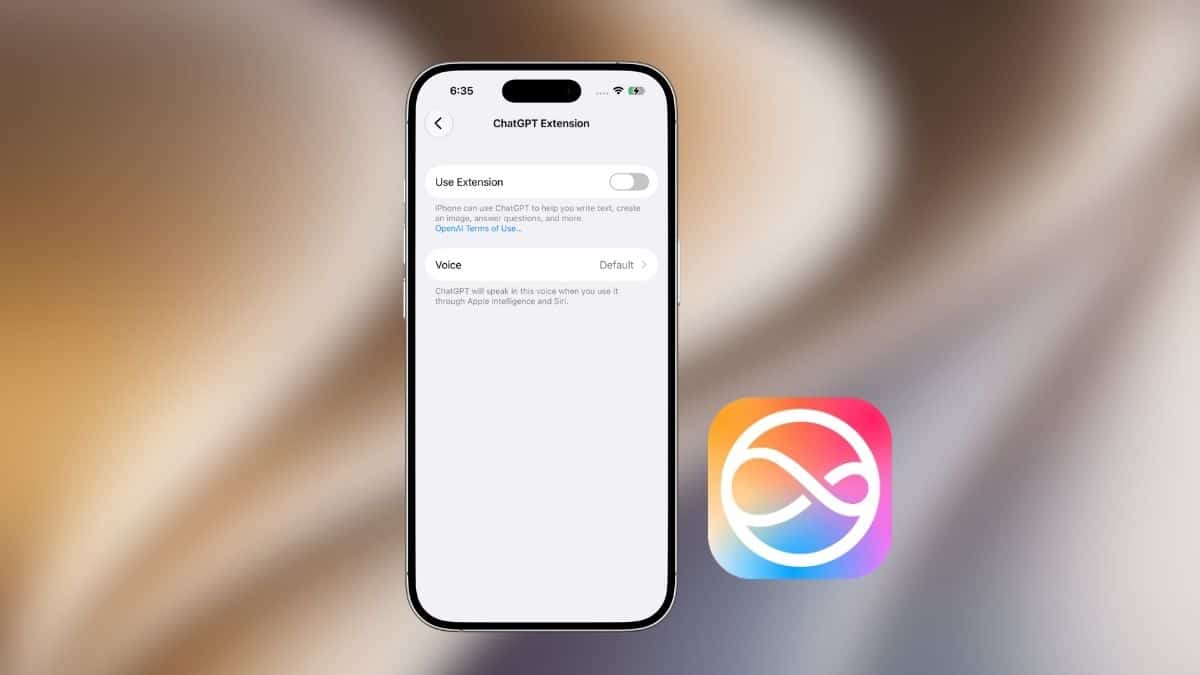
Ask Siri a follow-up question and watch it lose the thread. You ask about a restaurant, then ask, “Is it open right now?” and Siri may treat it as a completely new request with no connection to what you just asked. It is one reason many people use ChatGPT for questions that require more context or reasoning, while keeping Siri around for timers, messages, calls, and other iPhone controls.
iOS 27 changes that relationship. Instead of trying to make Siri handle every type of request itself, Apple is expanding how its assistant can work with third-party AI services. That means you can use ChatGPT for certain queries while Siri continues handling iPhone-specific tasks.
Think of it less as replacing Siri and more as giving it access to another AI when you need one. Here’s how the integration works, how to use ChatGPT with Siri in iOS 27, and what still stays firmly in Siri’s hands.
What You Need Before You Start
Before looking for the ChatGPT option, make sure your iPhone meets the requirements.
- A supported iPhone: The newer Siri and Apple Intelligence features require compatible Apple Intelligence hardware. That includes the iPhone 15 Pro and 15 Pro Max, newer supported iPhone generations, and other Apple Intelligence-capable models.
- iOS 27: Your iPhone needs to be running a version of iOS 27 that includes the relevant Siri features.
- ChatGPT access: Depending on how Apple exposes the integration in your current iOS build, you may need ChatGPT configured as an available extension or service.
- Supported language and region: Apple Intelligence and third-party AI availability can vary by language and country.
If you’re unsure whether your iPhone qualifies, check our complete iOS 27 compatible devices list. If you’re testing the update before its public release, we also have a guide explaining how to install the iOS 27 beta.
How ChatGPT and Siri Work Together in iOS 27
The most important thing to understand is that ChatGPT does not simply replace Siri everywhere on your iPhone. Siri still acts as Apple’s system assistant. It handles the parts of iOS that require direct access to your device, such as starting timers, making calls, sending messages, changing settings, or controlling smart-home accessories.
ChatGPT is better suited to open-ended questions and tasks where you want a more conversational or detailed response.
For example, Siri makes sense for:
“Set a timer for 20 minutes.”
ChatGPT makes more sense for:
“Give me a 20-minute home workout that doesn’t require any equipment.”
The goal is to let you use the right assistant for the right kind of request without constantly jumping between apps.
How to Use ChatGPT With Siri in iOS 27
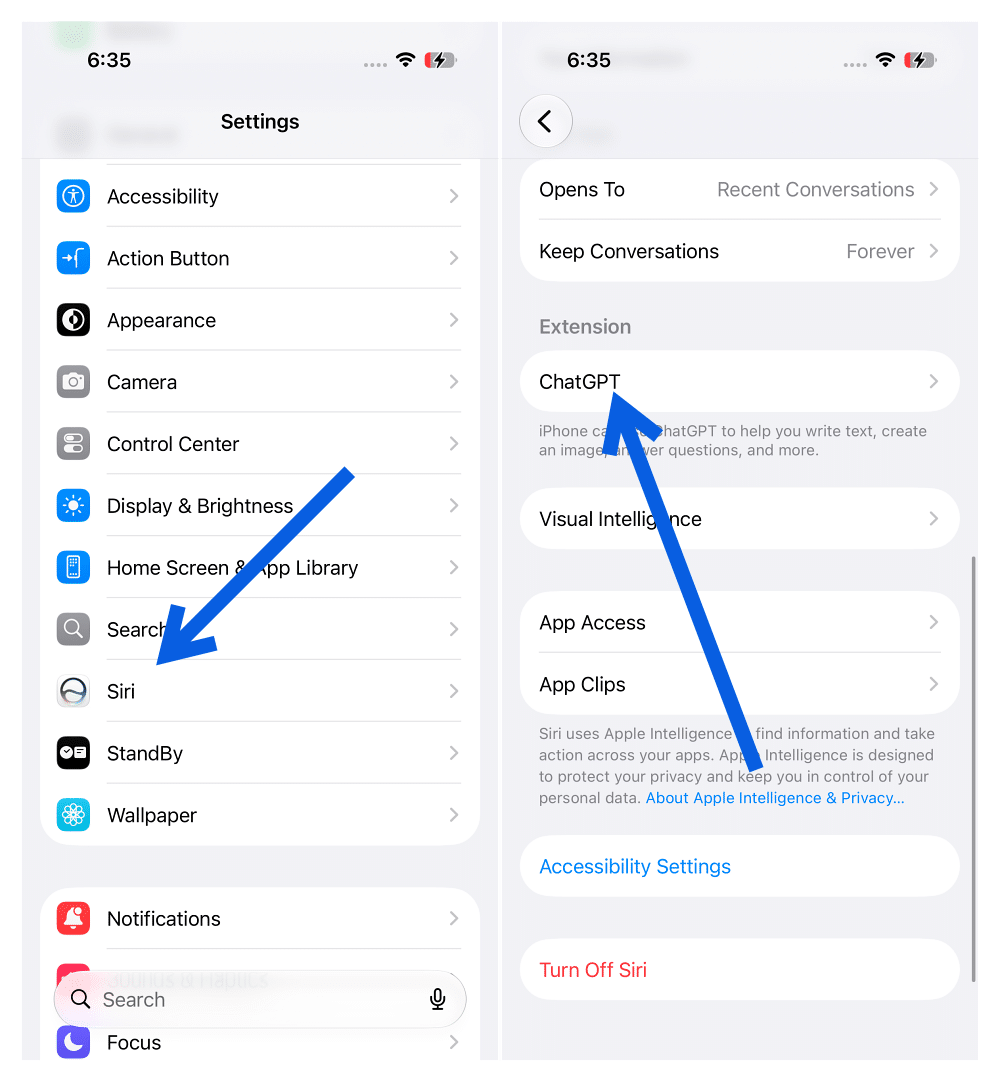
The exact wording and placement of these controls can change while iOS 27 remains in beta, but on supported builds, look for the AI or Extensions controls within Siri’s settings.
- Open Settings on your iPhone.
- Tap Siri.
- Open the available Extensions or third-party AI options.
- Select ChatGPT and enable it if necessary.
- Open Siri and start a new request.
- Choose ChatGPT when Siri gives you the option to route the conversation to another AI service.
- Ask or type your question.
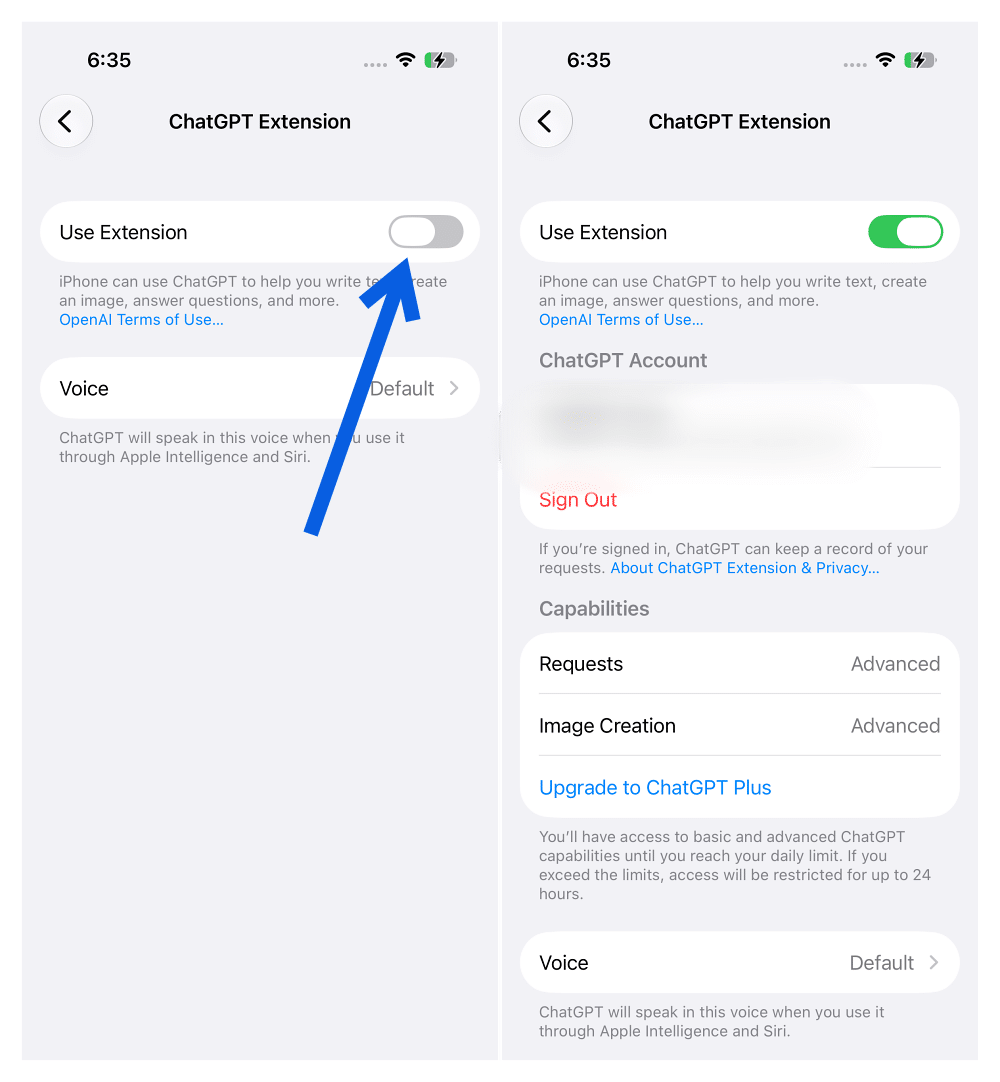
Once ChatGPT is handling the conversation, the Siri interface should indicate that your request is being answered through ChatGPT rather than Apple’s own assistant.
Because iOS 27 is still being tested, don’t be surprised if Apple moves these controls or changes the interaction before the public release.
Can You Make ChatGPT the Default Siri Assistant?
Not completely. This is the biggest distinction between using ChatGPT with Siri and actually replacing Siri with ChatGPT.
Siri remains deeply integrated with iOS. Pressing and holding the side button or using the Siri wake phrase still invokes Apple’s assistant rather than turning ChatGPT into the operating system’s default assistant. Depending on the iOS 27 build you’re running, you may also need to select ChatGPT again when starting a new conversation instead of having every Siri query automatically sent to it.
So if you’re hoping for a single switch labeled something like Replace Siri with ChatGPT, that isn’t what this system provides. Instead, Siri remains the gateway while ChatGPT becomes another option for requests better suited to a general-purpose AI assistant.
When It Makes Sense to Use ChatGPT Instead of Siri
The difference becomes clearer when you look at actual tasks.
Suppose you ask:
“I’m visiting Tokyo for four days. Build me an itinerary that minimizes travel time and includes good places to eat near each attraction.”
That’s the kind of multi-part request where ChatGPT can be more useful because the answer requires planning, context, and follow-up questions.
Or you might ask:
“Rewrite this email so it sounds professional but not overly formal.”
Again, that’s more naturally suited to ChatGPT than a traditional voice assistant. Siri remains more useful when your request needs to interact directly with your iPhone.
For example:
“Call Mom.”
“Set an alarm for 7 AM.”
“Text John that I’ll be there in 10 minutes.”
“Turn off the bedroom lights.”
“Remind me to buy milk when I leave work.”
The distinction is simple: ChatGPT handles the thinking-heavy conversation, while Siri handles many of the device-level actions.
What Siri Can Still Do That ChatGPT Can’t
Giving ChatGPT a bigger role doesn’t make Siri unnecessary. Siri’s biggest advantage is its access to iOS.
It can interact with apps, settings, contacts, alarms, reminders, Home accessories, and other system features that a third-party AI service cannot necessarily control directly. That means Siri remains the better option for tasks such as:
- Setting alarms and timers
- Making phone calls
- Sending messages
- Controlling Home accessories
- Opening apps
- Starting navigation
- Changing supported device settings
- Creating reminders and calendar actions
ChatGPT’s strength is the conversation and reasoning that happens around those actions, not necessarily executing every action itself.
What About ChatGPT Conversation History?
Don’t assume that every ChatGPT conversation started through Siri will behave exactly like a conversation you start inside the ChatGPT app.
How conversations are stored, associated with an account, or carried between Siri and ChatGPT can depend on the integration method and your account settings.
If keeping a long-running conversation or accessing the same chat later on another device matters, the ChatGPT app itself remains the safer place to continue that conversation. Siri integration is better suited to quickly getting an AI answer without manually opening another app.
Can You Use Claude or Gemini With Siri Too?
ChatGPT isn’t necessarily the only third-party AI that can benefit from Apple’s broader approach. The larger idea behind an Extensions-style system is that Siri doesn’t have to be the best model for every request. Other AI apps can potentially specialize in different kinds of tasks.
That could make the choice more interesting than simply deciding between Siri and ChatGPT. You might prefer ChatGPT for everyday questions and writing, Claude for working through particularly long documents, or Gemini when Google’s ecosystem is more relevant to what you’re doing.
The important shift is that Siri increasingly becomes the interface connecting these capabilities rather than trying to provide every answer itself.
Does This Actually Replace Siri?
No, and that is probably the wrong way to think about the feature. Siri still controls the parts of your iPhone that an AI chatbot cannot simply take over. ChatGPT complements it by handling the kinds of questions where a conversational AI model is more useful. The result is closer to having two assistants with different jobs.
Siri handles:
“Do something on my iPhone.”
ChatGPT handles:
“Help me figure something out.”
There will obviously be overlap between those two categories, especially as Apple expands Siri’s capabilities, but that distinction explains why Apple doesn’t simply provide a switch that turns Siri off and ChatGPT on.
Final Thoughts
Using ChatGPT with Siri in iOS 27 isn’t about removing Siri from your iPhone. It is about having another option when Siri isn’t the best tool for the question.
Siri remains responsible for the wake phrase, system integration, device controls, calls, messages, timers, reminders, and other iPhone-specific actions. ChatGPT can step in when you need a more conversational response, deeper explanation, writing help, planning, or more involved reasoning.
That’s arguably more useful than a full replacement anyway. You don’t need ChatGPT to set a 10-minute timer, and you probably don’t want Siri trying to build a detailed four-day travel itinerary. Use Siri when you want your iPhone to do something. Use ChatGPT when you want help thinking through something.