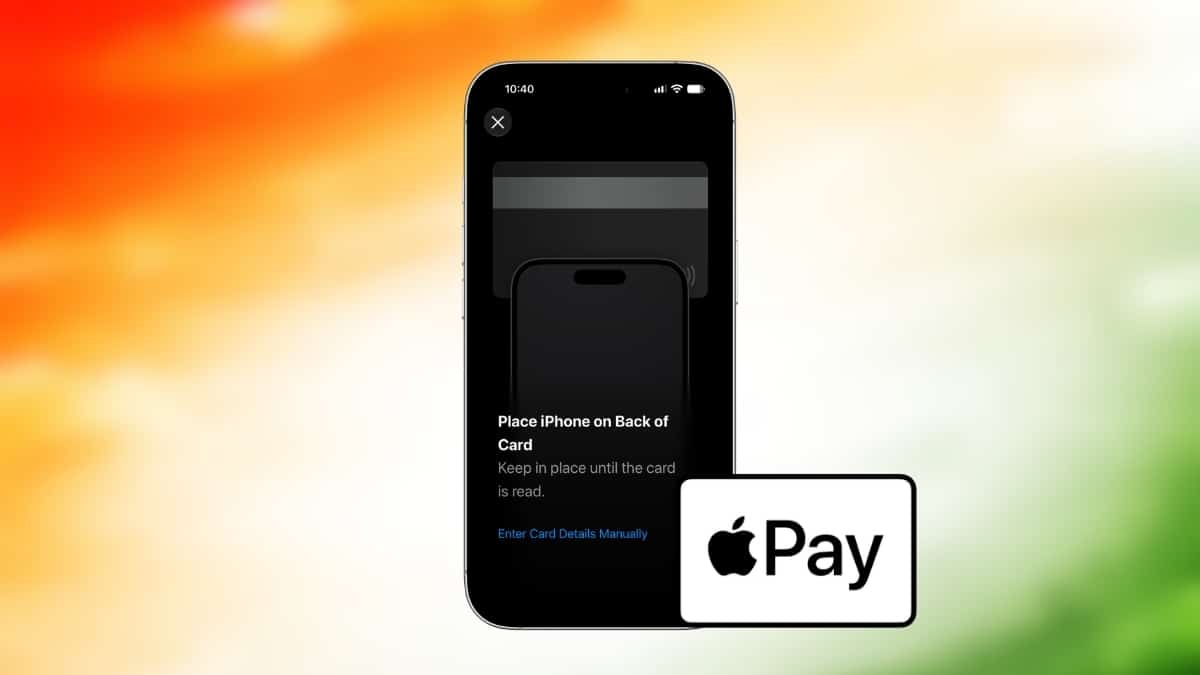
For years, iPhone owners in India watched Apple Pay work in the US, UK, and Singapore while paying at home with a QR scan or a card swipe. Travelers set it up abroad with a foreign card, then went back to the plastic the moment they landed.
That changed on September 30, 2026. Apple officially launched Apple Pay in India, about 12 years after it first introduced the service. The catch is big, though: only one bank supports it right now, and it doesn’t touch UPI.
Here’s what works today, what doesn’t, what it costs, and whether you should set it up.
Which Banks and Cards Support Apple Pay in India?
Right now, the list is short.
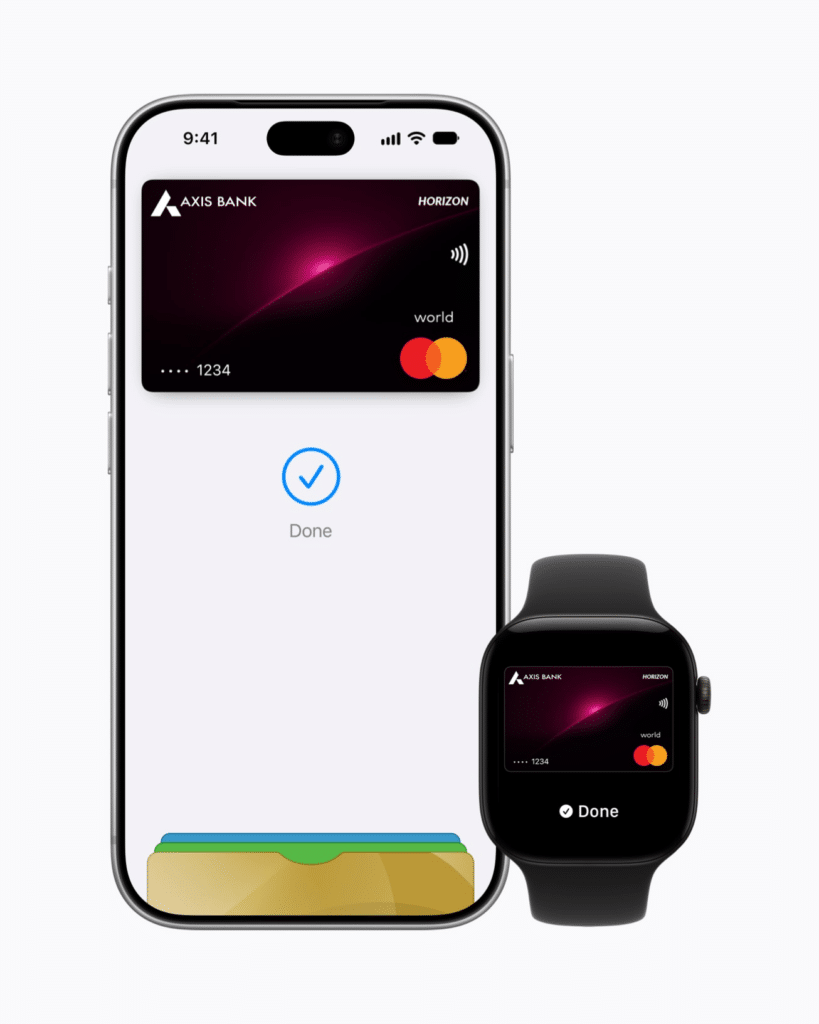
- Supported bank: Axis Bank only.
- Supported cards: Eligible Axis Bank credit cards on Visa and Mastercard (Atlas, Magnus, Reserve, Olympus and similar).
- Not supported: Axis Bank debit cards, RuPay cards, and American Express.
- Not yet on board: HDFC Bank, ICICI Bank, and SBI Card.
TechCrunch reports that HDFC, ICICI, and SBI Card sat out the launch because they’re still negotiating commercial terms with Apple. None of them has announced a date.
The RuPay gap matters more than it sounds. RuPay is India’s homegrown card network, and RuPay credit cards have grown popular because they’re the only credit cards you can link to UPI. If that describes your wallet, Apple Pay has nothing for you yet.
Why Only Axis Bank? The Fee Fight Explained
This is the part most launch coverage glosses over. Apple Pay costs banks money, not you.
According to TechCrunch, Apple wants roughly 20 basis points (0.2%) of each transaction from card issuers. Indian card payments typically earn banks about 40 to 50 basis points of margin, so Apple’s cut would eat close to half. Razorpay’s analysis puts Apple’s ask at 0.15% to 0.20%, with banks pushing back at around 0.10%.
Axis Bank agreed. The others haven’t, yet. That’s why your bank’s support depends on a business deal, not on technology.
Apple Pay Charges: Do You Pay Anything?
No. Apple doesn’t charge you to add a card or to pay with Apple Pay, and neither Apple nor Axis Bank has announced any user fee.
Your card’s normal terms still apply, though:
- Interest and late fees work the same as with your physical card.
- Forex markup applies when you pay abroad or in a foreign currency, at the rate your Axis card already charges.
- Reward points aren’t explicitly addressed by Axis yet. Tokenized payments usually earn like regular card spends, but check your card’s terms before assuming.
Merchants also pay nothing extra to Apple for accepting it right now, according to Razorpay.
Where Can You Use Apple Pay in India?
Apple Pay works in three places: stores with contactless (NFC) terminals, inside apps, and on websites at checkout.
Apple lists these merchants at launch: Apple Store locations, Blinkit, Chaayos, Comet, Croma, Interflora, Ixigo, Le15 Patisserie, Reliance brands, Tata 1mg, and Zomato. More are promised “over time.”
Worth knowing: a terminal accepting contactless cards doesn’t guarantee it accepts Apple Pay. MacRumors and early users note that acceptance depends on the merchant’s acquiring bank enabling it. You might tap successfully at one Croma counter and get declined at a kirana store next door with an identical-looking machine. Keep the physical card in your bag for the first few weeks.
What About UPI and the ₹5,000 Tap Limit?
Apple Pay does not support UPI at launch. That’s a big gap, since UPI handles roughly 84% of India’s digital transactions, according to MacRumors.
Apple’s announcement doesn’t mention UPI at all. Deccan Herald reports that UPI support could come “in the coming months following statutory approvals,” which would require a nod from NPCI and a sponsor bank. Treat that as a report, not a promise.
On limits, the RBI caps PIN-free contactless card taps at ₹5,000 per transaction, a rule in place since January 2021 (Business Today). Apple Pay authenticates you with Face ID, Touch ID, or your passcode on the phone itself. Neither Apple nor Axis has confirmed whether that biometric check lets you tap above ₹5,000 without a PIN, so expect the terminal to ask for one on larger bills.
Which iPhone, Apple Watch, and iPad Models Work?
Apple lists these requirements:
- iPhone: iPhone XR or later, running iOS 18 or later.
- Apple Watch: Series 6 or later, running watchOS 11 or later, paired with an iPhone XR or later.
- iPad: Supported for in-app and online purchases.
- Mac: “Coming soon,” with no date.
If your iPhone hasn’t updated in a while, install the latest version first. Our iOS 27.0.1 update guide covers what the current release fixes.
How to Set Up Apple Pay in India
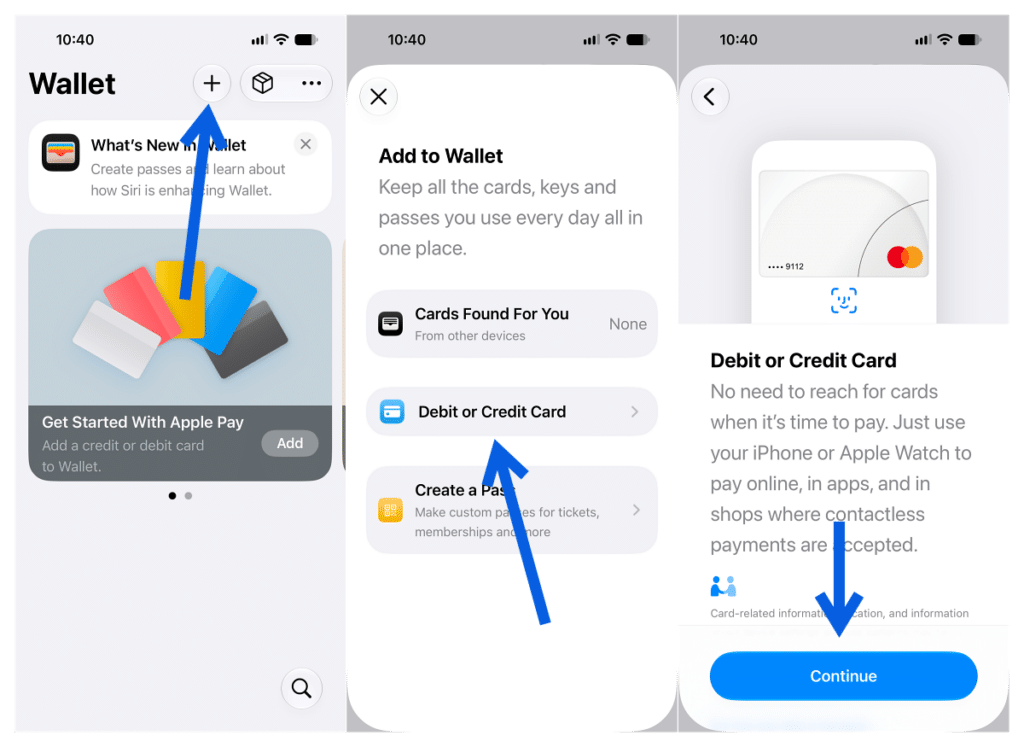
Setup takes about two minutes. You can add a card from the Axis Bank app (update it first) or from Apple’s Wallet app. Here’s the Wallet route, based on Apple’s official setup guide:
- Open the Wallet app on your iPhone.
- Tap the + button, then choose Debit or Credit Card.
- Tap Continue and hold your Axis card inside the camera frame, or enter the details manually.
- Accept the terms, then verify with Axis Bank, usually through an OTP sent to your registered number.
- Wait for the card to appear in Wallet as active.
To add it to your Apple Watch, open the Watch app on your iPhone, go to My Watch > Wallet & Apple Pay, and tap Add Card.
How to Pay With Apple Pay (iPhone and Apple Watch)
Paying at a store feels almost too quick the first time. You double-click the side button, glance at the screen, and hold the top of your iPhone near the reader. A soft tick and a checkmark confirm it. No wallet, no card, no swipe.
- iPhone with Face ID: Double-click the side button, authenticate with Face ID, and hold the phone near the reader.
- iPhone with Touch ID: Rest your finger on Touch ID and hold the phone near the reader.
- Apple Watch: Double-click the side button and hold the watch face near the reader.
- Apps and websites: Choose Apple Pay at checkout, confirm the amount, then double-click the side button to authenticate.
If you’re unsure what a symbol on your watch means during payment, our guide to every Apple Watch icon explains them.
Is Apple Pay Safer Than Tapping Your Card?
Yes, in one specific way. When you add a card, Apple generates a unique Device Account Number and stores it, encrypted, in the Secure Element chip on your device. Your real card number never goes to the merchant, and Apple says it doesn’t store your card number on its servers or keep transaction data that identifies you.
A physical contactless card works differently. Anyone who picks it up can tap it for up to ₹5,000 without a PIN. With Apple Pay, a stolen phone is useless without your face, fingerprint, or passcode.
If you lose your iPhone, you can suspend Apple Pay from the Find My app. Our explainer on Find My app icons and symbols helps you read your device’s status there.
Should You Set Up Apple Pay Now?
It depends on your wallet.
- Set it up if you hold an Axis Bank Visa or Mastercard credit card. It’s free, faster than finding your card, and safer than tapping plastic.
- Set it up if you travel. Apple Pay works in 100+ countries and regions, and one card on your phone covers you abroad too.
- Skip it for now if you rely on UPI, a RuPay card, a debit card, or a non-Axis credit card. Nothing works for you until your bank signs on.
If you want to track what you spend across Apple Pay, UPI, and cards in one place, these free expense tracker apps help.
Signing Off
Apple Pay’s India launch is real, but it’s a first step, not a finished product. For Axis credit card holders, it’s a quicker and more private way to pay at a growing list of stores and apps. For everyone else, it’s a wait tied to fee negotiations and NPCI approvals, not technology.
The launch that matters for most Indians is the one where HDFC, ICICI, SBI, and UPI join. Until then, keep your physical card handy.
Make the most of your Apple devices: