Free expense tracker apps solve a problem most people do not lose control of in one dramatic moment. It happens through small leaks: a forgotten subscription that renews every month, a stack of card swipes that never quite adds up to what you remember spending, or that familiar “where did it all go?” feeling around the 25th of the month.
The Notes app or a mental running total works for about a week before it quietly stops. An expense tracker app fixes that specific problem. It gives you one place to log what you spend as you spend it, without asking you to open a spreadsheet or wait for a bank statement.
The 5 apps below are all free to start using, and each takes a slightly different approach to tracking your money.
What Does an Expense Tracker App Do?
At its core, an expense tracker app does one job: it captures a transaction, either manually or from a linked bank account, and sorts it into a category so you can see where your money is going by day, week, or month.
From there, most apps layer on budgets, spending limits you set for individual categories, and reports that turn raw numbers into something you can actually understand at a glance.
Where they differ is in how that core job gets done. Some apps want you to connect your bank account so transactions are logged automatically. Others are built around typing in each purchase by hand, based on the idea that manually entering an expense makes you more aware of what you are spending.
Neither approach is objectively better. It depends on whether you want expense tracking to disappear into the background or whether you want the friction of manual entry to do some of the behavior-change work for you.
Why You Should Use an Expense Tracker App
A lot of the old “just use Mint” advice is now out of date. Mint shut down for good on March 23, 2024, and Intuit moved users toward Credit Karma, which is primarily a credit-monitoring and personal finance platform rather than a direct replacement for everything Mint offered.
That left a real gap, and plenty of free and freemium expense-tracking apps have been competing to fill it. Subscription creep has also gotten worse, not better. Streaming services, apps, cloud storage, and memberships renew quietly in the background, and it is surprisingly easy to pay for three things you forgot existed.
A tracker that puts those recurring expenses alongside your everyday spending can do more for your monthly budget than trying to remember every coffee, takeout order, or impulse purchase yourself.
Best Free Expense Tracker Apps for iOS and Android
We looked at what each app offers for free, its approach to expense tracking, budgeting features, and how useful it is for different types of users. Rather than picking five apps that all do essentially the same thing, these choices cover different needs, from shared household budgeting and manual expense logging to subscription tracking and multi-currency spending. Here are the 5 worth considering.
1. Goodbudget
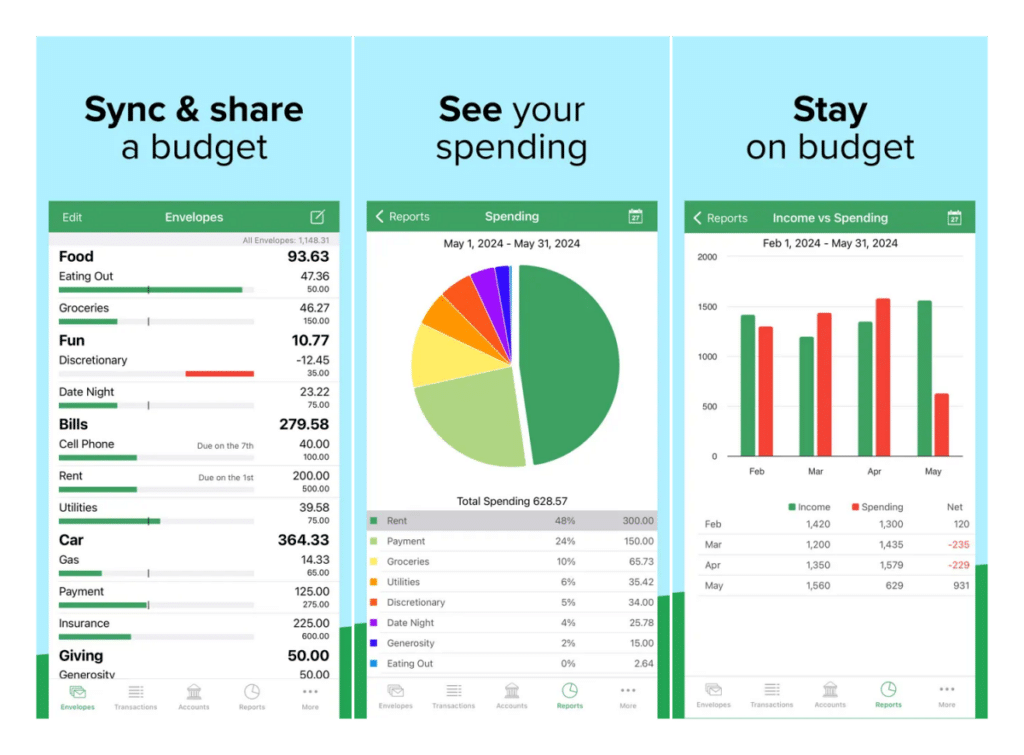
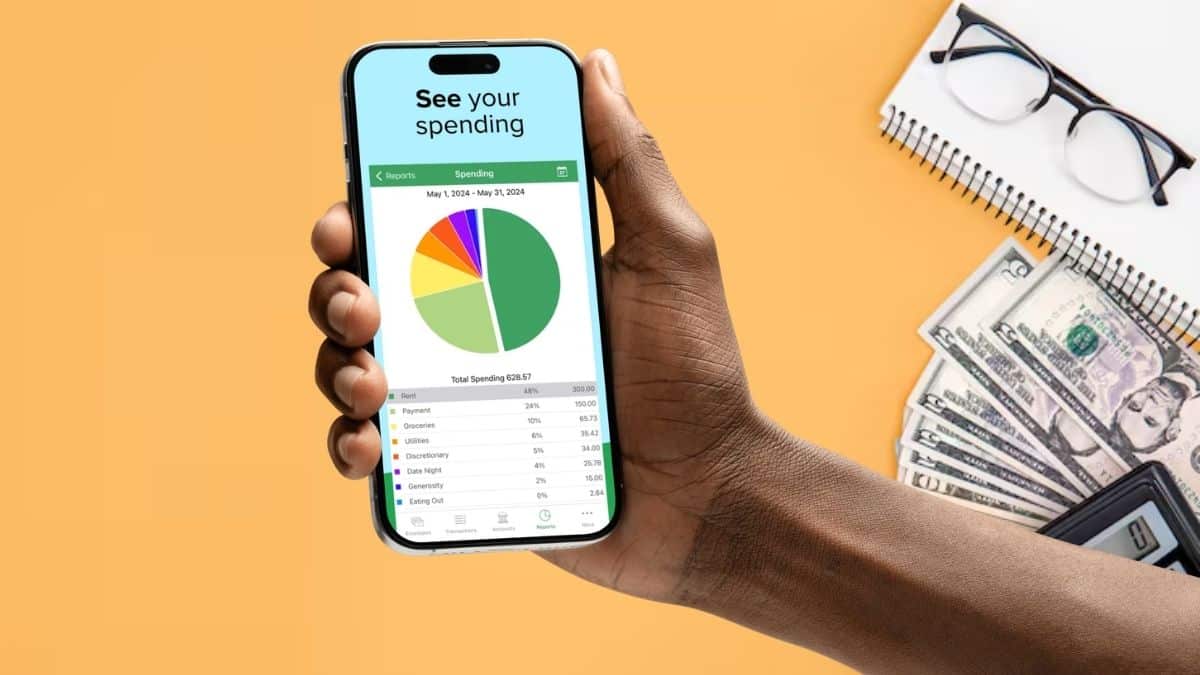
Goodbudget digitizes the classic cash-envelope method. Instead of seeing your money as one big balance, you divide it into named “envelopes” for things like groceries, rent, fuel, dining out, and entertainment. As you spend, money comes out of the corresponding envelope.
If an envelope hits zero, you either stop spending in that category or move money from somewhere else. That makes overspending much more visible than looking at a single bank balance and trying to remember what still needs to be paid.
The feature that separates Goodbudget from a typical solo expense tracker is sharing. A household can sync the same budget across multiple devices, so if your partner logs a grocery purchase, that expense can be reflected in the shared budget instead of both of you maintaining separate numbers.
The free plan gives you a limited number of regular and annual envelopes, which should be enough for a relatively simple monthly budget. More envelopes, longer transaction history, and additional features require a paid subscription.
The trade-off is that Goodbudget requires more active participation than an app designed primarily around automatic bank syncing. But that is also part of its appeal. If you want to consciously decide where your money goes before spending it, the envelope system works well.
Best for: Couples and households that want to manage a shared budget.
2. Money Manager Expense & Budget
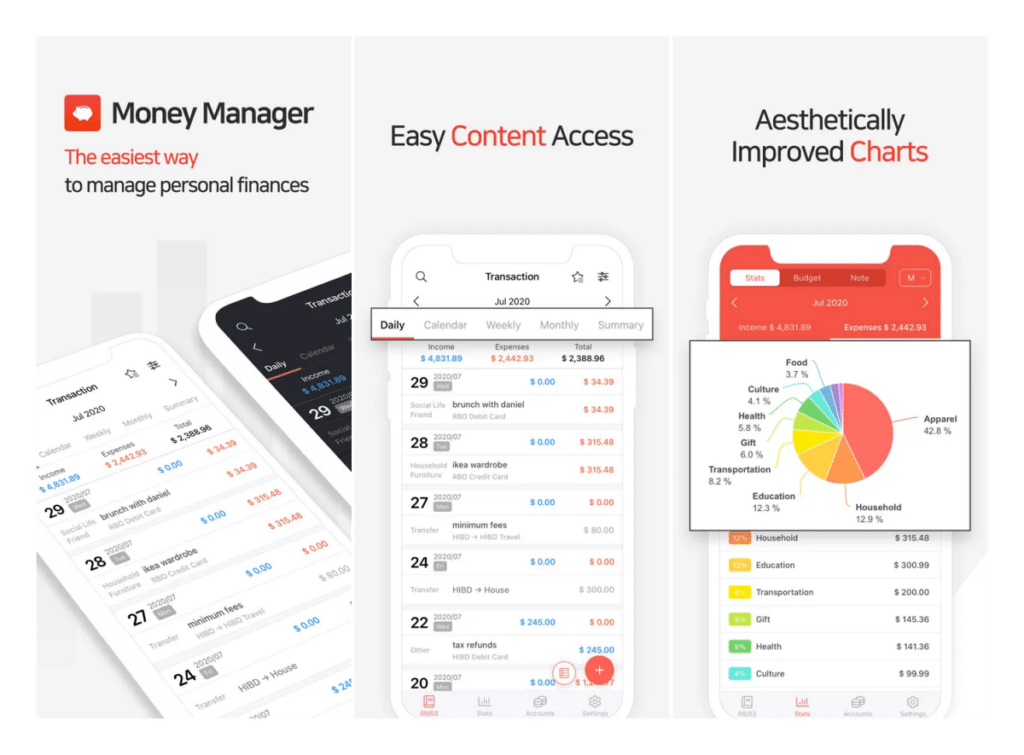
Money Manager Expense & Budget is built for people who would rather type in every purchase themselves than hand their bank credentials to another app.
Transaction entry is fast. Its calculator-style interface makes it possible to log an expense in a few taps, and the app is designed around making manual tracking feel less like bookkeeping.
The feature that separates it from a basic expense log is double-entry bookkeeping under the hood. Expenses and transfers can be reflected across different accounts, helping you keep balances accurate when you are managing cash, bank accounts, credit cards, and savings at the same time.
It also supports different budget periods, giving you more flexibility than an app built exclusively around a single monthly spending limit. This approach does require discipline. If you forget to enter purchases for a week, the app cannot magically reconstruct them unless you go back through your transactions yourself.
But for privacy-conscious users who do not want to connect their bank account, that trade-off may be exactly what makes Money Manager appealing. The free version includes ads and some account limitations, while paid options remove restrictions and unlock additional functionality.
Best for: Anyone who wants detailed expense tracking without linking a bank account.
3. Rocket Money
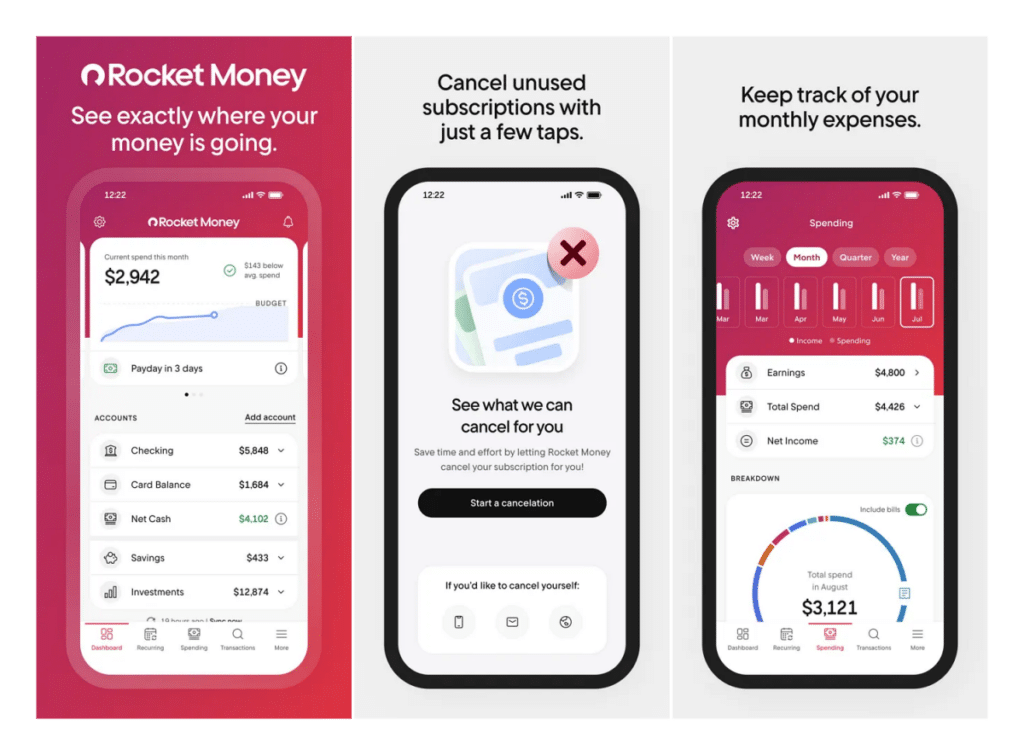
Rocket Money starts as a more conventional personal finance tracker. Connect supported financial accounts, and it can pull transactions together and categorize your spending. But its real reason for being on this list is subscription tracking. Rocket Money scans transaction history for recurring charges and puts them together so you can see what you are actually paying each month for streaming services, apps, memberships, and other subscriptions.
That can be surprisingly useful. A $5 or $10 subscription rarely feels expensive when you sign up. Stack enough of them together, however, and the monthly total can become a meaningful expense without you noticing. Rocket Money is designed to make that total visible.
It also offers tools around subscription cancellation and bill negotiation. Some of these services have additional conditions or fees, so check the terms before using them rather than assuming everything is included in the free expense-tracking experience.
The core app is free to start, while Premium unlocks additional budgeting, savings, and financial-management features. If your biggest budgeting problem is not everyday purchases but money disappearing into subscriptions you barely use, Rocket Money is the most purpose-built option here.
Best for: Finding recurring subscriptions and understanding where automatic payments are going.
4. PocketGuard
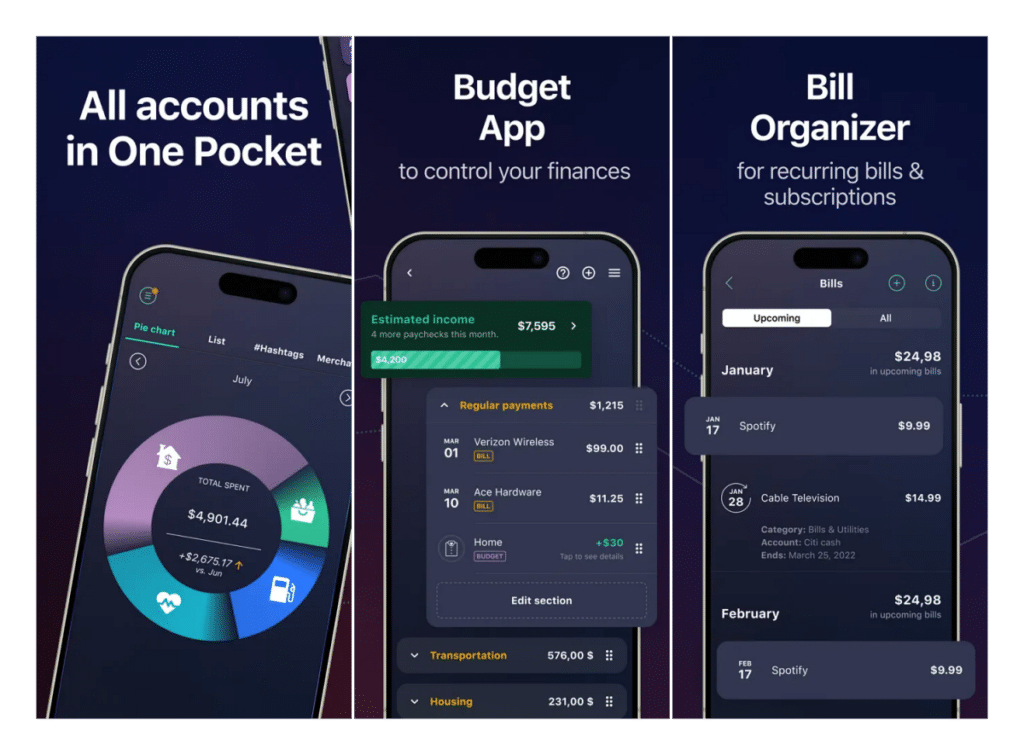
PocketGuard takes a different approach from apps that throw dozens of spending categories and charts at you. Its core idea is much simpler: after accounting for bills, essentials, goals, and other planned spending, how much money can you safely spend?
That makes it useful for people who have tried detailed budgeting before and stopped because maintaining 15 different categories became another chore. Instead of requiring you to constantly interpret a full financial dashboard, PocketGuard tries to turn your budget into a more practical day-to-day number.
Its spending tools can also help you see whether you are moving through your monthly budget faster than expected, which makes the app more forward-looking than simply showing you a report after the money has already been spent.
The free experience gives you a way to try the basic budgeting approach, while some of the more useful automation features, including additional account and planning tools, are reserved for the paid tier.
That makes PocketGuard one of the apps I would use for a while before subscribing. If its simplified approach actually changes how you make spending decisions, paying for more automation makes sense. If not, another tracker may suit you better.
Best for: People who find traditional category-based budgeting overwhelming.
5. Toshl Finance
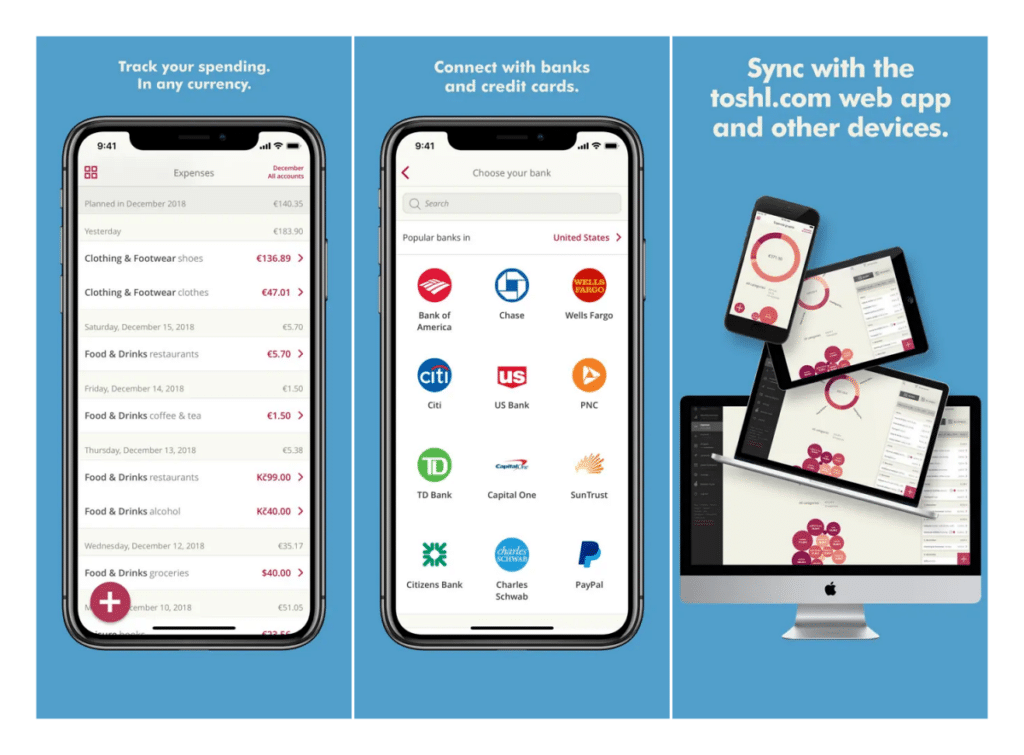
Toshl Finance is more flexible than most traditional expense trackers, and that is deliberate. Instead of forcing every transaction into one rigid category, Toshl lets you organize spending with tags, descriptions, locations, and other details. That means one restaurant expense could potentially be associated with dining, a work trip, and a reimbursable expense rather than being forced into just one bucket.
That flexibility is particularly useful for freelancers and anyone who mixes personal and work-related spending. Budget periods are flexible too. You do not necessarily have to structure everything around the first and last day of the month, which makes more sense if you are paid weekly, biweekly, per project, or on an irregular freelance schedule.
Multi-currency support is another major reason to consider Toshl. If you travel frequently, get paid internationally, or regularly spend in more than one currency, its approach is much more useful than treating foreign currency as an occasional edge case.
The free tier limits how many accounts and budgets you can maintain. Paid tiers remove those restrictions and add features such as receipt handling, reminders, and bank connections.
If automatic bank syncing is your priority, test whether your financial institution works reliably with Toshl before paying. Bank connectivity can vary by institution and region regardless of which finance app you choose.
Best for: Freelancers, travelers, and people managing expenses across multiple currencies.
Which Free Expense Tracker App Should You Choose?
If you are managing money as a household and want everyone working from the same budget, Goodbudget solves a problem the other four do not focus on as heavily.
If you would rather not connect your bank account to another service, Money Manager Expense & Budget gives you a fast manual workflow while still offering enough depth to manage multiple accounts.
If your real problem is subscriptions quietly draining your account every month, Rocket Money is built specifically to surface those recurring charges. If budgeting by category has never stuck for you, PocketGuard’s simplified approach may be easier to live with than maintaining a detailed spreadsheet-style budget.
And if your income and expenses do not fit neatly into a calendar month because of freelance work, travel, or multiple currencies, Toshl Finance gives you more flexibility.
Final Thoughts
None of these apps will fix your budget on their own. You still have to look at what you are spending and make decisions based on what the numbers tell you. What a good expense tracker does is remove the hardest part: figuring out where the money went in the first place.
The important thing is to choose the app that matches how you actually manage money, not the one with the longest feature list. If manually entering every purchase makes you more conscious of spending, use Money Manager. If you know you will stop logging transactions after three days, pick something more automated. If you share expenses with someone else, start with Goodbudget.
The best free expense tracker is ultimately the one you are still opening a month from now.
Don’t miss these related reads: