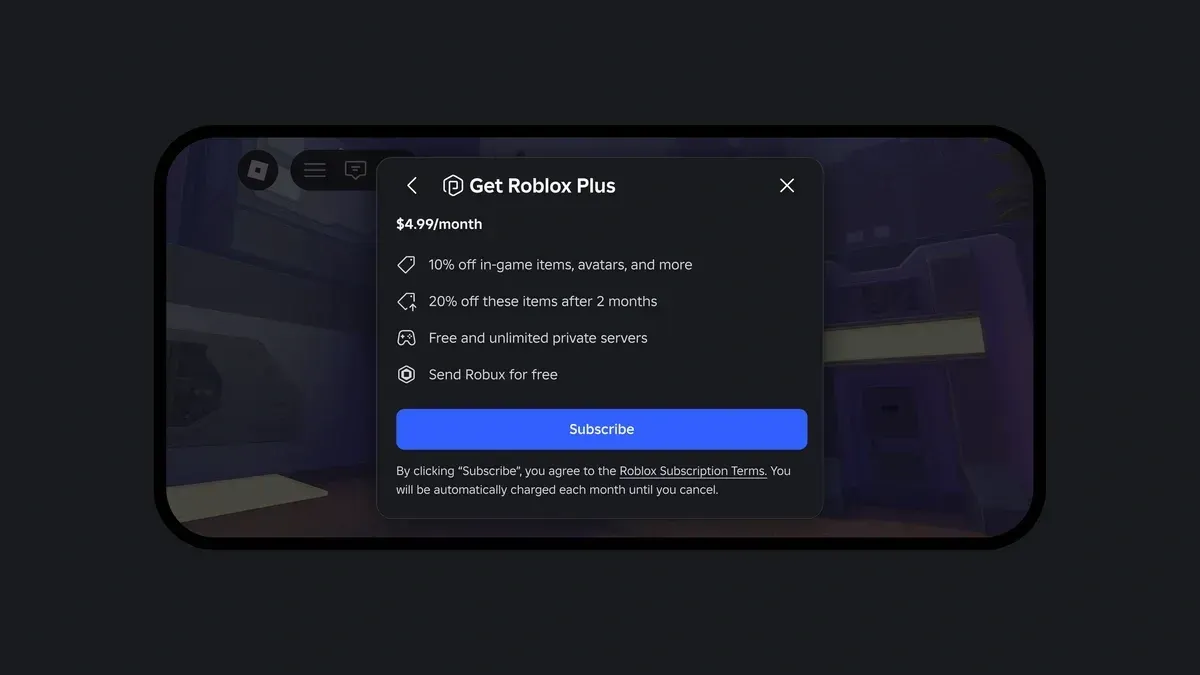
Roblox added direct Robux transfers when Roblox Plus launched on April 30, 2026. However, only subscribers can send Robux. The recipient doesn’t need Plus. If you don’t pay $4.99 per month, the Send Robux button isn’t available to you.
That leaves four ways to get Robux to someone else. None of them moves Robux from your balance for free. They differ in who loses value, and how much: the gift card and gift link keep the full value, the game pass loses 30%, and group payouts only work with Robux already in a group.
Which Method Should You Use?
| Method | Fee | Who Can Use It | Speed |
|---|---|---|---|
| Gift card | None | Anyone, any country, any age | Instant once redeemed |
| Gift Robux link | None | US adults only (both sides) | Instant |
| Game pass purchase | 30% to Roblox | Anyone with an experience | Pending for several days |
| Group payout | None | Group owners with funds | Instant once eligible |
1. Buy a Roblox Gift Card
A gift card is the only method that works for every recipient. It has no age check, no region lock and no subscription requirement. That makes it the safest choice for gifting to a child.
- Buy a physical or digital Roblox card from a retailer or the official Roblox store.
- Send the PIN to the recipient.
- The recipient opens roblox.com/redeem in a web browser, signs in and enters the PIN. The mobile app doesn’t accept codes.
- If the card adds Roblox Credit, the recipient selects Get Robux on the same page to convert it.
Tip: the recipient should be signed in to the right account before entering the PIN. Credit can’t be moved to another account afterwards.
2. Use a Gift Robux Request Link (US Only)
The recipient creates a link, and you buy Robux straight into their account. You don’t even need a Roblox account to pay. According to Roblox Support, the feature is limited to select users in the US, and it works on computer or web only.
- The recipient opens Buy Robux in a browser and selects Request Robux.
- The recipient copies the link or QR code and shares it with you.
- You open the link and check that the username and avatar match.
- Pick a package, add an optional message and verify your phone number.
- Pay. The Robux land in the recipient’s balance automatically.
The catch: both people must be 18 or older. Every gift is final and non-refundable, and prepaid cards aren’t accepted as payment. Gift packages also use standard pricing with no bonus Robux.
3. Buy the Recipient’s Game Pass
This is the only way to move Robux you already have without Plus. The recipient creates a game pass in one of their experiences, and you buy it. Roblox keeps 30%, so price the pass higher than the amount you want to deliver.
| Robux You Want to Deliver | Set the Game Pass Price To |
|---|---|
| 100 | 143 |
| 500 | 715 |
| 1,000 | 1,429 |
| 2,000 | 2,858 |
- The recipient opens Creator Hub, selects Creations, picks an experience and goes to Monetization > Passes > Create pass.
- The recipient uploads an icon, adds a name, creates the pass and sets its price in the pass’s sales settings.
- You open the pass and select Buy.
Afterwards, the Robux show up as Pending Robux for several days before the recipient can spend them.
When Roblox Plus Is Actually Cheaper
To deliver 1,000 Robux, a game pass costs you 429 extra Robux. If those 429 Robux cost more than $4.99 to replace, one month of Plus is the cheaper route. Plus limits sending to 500 Robux a day and 1,000 a month by default. Turning on 2-Step Verification raises that to 5,000 a day and 10,000 a month.
4. Pay Out From a Group
Group owners can send one-time payouts from group funds under Creator Hub > Finances > Payouts. Payouts have no fee, but Roblox locks the page for new groups and for groups with too few funds, as noted in its groups documentation.

The limitation: you can’t move personal Robux into a group directly. Group funds come from sales of the group’s experiences, passes and clothing. This method suits creators paying collaborators, not casual gifting.
What Doesn’t Work
Sites that promise free Robux transfers, “Robux generators” and requests for your password are scams. They lead to stolen accounts, not Robux. Our guide on avoiding getting hacked on Roblox covers the common tricks, and our free Robux guide lists the legitimate options.
Wrapping Up
For most people, a gift card is still the simplest option, and US adults can skip the card entirely with a gift link. A game pass works for moving Robux you already own, as long as you accept the 30% cut.
Roblox says its transfer limits and age rules may change, so the Plus route could open up further. For now, it stays subscriber-only.
Not directly. Without Plus, you can use a gift card, a Gift Robux link, a game pass purchase or a group payout.
No. Only the sender needs Plus for a direct transfer.
Roblox keeps 30%, so the seller gets 70% of the price.
No. Both the requester and the gifter must be 18 or older. A gift card is the better option for minors.
No. Roblox lists sending as a Plus-only benefit. Premium members keep their monthly Robux but can’t transfer it.