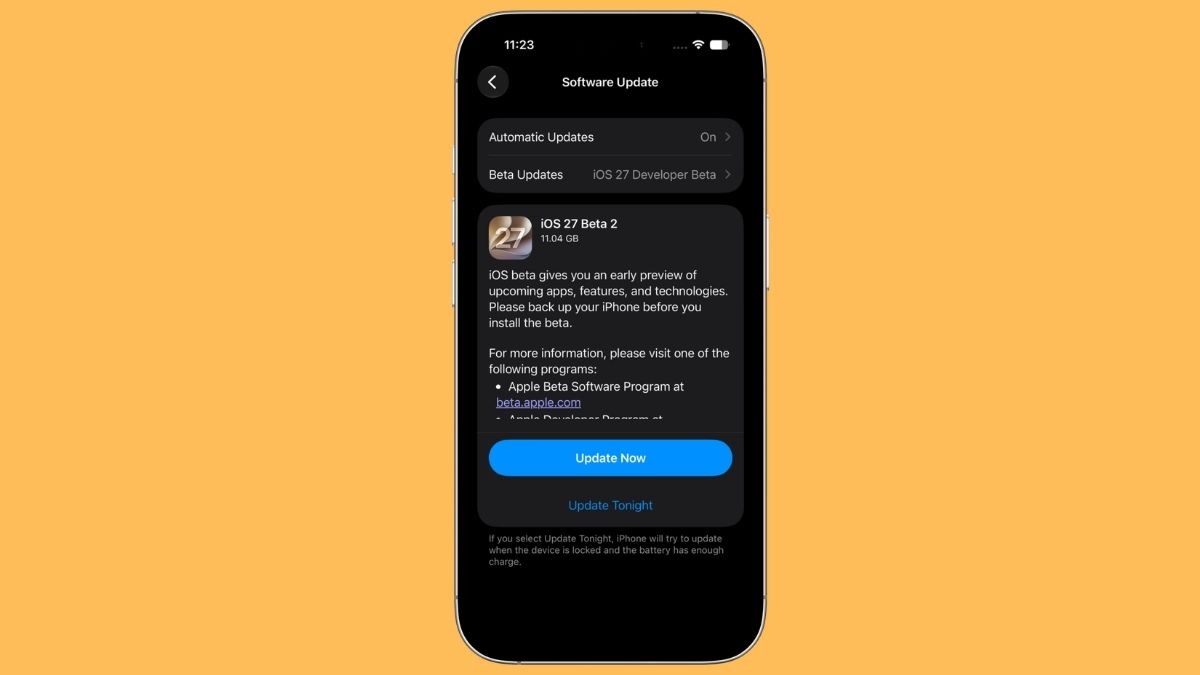
Apple released the second beta of iOS 27 on June 22, 2026 (build 24A5370h), and if you sat out the first one, this is a good moment to climb aboard. Second betas tend to be where an update stops feeling like a tech demo and starts behaving like software you could almost live with, and that’s exactly the shape this release takes.
Rather than dropping a pile of headline features, Apple spent this round tightening bolts: faster Siri, steadier iPhone Mirroring, fewer crashes, and a handful of small additions that quietly make the day-to-day better. If you’ve been testing since Beta 1, most of what’s new with iOS 27 Beta 2 will feel like the team reading the bug reports and nodding along.
One honest caveat before you tap install: this is still an early developer build. Expect iPhone battery drain, the occasional app that refuses to cooperate, and features that show you a splash screen instead of doing anything. Keep it off the phone you rely on for work and your boarding pass.
Who Can Run It (and Who Gets the AI Extras)
iOS 27 Beta 2 runs on iPhone 11 and later, plus the second-generation iPhone SE and newer. That’s the broad strokes. The full device-by-device breakdown lives in our iOS 27 compatibility list, which is worth a glance if you’re on anything older than an iPhone 13.
The asterisk, as always, is Apple Intelligence. The marquee Siri AI work and the on-device smarts that make this update interesting need newer silicon, think iPhone 17-series hardware or equivalent. If you want the full picture of which capabilities are gated behind which chip, our guide to iOS 27 Apple Intelligence features lays out the dividing line.
Timeline-wise, nothing has shifted: a public beta is on track for July, with the final release landing in September alongside the new iPhone lineup.
Write with Siri Lands on the Keyboard
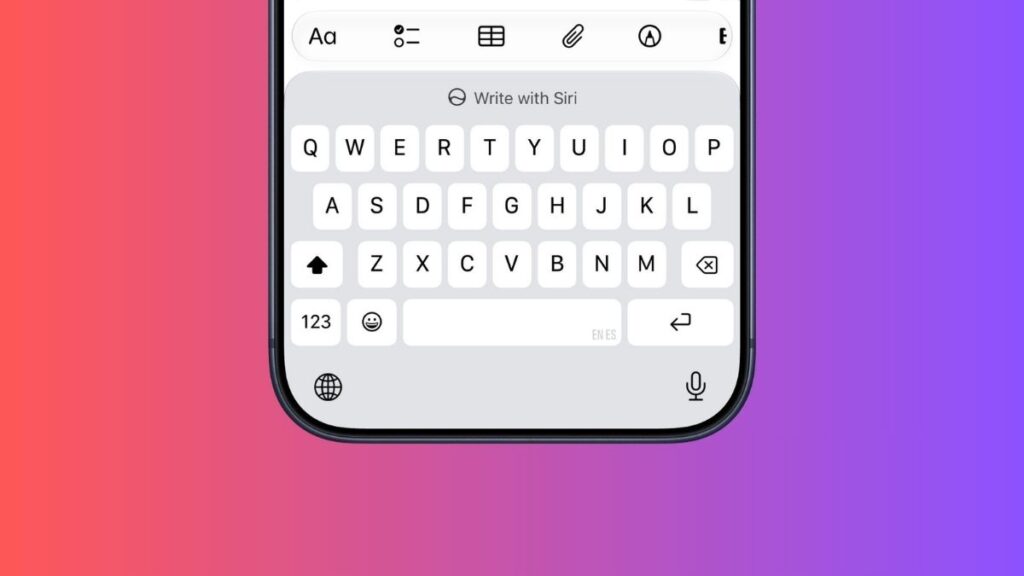
This is the change you’ll notice first. There’s now a dedicated Write with Siri button sitting right above the keyboard in Notes, Mail, Messages, and other text fields, and on the software keyboard it effectively steps in where Writing Tools used to sit.
It sounds minor until you remember how Beta 1 handled it: you had to select text first before Siri would offer to help. That extra step quietly killed the feature for anyone drafting from a blank page. Putting the button in your line of sight changes the math. You reach for AI writing help because it’s there, not because you remembered it exists buried in a menu.
Siri: Faster, With a Couple of “Coming Soon” Placeholders

Early testers are reporting that Siri simply feels quicker this round, with snappier responses and less of that awkward pause where you wonder if it heard you. Performance, not new tricks, is the story here, and it’s the right priority for a feature Apple has staked so much of iOS 27 on.
A few specifics worth flagging:
- Voice customization on supported hardware (the iPhone 17 Pro and iPhone Air) now labels its Pace and Expressivity controls as “Coming Soon.” They didn’t function in Beta 1 either, so this is Apple being upfront rather than leaving a dead toggle in place.
- The Siri app picks up the ability to select and delete multiple conversations at once. Small, but anyone who’s tried to tidy a cluttered history one tap at a time will appreciate it.
- A new Visual Intelligence section appears under Siri in Settings. “Highlight to Image Search” ships off by default, and Apple is candid in the fine print: switching it on sends highlighted images to third parties to find visual matches. Off-by-default is the right call, and it’s good to see the privacy note spelled out plainly.
Wallet Gets “Insights”: Promising, Not Finished
Open Wallet, tap the three-dot menu, and you’ll find a new Insights entry. Right now it’s mostly a splash screen, so temper expectations. But the pitch is clear: connect your financial accounts and Wallet will surface spending patterns, recurring charges, account balances, and up-to-date account info in one place.
It reads as the broader successor to the older, more limited Connected Cards support. In this beta, Apple has started rolling it out to more regions and more card types. If it ships fully formed in the fall, Wallet stops being a place you store cards and starts being a place you actually understand your money.
Home and Apple TV: Update the Box Without Waking It
A genuinely useful quality-of-life win. The Home app can now update your Apple TV remotely. The device shows up in the Updates section of Home’s settings, and tapping install pushes the latest software without you needing to turn the TV on first. No hunting for the remote, no switching the input over just to chase a firmware prompt.
This beta also resolves the irritating bug where HomeKit accessories, Philips Hue lights being the usual culprit, went unresponsive after installing iOS 27 and tvOS 27. If your smart lights ghosted you on Beta 1, they should answer again now.
While you’re in HomeKit territory, you can now long-press a notification from a HomeKit Secure Video camera to scrub through the motion clip and flip on lights near that camera, all without leaving the alert.
Messages and RCS Catch Up to iMessage
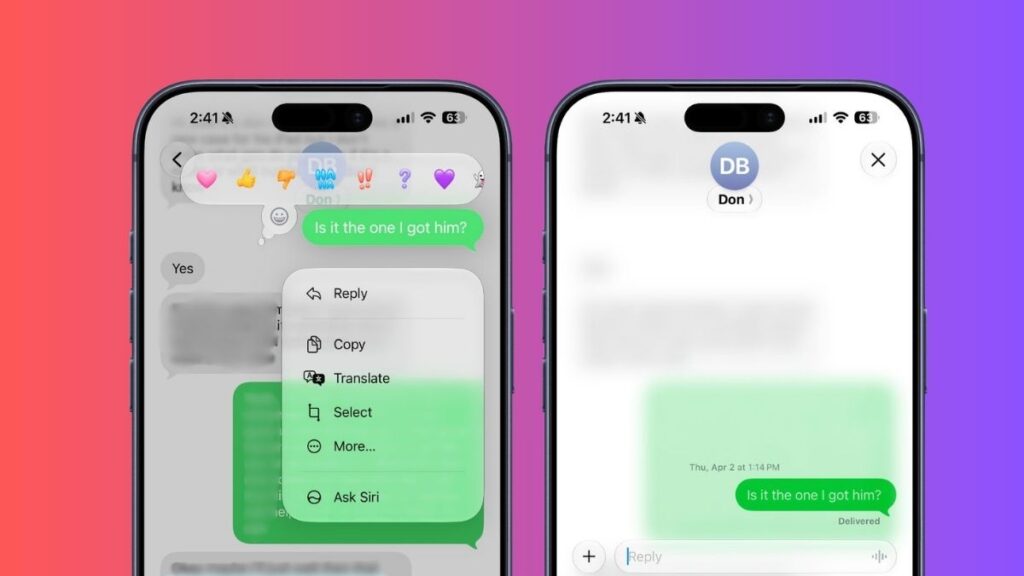
Texting Android users gets noticeably less second-class:
- Inline replies finally work in RCS. Long-press a message in an RCS thread and you can reply to that specific message, exactly the way you’ve always done in iMessage.
- Reactions show up properly on photos and videos. In iOS 26, an emoji tapback on an image landed as a clunky text descriptor, that “[so-and-so loved an image]” line everyone learned to ignore. Now the emoji appears on the image or video itself, the way it should have all along.
Related: What’s New for the Messages App in iOS 27
Camera, Weather, and the Small Visual Polish
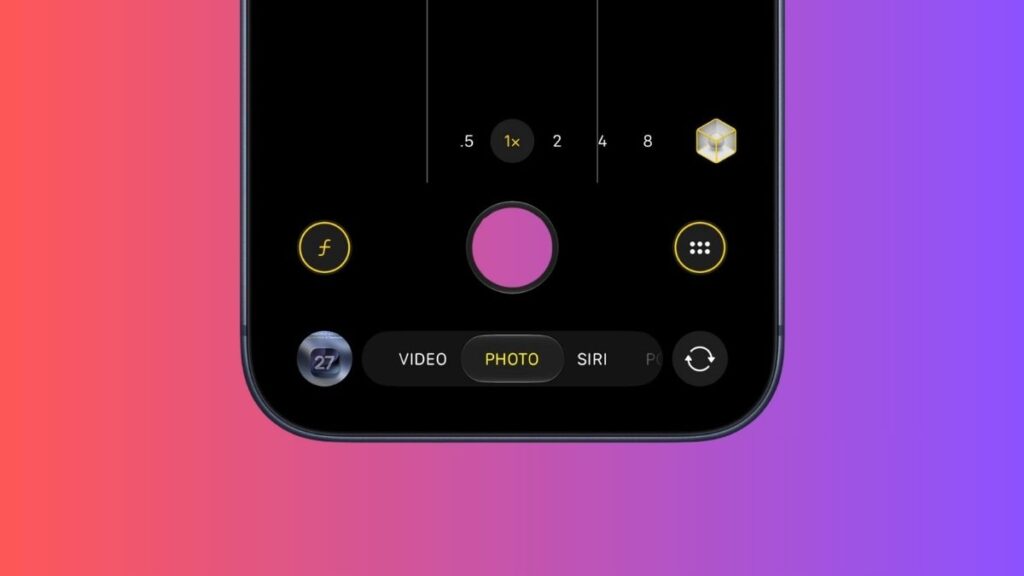
- Camera: the tools button now wears yellow highlights when you’ve got a hidden feature active, exposure adjustment, for instance. It’s a quiet nudge that you’ve changed something, so you don’t shoot a roll of accidentally overexposed photos.
- Weather: some of that hard-to-read light-blue text has been brightened up. Precipitation, the condition descriptor, and the wind-speed reading are all easier to make out at a glance now. It’s exactly the kind of fix you only notice because you stop squinting.
- Wallet’s Create a Pass: picking a color now comes with texture options, so your custom passes look a little less flat.
- Liquid Glass gets another round of refinements across the interface. Apple is still sanding down the edges of its big visual language.
Photos Opens AI Tools to RAW Shooters
If you shoot RAW, this one’s for you: the AI editing tools in Photos now work on RAW images. Previously a hard stop for anyone serious about photography, this brings the computational cleanup tools to the files that actually have the headroom to benefit from them.
Under the Hood: Performance, Fixes, and Developer Plumbing
This is where a second beta earns its keep. The list of repairs is long and unglamorous, which is the point:
- Siri responds faster and iPhone Mirroring is steadier, including more reliable app resizing and an automatic return to iPhone dimensions after Beta 1’s crash-prone behavior.
- Screenshot editing and cropping bugs are fixed.
- Connectivity is improved and crashes are reduced across the board.
- AirPods Max firmware updates work again, resolving a known Beta 1 snag.
- On the developer side: a new on-device dictation model option, Neural Engine improvements, and HealthKit support for menopause tracking, a meaningful addition for women’s health features down the line.
One Quiet Removal: AirPort Utility

A small farewell. The AirPort Utility app is no longer available to download in iOS 27. If you’ve still got it installed, you can re-download it, but Apple won’t guarantee it keeps working. A footnote for most people, but worth knowing if you’re still nursing an old AirPort base station along.
When Can Everyone Get It?
iOS 27 is developer-only for now. The public beta is expected in July, and the final release arrives in September 2026 alongside the new iPhones. If you’re not a developer and you’d rather not babysit beta bugs, July is the moment to circle.
The Bottom Line
This is a refinement release, and that’s a compliment. iOS 27 Beta 2 doesn’t try to dazzle you. It makes Siri quicker, fixes the things that broke in Beta 1, and slips Write with Siri somewhere you’ll actually use it. For an early developer build, it already feels further along than most. Just remember it’s still beta: keep it off your daily driver, and let the bugs shake out before you commit.
24A5370h, released to developers on June 22, 2026, replacing the first beta’s 24A5355q.
Not recommended. It’s an early developer beta, so expect battery drain, app compatibility issues, and unfinished features. Install it on a secondary device if you can.
iPhone 11 and later, plus the second-gen iPhone SE and newer. Apple Intelligence and the new Siri AI features need newer hardware.
Public beta in July 2026, with the official release in September 2026 alongside the new iPhone lineup.