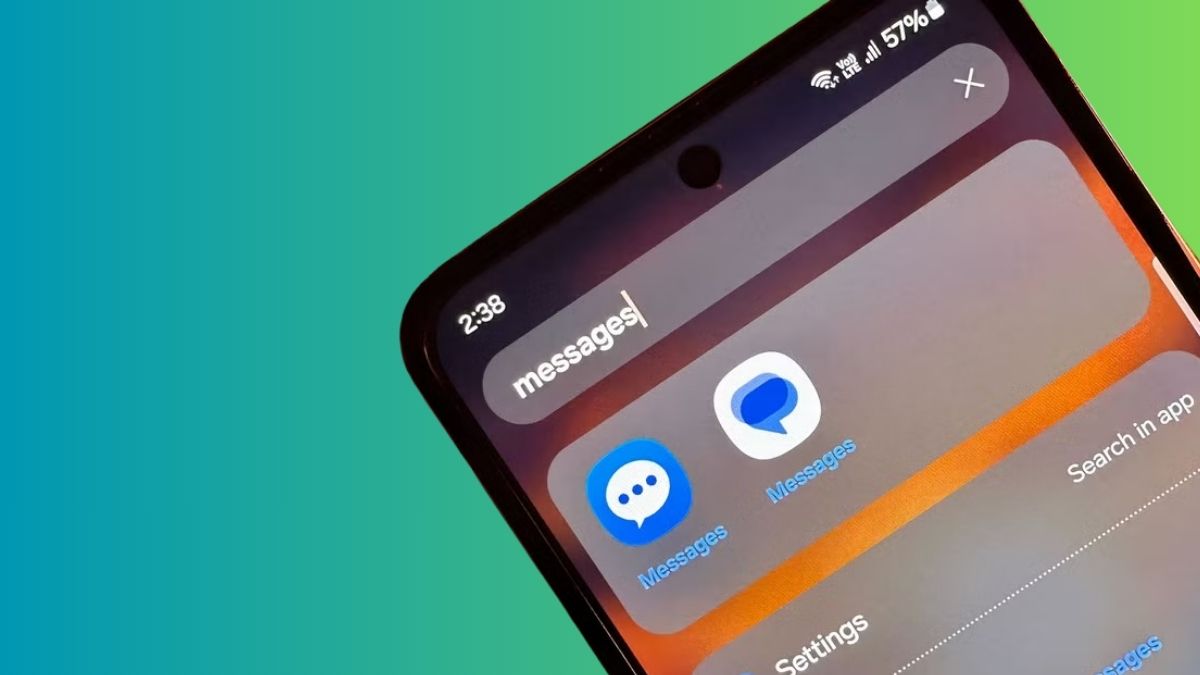
If you’ve opened your Galaxy phone in the past few weeks and seen a notice that your texting app is closing, that part is real. After more than 15 years on Galaxy devices, Samsung is discontinuing its Messages app, and the company is steering everyone toward Google Messages instead.
Here’s the timeline that actually matters: Samsung stopped pre-installing the app on newer phones a while back, the Galaxy S26 series shipped without it entirely, and the app is set to be fully retired in July 2026 (in the US market for now). You’ll still be able to send texts in the app right up until the cutoff, and your conversations are meant to transfer over to Google Messages automatically, though a full data move can take up to a day depending on how many threads you’ve got. Once it’s gone, the only messages Samsung Messages will send are to emergency services or saved emergency contacts, and you won’t be able to reinstall it from the Galaxy Store.
So if Samsung Messages has been your daily driver, this is the nudge to pick something new. The good news: there’s no shortage of choices. The honest part: none of them is a clean, feature-for-feature swap. The chat backgrounds, the message categories, and the tidy Samsung look don’t all carry over. Below are the alternatives worth your time, what each one does well, and the trade-off you’re signing up for with each.
At a glance: which alternative fits you
- Best alternative to Samsung Messages overall (and for RCS): Google Messages
- Best for people who already live in their DMs: Instagram
- Best for reaching the most people, fastest: WhatsApp
- Best for privacy: Signal
- Best for a clean, no-Google SMS app: Fossify Messages
1. Google Messages: the closest thing to a true Samsung Messages replacement
If you care about keeping RCS, this is effectively your only real option, and it’s the one Samsung itself is recommending. Right now, Google Messages is the only widely available Android app that fully supports RCS across most carriers. Third-party texting apps are stuck with plain SMS and MMS, which means no typing indicators, no high-quality media, and no end-to-end encryption on those messages. If RCS is a deal-breaker for you, the decision is basically made here.
It’s also already the default on most non-Samsung Android phones, so the experience is familiar to a lot of people. With RCS switched on, you get reliable texting with iPhones (Apple finally plays along), read and typing indicators, full-resolution photos and video, message reactions, and built-in spam protection that’s quietly gotten better. Google has been shipping features at a steady clip, including fun touches like Google Messages screen effects for reactions that animate across the whole conversation, so the app feels less utilitarian than it did a couple of years ago.
It isn’t a perfect stand-in, though. The deep customization Samsung fans loved, including chat backgrounds, granular categories, and a more flexible layout, isn’t all there yet, although Google appears to be working toward more personalization. And if you’d rather keep things simple, the Gemini AI features baked into the app may feel like more than you asked for. But for most Galaxy owners, this is the path of least resistance and the best alternative to Samsung Messages if you don’t want to lose anything you currently rely on.
2. Instagram DMs: convenient, but no longer private

This one sounds odd until you remember how many people already treat Instagram as their main messaging app. The pitch is simple: you don’t need anyone’s phone number, just their username, and the casual stuff, quick replies, memes, reels, and group threads already lives there. You also get chat themes, vanish mode, reactions, and cross-platform messaging with Facebook Messenger in some regions.
There’s a real catch now, and it’s a recent one. Meta removed the optional end-to-end encryption for Instagram DMs on May 8, 2026, so those conversations are no longer shielded the way they briefly were. Meta said almost nobody was using the buried opt-in setting, and it’s pointing privacy-minded users to WhatsApp instead. Translation: Instagram can technically see what’s in your DMs again. It’s fine for low-stakes chatter, but I wouldn’t run anything sensitive through it. While you’re tightening things up, it’s worth knowing how to turn off read receipts on Instagram so people can’t see exactly when you’ve opened a message. Useful, but not a replacement for proper SMS or a dedicated messaging app.
3. WhatsApp: the one almost everyone already has
If you’re willing to step away from RCS entirely, WhatsApp is the app the rest of the world is already using. It works on every platform, syncs across devices, and stacks more features than Samsung Messages and Google Messages combined: voice and video calls, group chats, communities, reactions, and the everyday texting basics you’d expect. For sheer reach, nothing here beats it. If you’re moving in, set yourself up properly from the start and learn how to add a WhatsApp widget to your home screen so your most-used chats are a tap away.
The honest trade-off is privacy, and the picture got murkier this year. A class-action lawsuit filed in early 2026 alleged that Meta staff could request access to WhatsApp messages through an internal system and read them in near real time, bypassing the encryption the app is famous for. A US Department of Commerce probe reportedly spent roughly 10 months looking into it before closing abruptly, and at least one investigator’s internal assessment concluded Meta could view stored messages. Meta has denied all of it, calling the claims false and the lawsuit a publicity stunt tied to a law firm with its own agenda. None of it has been proven in court.
Still, it’s a reminder that “end-to-end encrypted” depends a lot on trusting how a closed-source app is built behind the scenes. If that gives you pause and you want to compare encrypted options, our XChat vs WhatsApp breakdown is a good next stop.
For most people, the calculus is simpler: if your goal is reaching the most contacts with the least friction, WhatsApp is the easiest switch on this list.
4. Signal: the pick if privacy is the whole point
When privacy is the actual priority and not a nice-to-have, Signal is the app to use. Everything runs on end-to-end encryption by default: messages, calls, and media. The app also collects relatively little about you compared to anything Meta owns. It’s the option security researchers tend to recommend without a caveat.
The catch is reach. Signal’s user base is smaller, and the feature set is leaner than WhatsApp or Telegram, so you’ll likely have to talk a few close contacts into joining you. If you’re comparing it against Telegram for internet-based chats, both are solid for encrypted conversations, but neither replaces carrier SMS, so they sit alongside a texting app rather than fully replacing one. If you can get your inner circle onboard, Signal is the most private choice here, full stop.
5. Fossify Messages: the open-source, no-Google SMS app
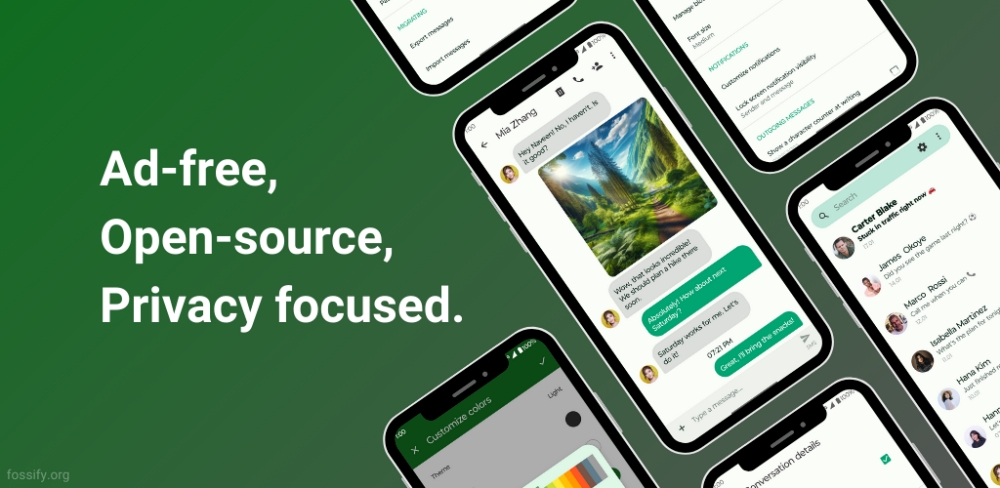
For anyone who just wants to send texts without Google in the loop, Fossify Messages (also called Fossify Messenger) is the one to look at. It’s an open-source, ad-free SMS and MMS app for Android, maintained as a fork of the discontinued Simple Mobile Tools SMS Messenger, and it leans hard into privacy: no tracking, no unnecessary permissions, and no internet requirement to do its job.
You still get the essentials done well: group messaging, photos and emoji, scheduled messages, and quick search. Its blocking is genuinely strong. You can block numbers, unknown senders, or specific words and phrases, and export or import those block lists when you switch phones. There’s also SMS backup and restore for easy device transfers, plus privacy touches like password protection, customizable lock-screen notifications, a dark theme, and adjustable colors and fonts. It’s lightweight and fast, with nothing trying to monetize you in the background.
The limitation is plain: no RCS. Fossify handles traditional SMS and MMS only, so you won’t get the typing indicators or rich media that Google Messages offers. But as a clean, private, fuss-free texting app, it’s the best text messaging app for Android for people who want carrier texts and nothing else.
How to switch from Samsung Messages (and keep your texts)
Whichever app you land on, the migration is straightforward. Most SMS apps can import your existing messages, and on a Galaxy phone your conversations are designed to move to Google Messages automatically. Give it up to a day for large histories.
To set a new default, head to Settings > Apps > Default apps > SMS app and pick the one you want. A couple of things worth knowing: on Galaxy devices released before 2022, switching apps can briefly interrupt active RCS threads, but they resume once both people are on Google Messages, and SMS/MMS keeps working throughout. If you live in the Galaxy Watch ecosystem, Google Messages generally plays nicely, though older Tizen-based watches won’t show your full conversation history and a few Samsung-specific perks fall away.
Watch out for the fake “Samsung Messages is closing” texts
One fresh wrinkle worth flagging: scammers are already exploiting this transition. Some Galaxy owners have received text messages claiming their app is shutting down and urging them to tap a link to “switch.” Samsung doesn’t typically send standalone texts with links telling you to change apps, so treat any message like that as suspect.
Don’t tap the link. Make the switch yourself from your phone’s settings, and you skip the trap entirely.
So which one should you actually use?
There’s no true one-to-one replacement for Samsung Messages, and pretending otherwise wouldn’t help you. The decision really comes down to one question: how much do you care about RCS?
If RCS matters, go with Google Messages. It’s the only app that delivers it properly and the best alternative to Samsung Messages for most Galaxy owners. If you’d rather reach everyone with minimal effort, WhatsApp is the easy call. If privacy is your line in the sand, Signal wins. And if you just want clean, no-strings SMS texting, Fossify is the quiet standout.
Pick the trade-off you can live with, set it as your default before July, and you’ll barely notice Samsung Messages is gone.