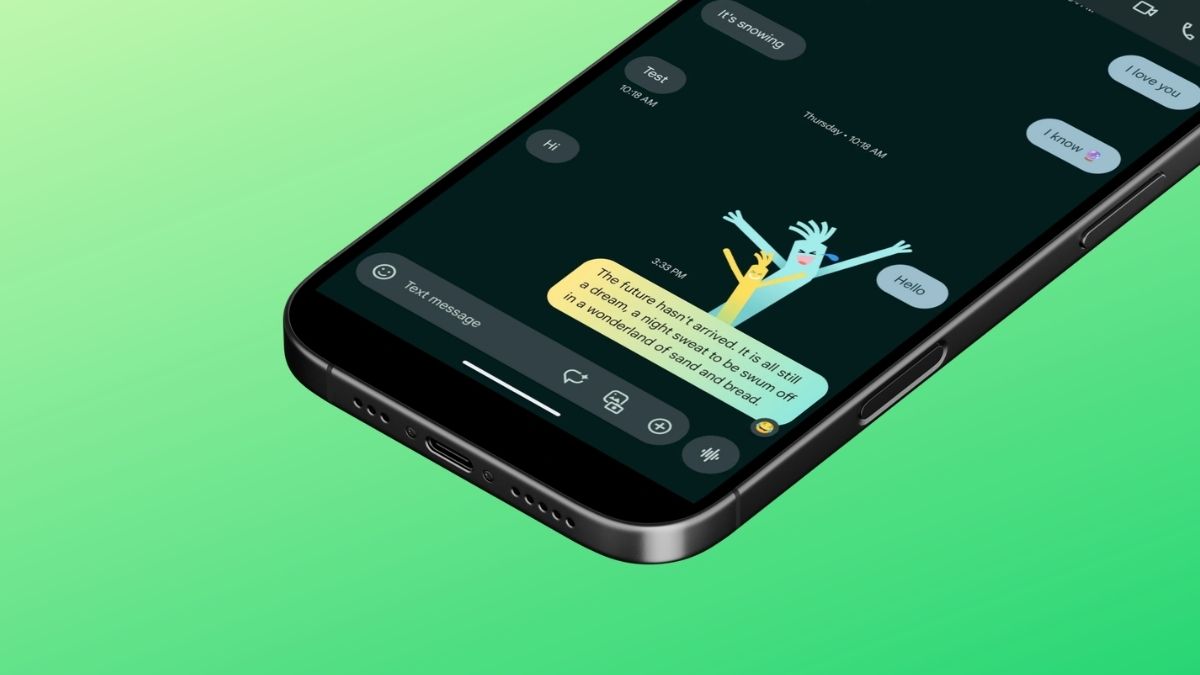
Most people have been using Google Messages for years without ever seeing one of its best features in action. Google Messages screen effects are not something you manually pick from a menu — they just appear, quietly, when you type the right phrase. No button to press. No emoji picker to scroll through. Just a moment of unexpected delight in the middle of a conversation.
Google rolled out these animations back in 2023 as part of its push to make RCS messaging feel more expressive and competitive with what iPhone users get through iMessage. If you have ever seen iMessage screen effects on iPhone and wondered why Android did not have something similar, this is Google’s answer. And honestly, some of these animations are genuinely impressive.
This guide covers everything: how to turn them on, why they might not be working for you, the full trigger phrase list, and the ones worth trying first.
What Are Google Messages Screen Effects?
When Google hit one billion RCS users in 2023, it launched screen effects as a celebration feature — and then quietly kept expanding them. The idea is simple. Certain words or phrases, when sent through Google Messages, automatically trigger a visual animation on screen. No setup required, no extra taps.
These are not stickers or GIFs. They are built into the chat itself, layered over your messages the moment you hit send. Some are seasonal. Some are tied to celebrations or holidays. A few are just everyday phrases that someone at Google apparently decided deserved a little flair.
The animations in Google Messages have been steadily evolving since launch, with emoji-triggered effects, UI polish, and new phrase triggers being added in rounds throughout 2024 and into 2025. As of mid-2026, there are at least 40 known trigger phrases for roughly two dozen distinct effects, and that list keeps growing.
Also Read: Your Samsung Messages App Is Going Away in July 2026 — Here’s What to Do
Before You Start: What You Need for Google Messages Animations to Work
Google Messages text effects run on RCS (Rich Communication Services), which is the modern replacement for SMS. Most newer Android phones have it turned on by default, but it is worth double-checking before you assume something is broken.
Here is how to confirm RCS is active:
- Open Google Messages.
- Tap your profile icon or the three-dot menu in the top-right corner > Go to Message settings.
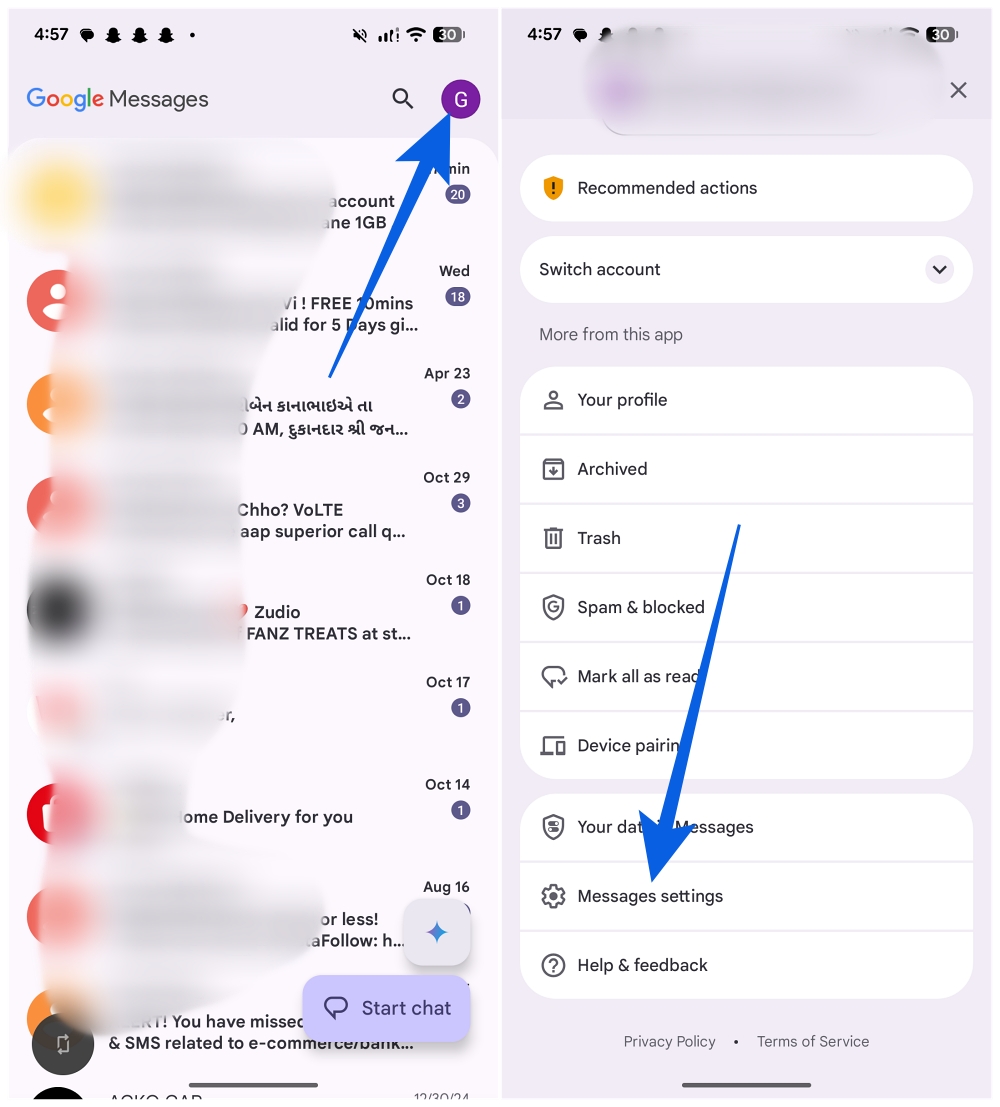
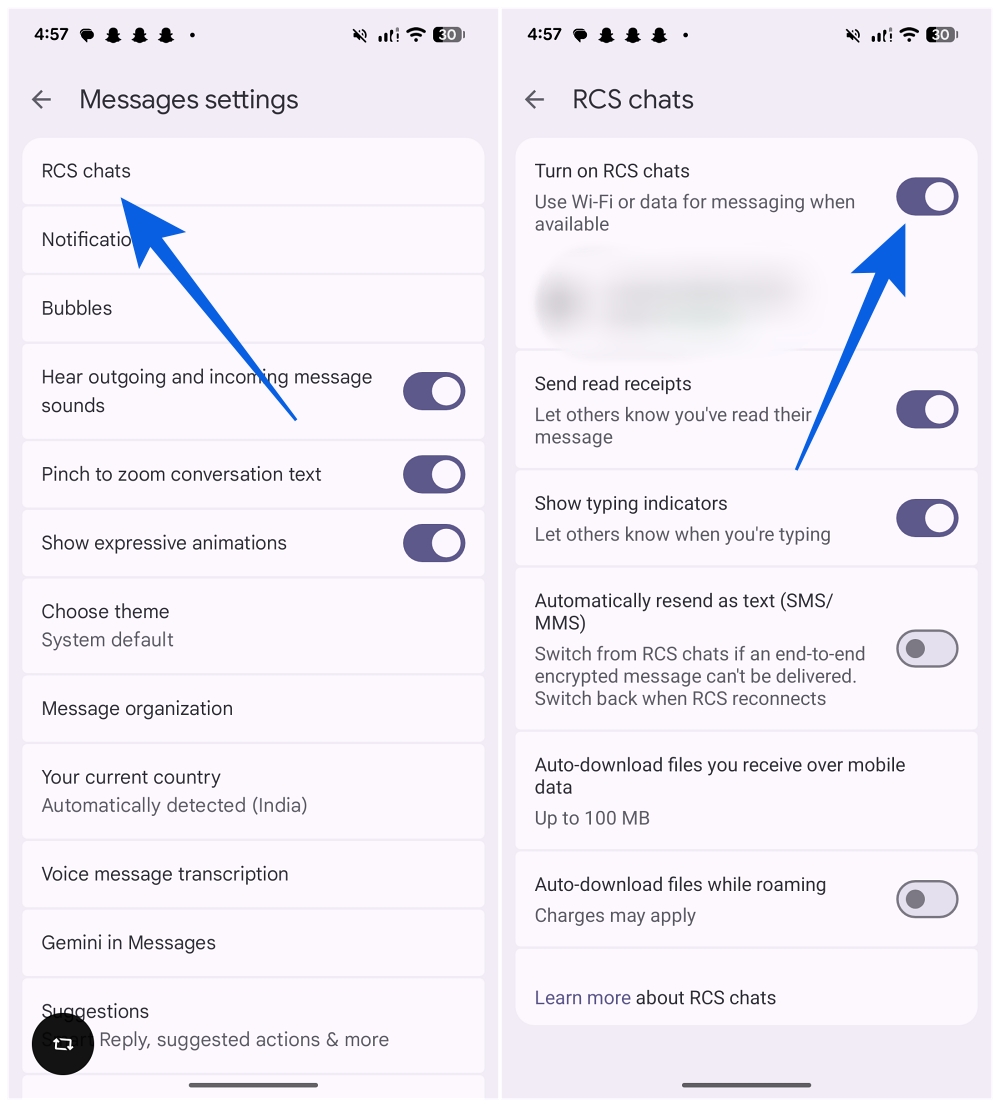
- Tap RCS chats.
- Make sure Turn on RCS chats is toggled on.
If RCS is enabled and you are still not seeing anything, check your phone’s accessibility settings. On a Samsung Galaxy S24, for example, go to Settings > Accessibility > Vision enhancements and look for the Reduce animations toggle. If that is switched on, it will suppress the effects entirely.
Also worth mentioning: a handful of Google Messages animations technically work over SMS too, though the experience is more limited. For the full range of Google Messages screen effects, RCS is essential.
One more thing before you start testing phrases: Google has quietly removed screen effects from a couple of the most obvious triggers, including I love you and sounds good. They used to animate. They no longer do. It is not clear why — possibly because those phrases are sent so often that the easter egg quality gets lost. Either way, do not let that throw you off. There are plenty of others that still work.
Quick tip: Always make sure Google Messages is up to date via the Play Store. New animations and effect triggers roll out with app updates, and running an older version is one of the most common reasons these features go missing.
10 Google Messages Screen Effects Worth Trying First
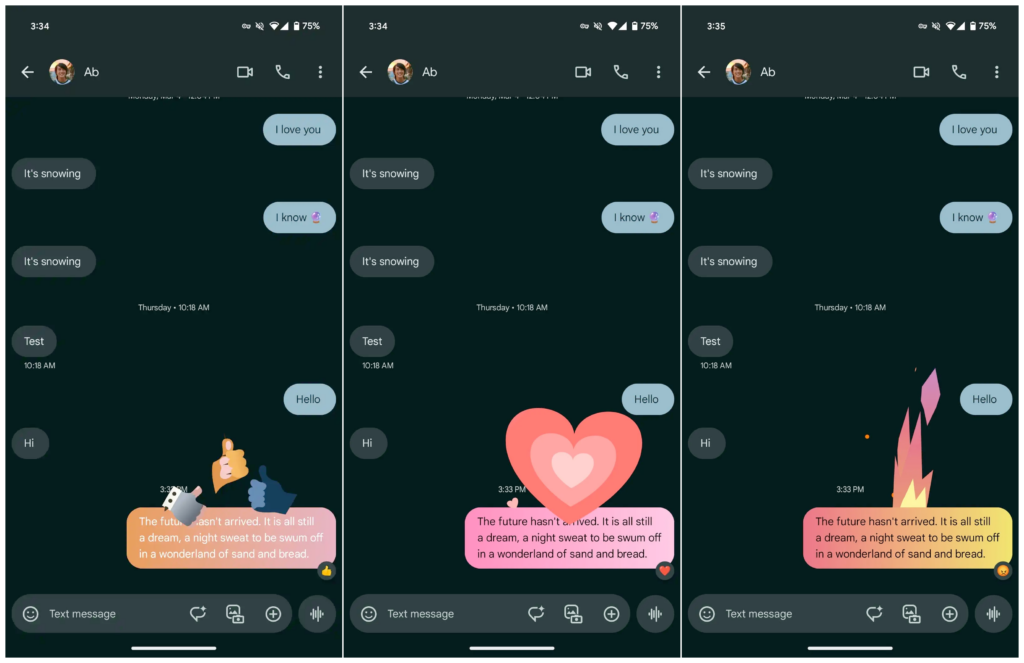
The full list is below, but these are the ones I find myself actually using or sharing with people when I want to show off what the app can do. Remember: the trigger phrase needs to be exact. Alternative spellings, extra words, or different capitalization will not work — though upper and lower case are both fine.
1. Hahahaha / Lolll / Lololol
The everyday laugh message gets a serious upgrade here. Type any one of these three, and a pair of inflatable waving tube men pop up on screen — the kind you see outside car dealerships. It is absurd in the best way, and it fits the energy of actually finding something funny better than a standard “lol” ever could. All three trigger the same animation, and capitalization does not matter.
2. Trick or Treat
This is one of the most visually impressive Google Messages animations on the list. A ghoulish lightning strike hits first, followed by a black cat crawling out of a pumpkin. If you are into Halloween content, this one will not disappoint. Several other phrases trigger the same effect: Pumpkin carving, Pumpkin patch, Jack-o-lantern, and Happy Halloween all work too.
3. Happy Lunar New Year
Of all the holiday screen effects, this one stands out. Dragons spiral dramatically across the screen when you send this phrase. Happy Chinese New Year triggers the exact same animation if you prefer that wording.
4. Going to the beach
A small but genuinely charming one. Blue waves roll in and beach balls bounce around the screen. Summer sun sends the same animation if you want a slightly more flexible trigger for the warmer months.
5. Rise and shine
A sunrise animation plays out across the screen. What makes this one more useful than most is that it is not holiday-specific — you can use it any morning, which makes it one of the more practical fun Google Messages features on the list. It also takes the edge off what might otherwise read as a passive-aggressive wake-up text to a friend running late.
6. Booo
Three O’s required. If someone in your group chat just delivered a truly terrible joke, this is the correct response. Their screen gets pelted with rotten tomatoes. It is petty and perfect.
7. Spring has sprung
Flowers and bees fill the screen in a genuinely nice-looking animation. It is one of the better-executed effects visually, and it lands well as a seasonal opener in a conversation.
8. Snowman
For something wintry, this one delivers snowflakes and cold-weather visuals. Snow and Winter technically trigger something too, but the animation is noticeably less impressive. Stick with Snowman for the full effect.
9. Pride parade
A procession of hands waving flags from the LGBT+ community animates across the screen. It is a thoughtful one to have in the list, and it works well as a celebratory send.
10. Fall colors / Autumn colors / Fall leaves / Autumn leaves
Any of these four phrases triggers the same seasonal animation. You do not have to wait until autumn to try it — the animation looks good enough to test any time of year.
The Complete List of Google Messages Screen Effect Triggers
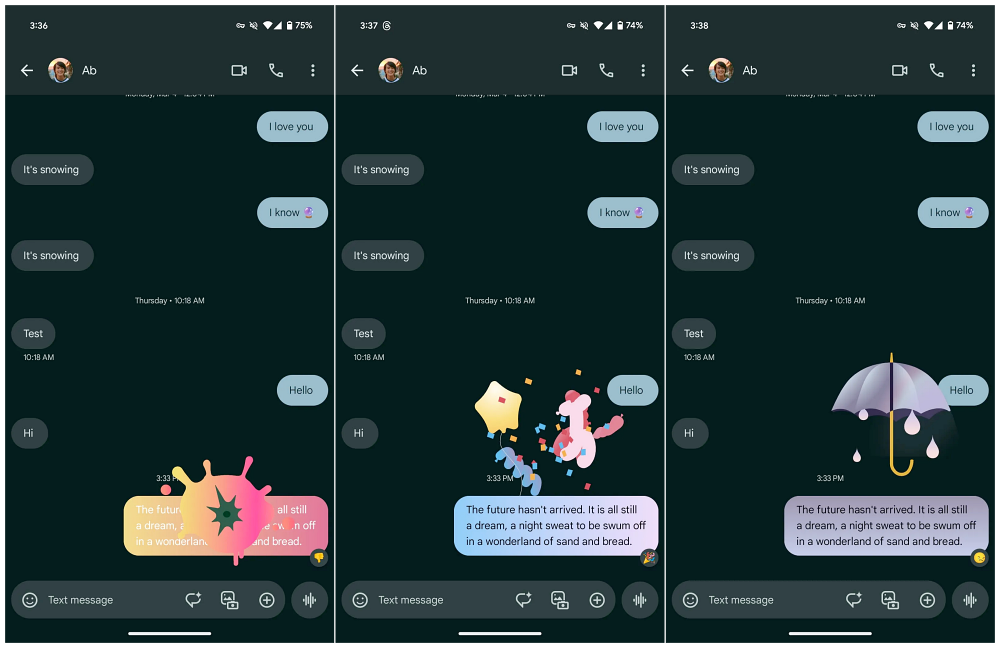
Google does not publish an official list, and it changes with app updates. Based on current testing as of mid-2026, here are all the known trigger phrases:
Celebrations and Greetings
- Happy Birthday
- Congratulations / Congrats
- Happy New Year
- Happy Independence Day
- Happy 4th July / Happy 4th of July
Holidays
- Happy Valentine’s Day
- Happy Father’s Day
- Happy Mother’s Day
- Happy Diwali
- Happy Thanksgiving / Happy Turkey Day
- Happy Hanukkah
- Merry Christmas / Feliz Navidad
- Happy Easter / Easter Bunny
- Trick or Treat / Pumpkin carving / Pumpkin patch / Jack-o-lantern / Happy Halloween
- Happy Lunar New Year / Happy Chinese New Year
Everyday and Seasonal
- Going to the beach / Summer sun
- Rise and shine
- Hahahaha / Lolll / Lololol
- Booo
- Snowman
- Spring has sprung
- Fall colors / Autumn colors / Fall leaves / Autumn leaves
- Pride parade
- Sweet Dreams
The total sits at roughly 40 known phrases covering around two dozen distinct animations. There are almost certainly more that have not been widely documented yet, particularly around newer app updates.
Cross-Platform and a Few Things to Know
A couple of practical notes that do not always make it into these guides:
Most of the Google Messages animations require an active RCS chat. If you are texting someone on an older phone or someone who has RCS disabled, the effects may not render on their end, even if they show up on yours.
Cross-platform support — including RCS chats with iPhone users — is improving as end-to-end encryption rolls out more broadly, but it is still not fully consistent. Some animations will make it through; others will not.
If effects feel like too much, they are easy to dial back. They are optional by design, and disabling the Reduce animations toggle in accessibility settings gives you full control in either direction.
Have you stumbled across a trigger phrase that is not on this list? Drop it in the comments — there are almost certainly a few that have slipped through undocumented.
You might also like: