We have all been there. You pick up your phone to check one quick thing, open Instagram out of pure muscle memory, and somehow forty-five minutes disappear. No intention, no decision — just autopilot. Google knows this pattern well, and with the new Pause Point feature in Android 17, it is finally doing something genuinely different about it.
This is not another app timer you will tap past without thinking. Pause Point sits right at the moment your brain is most vulnerable: the split second before an addictive app opens and floods you with dopamine. That small window, it turns out, is exactly where a habit can be interrupted.
What Is Pause Point and How Does It Work?
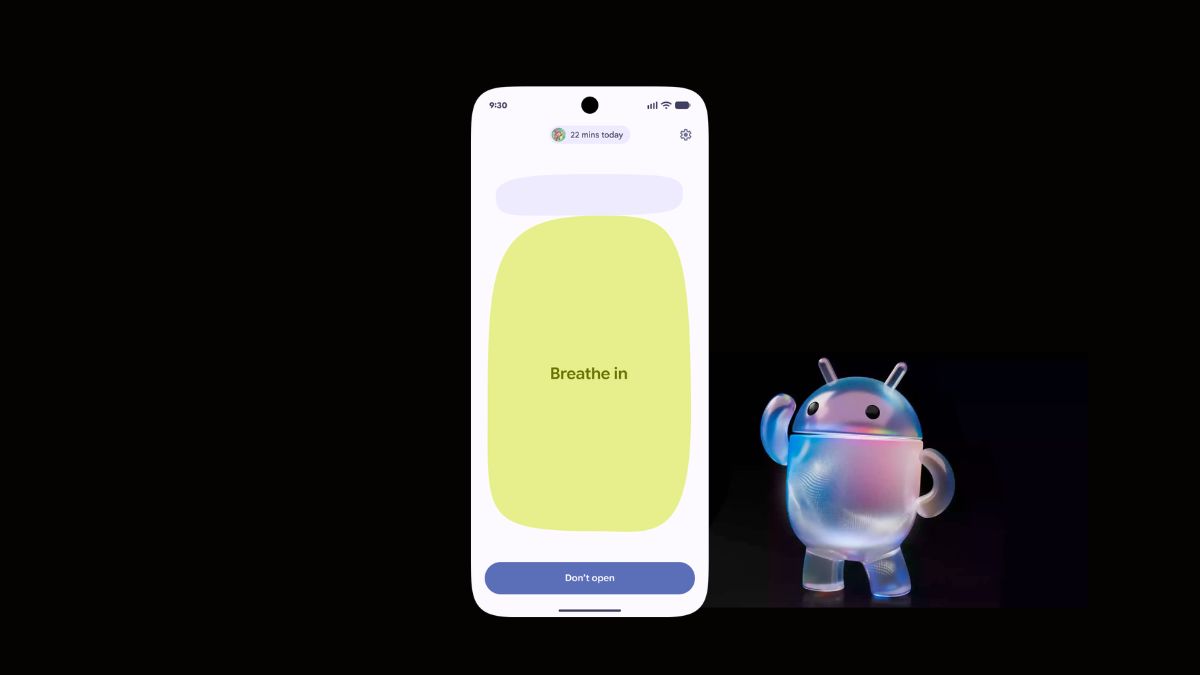
Pause Point is a new addition to Android’s Digital Wellbeing toolkit, introduced as part of Android 17’s New Pause Point feature rollout. The concept is straightforward but surprisingly effective in practice.
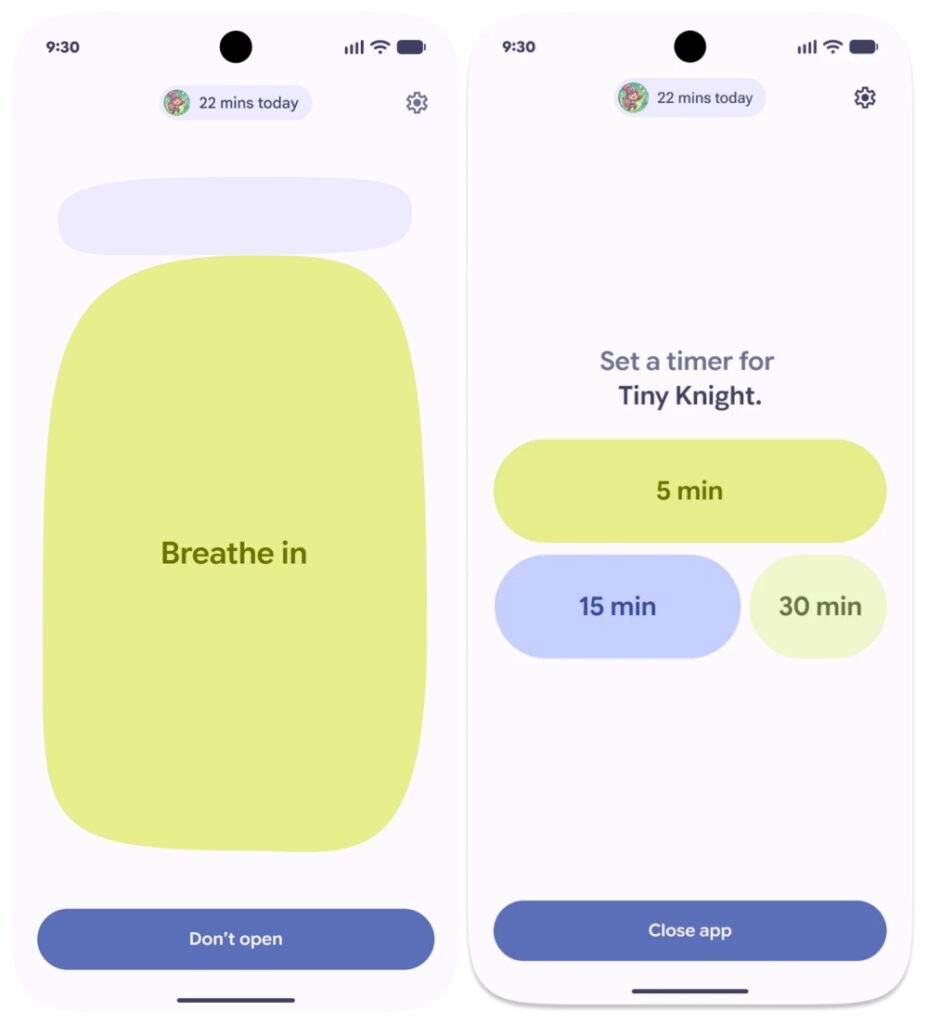
You go into your Digital Wellbeing settings and label specific apps as “distracting.” Think TikTok, Instagram, YouTube, X, or anything else you find yourself opening on autopilot. From that point on, whenever you try to launch one of those apps, a 10-second breather screen appears before the app actually opens.
During those ten seconds, the feature does not just stare at you blankly. It actively offers alternatives:
- A quick breathing exercise to help you reset (something as simple as “Breathe in”)
- Options to set a session timer before you open the app — 5, 15, or 30 minutes — so your time feels deliberate rather than accidental
- Suggestions for healthier app alternatives, like Fitbit, Google Play Books, or an audiobook app
- A chance to swipe through favorite photos, which can gently redirect your mind toward things you actually care about
Dieter Bohn, Director of Product Operations at Google’s Platforms and Ecosystems organization, summed it up well during the Android 17 press briefing: “I think that we are all guilty of going into our phone and then opening some app and getting stuck on autopilot, and an hour has gone by.”
That honesty from someone inside Google is telling. Pause Point is not pretending the problem does not exist — it is acknowledging it, and offering a smarter way to deal with it.
Why Pause Point Is Different From App Timers
App timers have been around for years. YouTube has them. Instagram has them. Android itself has had them sitting in Digital Wellbeing for a while. And most people, if they are being honest, just tap “Ignore limit” and keep scrolling without a second thought.
The new Pause Point feature approaches screen time from a completely different angle. Instead of cutting you off after the fact, it creates what psychologists would call “friction” before the behavior even begins. That timing matters enormously. By the time a 30-minute timer goes off, you are already deep in a scroll session and emotionally invested. At the app launch screen, you have not committed to anything yet.
That 10-second pause is not long enough to be annoying, but it is long enough to make you ask: do I actually want to do this right now, or is this just habit?
There is also the matter of turning it off. Unlike standard app timers, which can be dismissed with one tap, Pause Point requires a full phone restart to disable. Google made that choice intentionally. It adds just enough deliberate friction that disabling it becomes a real decision rather than a reflexive one.
The Bigger Picture: Why Google Built This Now
Pause Point did not appear in a vacuum. Google is under increasing pressure from regulators around the world over social media harms, particularly regarding younger users. Dozens of U.S. states and multiple countries have either passed or are actively pursuing laws restricting minors’ access to social media platforms. The mental health impacts of algorithmic content on teenagers have moved from academic debate to mainstream legislative action.
Google, whose own YouTube is frequently cited in these conversations, has a clear interest in demonstrating it is part of the solution. Pause Point gives the company something concrete to point to, a feature that goes beyond surface-level wellness branding and actually tries to change behavior at a system level.
That said, this is also genuinely good product thinking. The feature builds on years of Digital Wellbeing development and reflects a more mature understanding of how screen time actually works. It is not about locking you out or shaming you. It is about giving you a moment to choose.
What Else Came With Android 17
Pause Point is part of a broader Android 17 update that brought several notable changes alongside it. The release also introduced new emoji additions, improved Quick Share compatibility with iOS (making file sharing between Android and Apple devices smoother), and Screen Reactions. Pixel devices are receiving the update first, with Samsung Galaxy and other Android phones following in subsequent waves.
If you are already on Android 17 and want to try Pause Point, head to Settings > Digital Wellbeing and look for the Pause Point option. It may require your device to be fully updated before it appears.
For a full look at what else Android 17 brings to the table on the security and privacy side, the Android 17 security and privacy features breakdown covers everything worth knowing.
Is Pause Point Actually Worth Using?
Compared to third-party screen time apps like Finch or Focus Friend, Pause Point is admittedly less polished in the “delightful experience” department. It will not send you cute reminders or gamify your digital detox. But it has one significant advantage those apps will never have: it is built directly into the operating system.
That integration means it works across the board, no separate download, no subscription, no relying on a small developer to keep things updated. And because it sits at the system level, it is harder to work around than an app you can simply delete when willpower runs low.
Whether Pause Point meaningfully changes behavior at scale remains to be seen. But the thinking behind it is sound. Small friction, placed at exactly the right moment, is one of the most effective behavioral design tools we know of. Google has finally applied that idea where it counts most, right before the scroll begins.
You might also like: