
Google does not usually make a quiet entrance at I/O, but this year felt different. Alongside splashy reveals like Gemini Intelligence for smartphones and a brand new laptop category called Googlebooks, there was a quieter but arguably more important thread running through the announcements: a serious, layered push on Android security and privacy that has been building for months.
If you have been following the everything new in Android 17 beta 4 coverage, a lot of these features will already look familiar. But now that Google has officially confirmed the full picture, it is worth stepping back and understanding what is actually changing, why it matters, and when you can expect it on your phone.
Android 17 is currently in beta, with stable release expected around June 2026, starting on Pixel devices before rolling out more broadly. Some features are already live in beta. Others are arriving later in the year. Either way, this is shaping up to be one of the most significant rounds of Android security and privacy upgrades for 2026 that Google has shipped in years.
Here is everything that was announced and what it actually means for you.
1. Android Will Now Automatically End Fake Banking Calls Before You Even Pick Up
This one is long overdue. Google is rolling out verified financial calls, a feature that silently checks whether a call claiming to be from your bank is actually coming from your bank. If the system detects a mismatch — a spoofed number, a fake caller ID — it will kill the call automatically, before the scammer even gets a chance to say hello.
The way it works is surprisingly elegant. Android cross-references the incoming call against supported banking apps you already have installed on your device. If the institution is actually calling you, the app confirms it. If it cannot verify the call, Android ends it. No pop-up, no decision required from you.
Google says this will begin rolling out on Android 11 and newer devices in the coming weeks. Initial banking partners include Revolut, Itaú, and Nubank, with more expected to follow.
For anyone who has ever had a family member fall for a bank impersonation scam, this feature cannot come soon enough.
2. Live Threat Detection Is Getting a Significant Upgrade
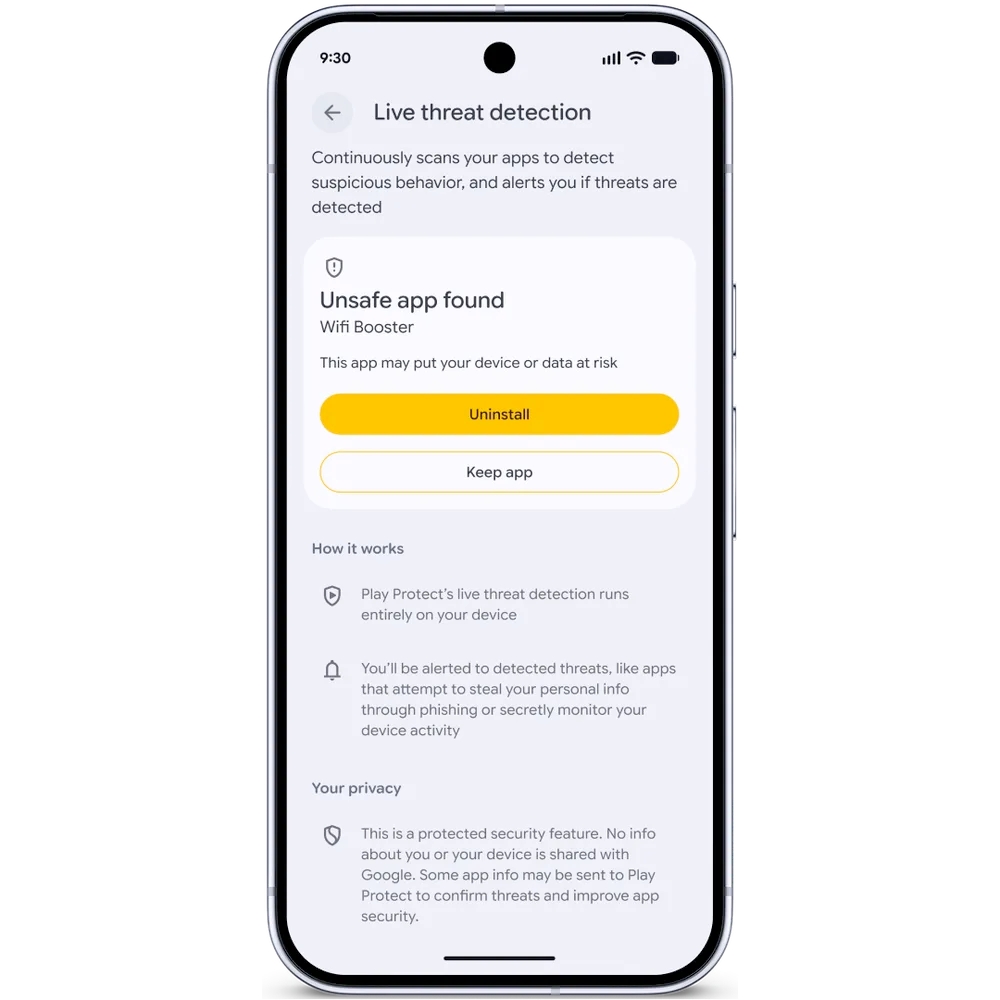
Android’s AI-powered Live Threat Detection has been around for a while, but Google is expanding what it can actually catch. Two new behaviors are now on its radar: apps that secretly forward your SMS messages, and apps that abuse accessibility permissions in ways they were never meant to be used.
The more technically interesting addition is something Google is calling dynamic signal monitoring. This lets Android flag apps that hide their icons before running something malicious in the background — a known trick used by certain types of stalkerware and fraud apps. More importantly, dynamic signal monitoring allows Google to push new threat detection rules to devices in real time, meaning the system can respond to emerging malware techniques without waiting for a full OS update.
This will begin rolling out in the second half of 2026 on select devices. It is not glamorous, but for the new security features coming to Android phones this cycle, this is one of the more meaningful additions under the hood.
3. Chrome on Android Will Now Scan APK Files Before They Even Download
Sideloading apps from outside the Play Store has always carried risk, and Google is tightening that gap. Chrome on Android will now evaluate APK files for known malware before the download completes, provided Safe Browsing is turned on.
This was first spotted in Chrome Canary earlier this year, so it is not a surprise. But the timing of the official confirmation matters. APK-based malware delivery is still a primary attack vector on Android, and catching it at the browser level rather than after installation is a meaningfully better place to stop it.
If you regularly download apps or games outside the Play Store, this is a feature you will want to make sure is active.
4. Advanced Protection Mode Is Becoming Significantly More Restrictive
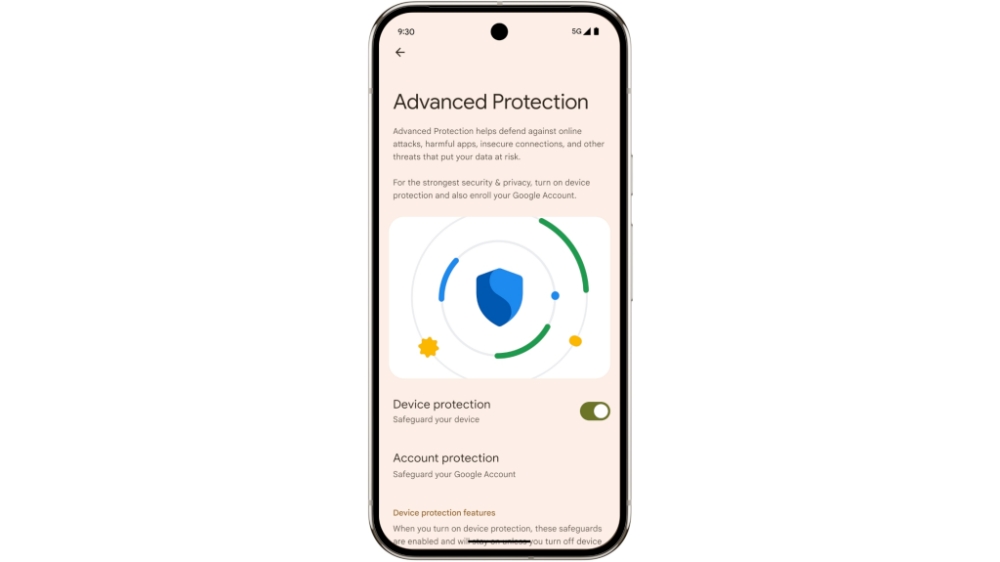
Advanced Protection is Google’s opt-in high-security mode, designed primarily for users who face elevated risk — journalists, activists, executives, and others. Android 17 will add new privacy features to this mode that make it considerably more locked down than it has been before.
The additions include:
- Blocking accessibility service access for any app that is not a legitimate accessibility tool. Google already pushed this change in Android 17 Beta 2, so Pixel beta users have been living with it for a while.
- Disabling device-to-device unlocking, which closes a potential attack surface if a trusted device falls into the wrong hands.
- Disabling Chrome’s WebGPU support, which Google spotted as a potential vector in certain exploitation scenarios.
- Adding scam detection directly to chat notifications, so suspicious messages get flagged before you interact with them.
- Android Enterprise support for managed devices is also coming to Advanced Protection later this year, which is significant for organizations deploying Android in high-security environments.
One more thing worth noting: USB protection, previously a Pixel-only feature, is now available across all Pixel devices running Android 16 or newer, and Google says it is coming to more Android devices soon.
5. Mark as Lost Gets a Critical New Layer: Biometric Lock
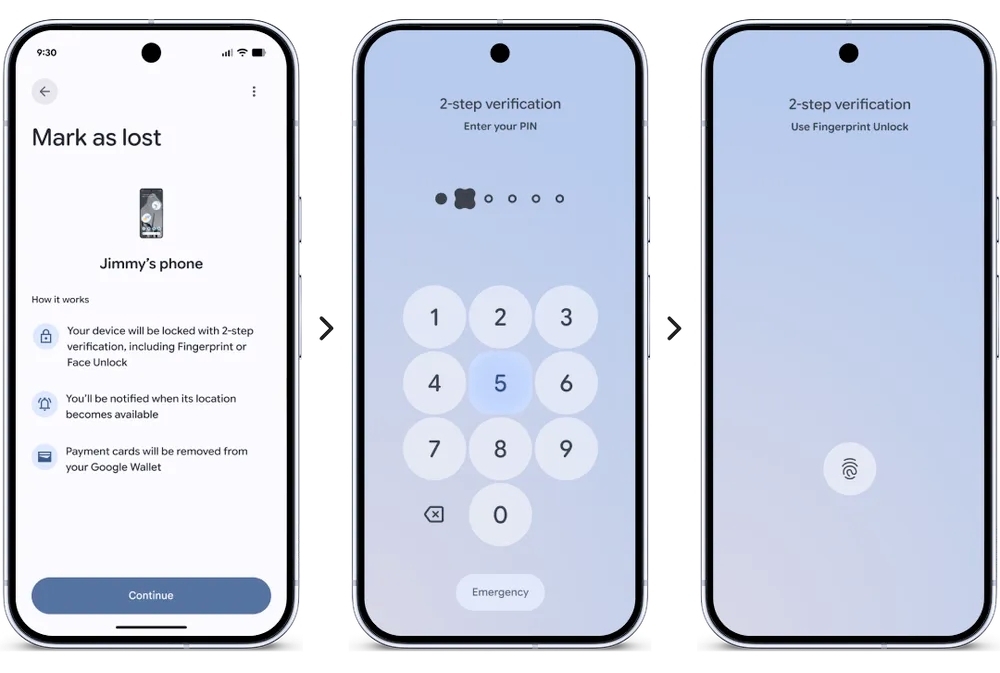
The Find Hub’s “Mark as lost” feature has been a useful tool for a while, but it had an obvious weakness. If someone stole your phone and already knew your PIN, marking the device as lost would not stop them from unlocking it.
Android 17 closes that gap. Once you trigger Mark as Lost, the device will require biometric authentication to regain access — fingerprint or face. Your PIN alone will no longer be enough. On top of that, triggering the feature will now also disable new Wi-Fi and Bluetooth connections and hide the Quick Settings menu, limiting what someone can do while holding the device.
This is a small change in terms of code, but it meaningfully changes the calculus for anyone who manages to grab your phone.
6. Theft Protection Features Are Now On by Default, Globally
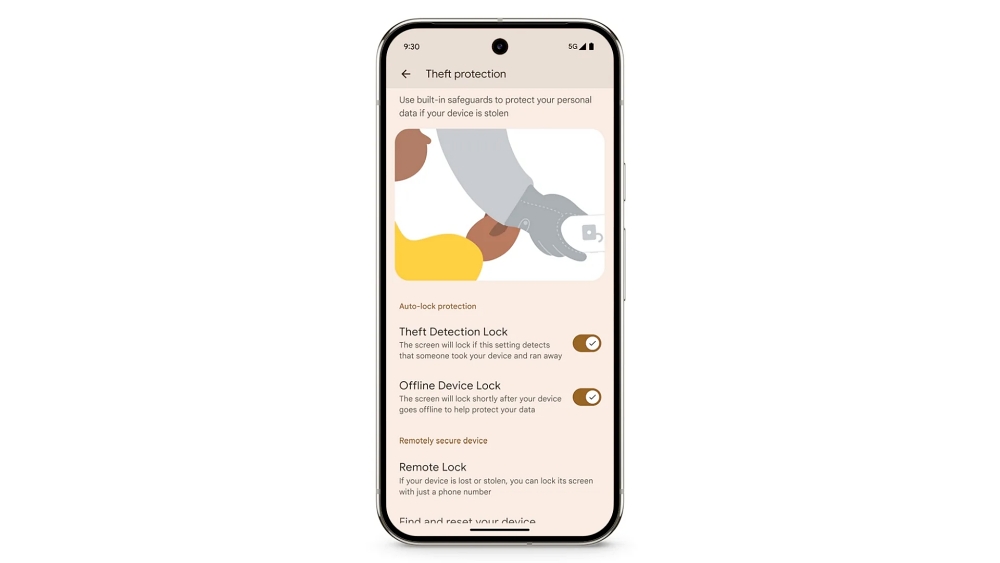
After a successful pilot program in Brazil, Google is expanding its default-enabled theft protection features to the rest of the world. Starting with Android 17, two features — Remote Lock and Theft Detection Lock — will be switched on automatically after device setup, after a reset, or after upgrading.
You will not need to go digging through settings to enable them. They will just be on.
Google is also extending these protections to devices running Android 10 and newer in Argentina, Chile, Colombia, Mexico, and the UK, citing strong demand in those markets. Making security features opt-out rather than opt-in is exactly the kind of default change that actually reduces harm at scale.
7. Brute Force PIN Attacks Are Getting Harder to Pull Off
Android 17 will put a hard limit on the number of failed PIN or password attempts a device will tolerate before locking down further. Google has not published the exact thresholds yet, and it is not entirely clear how this compares to earlier announcements on the same topic.
What Google did confirm is that Android 17 will introduce longer delays between failed attempts and improve how lock screen information is displayed after repeated failures. Together, these changes make brute force attacks considerably more time-consuming and visible, which in practice means considerably less likely to succeed.
8. You Can Now Share Your Precise Location Temporarily, Without Making It Permanent
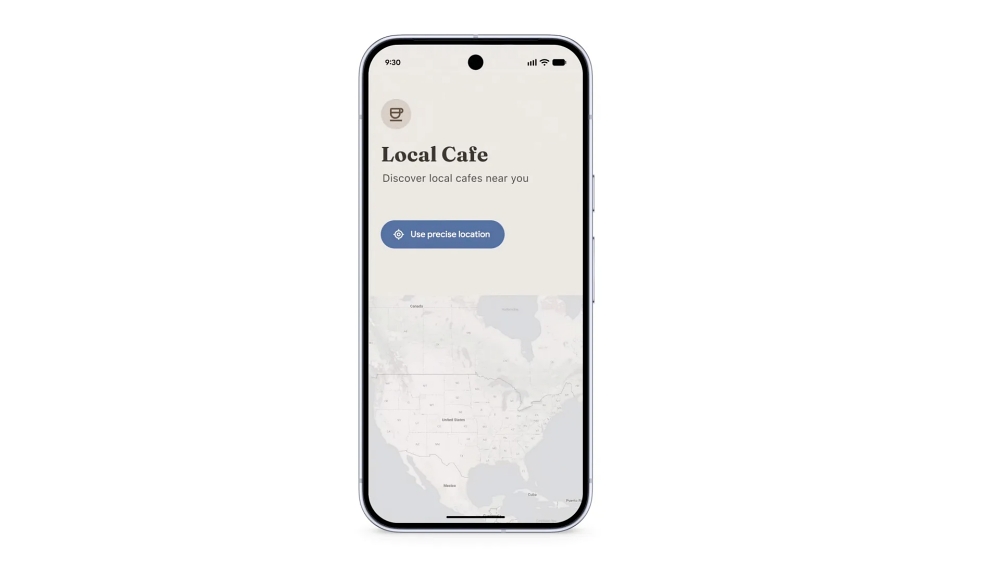
This is one of those features that sounds simple but solves a genuinely annoying problem. Currently, when an app asks for your precise location, the choice is either grant it or do not. There is no good middle option for cases where you just need to use location once — finding a nearby restaurant, sharing your location in a message — without giving that app a permanent permission it does not really need.
Android 17 adds a temporary precise location button that grants access only while the app is actively in use. Close the app, and the access goes with it. The feature is already live in Android 17 Beta 3, so if you are on the beta, you may have already used it without realizing what it was.
9. The Location Indicator Is Now Harder to Miss
Android already shows indicator dots when apps access your camera or microphone. Android 17 brings that same treatment to location access — a more visible indicator that appears on screen whenever an app is pulling your location data.
First spotted in Android 16 QPR3, the indicator is also interactive. Tap it, and you get an immediate view of which apps have recently accessed your location, along with the ability to adjust permissions on the spot. It is a small UI change that adds a meaningful layer of transparency that has been missing from location privacy for too long.
10. Apps Will Only See the Contacts You Actually Choose to Share
For years, when an app wanted access to your contacts, it essentially got access to all of them. Google is finally changing that in a meaningful way. Android 17 introduces a new contact picker that lets apps request access only to the specific contacts they actually need, and only to specific fields within those contacts — not the full record.
That access is also temporary by default. It does not persist as a standing permission. Google first confirmed this feature was in development back in November last year and made it official in March, so it has been a long time coming. For anyone who has ever hesitated to grant a new app contacts access, this changes the calculus considerably.
11. Android Will Now Verify Whether Your OS Build Is Legitimate
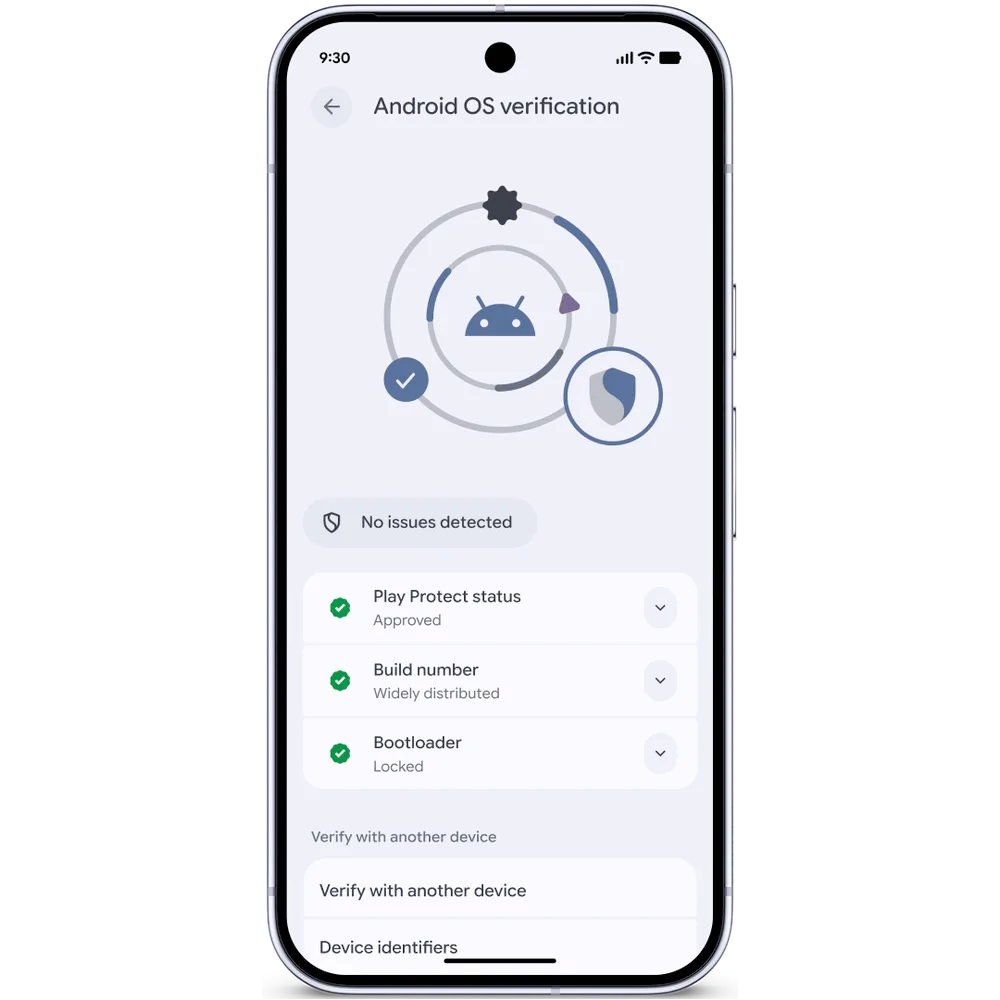
This one is particularly relevant in markets where modified Android builds are common. Google is introducing Android OS verification, a feature that lets users confirm whether their device is running an official, unaltered version of Android. It launches first on Pixel phones and is designed specifically to combat modified builds that look legitimate on the surface while quietly undermining device security underneath.
Alongside this, Google is launching a public, append-only ledger that cryptographically verifies official Google apps and GMS APIs. This is the kind of infrastructure-level trust mechanism that does not make headlines but matters enormously for the broader Android ecosystem.
12. OTP Theft Is Getting Blocked, and Quantum-Era Threats Are Already on Google’s Radar
Two more additions that round out what’s new in Android security and privacy in 2026. First, Android will now automatically hide one-time passwords from most apps for three hours after they are received. This is a direct countermeasure against malicious apps that attempt to scrape authentication codes from notifications. The feature already went live in Android 17 Beta 2.
Second, and perhaps most forward-looking: Android 17 is adding support for Post-Quantum Cryptography. Quantum computing is not an immediate consumer-level threat, but the encryption we rely on today will eventually be vulnerable to it. Google is getting ahead of that curve. The update also includes improved protections for 2G networks, allowing carriers to disable 2G by default in regions where the technology is no longer actively maintained and primarily serves as an attack surface.
When Will You Actually Get These Features?
Stable Android 17 is expected around June 2026, with Pixel phones getting it first. Broader rollout to other Android devices will follow in the months after. Some features — like verified financial calls and the contact picker — are arriving as standalone updates tied to specific Android versions rather than waiting for Android 17 itself.
If you are already on the beta, you have likely seen several of these features already. For everyone else, most of what is listed here should land before the end of the year. Keep in mind that some features may shift slightly between now and final release, which is par for the course with any beta cycle.
The broader picture here is clear: Google is treating security and privacy as core product features rather than afterthoughts. That is not a small shift, and for Android users, it is a welcome one.
Don’t miss these related reads: