Just a few weeks after dropping the second Android 17 beta, Google is back with another update. Android 17 Beta 3 is here, and while it is not the most feature-heavy drop in the cycle, it brings some genuinely useful additions alongside a solid round of under-the-hood improvements. Let’s break down what’s new in Android 17 Beta 3 and what it means for your Pixel.
All the New Features in Android 17 Beta 3
System-Wide App Bubbles for Better Multitasking
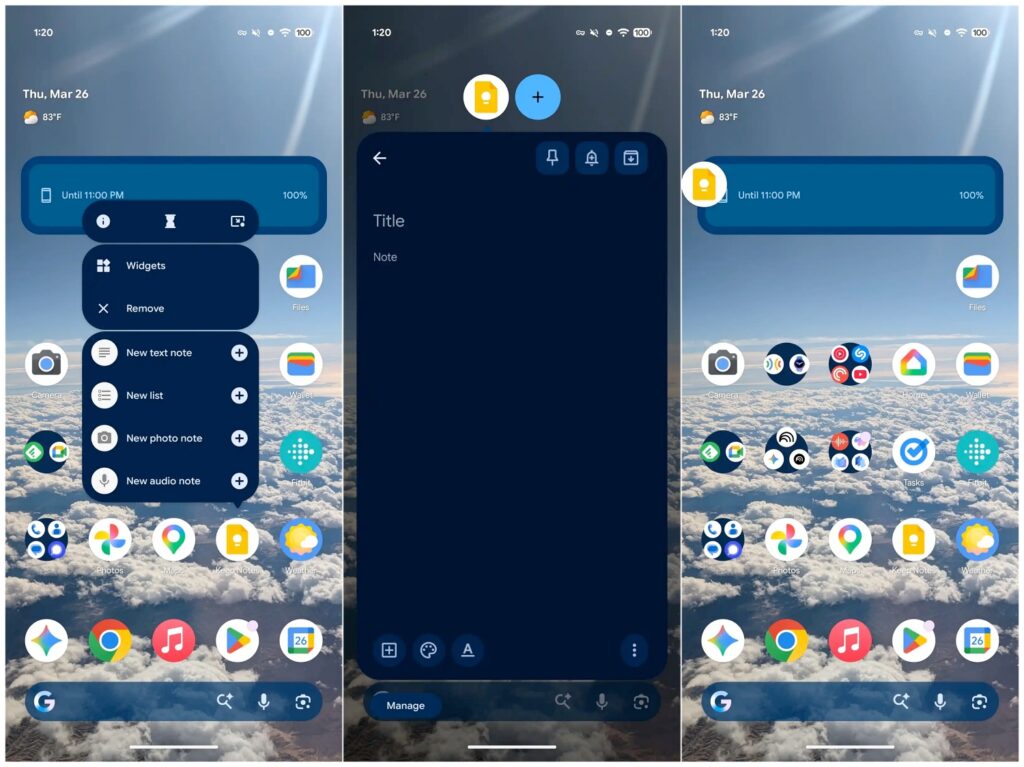
The headline addition has to be system-wide app Bubbles. Unlike before, Bubbles now work across all apps, whether they are Google’s own first-party apps or third-party ones you have downloaded. They open in their own floating UI, making it a lot easier to multitask without jumping in and out of different apps constantly.
Redesigned Screen Recording Toolbar
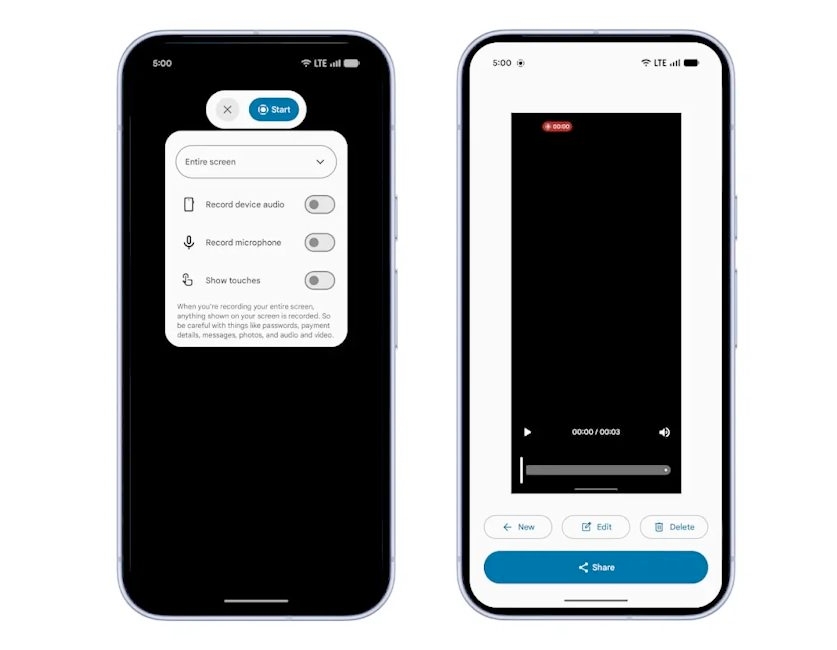
The screen recording toolbar also got a much-needed redesign. The new layout presents three clean options right upfront: record device audio, record microphone, and show touches. Once you hit record, you will also notice new quick-access buttons at the bottom labeled New, Edit, and Delete, giving you instant control over your recordings without hunting through menus.
Hide App Labels from Your Pixel Homescreen
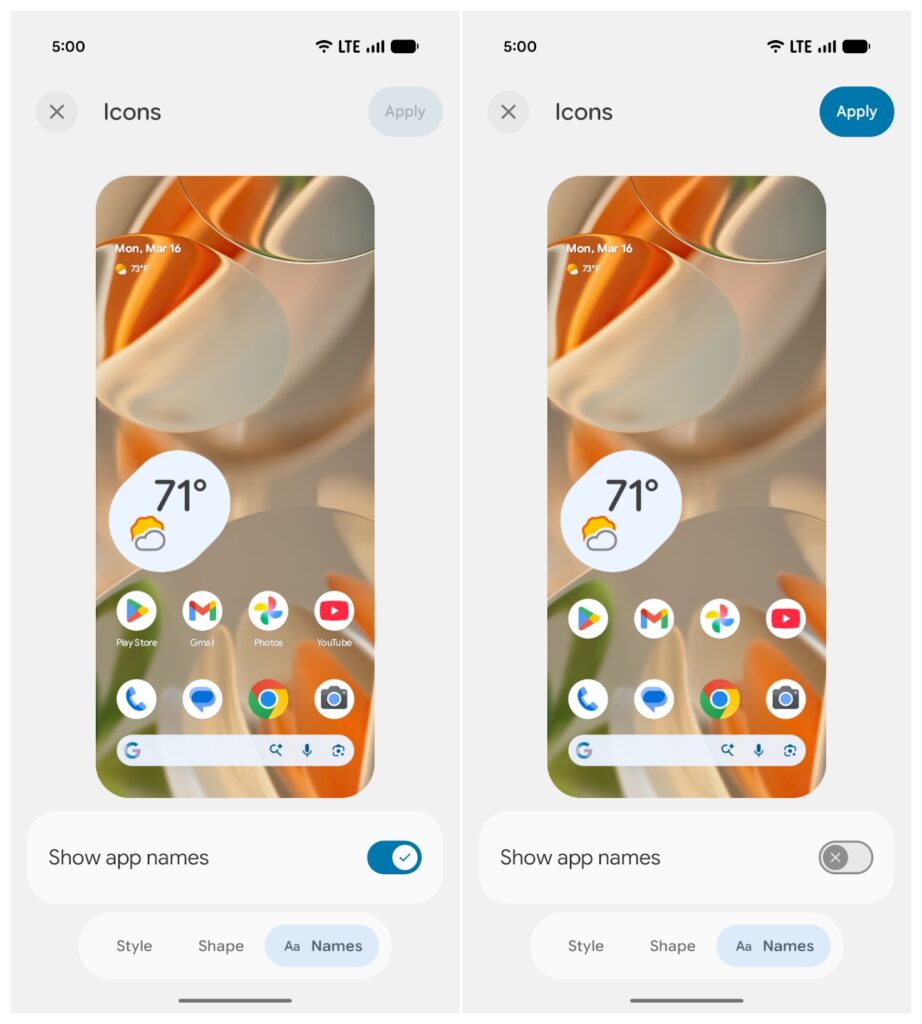
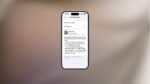
One of the most underrated additions in Android 17 Beta 3 is the ability to hide app labels on your Pixel homescreen. Head into your homescreen settings and you will find a new “Show app names” toggle. Turn it off and you get a cleaner, icon-only layout that honestly looks much less cluttered.
Bug Fixes and Performance Improvements
Camera and Media Enhancements
Beyond the new features in Android 17 Beta 3, a significant chunk of this update is dedicated to fixing existing issues. On the media and camera side, Google has shipped updates to the photo picker customization, added RAW14 image format support, introduced vendor-defined camera extensions, and expanded camera device type APIs. These are the kinds of changes you might not notice on the surface, but make a real difference in how your camera performs day to day.
Battery Life and Performance Upgrades
The update also tackles battery life and overall performance on Pixel devices, along with refinements to the broader Pixel UI experience. If your device has felt a little sluggish or been draining faster than usual on previous beta builds, this update should bring noticeable improvements.
Privacy and Security Features
Android 17 Beta 3 also introduces a few forward-thinking privacy and security additions. Among them are a system-provided location button and support for Post Quantum Cryptography (PQC) Signing, which future-proofs how your device handles secure communications against next-generation threats.
Android 17 Beta 3 Compatible Devices
Android 17 Beta 3 is rolling out over the air to a wide range of Pixel devices. Here is the full list of supported hardware:
Pixel 6, Pixel 6 Pro, Pixel 6a, Pixel 7, Pixel 7 Pro, Pixel 7a, Pixel Tablet, Pixel Fold, Pixel 8, Pixel 8 Pro, Pixel 8a, Pixel 9, Pixel 9 Pro, Pixel 9 Pro XL, Pixel 9 Pro Fold, Pixel 9a, Pixel 10, Pixel 10 Pro, Pixel 10 Pro XL, and Pixel 10 Pro Fold.
If you are on any of these devices and already enrolled in the Android beta program, the update should be heading your way shortly.
The biggest additions are system-wide app Bubbles that work with all apps, a redesigned screen recording toolbar with quicker editing options, and a new toggle to hide app labels from your Pixel homescreen for a cleaner look.
Beta builds are always going to carry some level of risk, and Android 17 Beta 3 is no exception. That said, this release is focused heavily on bug fixes and stability improvements, so it is more polished than earlier beta builds. If your device is listed in the compatible devices section, it should be reasonably usable day to day, but keeping a backup is always smart before installing any beta update.
Unfortunately, no. The over-the-air rollout is limited to the Pixel devices listed above. Older Pixel models that are no longer receiving software support from Google are not eligible for the Android 17 beta program.