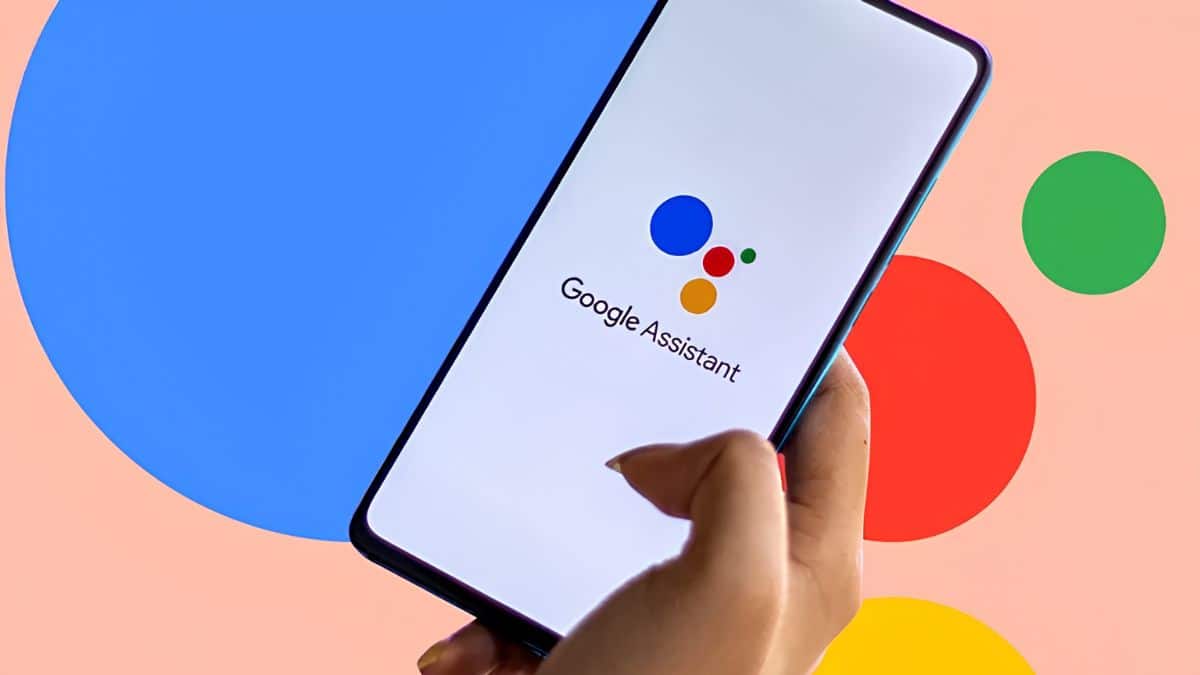
Say “Hey Google” on your phone today, and you may still be talking to the same assistant that has quietly been setting your alarms, making calls, and reading your texts back to you for years. Say it again after September 4, 2026, and something else may answer.
Google has finally put a date on the transition. The company says it will begin removing access to Google Assistant from eligible Android mobile devices on September 4, 2026, with Gemini taking its place as Google’s primary mobile assistant. The process is expected to take several weeks rather than happen everywhere at once. Once Assistant is removed from your device, you won’t be able to switch back.
This isn’t a soft nudge toward a new app you can simply ignore. It’s the retirement of Google Assistant on mobile, and it has been a long time coming.
Google first announced the broader transition in March 2025, saying it planned to upgrade more mobile users from Google Assistant to Gemini. The timeline later shifted into 2026 as Google worked on bringing more of Assistant’s familiar functionality to Gemini. Now, the transition is entering its final stage.
Ten years is a long run for any piece of software living in millions of pockets, so a somewhat messy handoff isn’t exactly surprising. Here’s what’s actually changing, which devices are affected, what still works, and what you should do before Google makes the switch for you.
When Is Google Assistant Shutting Down?
The important date is September 4, 2026, but that doesn’t mean Assistant will disappear from every Android device at the exact same moment.
Here’s the current timeline:
- Final transition notices: Google began notifying affected users ahead of the September cutoff.
- Assistant removal begins: September 4, 2026.
- Full rollout: Expected to take several weeks to reach all eligible devices.
- Original plan: Google initially targeted a broader mobile transition away from Assistant beginning in 2025 before extending the process into 2026.
Because the rollout is staged, your phone could switch over early while someone else’s device continues using Assistant for a little longer.
Google also says Gemini availability depends on factors such as the device, language, region, and minimum system requirements. That means some unsupported devices or regions may not follow exactly the same transition schedule.
The important point is that September 4 marks the beginning of the final removal process, not necessarily a single worldwide cutoff that happens simultaneously on every Android device.
What Happens to Google Assistant on Android After September 4?
Once the transition reaches your eligible device, Google Assistant stops being available as your Google-provided mobile assistant.
Long-pressing the power button, using another configured assistant gesture, or saying “Hey Google” will bring up Gemini instead. Google says that once Assistant access is removed, you will no longer be able to switch back to it.
That transition extends beyond just your phone.
Google says Gemini will also replace Assistant on paired mobile devices such as supported smartwatches, headphones, and earbuds. Android Auto is moving toward Gemini as well, with Google already documenting Gemini alongside Assistant for voice commands such as calling, messaging, navigation, and media playback.
Gemini is designed to understand the familiar commands people already use with Assistant while also supporting more natural, conversational requests.
One distinction is particularly important for drivers: Android Auto and cars with Google built-in are not the same thing.
Google’s transition plans for phone-connected Android Auto are tied to the mobile Gemini experience. Cars with Google built-in have their own assistant implementation and transition timeline.
So if your vehicle runs Google services directly rather than projecting Android Auto from your phone, don’t assume September 4 will change its assistant experience at the same time.
Which Devices Are Losing Google Assistant?
The transition primarily targets Google Assistant on mobile devices and accessories tied to that mobile experience.
That includes:
- Android phones
- Android tablets using the mobile assistant experience
- Supported Wear OS watches
- Compatible headphones and earbuds paired with your phone
- Android Auto experiences tied to your mobile device
Google’s current support documentation says Gemini will become the primary assistant on eligible Android devices and can also replace Assistant on paired mobile devices such as watches, headphones, and earbuds.
That makes this much bigger than simply replacing an app icon. For many Android users, Gemini becomes the voice assistant across several devices they use throughout the day.
Which Devices Keep Google Assistant for Now?
Not everything running Google Assistant is disappearing on September 4.
Google is handling non-mobile devices separately, including smart displays, smart speakers, TVs, cars with Google built-in, and certain Pixel Tablet experiences.
That means your Google Home speaker or Nest smart display doesn’t necessarily lose Assistant simply because your phone has switched to Gemini.
Google has separate plans for bringing Gemini experiences to home and entertainment devices, so those products are effectively following their own transition schedule.
If you’ve built your morning routine around asking a Nest device for the weather while using Assistant on your phone for calls or reminders, only part of that habit may change immediately.
It’s an awkward transition period, but it also explains why you may hear Gemini answer “Hey Google” on one device while Assistant still responds on another.
Gemini vs. Google Assistant: What Actually Changes?
This is where the transition becomes more interesting than simply replacing one assistant with another.
Google Assistant was largely built around commands. You asked it to set a timer, call someone, play music, turn off a light, or tell you the weather, and it matched that request against an action it already knew how to perform.
Gemini is built around a much broader generative AI system. It can still handle many familiar assistant tasks, but it can also understand longer requests, maintain conversational context, work with connected apps, interpret information, and respond to questions that would have been well outside Assistant’s traditional skill set.
That makes Gemini more capable, but not necessarily identical in every situation. Google itself describes Gemini as being able to understand familiar Assistant commands while also allowing users to speak more naturally. In Android Auto, for example, Google says you can still use traditional voice commands while also asking more conversational or detailed questions.
That distinction matters. Assistant was built to be predictable. Gemini is built to be flexible. And depending on what you use your phone assistant for, flexibility isn’t always automatically better than predictability.
Gemini Intelligence Is Not the Same as Regular Gemini
There’s another layer to this transition that can easily get confusing.
Not every Android phone running Gemini gets every AI feature Google is building into Android.
Google has introduced Gemini Intelligence as a broader set of advanced AI experiences for supported premium Android devices. Features associated with it can rely on newer on-device AI capabilities and have considerably higher hardware requirements than simply running Gemini as your phone’s assistant.
Reported requirements include at least 12GB of RAM, a qualifying chipset, Android AI Core support, and compatibility with Gemini Nano v3 or newer.
We’ve covered what that higher-end tier unlocks, including newer on-device features, in our breakdown of Gemini Intelligence on Android.
But it’s important not to confuse the two.
Your phone does not need Gemini Intelligence to replace Google Assistant with Gemini. Regular Gemini can become your default assistant on eligible devices without your phone supporting every advanced on-device Gemini Intelligence feature.
That means two Android phones can both say “Gemini” when you long-press the power button while still having noticeably different AI capabilities under the hood.
Newer flagship hardware will naturally be better positioned for Google’s most demanding on-device AI features, while older supported devices may rely more heavily on cloud processing for certain Gemini tasks.
So the Assistant-to-Gemini transition is broad. Gemini Intelligence is much more selective.
Will Old Google Assistant Commands Still Work With Gemini?
For many common commands, yes.
Google says Gemini is designed to understand the same kinds of commands people already use with Google Assistant. That includes everyday requests such as making calls, sending messages, playing media, and other hands-free actions.
So “set an alarm for 6 AM,” “call Mom,” or “play my playlist” shouldn’t suddenly require you to learn an entirely new way of speaking to your phone.
The bigger difference is what happens after that first command.
Gemini can handle conversational follow-ups and more complex requests in ways Assistant was never designed to do. It can also work with connected apps and keep more context across interactions.
That comes with a privacy consideration too.
Gemini has its own activity and conversation controls, so if you’re uncomfortable with your AI assistant retaining previous interactions, it’s worth reviewing what’s being stored in your Google Account. Our guide on deleting your Google activity history covers the broader Google-side controls worth checking.
The safest approach is not to assume your old Assistant privacy preferences automatically represent exactly how you want Gemini configured. Open Gemini’s settings and review them yourself.
What Happens to Google Assistant Routines?
Routines are one of the areas worth testing before Assistant disappears from your device.
Google has spent considerable time bringing Assistant-style actions and integrations into Gemini, but the two systems weren’t originally built the same way. A routine involving several smart home devices, custom starters, or third-party services can therefore behave differently from a simple request like setting an alarm.
That’s particularly relevant if you rely heavily on platforms such as Google Home, Philips Hue, SmartThings, or other connected-home services.
Instead of assuming your existing setup will behave exactly as it did under Assistant, test the routines you use most often after switching to Gemini.
Try the practical ones first:
- Your morning routine.
- Turning multiple lights on or off.
- Setting a thermostat.
- Starting navigation.
- Sending a message.
- Calling someone from Android Auto.
- Playing music on a specific device.
Those are the commands where reliability matters much more than whether Gemini can answer a complicated follow-up question.
If something fails now, you still have time to figure out whether the problem is Gemini, the connected service, or the routine itself before Assistant disappears from your mobile device.
What Can Gemini Do That Google Assistant Couldn’t?
The upside of this transition is that Gemini goes well beyond the fixed-command approach Google Assistant was built around.
Gemini can understand longer, more natural requests, follow the context of a conversation, and interact with supported apps through Google’s connected-app system.
It can also perform actions across certain third-party services. For example, Gemini can work with WhatsApp for supported calling and messaging tasks, something we walk through in our guide to using Gemini with WhatsApp.
Google is also steadily expanding Gemini’s connected-app ecosystem, allowing the assistant to pull information from or perform actions across supported Google services and third-party apps. Our Gemini connected apps guide explains how those integrations work and which permissions you’re giving Gemini in the process.
This is ultimately the trade Google is making.
Assistant was extremely good at a relatively narrow set of predictable tasks. Gemini is designed to understand far more, but that broader intelligence also makes the experience more complex.
For someone who only uses “Hey Google” to set timers and turn off bedroom lights, Gemini may initially feel like overkill.
For someone who wants an assistant that can answer questions, work across apps, interpret context, and continue a conversation, it’s a much bigger upgrade.
How to Switch From Google Assistant to Gemini Now
You don’t have to wait until September 4 to find out how the transition feels on your phone.
On eligible Android devices, Google already allows you to make Gemini your primary mobile assistant. Google says some Android phones ship with Gemini as the primary assistant, while other eligible devices can switch after downloading Gemini or receiving an upgrade notification.
A straightforward way to start is:
- Open the Google Play Store and install the Gemini app, if it isn’t already on your device.
- Go to Settings > Apps > Default apps > Digital assistant app.
- Select Gemini from the list of assistant options.
- Follow the in-app setup, which pulls in your existing Google Account without any extra sign-in steps.
Once Gemini becomes your primary assistant, the same activation methods you previously used for Assistant, such as saying “Hey Google” or long-pressing the power button on supported devices, can open Gemini instead.
Depending on your phone manufacturer and Android version, the exact Settings path can differ, so using Gemini’s own setup flow is generally easier than hunting through several layers of Android settings.
What You Should Test Before Google Assistant Goes Away
Don’t spend your first day with Gemini asking it trivia questions just to see how smart it is.
Test the boring stuff.
Set tomorrow morning’s alarm. Ask it to call someone. Send a text. Start navigation. Play your normal Spotify or YouTube Music playlist. Turn your smart lights off. Trigger your most-used Google Home routine. Connect your phone to Android Auto and try making a call or sending a message hands-free.
Those are the interactions that will tell you whether Gemini is ready to replace Assistant for you.
Google is already documenting Gemini support across Android Auto functions such as calling, messaging, media playback, and natural-language voice interaction, which suggests the company is actively filling the everyday gaps that matter most before the broader Assistant transition is complete.
Finding a broken routine now is inconvenient.
Finding it when you’re already in the car or trying to leave the house is much worse.
Final Thoughts
Google Assistant’s retirement on Android isn’t really about losing voice assistance. It’s about replacing one philosophy of voice assistance with another. Assistant spent years becoming good at a relatively narrow set of predictable commands. You said the right phrase, and it performed the expected action quickly. Gemini is built for something broader: natural conversations, generative answers, connected apps, contextual requests, and increasingly powerful on-device AI.
That makes Gemini more capable, but “more capable” and “more reliable for every old Assistant task” aren’t automatically the same thing. The experience will also vary depending on the Android phone you own. Gemini itself is coming broadly to eligible mobile devices, while more advanced Gemini Intelligence features have stricter hardware requirements.
September 4, 2026, is therefore less of a launch date and more of a deadline to get familiar with what comes next.
Switch early if Gemini is already available on your phone. Test your alarms, calls, smart home routines, messaging, and Android Auto setup. Find the rough edges while you still have time to adjust. Because once Google removes Assistant access from your device, saying “Hey Google” will still work. It just won’t be Google Assistant answering anymore.