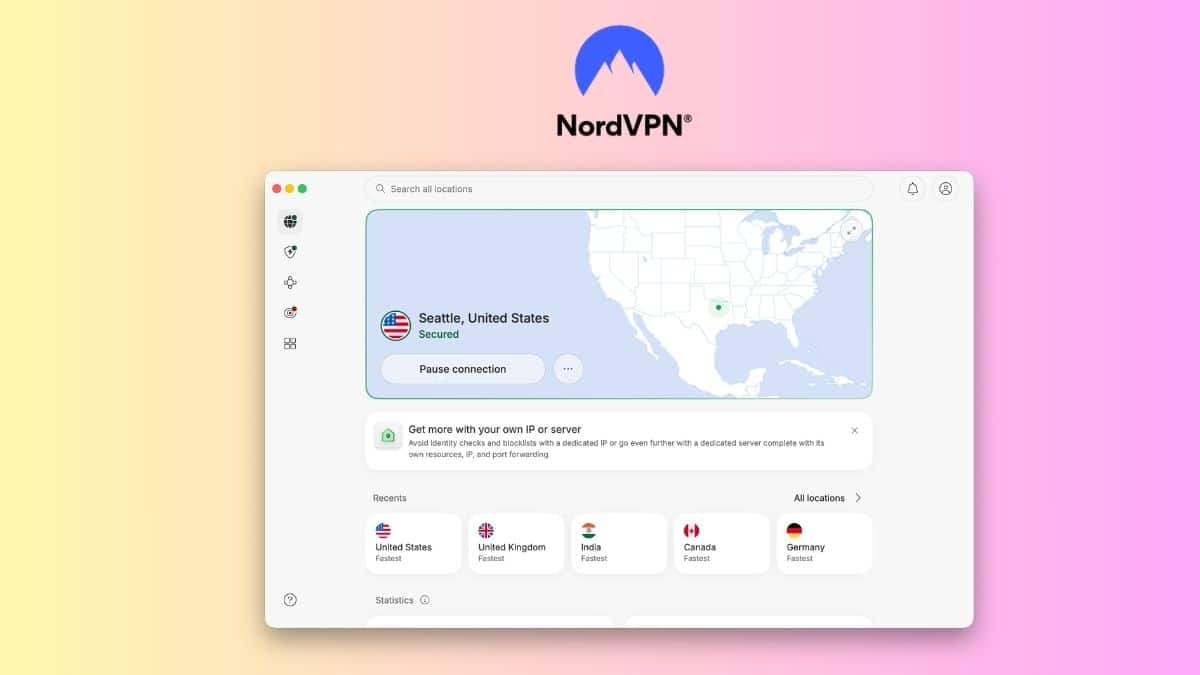
This NordVPN review is based on real time spent using the app for everyday browsing, streaming, downloads, and general internet use to see whether its reputation still holds up.
If you have ever joined public Wi-Fi at a coffee shop and wondered who else might be watching the network, or tried to stream something unavailable in your region, you have probably considered a VPN. NordVPN appears on almost every major VPN shortlist, but popularity alone does not make it the right choice.
After weeks of daily use, I found NordVPN fast, stable, and easier to live with than many VPNs I have tried. It also packs in far more security tools than a basic VPN. At the same time, its long-term pricing deserves attention, some features vary by platform, and ongoing allegations around auto-renewal practices are worth knowing before subscribing.
Below, I break down NordVPN’s speed, privacy, features, pricing, everyday usability, and the things I liked and disliked after actually using it.
What Is NordVPN?
NordVPN is a consumer VPN service that encrypts internet traffic between your device and a VPN server while replacing your public IP address with the server’s address.
It has native apps for Windows, macOS, Linux, iOS, Android, Android TV, and other platforms, plus browser extensions. One subscription currently supports up to 10 simultaneous device connections.
NordVPN has also expanded well beyond a traditional VPN. Depending on your subscription, you can get malware and phishing protection, an ad and tracker blocker, Dark Web Monitor, password management, encrypted cloud storage, and a dedicated IP.
That makes NordVPN closer to a broader privacy and security package than a simple IP-changing tool.
NordVPN Speed and Performance
NordVPN uses NordLynx, its implementation of WireGuard. In my daily use, connections were quick and the performance hit was small enough that I rarely thought about the VPN once it was connected.
Browsing remained responsive, HD and 4K streaming worked without noticeable buffering in most sessions, and normal file downloads stayed fast. Video calls were also stable on nearby servers.
Independent testing backs up NordVPN’s reputation for speed. Recent testing has placed NordLynx among the fastest major VPN protocols, with favorable laboratory conditions producing speeds above 1Gbps. Recent large-scale performance testing also found strong connection reliability, although results vary significantly depending on connection speed, server distance, device, and network conditions.
That distinction matters. You should not expect a specific 1,000Mbps-plus result simply because somebody else achieved it in a controlled test. In my use, the more important result was consistency. NordVPN did not make normal browsing or streaming feel noticeably sluggish.
Long-distance servers naturally produced more latency, and heavy downloads showed a larger speed reduction. That is expected with any VPN because your traffic has farther to travel.
If your only priority is achieving the highest possible benchmark number, competing VPNs can sometimes beat NordVPN in specific tests. For normal browsing, streaming, and remote work, I did not find the difference meaningful.
Security and Privacy
Security is one of NordVPN’s strongest areas. NordLynx combines WireGuard’s underlying technology with NordVPN’s own implementation, while OpenVPN remains available for users who prefer it. NordVPN has also added post-quantum protection to NordLynx, designed to strengthen key exchange against future quantum-computing threats.
NordVPN’s no-logs policy has undergone repeated third-party assessments. Its sixth independent assurance engagement was completed by Deloitte Lithuania in late 2025, with the result announced in February 2026. Deloitte assessed NordVPN’s standard VPN, Double VPN, obfuscated, and Onion Over VPN infrastructure and found its systems aligned with the company’s no-logs statement.
That does not mean users should blindly trust any VPN provider, but repeated independent assessments are far more meaningful than relying solely on a company’s marketing claims.
NordVPN also includes several useful security features:
- Kill switch: Stops or limits internet access if the VPN connection unexpectedly drops.
- Split tunneling: Lets supported devices exclude selected apps or traffic from the VPN.
- Scam, phishing, and malware protection: Blocks dangerous sites and, on supported desktop platforms, can scan downloads and provide broader malware protection.
- Dark Web Monitor: Watches for credentials associated with your email appearing in known data leaks.
- Double VPN: Routes traffic through two VPN servers.
- Obfuscated servers: Designed for networks where standard VPN connections are restricted or detected.
One platform limitation is worth mentioning. NordVPN currently supports app-level split tunneling on Windows, Android, and Android TV, along with website exclusions through its browser extensions. It does not provide the same split-tunneling functionality on iOS or macOS.
A Note About NordVPN’s Auto-Renewal Lawsuits
There is also a billing issue worth knowing before subscribing. Nord Security and related NordVPN entities have faced proposed class-action lawsuits alleging that their automatic-renewal disclosures and cancellation processes violate consumer-protection laws.
For example, a lawsuit filed in April 2026 in Virginia federal court alleges that customers were enrolled in automatically renewing subscriptions without sufficiently clear disclosures or consent and raises claims under Virginia and North Carolina laws. Nord Security has disputed similar allegations and says its terms and subscription conditions are presented to customers. The litigation remains allegations, not a finding that NordVPN violated the law.
There have also been other proposed cases involving NordVPN’s renewal practices, including litigation filed in New York. This did not affect how the VPN performed during my testing, but I would pay close attention to the renewal price before subscribing.
NordVPN’s current discounted plans renew at considerably higher rates after the introductory period. For example, its current two-year Basic promotion is advertised at $3.49 per month for the initial promotional term but lists a renewal price of $139.08 per year. In other words, look beyond the headline monthly figure and check what you will actually pay when the introductory term ends.
If app tracking concerns you beyond VPN use, my guide to stopping iPhone apps from tracking you covers Apple’s built-in privacy controls.
NordVPN Features That Actually Stand Out
NordVPN has a long feature list, but these are the ones I found most useful or worth knowing about.
1. Quick Connect
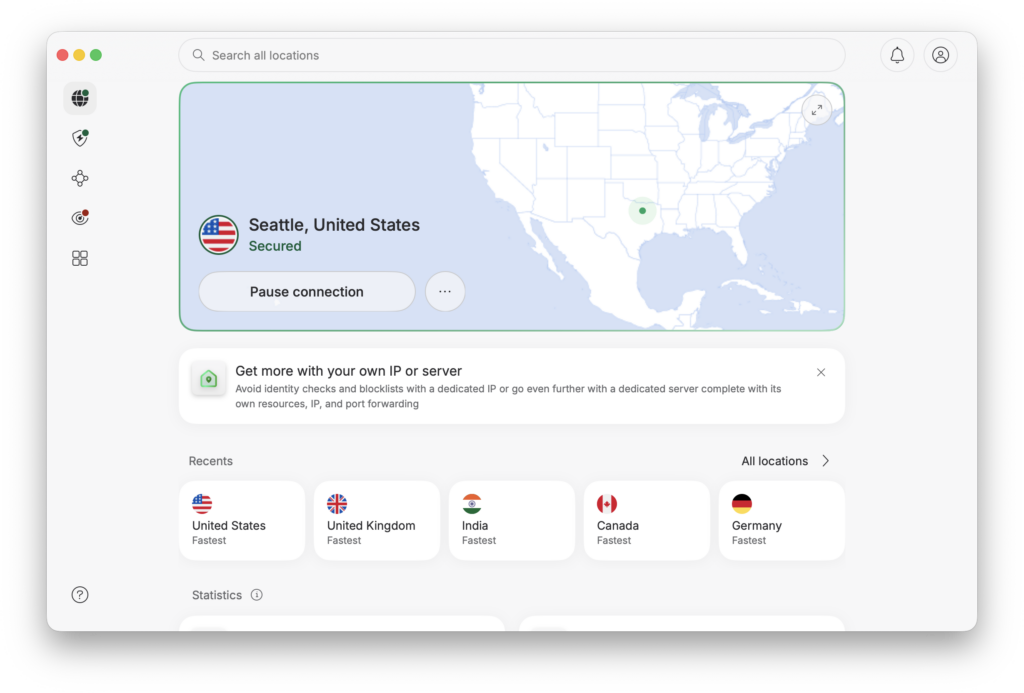
Quick Connect is what I used most. Tap it and NordVPN automatically chooses a suitable server instead of making you select a country or individual location manually.
In most of my sessions, it connected within a few seconds. For everyday browsing, that is exactly how a VPN should work: open the app, connect, and move on.
2. Meshnet
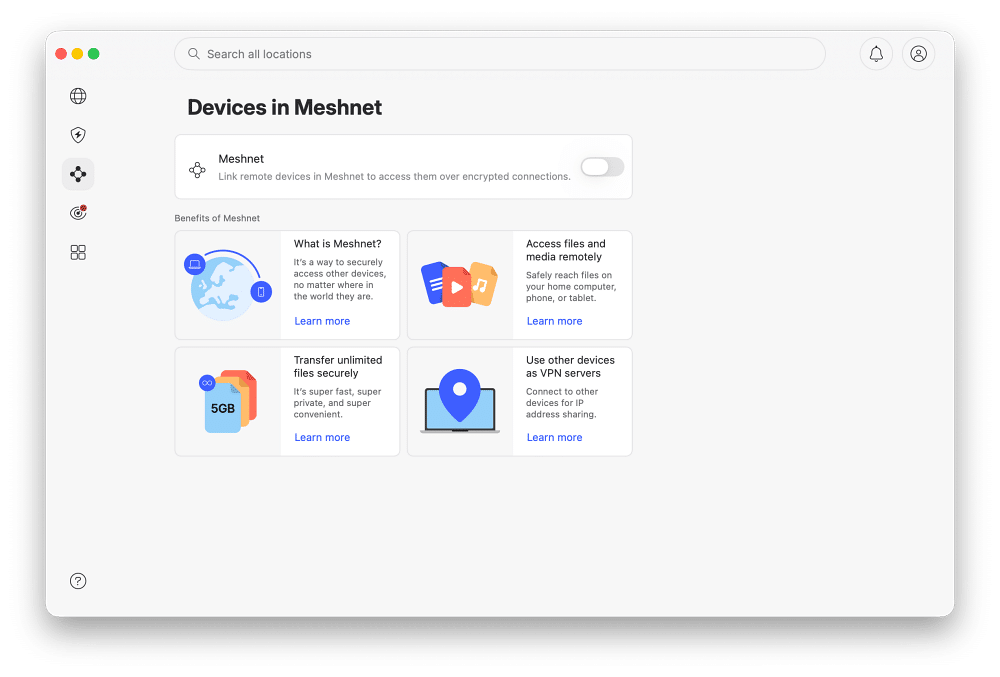
Meshnet is one of NordVPN’s more unusual features. It creates an encrypted private network between approved devices, letting you securely reach another computer, transfer files, or route traffic between devices without setting up a conventional VPN server yourself.
A Meshnet account can currently link up to 10 of your own devices and as many as 50 invited external devices. Most casual VPN users probably will not need it, but it is genuinely useful for remote access, private file sharing, gaming, and connecting devices across different locations.
3. Specialty Servers
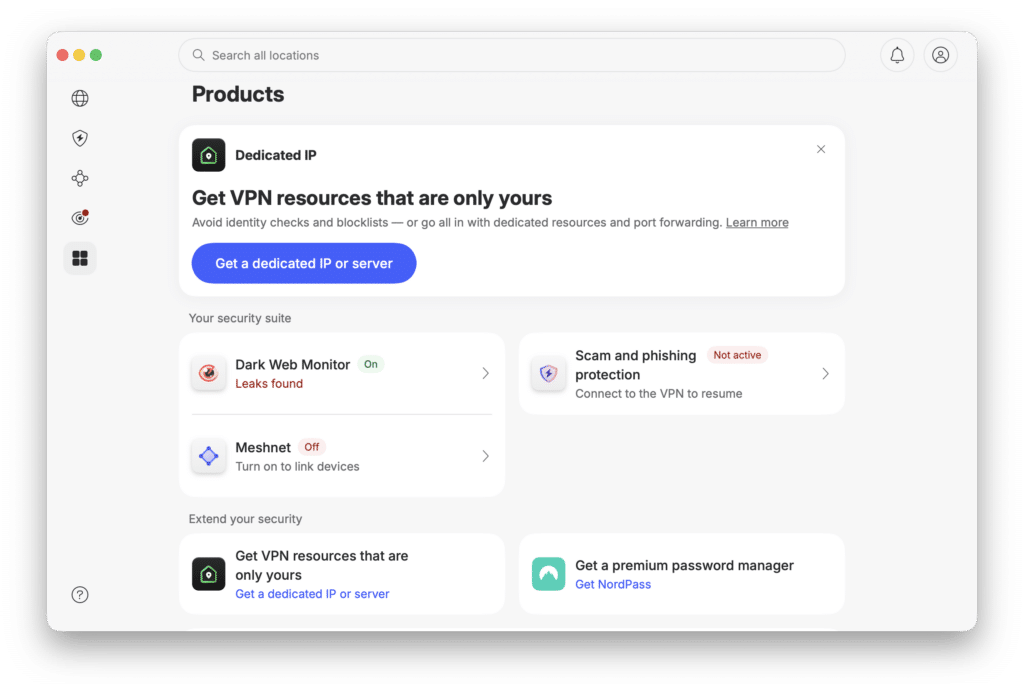
NordVPN gives you several server types beyond a normal VPN connection. Double VPN routes traffic through two VPN servers, while obfuscated servers are intended for restrictive networks where VPN traffic may otherwise be blocked or detected.
There are also dedicated IP options for users who want an IP address assigned specifically to them rather than sharing one with other VPN subscribers. These features are not essential for everyday browsing, but they give advanced users more control.
4. Scam, Phishing, and Malware Protection
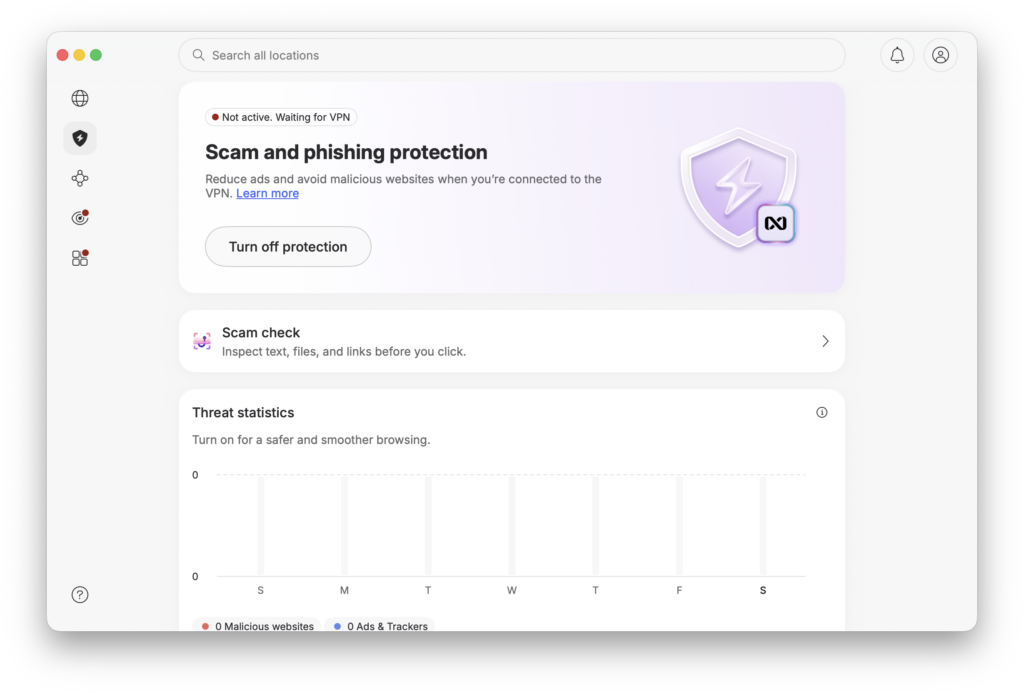
NordVPN recently renamed and simplified what was previously known as Threat Protection Pro on Windows and macOS.
The broader desktop protection can block malicious websites, phishing attempts, ads, trackers, and potentially dangerous downloads. Mobile users get scam and phishing protection, but the full malware-scanning functionality remains limited to supported Windows and macOS apps.
I like that it works as an additional layer rather than requiring another standalone browser extension. However, I would still treat it as a security extra rather than assuming a VPN automatically replaces every dedicated endpoint-security tool.
5. Server Search and Map
NordVPN’s map interface looks slightly gimmicky at first, but I ended up using it. You can click a country directly from the map or search for a location by name. The search option is faster when you already know where you need to connect, while the map works well when you just want to pick a nearby region.
The interface strikes a good balance between simplicity and giving experienced users enough control.
Platforms and Compatibility
NordVPN has apps for the major desktop and mobile operating systems, including:
- Windows
- macOS
- Linux
- iPhone and iPad
- Android
- Android TV
- Fire TV
- Apple TV and other supported TV platforms
- Chrome, Firefox, and Edge browsers
It can also be configured on compatible routers, which is useful for devices that do not support VPN apps directly. One subscription currently allows 10 simultaneous connections.
The important caveat is that feature parity is not perfect.
For example, the full scam, phishing, and malware protection suite is available on supported Windows and macOS installations, while Android, iOS, Linux, and browser extensions receive the lighter scam and phishing protection. Split tunneling availability also varies by platform.
So if one specific feature is important to you, check whether it exists on the device you plan to use rather than assuming every NordVPN app works identically.
NordVPN Pricing
NordVPN pricing changes frequently because the company runs introductory promotions, so I would always check the checkout page before purchasing. As of August 2026, NordVPN’s US-facing two-year pricing shows:
| Plan | Introductory price | Main extras |
|---|---|---|
| Basic | $3.49/month | VPN, scam and phishing protection, Dark Web Monitor |
| Complete | $4.39/month | Adds broader malware protection, password manager, 1TB encrypted cloud storage and expanded monitoring |
| Complete Max | $6.39/month | Adds a dedicated IP |
All three currently come with three extra promotional months and a 30-day money-back guarantee. The quoted monthly rates are calculated across the introductory term and are not month-to-month billing.
Monthly plans currently cost considerably more:
- Basic: $14.69 per month
- Complete: $19.49 per month
- Complete Max: $21.49 per month
The Complete plan looks like the strongest value to me if you will actually use the password manager, malware protection, or 1TB cloud storage. If all you want is the VPN, Basic is enough.
I would pay particular attention to renewal pricing. NordVPN clearly lists higher annual renewal rates for these introductory deals, so calculate the long-term cost rather than judging the service solely by its promotional $3.49 headline price.
If you are also comparing security tools for your Mac, I covered another option in my Moonlock antivirus review.
How to Use NordVPN
Setup is straightforward. Once you have an active subscription:
- Download NordVPN from its official website or your device’s app store.
- Sign in with your Nord Account.
- Tap Quick Connect to automatically connect to a recommended server.
- Alternatively, search for a country or select one from the map.
- Open Settings and review the kill switch and security protection options.
- If your platform supports it, configure split tunneling for apps you do not want routed through the VPN.
- Check the app’s home screen to confirm your VPN is connected before browsing.
For most people, you can stop after Step 3. NordVPN does not require constant tweaking to work properly, which is one of the things I liked about it.
Who Should Get NordVPN?
NordVPN makes the most sense for a few types of users.
- Streamers and travelers: It offers a large server network, fast connections, and easy location switching.
- Remote workers: The encrypted connection is useful when working from hotels, airports, cafés, and unfamiliar networks.
- Privacy-conscious users: Features such as Dark Web Monitor, post-quantum NordLynx protection, and independently assessed no-logs practices give it a stronger privacy package than a bare-bones VPN.
- Families and multi-device users: Ten simultaneous connections should cover phones, laptops, tablets, and TVs for many households.
- Beginners: Quick Connect makes it easy to use without understanding VPN protocols or server configurations.
Advanced users who need port forwarding or very specific networking controls may want to compare alternatives before committing.
My Experience Using NordVPN Every Day
NordVPN has been one of the easier VPNs I have used for everyday browsing. Setup was straightforward, the apps felt polished, and I rarely needed to touch the settings just to maintain a stable connection.
Most of the time, I simply hit Quick Connect. NordVPN selected a nearby server, and the connection generally completed within a few seconds. Once connected, I could browse, stream, and download without constantly thinking about the VPN running in the background.
Connection stability stood out most. Some VPNs I have used randomly disconnect or cause noticeable delays when opening websites. NordVPN felt more consistent. There was some speed loss, which is expected when routing traffic through a VPN, but rarely enough to affect ordinary browsing or streaming.
Switching locations was equally straightforward. The search bar made it quick to find a specific country, while the map was useful when I did not have a particular server in mind. Features such as Meshnet, specialty servers, and the kill switch add real value, even if most casual users will not interact with them every day.
It was not flawless. Occasionally, a website loaded slowly or recognized that I was using a VPN. Switching to another server usually solved the problem, but that extra step can become annoying when you simply want a site to work.
Feature availability also changes depending on the platform. For example, I would like NordVPN’s split-tunneling support to be more consistent across macOS and iOS rather than being primarily available on Windows and Android.
Still, my overall experience was positive. NordVPN balances simplicity and advanced controls well. Beginners can install it, press Quick Connect, and largely forget about it, while experienced users still get control over protocols, specialty servers, security features, and connection behavior.
Final Verdict: 8.5/10
After using NordVPN regularly, I understand why it remains one of the most frequently recommended VPNs.
The core product is strong. Connections are fast and stable, the apps are approachable, NordLynx performs well, and features such as Meshnet, Dark Web Monitor, post-quantum protection, and the upgraded desktop security tools add genuine value rather than simply filling out a marketing checklist. NordVPN has also completed six independent no-logs assurance engagements, including its latest Deloitte assessment covering systems operated in late 2025.
It is not perfect. The promotional prices can hide much higher renewal costs, feature parity across platforms still needs work, and the allegations surrounding automatic renewal practices deserve consideration before you subscribe. Those lawsuits are unresolved allegations rather than proof of wrongdoing, but they are relevant when evaluating the overall service.
For the actual VPN experience, though, I came away impressed. If you want a VPN that you can install, hit Quick Connect, and use without constantly babysitting the connection, NordVPN remains one of the strongest all-round choices in 2026.