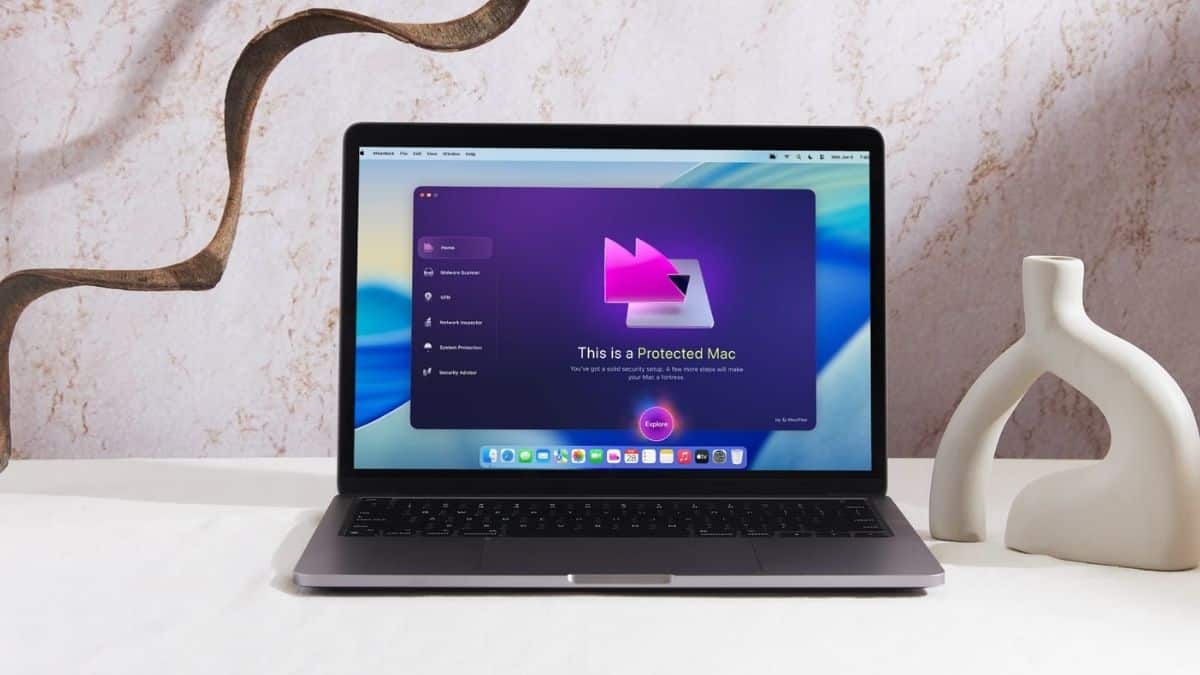
If you’ve ever told yourself “Macs don’t get viruses,” you’re not alone, and you’re also not entirely right. MacPaw’s own research found that 66% of Mac users ran into at least one cyber threat last year. Mac malware detections also rose 20% in 2024 compared to 2023. I dug deep into Moonlock, MacPaw’s standalone security app. I paired hands-on findings from independent Mac testers with a close look at what the app actually promises. The goal: see whether it’s worth adding to your Mac.
In this review, I’ll break down how Moonlock performs, what features stand out, and whether it’s the right choice for you or your Mac setup.
Moonlock at a Glance
| Pros | Cons |
|---|---|
| ✅ Independently verified malware protection (AV-TEST certified, Apple notarized) | ❌ $54/year for a single Mac is steep next to ClamXAV |
| ✅ Battle-tested detection engine carried over from CleanMyMac | ❌ Mac-only: no Windows, iOS, or Android apps |
| ✅ No-logs VPN with verified leak-free performance included | ❌ Free trial requires a credit card upfront |
| ✅ Plain-English threat explanations with no jargon or scare tactics | ❌ Security Advisor module is more checklist than tool |
| ✅ Quarantines threats instead of auto-deleting; you stay in control | ❌ Scan scheduler locked to 15-minute increments |
| ✅ Lightweight, with no noticeable performance drag |
What Is Moonlock?
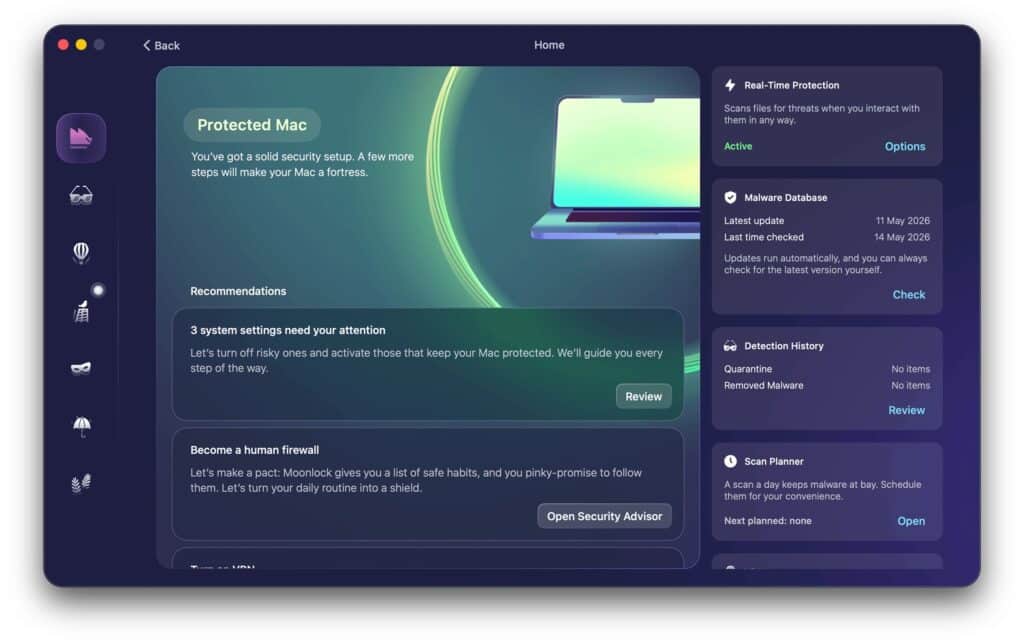
Moonlock is a cybersecurity app for Mac built by MacPaw, the company behind CleanMyMac. It started life as CleanMyMac’s built-in malware-scanning module. MacPaw spun it into a standalone product in October 2025. That lineage matters: the detection engine isn’t a brand-new experiment; it’s a few years of real-world scanning data wearing a new interface.
The app splits into six sections: Home, Malware Scanner, VPN, Network Inspector, System Protection, and Security Advisor. Moonlock’s whole pitch is “care, not scare.” Instead of firing off cryptic “Threat Resolved” pop-ups, it explains what a threat is, why it matters, and what to do next, in plain English.
Protection & Performance: AV-TEST Approved
Moonlock isn’t just making claims about its own detection ability; it has passed independent testing. AV-TEST, a vendor-neutral lab, certified Moonlock in September 2025 with a 5.5/6 score in Protection, 4.5/6 in Performance, and a full 6/6 for Usability. Apple has also notarized the app, meaning Apple checked it for malware and cleared it for use on Mac.
Macworld ran hands-on testing with more than 160 live malware samples from the Objective-See archive under macOS Tahoe. The scanner caught nearly everything. Active Protection even detected and quarantined malware before it could finish installing. A full Deep Scan of a MacBook Pro’s SSD plus an external USB volume took about an hour.
Moonlock also runs light. Testers reported no noticeable drag on day-to-day performance, even with real-time protection running continuously in the background. That’s a real plus for a 515MB app that needs to stay resident.
One Macworld tester did note a caveat. Malware could still slip through if you actively bypassed several of macOS’s own warning screens to install it. No antivirus, Moonlock included, replaces basic caution.
Privacy & Trust: They Show Their Work
Security software is only as good as the trust behind it, and Moonlock backs up its privacy claims with more transparency than most. The bundled VPN runs under a no-logging policy, with all data processed locally. Independent testing from TechRadar found no DNS or WebRTC leaks. MacPaw also publishes a public Trust Center detailing its data-handling practices and certifications. Not every antivirus vendor bothers to do that.
Here’s what stood out:
- AV-TEST certification and Apple notarization, both independently verified, not just self-reported.
- A no-logs VPN with locally processed data.
- Network Inspector, which lets you block outbound connections to entire countries or regions. It’s a genuinely unusual feature for a consumer security app. It also ties back to MacPaw’s own position as a Kyiv-based developer defending against threats from specific regions.
- Moonlock quarantines malware instead of auto-deleting it, so you always make the final call on suspicious files.
- Every threat detection comes with a plain-language explanation of what it is and why it matters, not just a raw file path.
Compared to antivirus tools that just fire alerts and hope you trust them, Moonlock actually shows its work.
Moonlock Key Features That Stand Out
Now let’s get into the features that make up the actual Moonlock experience:
1. Real-Time Protection
This runs continuously in the background, even when the app window is closed. It watches file activity, app behavior, and Mail attachments for anything suspicious. It’s the always-on layer that catches threats before you’d ever think to run a manual scan.
2. Malware Scanner
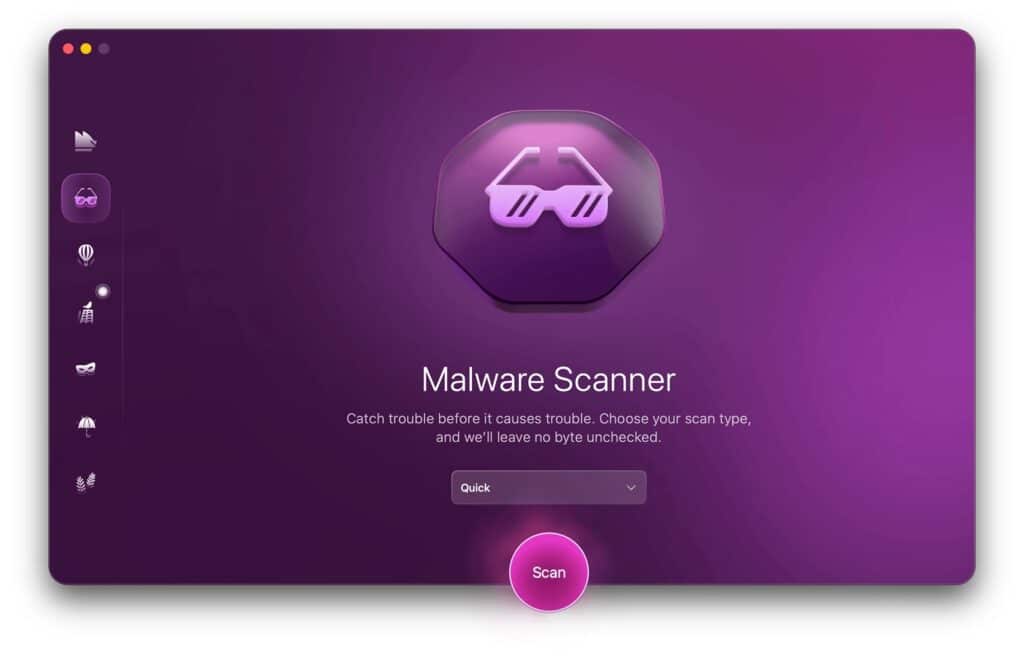
The core of the app. You get three scan depths (Quick Scan, Balanced Scan, and Deep Scan), trading speed for thoroughness. Deep Scan can also reach external volumes, ZIP and DMG archives, and Mail attachments, not just your main drive. Flagged items go to quarantine, not straight to deletion, so you stay in control of what happens next.
3. VPN
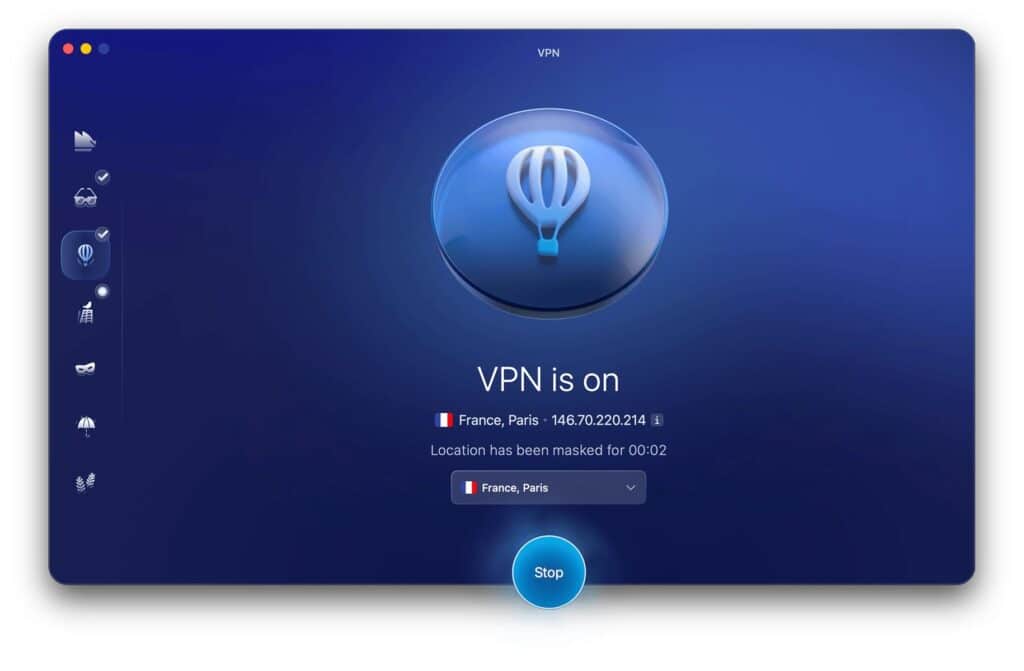
A simplified version of MacPaw’s ClearVPN, covering around 60 server locations across more than 45 countries. Independent testing found strong speed retention: around 82% of baseline speeds on transatlantic connections and up to 96% on closer servers. It’s genuinely capable for everyday browsing. One quirk: it defaults to auto-connecting to the nearest server rather than letting you pick a country upfront.
4. Network Inspector
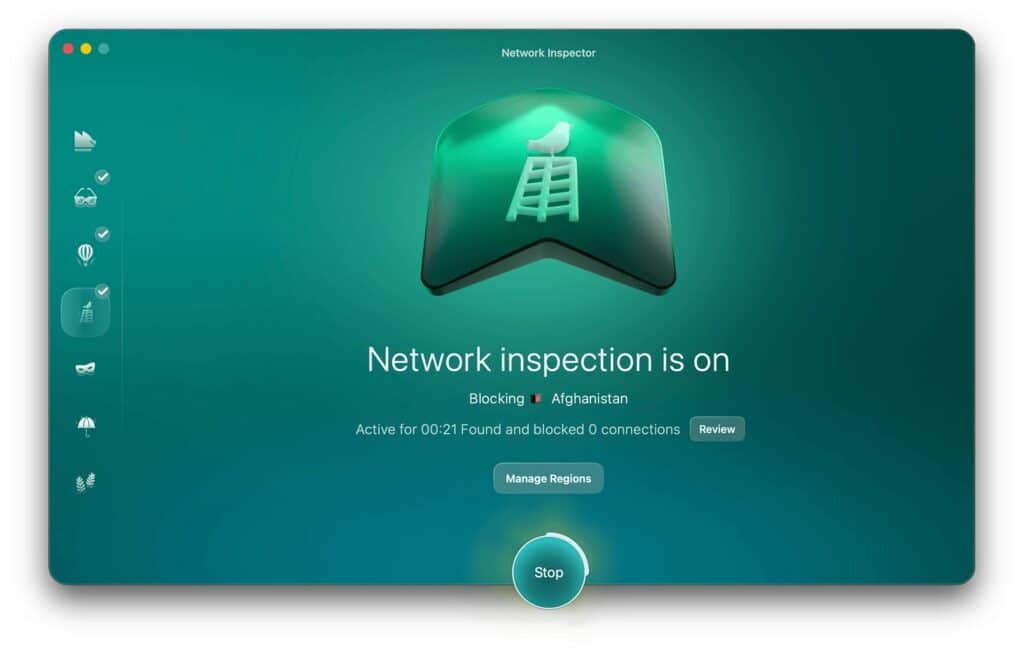
This one caught reviewers off guard. Instead of scanning your local network for weak points like you’d expect, it lets you block outbound traffic to specific countries or regions your apps might be quietly sending data to. It’s a defensive, geopolitically aware feature you won’t find in most Mac security tools.
5. Scam Detector
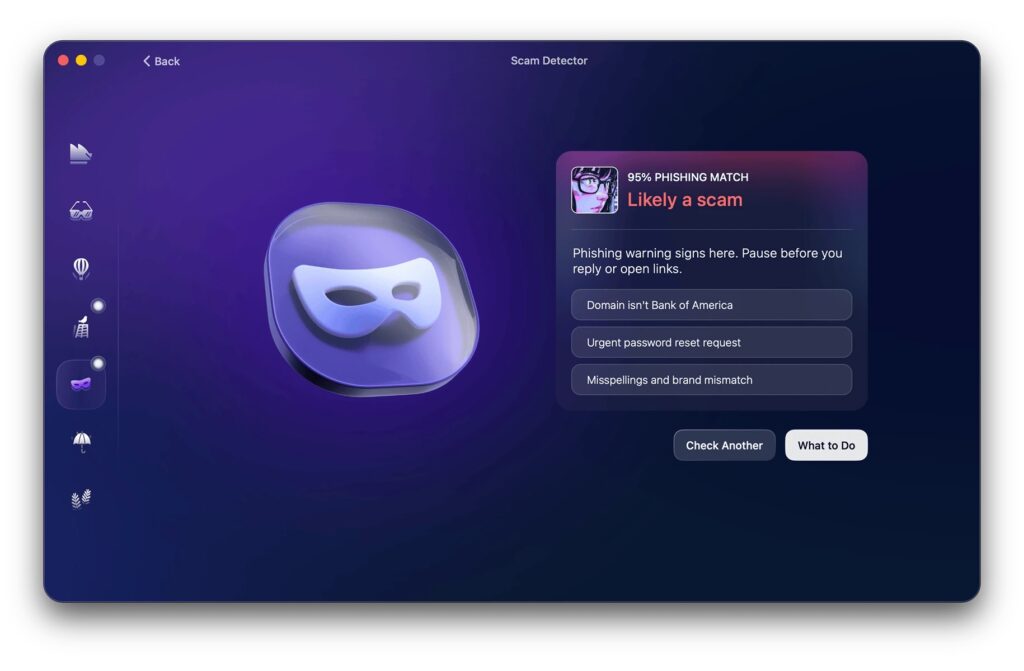
An AI-powered phishing checker: paste in a suspicious text or email, and it flags patterns common to scams. MacPaw trained it on patterns from thousands of real scam messages. It essentially gives you a second opinion when something feels slightly off.
6. System Protection
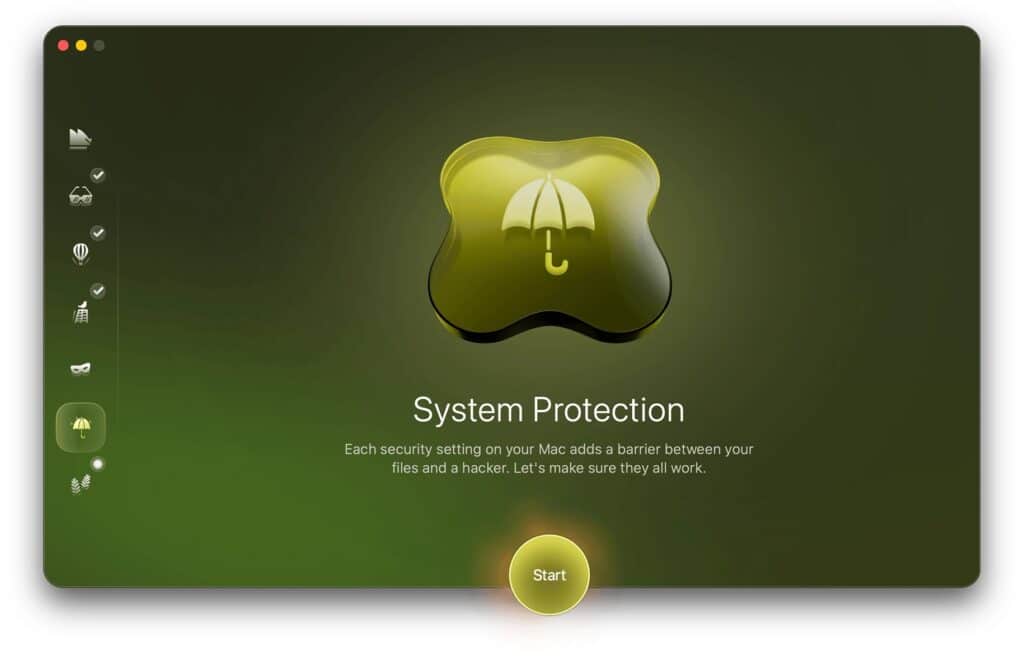
This module audits your Mac’s built-in security settings: Gatekeeper, Wi-Fi protection, Bluetooth auto-connect, and more. It then walks you through tightening anything that’s off by default, with direct links to the relevant System Settings panes.
7. Security Advisor
An ongoing checklist for good digital habits: strong passwords, 2FA, avoiding public Wi-Fi. Reviewers are split on this one. Macworld praised how it turns recommendations into actionable steps with direct links to the right Settings panes. TechRadar, however, found it works more like a PSA billboard than an actual tool: good advice, light on real functionality. Either way, it’s the most passive module in the lineup.
Platforms & Compatibility
Moonlock is Mac-only. It requires macOS 13 (Ventura) or later, 515MB of disk space, and a minimum display size of 1200x800px. There’s no Windows, iOS, or Android app. If you’re managing a mixed household or need mobile protection too, you’ll need to look elsewhere or pair it with another tool.
Pricing
Moonlock starts at $54/year for a single Mac, about $4.50/month effective. Monthly billing runs around $13.50/month, and one-time lifetime licenses start near $150. Licenses scale up for 2, 5, or 10+ devices. Choosing annual billing over monthly saves up to 67%, though promotional discounts apply to the first year of subscription only.
There’s a 7-day free trial, but it requires a credit card upfront. You’ll need to remember to cancel if it’s not for you. To soften that, Moonlock backs it with a 30-day money-back guarantee. Setapp subscribers get Moonlock included at no extra charge. That’s arguably the best value path into the app.
That said, $54/year for one device is genuinely steep next to ClamXAV. This Mac-only rival runs $29.95/year for three devices, though without a bundled VPN or network inspector. CleanMyMac users already have the same core scanning engine. The standalone app buys a fuller dashboard, VPN, and reporting. Ask yourself whether that justifies a second subscription.
Moonlock vs ClamXAV vs Intego: Quick Comparison
| Moonlock | ClamXAV | Intego Mac Internet Security X9 | |
|---|---|---|---|
| Price | $54/yr (1 Mac) | $29.95/yr (3 Macs) | ~$50/yr (1 Mac) |
| Bundled VPN | Yes (no-logs, leak-free) | No | No |
| Network monitoring | Yes (country-level blocking) | No | Yes (NetBarrier) |
| AV-TEST verified | Yes (5.5/6 Protection) | Yes | Yes (long track record) |
| Platforms | Mac only | Mac only | Mac only |
| Lifetime license | Yes (from ~$150) | No | No |
| Best for | All-in-one suite seekers | Budget, multi-Mac homes | Network control veterans |
How Does Moonlock Work?
Getting started with Moonlock is straightforward, even for non-technical users:
- Download and install the app, then grant it Full Disk Access when prompted. The scanner needs this access to check system folders properly.
- Sign in with a MacPaw account to activate your license or start the trial.
- From the Home dashboard, choose a scan type: Quick, Balanced, or Deep, or drag an external volume in to scan it directly.
- If a threat turns up, Moonlock explains what it is and moves it to Quarantine. You decide whether to delete it or restore it.
- Toggle the VPN on from its own tab, or pick a specific country if you don’t want the default nearest-server connection.
- Check System Protection for a rundown of any macOS security settings worth tightening, with one-click links to fix them.
Who Should Get Moonlock?
- Everyday Mac users who’ve bought into the “Macs don’t get viruses” myth and want a real safety net without needing to become a security expert.
- Existing CleanMyMac users who want the same trusted scanning engine, but with a dedicated dashboard, VPN, and deeper reporting than the bundled module offers.
- Privacy-conscious users who’d rather have a no-logs VPN and country-level connection blocking bundled with their antivirus than juggle three separate subscriptions.
- Non-technical users who want plain-English explanations of threats instead of cryptic alerts.
It’s a weaker fit if you’re managing a mixed Windows-and-Mac household (no cross-platform support here) or if you’re strictly budget-conscious. ClamXAV covers more devices for less, if a bundled VPN isn’t a priority for you.
Our Research-Based Take on Moonlock
After years of covering Mac utilities and security tools, the pattern is familiar. Most Mac antivirus apps either overcorrect into alarmist alert-spam or undercorrect into a “set it and forget it” scanner that never tells you anything useful. Based on our research and independent hands-on testing from Macworld and TechRadar, Moonlock gets the balance closer to right.
The Detection Engine Is the Real Deal
This isn’t a first-generation scanner bolted onto a nice UI. It’s the same engine CleanMyMac has used for years, now in its own dedicated app. Macworld threw 160+ live malware samples at it, and it caught nearly everything. It also works cleanly alongside macOS’s own Gatekeeper and XProtect rather than fighting them.
The Interface Respects the User
A lot of security software either drowns you in jargon or hides everything behind a single “you’re protected” checkmark. Moonlock’s two-panel layout tells you exactly what it’s watching and why. That’s the difference between software you trust and software you just tolerate.
The VPN and Network Inspector Aren’t Afterthoughts
Plenty of “all-in-one” security suites bundle a VPN that’s clearly a checkbox feature. Here, independent leak testing showed no DNS or WebRTC leaks and solid speed retention. That’s a bundled VPN worth actually using, not just having.
The Rough Edges Are 1.0 Growing Pains, Not Dealbreakers
The Security Advisor module reads more like a checklist than a working tool. The scan scheduler oddly locks you to 15-minute increments. A couple of menus also bury information, like where a quarantined file actually lives, deeper than they should. None of that undermines the core protection. It just means the polish hasn’t fully caught up to the engine yet.
The Price Is the Real Decision Point
At $54/year for a single Mac, MacPaw prices Moonlock like a suite, not a budget scanner. Whether that’s worth it comes down to one question. Are you replacing three subscriptions (antivirus, VPN, security coaching) with one, or did you just want a scanner and are now paying suite prices for it?
Bottom line: this isn’t a flashy 1.0 with an unproven core. The detection engine has already earned its stripes inside CleanMyMac. What’s genuinely new, and still settling in, is everything built around it.
Final Verdict: 8/10
Moonlock isn’t the cheapest Mac antivirus on the market, and a couple of its modules (looking at you, Security Advisor) still feel like they’re finding their footing. But independent labs have verified the core malware protection, and it’s genuinely strong. The interface doesn’t talk down to you. Bundling a solid VPN and a country-level connection blocker adds real value if you’re not already paying for those elsewhere.
If you want one subscription that covers antivirus, VPN, and plain-English security guidance on your Mac, Moonlock is worth trying. Just start the 7-day trial and see for yourself.