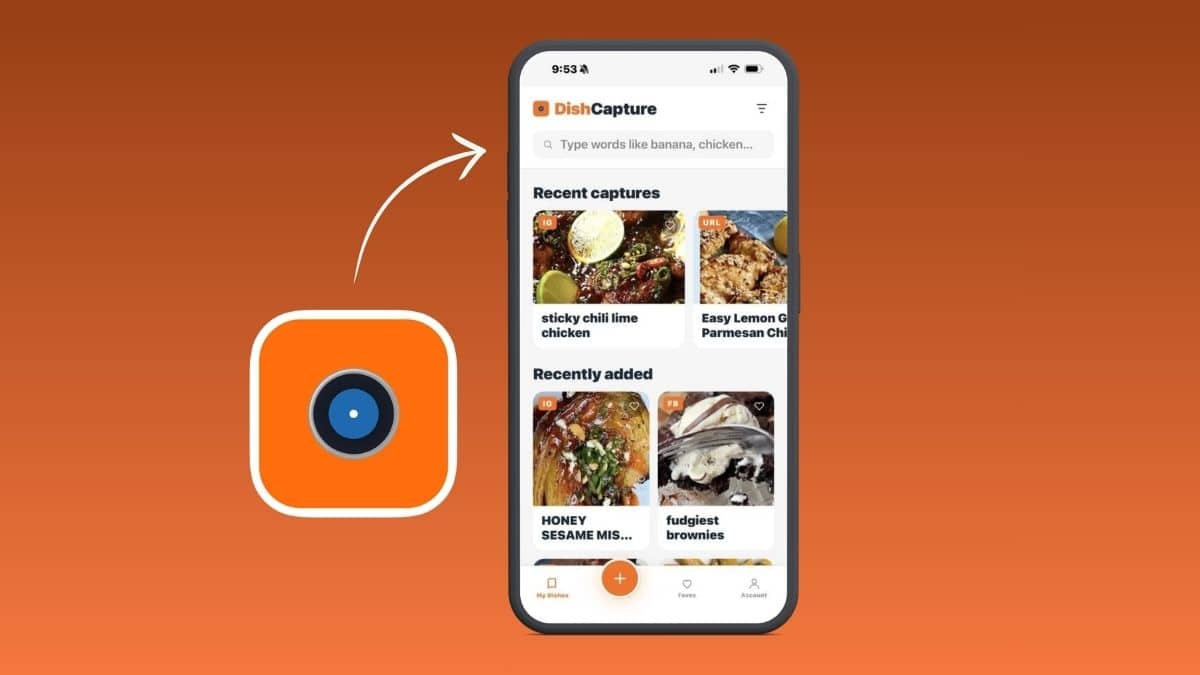
Recipe apps are nothing new. But there’s a new one on the block gaining some attention: DishCapture. What makes it interesting is that it seems to have started with a group of lifelong friends facing a real-life kitchen problem, rather than with a software company simply deciding the world needed another recipe app.
That early interest is already showing up in the rankings. According to AppBrain, DishCapture reached No. 3 in the Food & Drink category in the United States on September 12, 2026, only weeks after launch. For such a new app, that was enough to make us want to take a closer look.
In this review, we look at how DishCapture handles the way people actually find recipes today, from Instagram and Facebook to screenshots, websites and old family recipe cards, and whether its practical touches really make cooking easier.
It started with a piece of chocolate cake
The idea came after four lifelong friends found themselves fighting over the last piece of chocolate cake and all wanting the recipe. That sparked a bigger question: why were their favorite recipes still scattered across their homes and kitchens, buried in screenshots, saved Instagram and Facebook posts, websites, printouts, cookbooks and old family recipe cards?
DishCapture grew from that moment. It was created by a non-techie home cook who simply wanted a solution to a problem he and his friends actually had.
DishCapture shakes up some of the usual app rules
This is where DishCapture starts to feel different. Many of its decisions seem less like items added to a product roadmap and more like everyday frustrations someone simply wanted to remove.
You can try DishCapture without providing a credit card. Payment information is only requested if, after trying your first five free recipe captures, you decide you want to continue with one of DishCapture’s paid plans. And even if you do not upgrade, those first five recipes remain in your library.
The original recipe and its source are retained, so you can easily go back and see the original recipe and/or video whenever you want. Hands-free cooking keeps sticky fingers off your phone or tablet. Recipes can be printed or shared. Imperial and metric measurements convert automatically. And rather than forcing every recipe into a single category, DishCapture relies on precise keyword search.
Taken together, these choices make the app feel less like another recipe database and more like a collection of small kitchen frustrations being removed one by one.
Getting recipes into the app
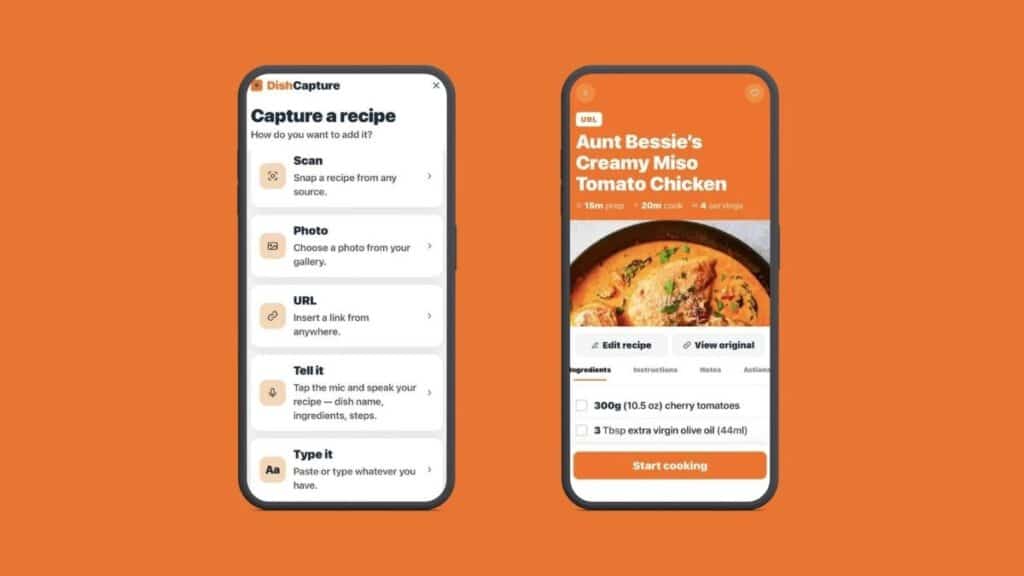
DishCapture uses AI technology behind the scenes to help capture a recipe from a screenshot, photo, Instagram, Facebook or TikTok post, website URL, pasted text or dictation, then turns it into a clean, editable recipe card. You can even photograph a handwritten or printed family recipe card and preserve it for future use.
What stood out to us is how quietly the AI works in the background. It handles the tedious work of turning what you save into a usable recipe card while keeping the focus on the recipe itself.
One surprisingly useful feature: automatic measurement conversion
One surprisingly useful feature we found is that a recipe written in cups, ounces and Fahrenheit is quickly and automatically converted into metric on the final recipe card, and vice versa. So if you find a recipe written for an American kitchen, DishCapture presents it in grams, milliliters and Celsius without you needing to stop to do a Google conversion. It may sound minor, but in actual cooking it removes a surprisingly annoying step.
Search works the way people actually think
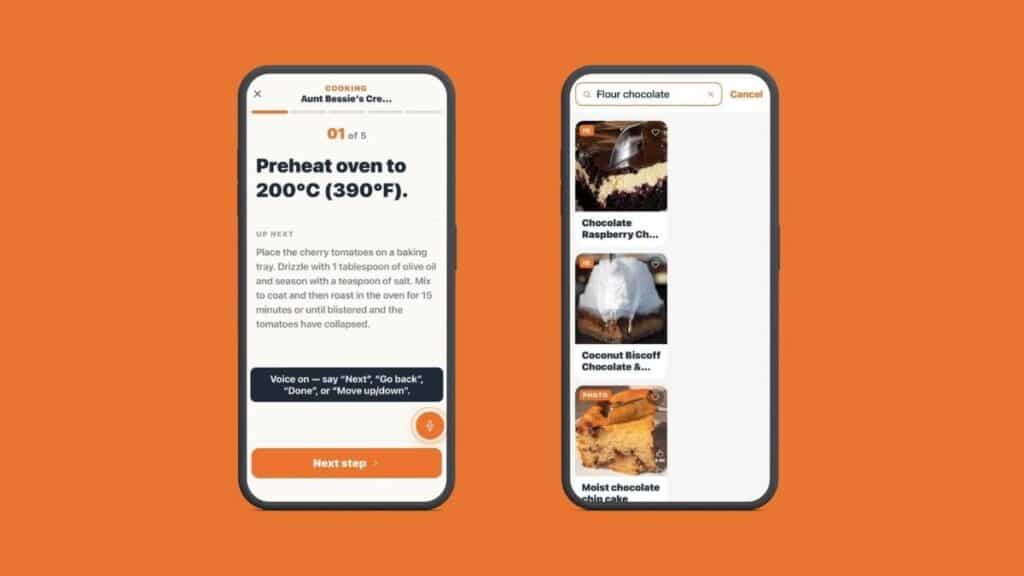
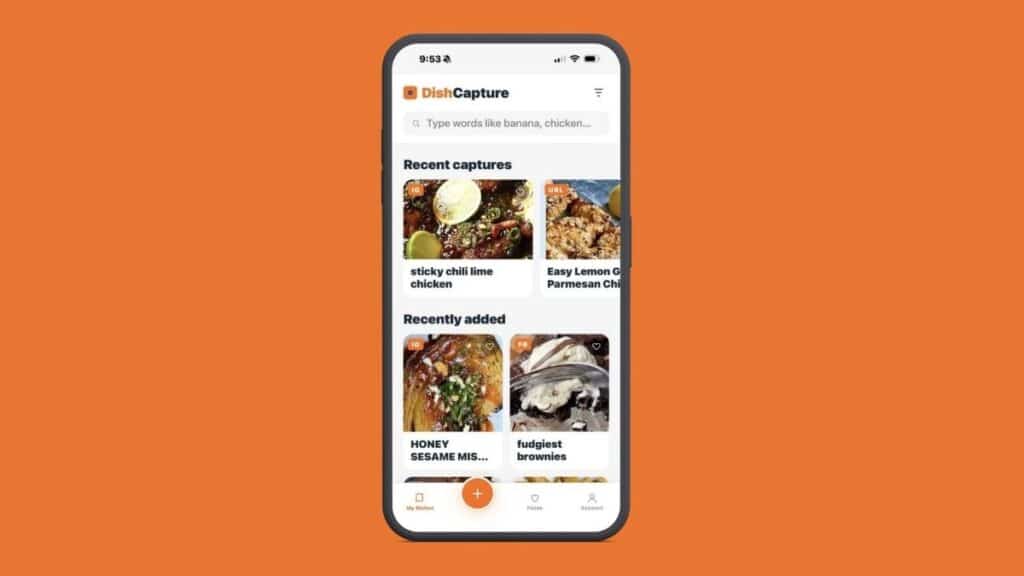
Another feature we found especially practical is the keyword search. DishCapture deliberately does not force recipes into categories such as breakfast, lunch or dinner. The founder explained that he felt no recipe could really be placed into just one category, which is how many other recipe apps are structured. Too many dishes overlap, so he saw little value in making users spend time deciding where each recipe belongs.
Instead, DishCapture relies on a precise keyword search. Search for an ingredient such as “banana,” a cooking method such as “steam,” or even something personal such as “Mom,” and the app searches across the entire library to find the best matches. We found that approach refreshingly practical: instead of remembering where you filed a recipe, you only need to remember something about it.
Cooking, editing, printing and sharing
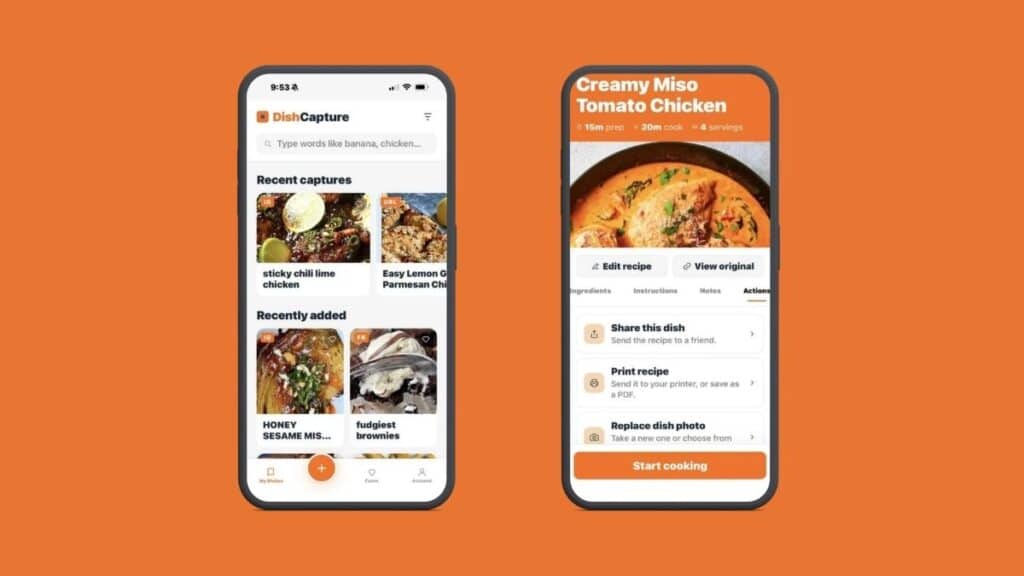
Recipes can be edited after capture, so you can make them your own. Hands-free cooking uses simple voice commands to help you move through the instructions without touching your phone or tablet with sticky fingers. You can also print a recipe for the kitchen counter or share it with family and friends in a few taps.
A smart shopping list is coming next
Another feature worth watching is DishCapture’s smart shopping list, which the founder says is planned for launch by November 2026.
And when we say founder, we really do mean it. DishCapture is essentially a staff of one: the founder himself. He ideates and creates everything on the app, from the original concept and user experience to the new features being added as DishCapture grows.
The shopping list itself is deliberately simple. DishCapture first shows you everything you need to make the recipe. You then check your fridge, cupboards and pantry and tick off the ingredients you already have. What remains becomes your shopping list. The final list can be saved for later or even shared with someone else doing the shopping.
Pricing
DishCapture starts with five free recipe captures, with no credit card required. If you want to keep going without subscribing, you can add 10 more recipes for $3.99. Pro Monthly is $4.99 per month and Pro Annual is $24.99 per year, both of which allow users to capture and store an unlimited number of recipes.
What it does not do yet
DishCapture does not currently calculate or display nutritional values. The founder jokes that he loves cooking too much to worry about calories and nutrition and is more interested in cooking amazing recipes. That will not suit everyone, particularly people tracking calories or macros, but at least the omission is intentional rather than hidden.
The smart shopping list has not launched yet, so we’ll reserve judgment until it does.
Final verdict
4.8/5. For such a newly launched app, DishCapture already feels remarkably complete. Features such as automatic Imperial/metric conversion, retained original recipes and videos, hands-free cooking and precise keyword search make it feel genuinely practical rather than overengineered. There is still room to grow, particularly with the smart shopping list launching later this year and no nutritional calculations, but this is an impressively strong start.
Best for: Home cooks who collect recipes from lots of different places and want one simple, searchable library.