You post a story at 11 PM. Half your friends are asleep, and by the time they wake up and scroll, it’s already on its way out. For years, the 24-hour clock was non-negotiable.
That changed on June 4, 2026, when Instagram launched Instagram Plus, a paid subscription that includes a feature called Story Extend. It keeps a story in the Stories tray for 48 hours instead of 24. No reposting, no Highlights, no lost viewer list.
Here’s how to use it, who can’t, and what to do if you don’t want to pay.
Can You Make an Instagram Story Last 48 Hours?
Yes, but only with Instagram Plus. A free account still gets the standard 24 hours, and Instagram’s own help page confirms that stories disappear from Feed, your profile, and Direct after a day unless you add them to a highlight.
Before you subscribe, check three things:
- Account type: Instagram Plus works on personal and creator accounts only. Business accounts can’t subscribe.
- App, not browser: Story Extend works only in the Instagram app on iPhone and Android. You can’t use it on a computer or a mobile browser.
- Rollout status: Instagram is rolling Plus out in stages, and its help center says the feature is not available to everyone yet. If you don’t see the option, it may not have reached your account.
If you run a business profile and really want 48-hour stories, switching to a creator account is the only route. Weigh that carefully, since business accounts get tools creators don’t.
How Much Does Instagram Plus Cost?
Instagram Plus costs $3.99 per month in the US. In India, it’s ₹299 per month or ₹3,588 per year. Prices vary by region, and the price shown in your app is the one that applies. Billing runs through the App Store or Google Play.
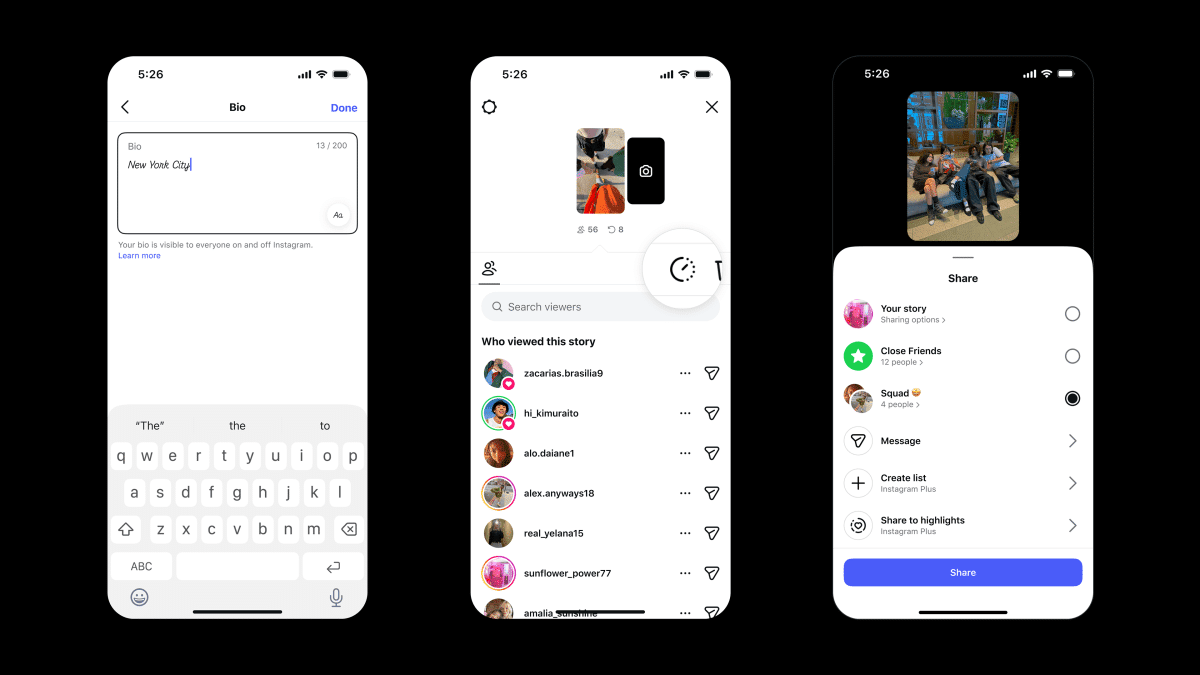
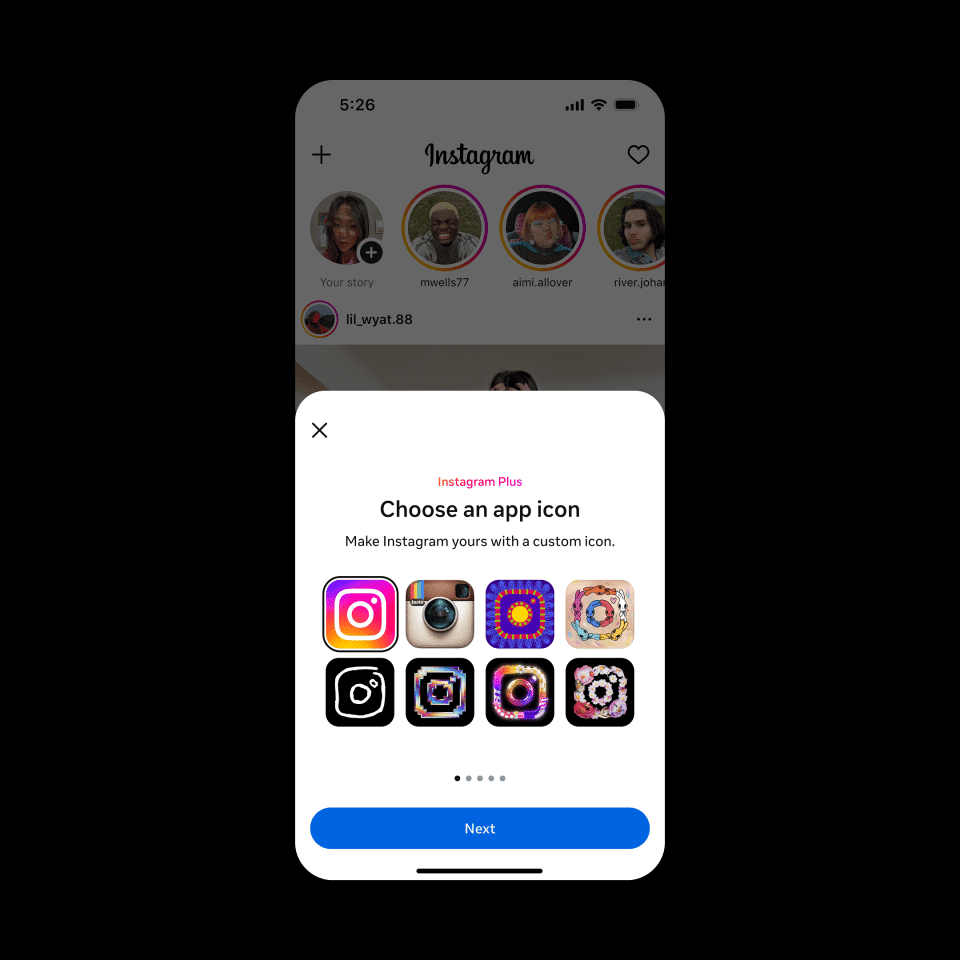
Story Extend isn’t sold on its own. You get it as part of the full Plus bundle, which also includes Story Spotlight, Story Preview, Story Rewatch Insights, multiple story audiences, and up to six profile pins.
Our full breakdown of Instagram Plus features, pricing, and hidden limitations covers each one.
How to Extend an Instagram Story That’s Already Live
This is the method most people need. You posted a story, it’s doing well, and you want another day out of it.
- Open your active story from the Instagram app.
- Tap Activity at the bottom left.
- Tap Extend at the top of your viewers list.
- Tap Extend again to confirm.
Your story now stays live for an extra 24 hours, for a total of 48. Your view count, replies, and viewer list carry over, because Instagram keeps the original story instead of creating a new one.
One catch matters more than any other: you can’t extend a story after it expires. Instagram’s support assistant confirms this. If you miss the 24-hour window, the only fix is posting it again.
How to Set a 48-Hour Story Before You Share It
If you already know a story deserves two days (an event countdown, a sale, a giveaway), set it up front and skip the race against the clock.
- Open the story camera and create your story as usual.
- Before sharing, open the story settings.
- Select the 48-hour expiration option.
- Share the story.
Instagram’s help documentation describes this setting only as part of the pre-share story settings, and the exact label may vary slightly by app version and region. If you don’t see it, update the Instagram app first.
What Happens to Views and Insights After You Extend
Story Extend changes your numbers more than you might expect. A story live for 48 hours will naturally collect more views, so comparing it against your 24-hour stories gives you a skewed picture of performance.
If you track results for a brand or client, split your analysis by day. Use separate tracking links for day one and day two, so you can see whether that second day actually drives clicks or just inflates views. If you share links in stories, our guide on how to see who clicked your link on an Instagram story explains what Instagram shows you and what it doesn’t.
Worth knowing: Instagram doesn’t document whether viewers get notified when you extend a story. Expect the story to simply stay in their tray longer.
Free Ways to Keep an Instagram Story Longer
No subscription? You can’t push a story past 24 hours in the Stories tray for free. You can keep it visible in other ways, though, and each one trades something.
- Add It to a Story Highlight: Highlights sit on your profile until you remove them. This is the best free option for evergreen content like menus, FAQs, or travel recaps.
- The trade-off: highlights live on your profile, not in your followers’ Stories tray, so fewer people see them passively. Check who can see your Instagram Highlights before pinning anything personal there.
Reshare It From Your Archive
Instagram saves every story to your Stories archive by default. Open your profile, tap the menu, go to Archive, pick the story, and share it again.
This starts a fresh 24-hour clock, but it creates a new story. Your old views, replies, and viewer list don’t carry over, and anyone who saw it the first time sees it again. Story Extend avoids exactly this problem.
Share It to Your Feed
You can also post the photo or video as a regular post. It stays permanently, but it loses the casual, temporary feel of a story.
Is Instagram Plus Worth It Just for 48-Hour Stories?
For most people, no. If you post stories once in a while, Highlights and archive resharing cover you at zero cost.
Plus makes sense if you’re a creator who posts time-sensitive stories regularly, posts across time zones, or wants the extra insights like rewatch counts. One extended story per week can justify ₹299 or $3.99 if it drives real clicks.
If you cancel, Plus features stay active until the end of your billing period. After that, new stories go back to 24 hours.
Signing off
Story Extend solves the late-night-post problem cleanly: one tap from the Activity screen buys you another day without losing a single view. The real limitation isn’t the price, it’s the timing. Extend before the 24 hours run out, or don’t bother.
If you don’t want another subscription, Highlights and archive resharing still work, just with fewer eyes and a reset view count.