Your 14-year-old opens Reels, and within ten swipes there’s a vape trick, a car-surfing clip, and a caption you’d rather not read aloud. For years, Instagram’s answer was “hide the worst stuff.” That left a wide gray zone that teens scrolled through daily.
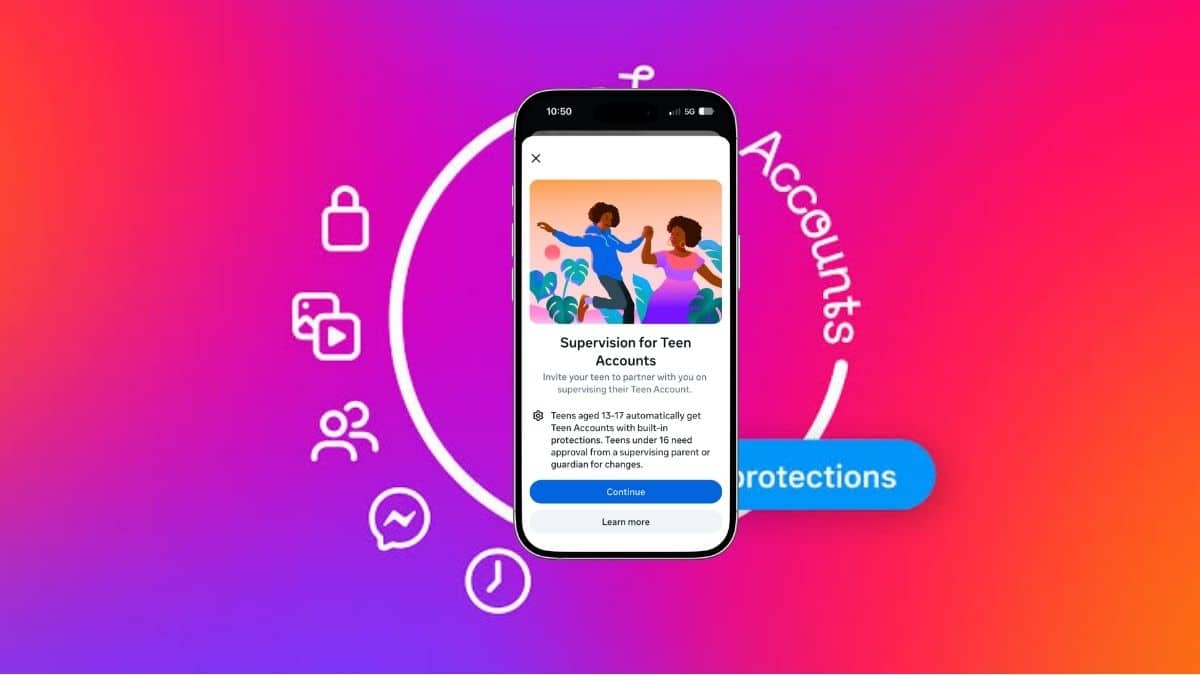
Meta now draws that line differently. Instagram Teen Accounts use a content standard modeled on 13+ movie ratings, and a stricter Limited Content option that strips comments out of the experience entirely. It started in the US, UK, Australia, and Canada in October 2025, expanded internationally on April 9, 2026, and reached Facebook and Messenger teen accounts worldwide on June 2, 2026.
Here’s how the system actually decides what your teen sees, where it falls short, and which setting fits your family.
Instagram teen content settings at a glance
- Who it applies to: Every Instagram user under 18 on a Teen Account.
- Default setting: 13+, applied automatically.
- Stricter option: Limited Content, chosen by a parent through supervision.
- Looser option: Teens can’t move to a less restrictive setting without a parent’s approval.
- Platforms: Instagram, Facebook, and Messenger. Limited Content arrives on Facebook and Messenger later in 2026.
The key shift is who holds the switch. Protection is on by default, and loosening it takes a parent.
What the 13+ setting hides from teens
Instagram already hid sexually explicit posts, graphic violence, and content about self-harm and eating disorders from teens. The 13+ standard reaches into the gray zone a PG-13 movie would steer clear of:
- Posts with strong language
- Risky stunts and viral challenges, including car surfing (added in the June 2026 policy update)
- Content showing marijuana paraphernalia or encouraging other harmful behavior
- Sexually suggestive posts and disturbing imagery
- Ads and posts selling tobacco or alcohol
These posts won’t show up in Explore, Reels, Feed, or Stories recommendations. If a friend sends a link to one in DMs, your teen can’t open it.
Search blocks now cover misspellings
Searches for suicide, self-harm, and eating disorders were already blocked for teens. Instagram added mature terms such as “alcohol” and “gore,” and says it’s working to block misspelled versions too. That detail matters. Teens have dodged keyword filters with creative spelling for as long as filters have existed.
The account-level block is the part most guides skip
Most coverage treats this as a post filter. The bigger change works at the account level.
If an account regularly shares age-inappropriate content, or its name or bio points that way (think a liquor store or an OnlyFans link), teens can’t follow it. If your teen already follows one, they lose access to its posts and comments and can’t DM it. The block runs both ways: that account can’t follow your teen, message them, or comment on their posts.
This closes the loophole that post-level filtering always left open. A teen who follows a borderline creator no longer gets a direct pipe to everything that creator uploads, and the creator has no route back to the teen.
Limited Content: stricter filters and no comments
The 13+ default works for most teens. Limited Content is for parents who think it’s still too loose, which is a fair call for a 13-year-old.
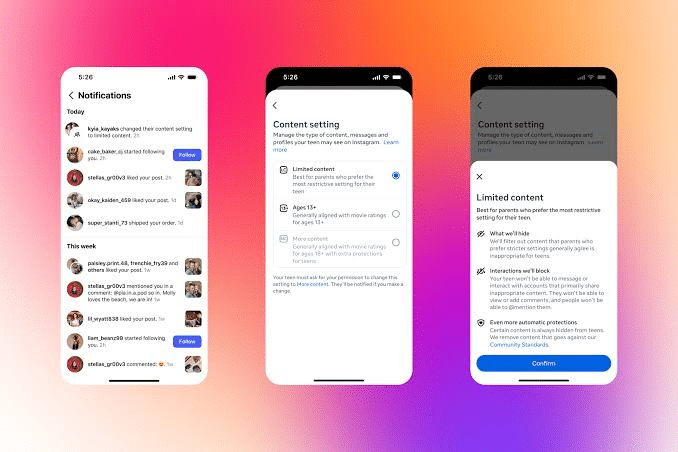
It filters more content than 13+, but its most noticeable effect is social. Teens on Limited Content can’t see, leave, or receive comments under posts. Open a Reel and the comment section is gone. Post a photo and nobody can reply under it.
That removes a lot of risk. Comment sections are where pile-ons, unsolicited contact, and the worst replies live. It also removes part of why teens use Instagram, so expect pushback. Meta also said Limited Content will further restrict the conversations teens can have with its AI in 2026.
Meta’s own comparison claims Limited Content shows 96% less mature content than competing platforms, versus 68% less for the 13+ setting. Treat those numbers carefully. Meta ran the comparison, and it hasn’t published the methodology in full.
How parents turn on Limited Content in Instagram
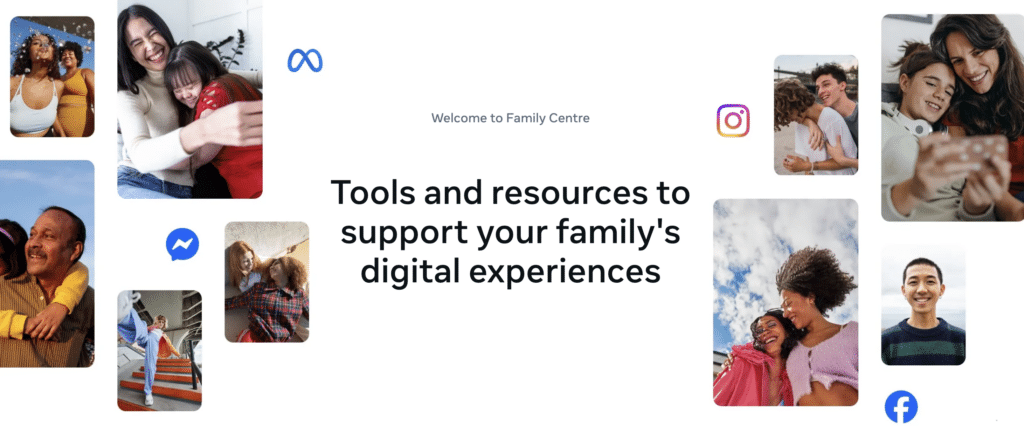
You need an active supervision link with your teen’s account before you can change anything.
- In Instagram, open your profile and tap the menu icon, then Family Center (you can also use familycenter.meta.com).
- Set up Supervision and send your teen an invite if you haven’t already. Your teen has to accept it.
- Select your teen’s account.
- Open the content setting and choose Limited Content.
Menu labels can vary slightly by app version and region. If your teen asks to switch to a less restrictive setting, the request comes to you for approval.
Why Meta dropped the “PG-13” label
When Meta announced this in October 2025, it called the standard “PG-13.” The Motion Picture Association objected and sent a cease-and-desist letter, arguing film classifications don’t translate to social media moderation. Meta now uses “13+” and says it drew inspiration from the MPA’s public guidelines, not an endorsement.
The rename changes nothing about how the filter works. It does tell you something useful: no outside body rates Instagram’s content. Meta writes the rules, applies them, and grades itself.
How Meta decides what counts as 13+
Meta didn’t only write guidelines and ship them. It surveyed hundreds of thousands of parents, who rated more than 15 million pieces of content. Parents judged fewer than 2% of posts on Facebook as inappropriate for teens. Instagram also runs ongoing surveys that ask parents to review posts and flag misses.
Meta also hired Alice (formerly ActiveFence) to stress-test the system. The firm found two areas needing work, which Meta says it fixed.
There’s a parent-side reporting tool too. Parents using supervision can flag any post they think should be hidden from teens, and those reports get prioritized review.
Lying about age no longer gets a teen out
A filter is only as good as the age on the account. Meta uses age prediction technology to place suspected teens into these protections even when they claim to be adults. As of June 2026, that system reads context clues such as birthday posts, school grade mentions, and text across bios, captions, and comments. Meta says it analyzes photos and videos for general age signals like height and bone structure, and stresses this isn’t facial recognition.
Meta also reports that 9 out of 10 teens have stayed in the 13+ setting since October 2025. That figure sounds impressive, but loosening the setting requires a parent’s approval, so staying put is the default outcome, not necessarily a choice.
Which setting fits your teen
- Keep 13+ for most teens 15 and up. They keep comments and friends’ posts, minus the gray-zone content.
- Switch to Limited Content for younger teens, teens who’ve dealt with harassment in comments, or teens who’ve shown interest in risky trends.
- Pair either one with other tools. Teen Accounts already mute notifications overnight, similar to Instagram’s Quiet Mode. It’s worth checking your teen’s location sharing through the Instagram Map feature, and showing them how to mute or restrict accounts that bother them.
No filter catches everything, and Meta says as much. The settings work best alongside a conversation about why they’re on.
Final Thoughts
Instagram’s teen content settings move the default from “hide the obvious” to “hide what a 13+ movie wouldn’t show,” and they cut off accounts, not just posts. Limited Content goes further by removing comments, which is the right call for younger teens even if they complain.
The weak spot is oversight: Meta sets the standard and measures its own success. Turn the settings on, then check what your teen’s feed actually looks like.