Your Pixel just got used to Android 17, and Google is already talking about what comes next. If you’ve seen “Android 18” headlines this week and wondered whether a beta is waiting in Settings, the short answer is no. Not yet.
Google first named Android 18 in its Android Dev Summit 2026 agenda. The summit ran October 28 and 29 in Mountain View, with an extended event in London, and it was Google’s first dedicated developer conference since 2022. What Google showed was narrow: a graphics session, plus a heavy push on AI agents that will likely shape the release.
Here’s what’s confirmed, what’s only reported, and what it means for your phone.
Android 18 Release Date: When to Expect It
Google hasn’t given Android 18 a release date. Its recent rhythm makes a strong estimate possible, though. Android 16 shipped in June 2025, and Android 17 reached Pixels on June 16, 2026, under Google’s newer plan of major releases in Q2.
- First official mention: September 25, 2026 (Android Dev Summit agenda)
- Beta status: No Android 18 beta as of October 31, 2026
- Expected Beta 1: Around February 2027, if Google repeats Android 17’s timeline (Android 17 Beta 1 landed February 13, 2026)
- Expected stable release: Around June 2027
- Expected API level: 38, following Android 17’s API level 37 (not yet confirmed by Google)
Worth knowing: some German outlets expected a Pixel beta on October 28. It didn’t arrive. Google dropped classic Developer Previews in favor of continuously updated Android Canary builds, so the first “Android 18” code you can actually run is likely already hiding inside Canary, unlabeled.
Android 18 Has to Wait Its Turn Behind Three Android 17 Updates
This is the context most Android 18 roundups skip. Google’s pipeline is unusually crowded right now, and Android 18 sits at the back of the line.
Android 17 QPR1 reached Pixels with the September Pixel Drop. QPR2 is still in beta and expected in December. QPR3 is already in testing, with Android 17 QPR3 Beta 3 rolling out on October 29, 2026. Google also planned a minor SDK release for Q4 2026.
That matters because features don’t always land where you expect. App lock first surfaced in Canary, vanished, skipped the Android 17 stable release, and finally resurfaced in QPR3 Beta 3. So when a Canary feature appears, it could ship in a March QPR, not in Android 18. Treat any “Android 18 feature” list built from Canary leaks with that caveat. If you want the full picture of where your phone stands today, start with our explainer on the current Android version.
Mesh Gradients and Progressive Blur: Android 18’s First Confirmed Features
The only features Google has publicly tied to Android 18 are visual. A Dev Summit session titled “Elevate your apps with the latest graphics features in Jetpack Compose and Android 18” covered two effects:
- Mesh gradients. Instead of a straight fade between two colors, a mesh gradient blends several colors across a grid of points, producing soft, organic color shifts. Think of a background that looks painted rather than computed.
- Progressive blur. A standard blur has a hard edge: sharp on one side, frosted on the other. A progressive blur ramps up gradually. Scroll a photo gallery under a header and the images would soften as they slide beneath it, with no visible seam.
Google also promised guidance on running these effects without hurting battery life or frame rate. That’s the real story. Blur is expensive for a GPU, and Android 17 already spread frosted-glass effects across more system panels. Making those effects cheap enough for every app is what lets third-party developers match Google’s own design instead of faking it with static images.
Who benefits? Mostly people who notice polish. If you never think about how an app looks, this change will reach you quietly through app updates, not as a headline feature.
Gemini Agents Will Likely Define Android 18
Graphics got the Android 18 label, but AI got the stage time. The summit’s AI sessions described agents like Gemini coordinating tasks across multiple apps, and “proactive experiences” built on something Google calls the Android Context Engine. Another session covered audio-first experiences for smart glasses using Gemini Nano 4.
Google hasn’t said these ship as Android 18 features. The direction is clear anyway. Android 17 introduced AppFunctions, which let apps expose actions to system AI, and at the summit Google opened a Connected Apps Platform in preview that links apps to Gemini and Search through AppFunctions or Android MCP. Adobe, Experian, Localiza, and Peloton are already live in Gemini.
Here’s what that could mean in practice. Today you open a fitness app, check a class time, then open your calendar. An agent-ready Android would let you ask once and have Gemini handle both steps. Our guide to Gemini Intelligence on Android explains how the current version of this works.
One caveat: agent features depend on app developers adopting the APIs. Expect a slow start.
Features Testing in Android Canary Right Now
Recent Canary builds offer the best preview of what’s coming, with the pipeline caveat above. Google hasn’t confirmed which release each one targets.
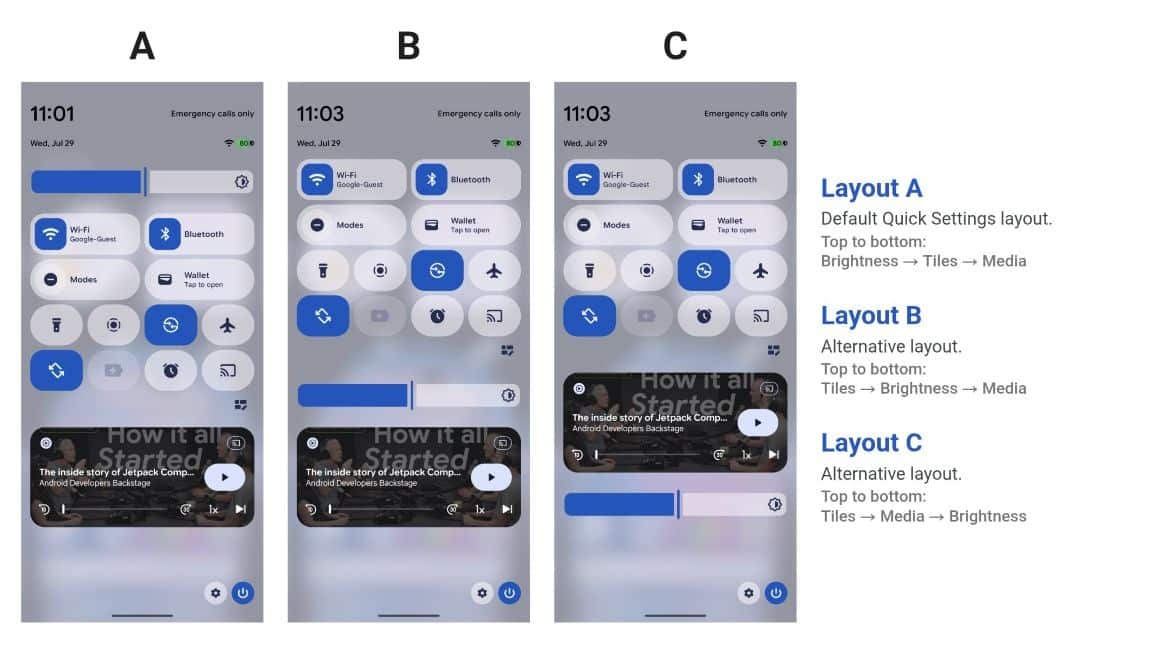
- Quick Settings layout editor (Canary 2608, August 2026). Tap the pencil icon and a new Layout tab lets you reorder the brightness bar, tiles, and media player, for six arrangements. Samsung and other brands have offered this for years.
- Smarter gesture switching (Canary 2610, October 2026). Flat horizontal swipes under 15 degrees still jump between apps. Diagonal swipes between 15 and 45 degrees open Recents instead. If you’ve ever flicked into the wrong app while reaching for the overview, this targets you.
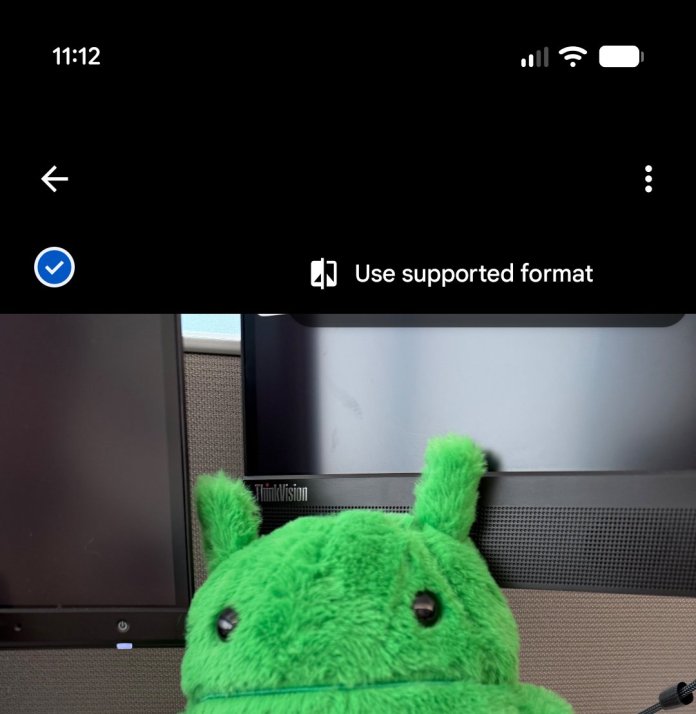
- HEIF to JPEG in the Photo Picker. Preview an HEIF or HEIC image, open the three-dot menu, and convert it to JPEG for sharing. The original stays on your phone.
- Health Connect source info. Tap a metric like steps or sleep to see which device recorded it, how, and its device type.
None of these are flashy. They’re the small fixes that make a phone feel less annoying, which is often what Android point releases deliver best.
Which Phones Will Get Android 18?
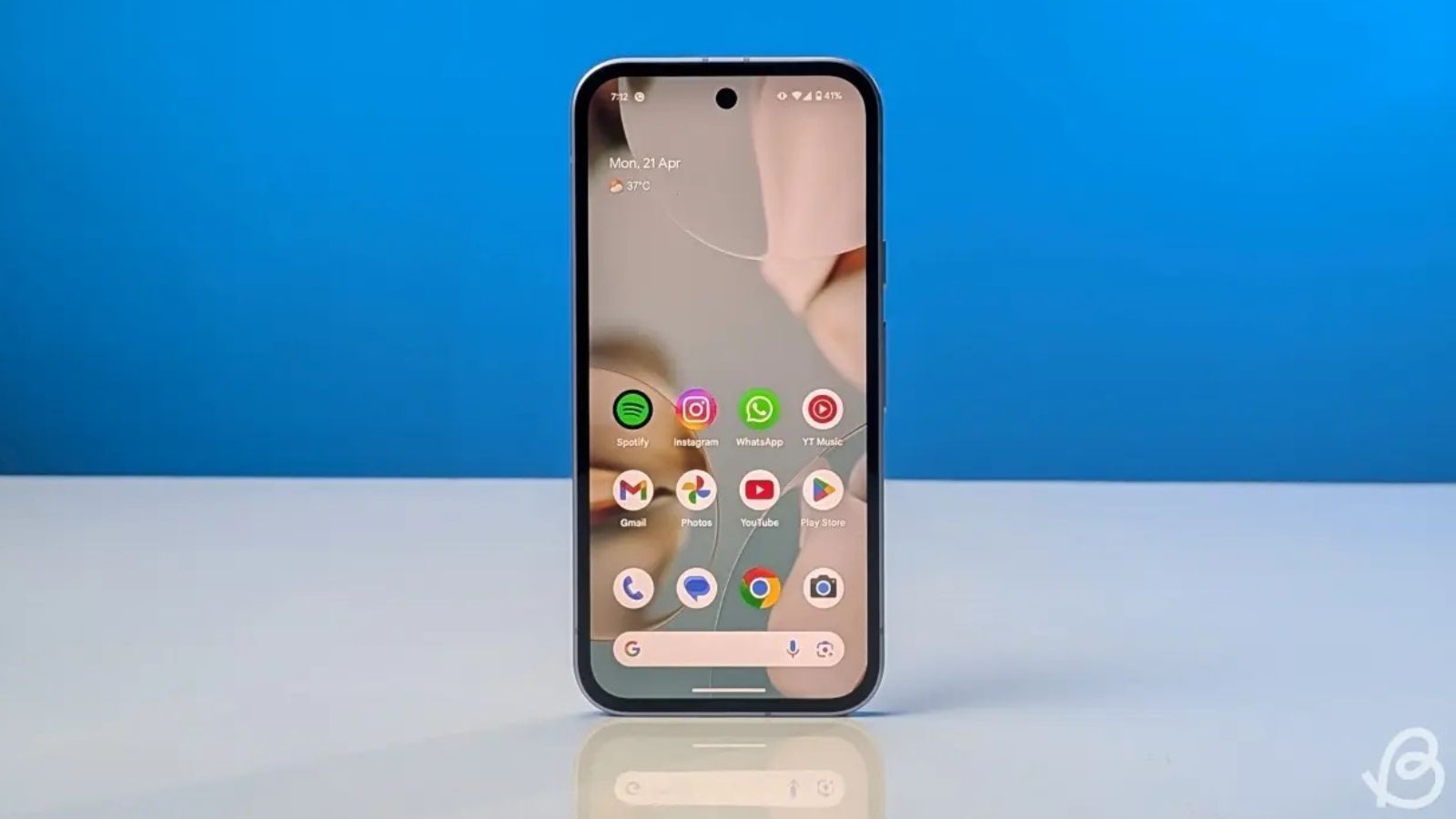
Google hasn’t published a device list, but its support policies answer most of the question.
- Pixel 6 and Pixel 6 Pro: No. Both reached end of life in October 2026 and won’t even get Android 17 QPR2.
- Pixel 6a: Uncertain. Its updates end in July 2027, so it depends on whether Android 18 arrives before then.
- Pixel 7 and Pixel 7 Pro: Expected, as their final major update. Support ends in October 2027.
- Pixel 7a, Pixel 8 series and newer, Pixel Fold, Pixel Tablet: Expected.
- Samsung Galaxy phones: Samsung is reportedly building One UI 10 on Android 18. Leaker Ice Universe claims “unprecedented” changes, but no features are confirmed, and One UI 9 on Android 17 is still rolling out.
If you own a Pixel 6 or 6 Pro and want Android 18, this is your upgrade signal.
Android 18 Beyond Phones
Android now powers more than phones, and Android 18 will likely reflect that. Google previewed Googlebook in May (see our Google I/O 2026 breakdown) and launched the laptops in September 2026, running a Googlebook OS built largely on Android 16 and 17 that replaces ChromeOS.
At the summit, Google also made Android XR glasses emulators stable, and XREAL opened preorders for its Aura glasses. Starting in 2027, the Play Store will evaluate foldable app quality and reward apps that pass. Android 18 lands into that multi-device push, so expect APIs aimed at laptops, glasses, and foldables, not only phones.
Should You Install Android Canary to Try Android 18 Early?
For most people, no. Google itself calls Canary builds highly experimental and not recommended for general use. Leaving Canary for a stable build also requires flashing a production image, which wipes your data.
If you want new features sooner with less risk, the Android 17 QPR betas are the safer route. They’re closer to finished, and many features tested there, like the Airplane mode lock from QPR3 Beta 2, make security gains you’ll notice. Our rundown of Android 17 security and privacy features shows how much ground the current release already covers.
Signing Off
Android 18 exists mostly on a conference agenda right now. The confirmed pieces, mesh gradients and progressive blur, are about making Android look smoother without draining your battery.
The bigger shift, Gemini acting across your apps, is visible in Google’s developer tools but not yet promised for this release. Your practical move is simple: check your Pixel’s support window, skip Canary, and watch for a beta around February 2027. Which Android 18 change would make you upgrade?