You check Settings > Software Update after every beta hoping for something new to poke at. This week, there’s almost nothing to find. Apple released iOS 27 beta 8 on August 31, 2026, and if you install it expecting fresh features, you’ll come away disappointed.
That’s not a bug in Apple’s testing process. It’s the whole point. Beta 8 (build 24A5430a) is a bug-fix and stability release, seeded to registered developers exactly one week after beta 7. It arrived alongside iPadOS 27 beta 8, macOS 27 “Golden Gate” beta 8 (build 26A5425a), watchOS 27 beta 8, tvOS 27 beta 8, and visionOS 27 beta 8, keeping Apple’s entire fall software lineup on the same weekly rhythm it’s held since developer beta 1 landed on June 8.
Here’s what’s actually changed, why the quiet matters, and when you can expect the real thing.
What’s New in iOS 27 Beta 8
Not much, and multiple outlets tracking the build independently confirm it. No single feature defines this release. Instead, Apple spent the week on refinement and stability fixes across the six operating systems tied to this cycle, the kind of under-the-hood work that never makes a headline but decides whether launch day goes smoothly.
That doesn’t mean the beta is empty. Testers on the MacRumors forums have logged continued fixes to lingering issues, including the Control Center Wi-Fi icon bug that’s dogged several earlier builds. Some testers report it’s finally resolved in beta 8; others say it still resurfaces after toggling Airplane Mode.
Treat that one as unconfirmed until Apple ships the public build. The developer download itself runs about 1.51GB over the air, in line with a typical late-cycle beta rather than a major feature drop.
Why This Beta Barely Changes Anything
Feature work on iOS 27 mostly wrapped weeks ago. What’s happening now is validation: Apple’s engineering teams run the build against thousands of internal and developer test cases, chase down crash reports, and patch whatever breaks before locking a release candidate. It’s software engineering’s version of a dress rehearsal, not a stage where new material gets added.
You’ll sometimes see claims online that a beta’s build-number suffix (the trailing letter, like the “a” in 24A5430a) signals how close a build sits to the release candidate. That’s not something Apple has ever documented or confirmed, and the numbering jump from beta 7’s 24A5424a to beta 8’s 24A5430a doesn’t map to any published rule either.
Worth knowing before you read too much into a build string: the safer read is simply that Apple is deep into its stabilization pass, and the September 9 event is the next real milestone.
The Big Features Beta 8 Locks In
Beta 8 doesn’t add to this list, but here’s a real recap of what’s shipping, since this is what most iPhone owners will notice on day one.
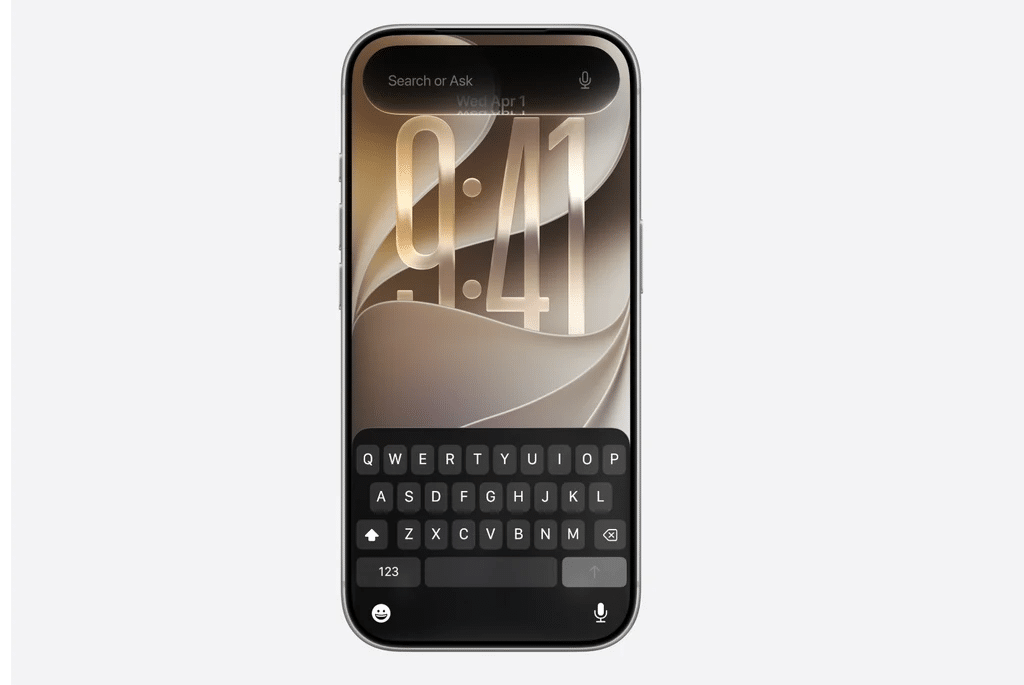
A rebuilt Siri. Apple’s overhaul, first detailed at WWDC, gives Siri richer conversational ability, awareness of what’s on your screen, and access to personal context pulled from apps like Messages and Mail. A dedicated Siri app now houses your conversation history across devices, and a system-wide “Write with Siri” tool handles text generation and editing feedback anywhere you type. Here’s the catch: none of it runs on every supported iPhone.
Apple gates the Siri rebuild and deeper Apple Intelligence features behind the A17 Pro chip and 8GB of RAM, meaning iPhone 15 Pro and later Pro models, every iPhone 16, every iPhone 17, and iPhone Air. Older supported devices, iPhone 11 through the non-Pro iPhone 15, install iOS 27 fine but skip the headline AI features entirely.
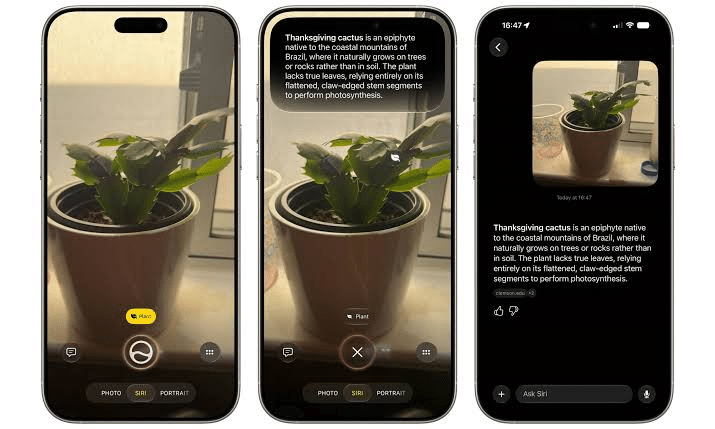
Visual Intelligence moved into Camera. Point your camera at something and a new Siri mode handles the recognition and follow-up actions, instead of routing you through a separate tool.
Liquid Glass gets a transparency slider. The interface material Apple introduced in iOS 26 now includes user-adjustable transparency, a direct response to complaints that the original implementation hurt text legibility in some apps.
Everyday performance gains. Faster app launches, quicker AirDrop transfers, smoother Wi-Fi-to-cellular handoffs, and more responsive keyboard input round out the update. None of these show up on a spec sheet, but they’re the kind of fix you only notice once it’s gone.
Bugs and Rough Edges Still Worth Knowing
Late-cycle betas still carry known issues, and beta 8 is no exception:
- The Control Center Wi-Fi icon bug persists for some testers, especially after toggling Airplane Mode, despite reports that it’s fixed for others.
- Keyboard dismissal lag shows up occasionally, where the keyboard lingers briefly after closing an app.
- Spotlight text field glitches reported in earlier betas appear resolved for most testers, though not universally.
If you’ve already updated and you’re seeing your device stuck indexing content after the jump to iOS 27, that’s a separate, well-documented issue with its own fix, covered in our guide to resolving the “Indexing in Progress” message after iOS 27.
Should You Install Beta 8 on Your iPhone?
Given the rough edges above, is beta 8 worth installing right now? If you’re already enrolled in the developer or public beta program, yes. It’s a stability build, not a fresh round of untested features, which makes it the least risky beta of the whole cycle so far.
If you’re not enrolled yet and you’re this close to a public release, there’s genuinely little reason to jump in now. Waiting a couple of weeks for the stable release gets you the same software with far fewer rough edges.
Still curious? Check the iOS 27 compatibility list to confirm your iPhone qualifies, then follow our walkthrough on installing the iOS 27 public beta rather than the rougher developer track. If you want the full picture on enrolling and rolling back if something goes wrong, our guide to installing the iOS 27 developer beta covers both.
For the complete technical changelog Apple publishes for developers, Apple’s own iOS & iPadOS 27 release notes list every API-level fix and known issue tracked so far this cycle.
Final Thoughts
Beta 8 won’t give you anything new to show off, and that’s good news. It means the features Apple already committed to, the rebuilt Siri, the Liquid Glass refinements, the performance work, are locked and getting polished rather than still in flux.
The real news isn’t in this build. It’s on September 9, when Apple’s keynote should finally put a date on the calendar.