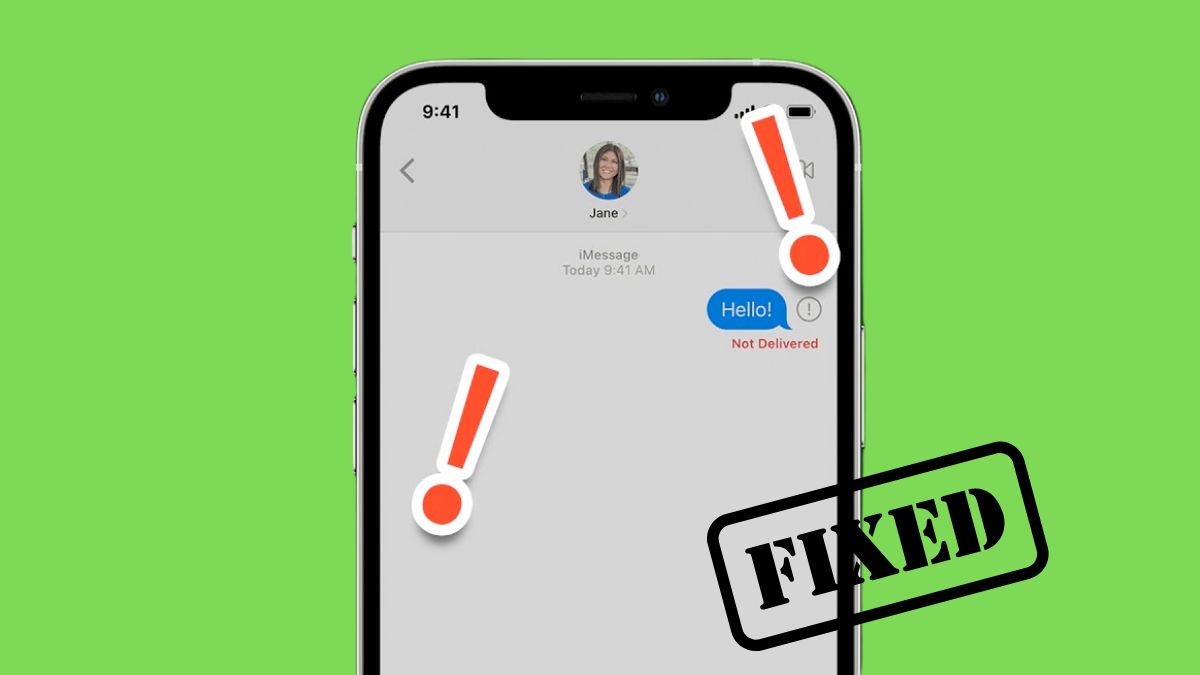
There’s a specific kind of frustration when iMessage stops working for just one person. Everything else on your iPhone feels normal, group chats are active, messages are going through, but that one contact? Nothing. No blue bubble, no “Delivered,” sometimes not even a fallback to SMS.
I’ve run into this more than once, and in most cases, it’s not a major issue. It’s usually a small setting mismatch, a sync glitch, or something you wouldn’t think to check until it breaks.
The good part is that you can usually fix it in a few minutes once you know where to look. Here are the fixes that actually work when iMessage is not working for one contact.
1. Make Sure iMessage Is Enabled on Their End
This is the first thing I check every time, because it’s the most common reason.
iMessage only works when both sides have it enabled. If the other person recently switched phones, reset settings, or turned iMessage off even briefly, your messages will stop going through as iMessages.
Ask them to check:
- Open Settings.
- Go to Apps > Messages.
- Make sure iMessage is turned on.
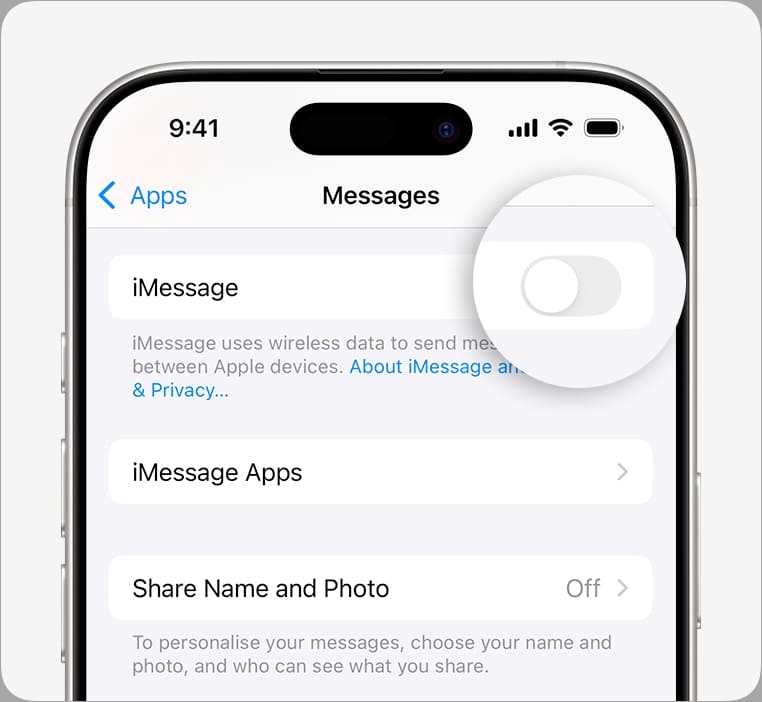
If it’s off, turning it back on usually resolves things instantly.
2. Check If You’ve Accidentally Blocked Them
This sounds unlikely until it actually happens. It only takes a couple of taps to block someone, and it’s easy to forget.
When a contact is blocked, iMessage won’t work at all for that person. No delivery, no indication, just silence.
To check:
- Go to Settings > Apps > Messages.
- Tap Blocked Contacts.
- Look for their name or number and remove it if needed.
If you’re unsure whether this is the issue, here’s a detailed guide on how to know if someone blocked you on iMessage, which helps you identify both sides of the problem.
3. Check Their Send & Receive Settings
This is one of those hidden causes that most people miss.
iMessage can work through a phone number, an email address, or both. If your contact has iMessage set up only with their email, but you’re texting their number, your message won’t reach them as iMessage.
Ask them to:
- Go to Settings > Apps > Messages > Send & Receive.
- Make sure both their phone number and Apple ID email are selected.
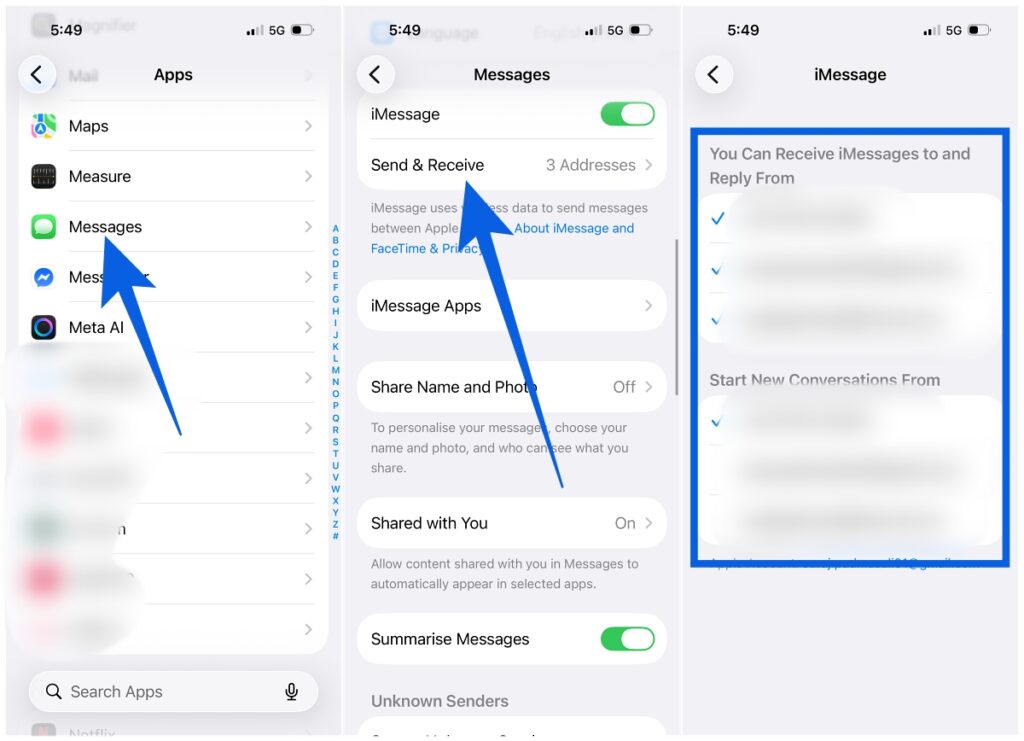
You can also add their email ID to their contact card on your phone. That gives iMessage another path to deliver your message.
4. Toggle iMessage Off and Back On
If everything looks correct but still isn’t working, I usually reset iMessage itself.
This clears temporary glitches that can affect specific conversations.
- Open Settings > Apps > Messages.
- Turn iMessage off.
- Wait 10–15 seconds.
- Turn it back on.
It’s a simple step, but it fixes more cases than you’d expect.
5. Force Close Messages and Try Again
Sometimes the issue isn’t with iMessage, but with the Messages app itself.
If the app gets stuck in a bad state, it can affect how messages are sent to specific contacts.
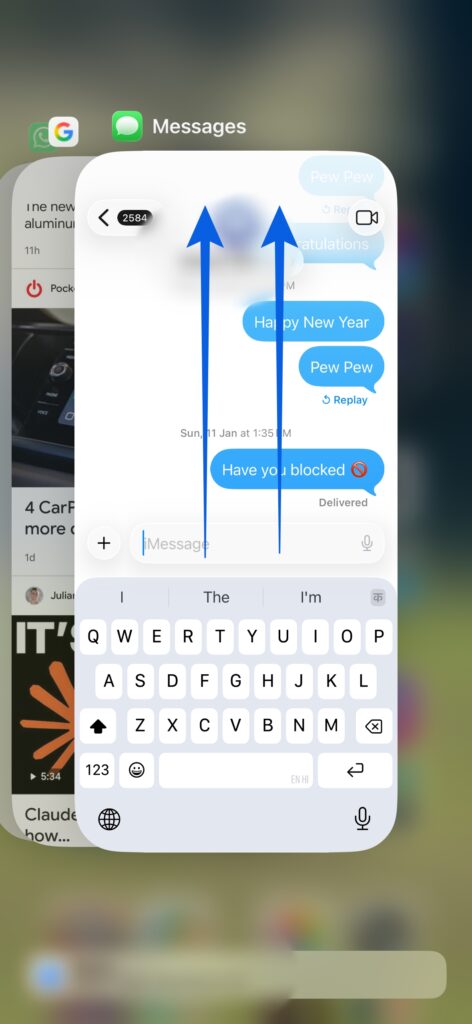
- Swipe up to open the App Switcher.
- Find Messages and swipe it up to close.
- Reopen the app and try again.
While you’re here, it’s also worth understanding how iMessage behaves. These iMessage symbols and icons meaning can help you quickly identify whether a message is stuck, failed, or sent as SMS.
6. Delete the Conversation and Start Fresh
This one feels random, but it works more often than it should.
Sometimes a specific conversation thread gets corrupted or stuck. Starting fresh resets that connection.
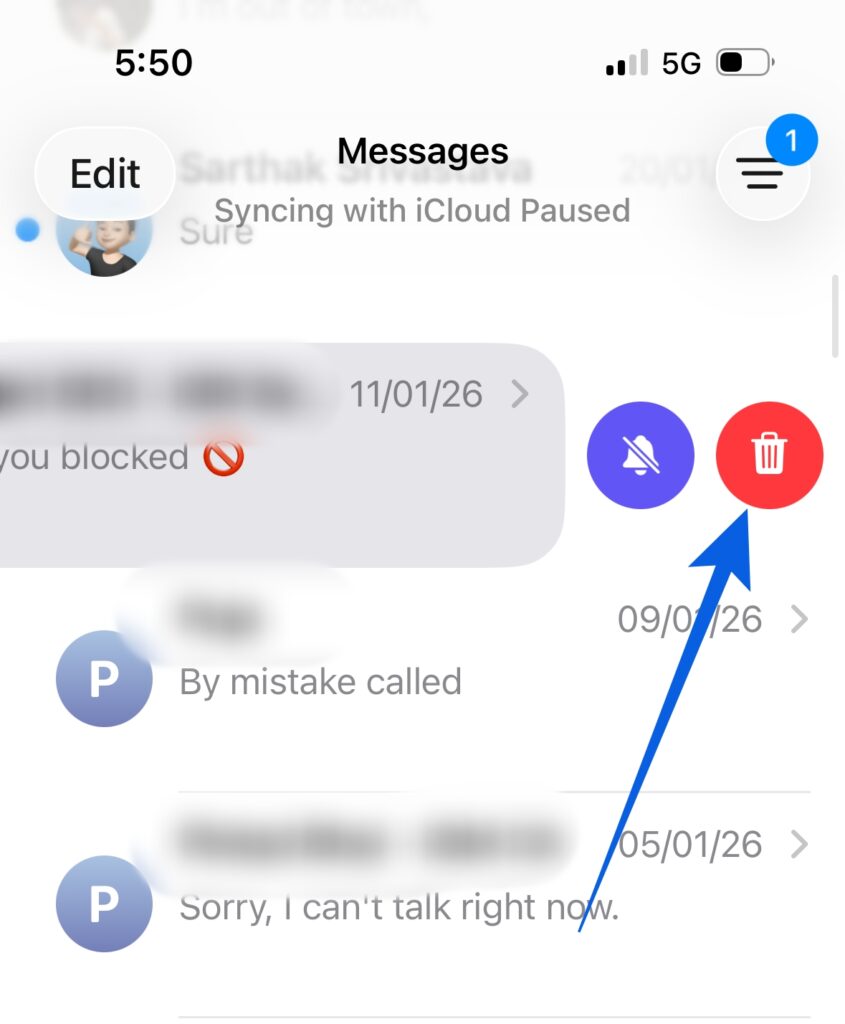
- In Messages, swipe left on the chat.
- Tap Delete.
- Start a new conversation with the same contact.
There’s no clear technical explanation, but from experience, this fixes stubborn one-contact issues.
7. Update iOS
If nothing else works, I always check for an iOS update.
Messaging bugs are often fixed quietly in updates, especially issues related to syncing or delivery.
- Go to Settings > General > Software Update.
- Install any available update.
Keeping your iPhone updated prevents these issues from repeating.
Still Not Working? Use SMS for Now
If iMessage still isn’t working with that one contact, don’t let it block your conversation.
You can temporarily send messages as SMS:
- Tap and hold the send button.
- Select Send as Text Message.
It’s not ideal, but it keeps things moving while the issue resolves.
Final Thoughts
When iMessage fails for one contact, it feels bigger than it actually is. But in most cases, it comes down to a small setting or a temporary glitch.
Once you understand how iMessage routes messages between phone numbers, emails, and Apple IDs, these issues become much easier to diagnose.
And if you’re already tweaking iMessage settings, you might also want to explore iMessage effects words, which unlock hidden animations and make conversations a bit more expressive.
Because once everything is working properly, you might as well use it to its full potential.
In most cases, it’s something specific to that contact, like iMessage being turned off, incorrect Send & Receive settings, or a block. Start with those before trying anything else.
No. Deleting a chat only removes it from your device. The other person still has the full conversation.
Check out more iPhone posts: