Every festival now comes with its own AI photo trend, and Janmashtami just got its turn. If your feed filled up with Holi color portraits in March and Garba-ready Navratri looks in October, you already know the pattern: one good prompt, one selfie, and a festival portrait that used to need a stylist.
Janmashtami 2026 lands on Friday, September 4 for most of India, per Smarta calendars, with ISKCON and Vaishnava traditions observing it a day later. Panchang calculations vary by region this year, so don’t be surprised if your local calendar shows a different date. Either way, the run-up to it is when these prompts start circulating on Instagram and WhatsApp. Here are five worth trying, plus what actually makes them look real instead of plastic.
Which AI Tool Works Best for Janmashtami Photos?
Google’s Gemini app is the default choice here, and which model answers your prompt matters more than most guides admit. Free accounts currently run on Nano Banana 2 (officially Gemini 3.1 Flash Image), which Google rolled out on February 26, 2026. It caps free output at 1K resolution and keeps up to five faces and ten objects consistent across an edit, which is exactly what a group Janmashtami photo needs.
Paying Gemini subscribers get routed to the heavier Nano Banana Pro (Gemini 3 Pro Image), live since November 20, 2025. It blends up to 14 images while preserving five people’s faces, outputs up to 4K, and handles text and fine detail (embroidery, jewelry, a flute’s grain) noticeably better. ChatGPT‘s image tool works too and preserves faces well, but it’s slower to render festival props like peacock feathers and diyas without extra prompt tweaking. For a solo portrait, either works. For anything with more than one person, use Gemini’s Pro tier if you have it.
5 Janmashtami AI Photo Prompts to Try
1. Traditional Krishna-Inspired Devotional Portrait
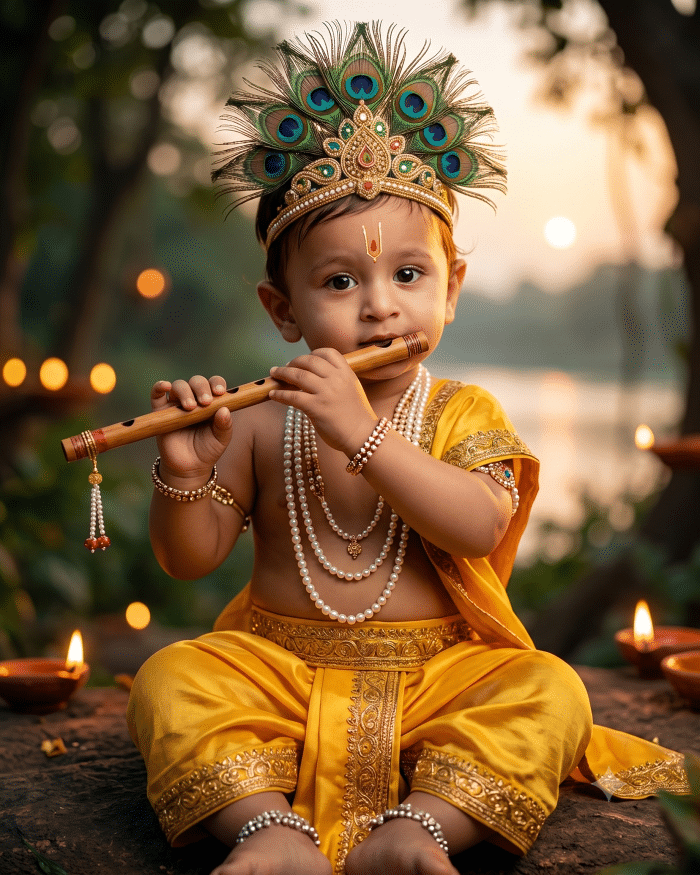
This is the classic Janmashtami transformation and works particularly well with a clear solo portrait.
Prompt:
Turn me into a divine portrait of Lord Krishna. Keep my exact face, skin tone, and expression unchanged. Dress me in a yellow silk dhoti with gold embroidery, a peacock feather crown, and layered pearl necklaces. Place a bansuri (flute) near my lips as if about to play it. Background: a soft-focus Vrindavan forest at dusk with diyas glowing and a hint of the Yamuna river. Lighting: warm golden hour, cinematic, ultra-realistic, 4K detail.2. Radha-Krishna-Inspired Couple Portrait
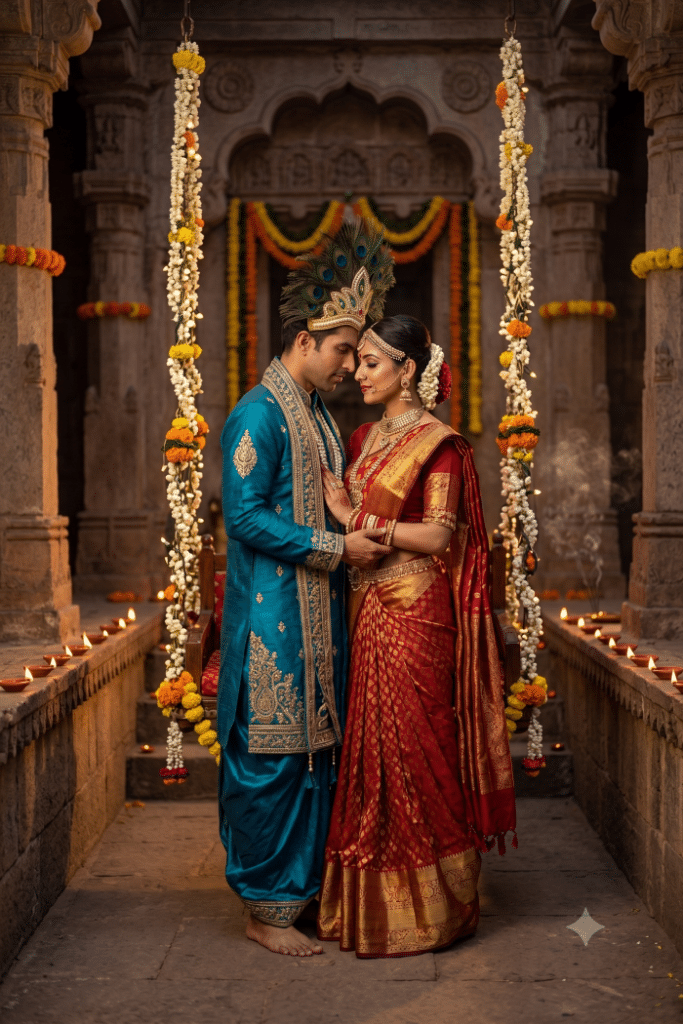
For couples, give the AI a clear photo where both faces are visible and roughly similar in size.
Prompt:
Transform this couple photo into a Radha-Krishna royal portrait. Preserve both faces exactly. Dress the man in a peacock-blue and gold silk dhoti-kurta with a peacock feather crown, and the woman in a red and gold lehenga with traditional jewelry and a maang tikka. Pose them standing close, foreheads gently touching, under a flower-draped swing (jhula). Background: a temple courtyard lit with rows of diyas. Style: warm, romantic, ultra-realistic festival photography.3. Bal Gopal-Inspired Portrait
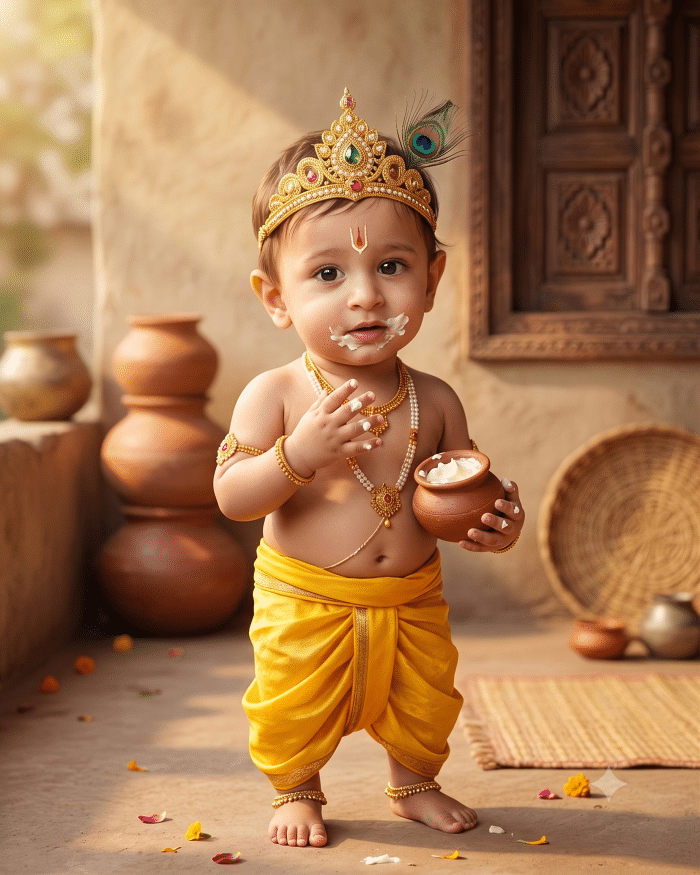
This one works especially well with childhood photos or pictures of children dressed for Janmashtami.
Prompt:
Turn this photo into a Bal Gopal portrait. Keep the exact facial features and expression unchanged. Add a small peacock feather in the hair, a gold crown, and a yellow dhoti. Place a small pot of butter (makhan) in one hand, with a playful smudge of butter near the mouth. Background: a rustic courtyard with clay pots and soft morning light. Style: warm-toned, ultra-realistic, high detail.If you’re using an old childhood photo for this one, our guide on restoring old photos with Gemini is worth running first. Cleaning up a scanned or blurry original gives the AI a sharper face to work from, and that shows in the final result.
4. Dahi Handi Action Shot
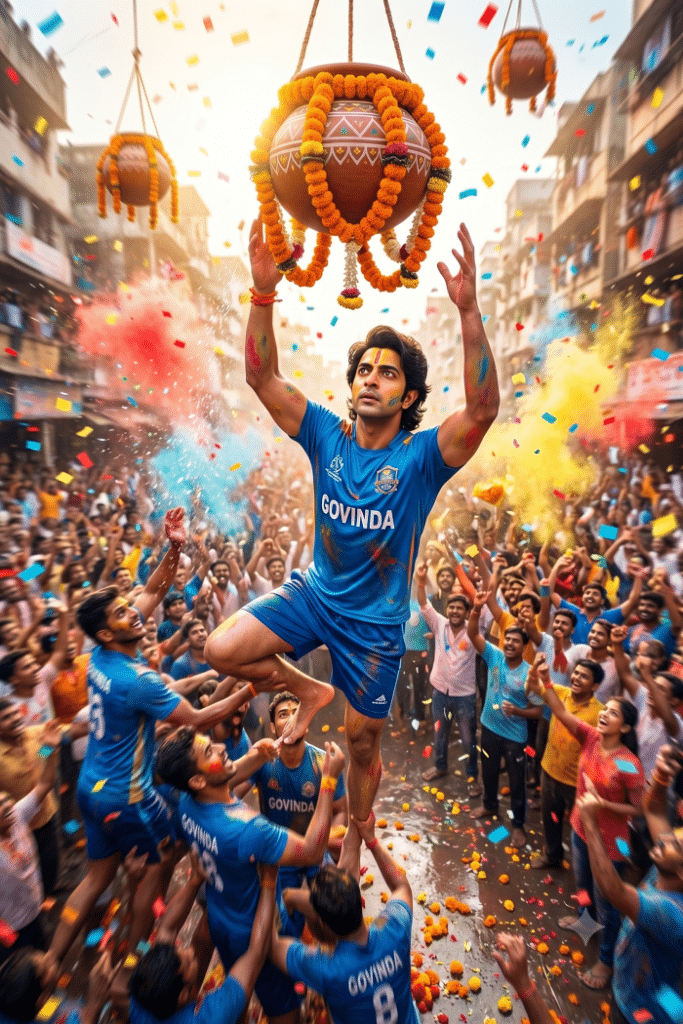
Not every Janmashtami AI image needs to look like a studio portrait.
A Dahi Handi scene can produce something much more energetic.
Prompt:
Turn me into part of a Dahi Handi human pyramid celebration. Keep my face and body proportions accurate. Dress me in a blue Govinda team t-shirt and shorts, arms raised mid-climb toward a hanging clay pot draped in marigold garlands. Add a cheering crowd blurred in the background, confetti and colored powder in the air, bright afternoon sunlight. Style: dynamic sports-photography angle, motion blur on the crowd, sharp focus on me, ultra-realistic.5. Janmashtami Family or Group Portrait
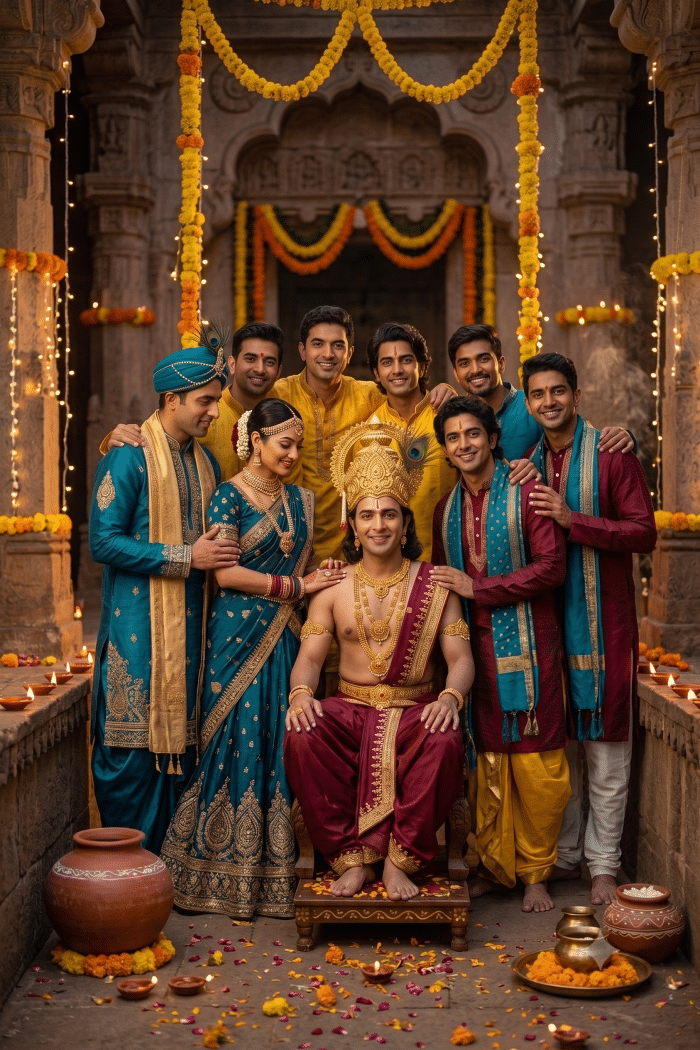
Want something you can send to the family WhatsApp group instead of another solo AI portrait? Try combining several family photos.
Prompt:
Combine these photos into one Janmashtami group portrait. Keep every face exactly as it appears in the original photos. Dress everyone in festive Indian traditional wear in a palette of yellow, peacock blue, and maroon. Arrange the group standing together, smiling, in front of a temple decorated with marigold garlands and diyas at dusk. Style: warm ambient lighting, ultra-realistic group photography, natural shadows.This one leans hardest on Nano Banana Pro’s multi-image blending. Feed it more than three or four source photos on the free Nano Banana 2 tier and faces start drifting from the originals.
How to Make Your Janmashtami AI Photos Look Real
Start with a well-lit, front-facing photo. No sunglasses, no heavy side shadows, no group shot where your face takes up ten percent of the frame. The AI is rebuilding lighting and clothing around your face, not replacing it, so a blurry or backlit source photo produces a blurry or backlit result no matter how detailed the prompt is.
Expect the occasional refusal. Gemini and ChatGPT both run safety filters that sometimes flag prompts naming a specific deity, even in an obviously festive, respectful context. If a prompt gets blocked, drop the name “Krishna” and describe the look instead, peacock feather crown, yellow dhoti, flute, and regenerate. It usually goes through on the second try.
Extra fingers, a warped flute, or a crown that melts into the hair are still the most common failure points on both tools. Regenerate two or three times rather than accepting the first output. It costs nothing on the free tier and takes seconds on the paid one.
Final Thoughts
None of this replaces an actual Janmashtami tradition, dressing up, visiting a temple, or waiting up for Nishita Puja at midnight. It’s a fast, low-effort way to make the festive post look like you put in effort you didn’t have time for. Pick the prompt that matches your photo, expect to regenerate at least once, and post before the trend moves on to the next festival.