Minecraft Dungeons II launched on September 29, 2026, and PC modders had a working mod loader on Nexus Mods the same day. Three weeks later, dozens of mods fill in what the sequel left out: keyboard movement, real stat numbers, and a pause button that actually pauses.
Every mod below is PC-only. Each works on both the Steam and Xbox app (PC Game Pass) versions. Nine of the ten load through Blueprint Loader by ewanhowell5195, currently at v2.6 (updated October 16, 2026). Mojang has not published an official stance on modding the sequel, so treat online play with mods as your own call.
How to install Minecraft Dungeons 2 mods
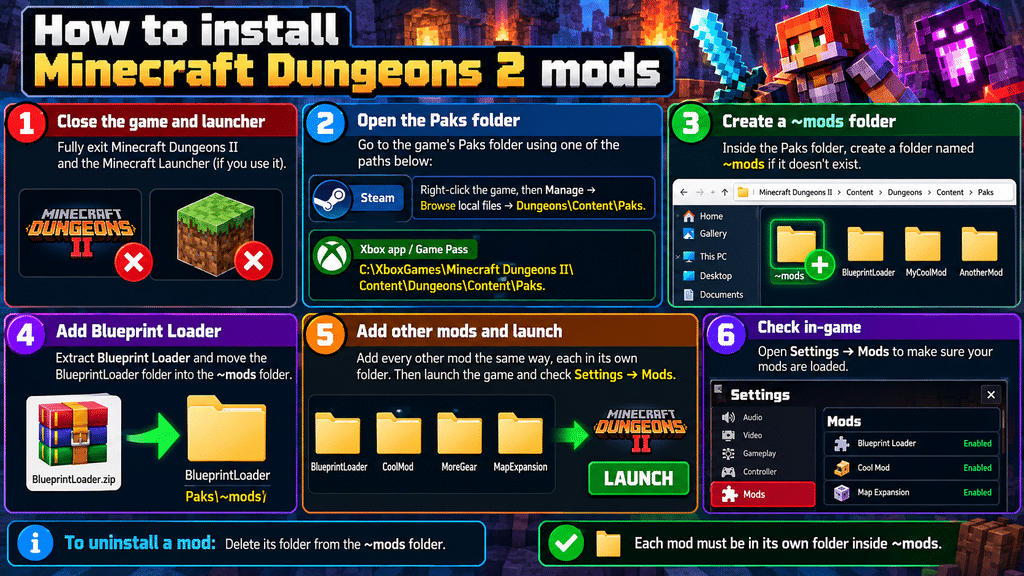
- Close the game and fully exit the Minecraft Launcher if you use it.
- Open the Paks folder:
- Steam: right-click the game, then Manage → Browse local files → Dungeons\Content\Paks.
- Xbox app / Game Pass: C:\XboxGames\Minecraft Dungeons II\Content\Dungeons\Content\Paks.
- Create a folder named ~mods inside Paks if it doesn’t exist.
- Extract Blueprint Loader and move the BlueprintLoader folder into ~mods.
- Add every other mod the same way, each in its own folder. Then launch the game and check Settings → Mods.
To uninstall a mod, delete its folder from ~mods.
The 10 best Minecraft Dungeons 2 mods
1. Blueprint Loader
- Best for: Everyone running mods
- Needs: Nothing
- Others see it online: No
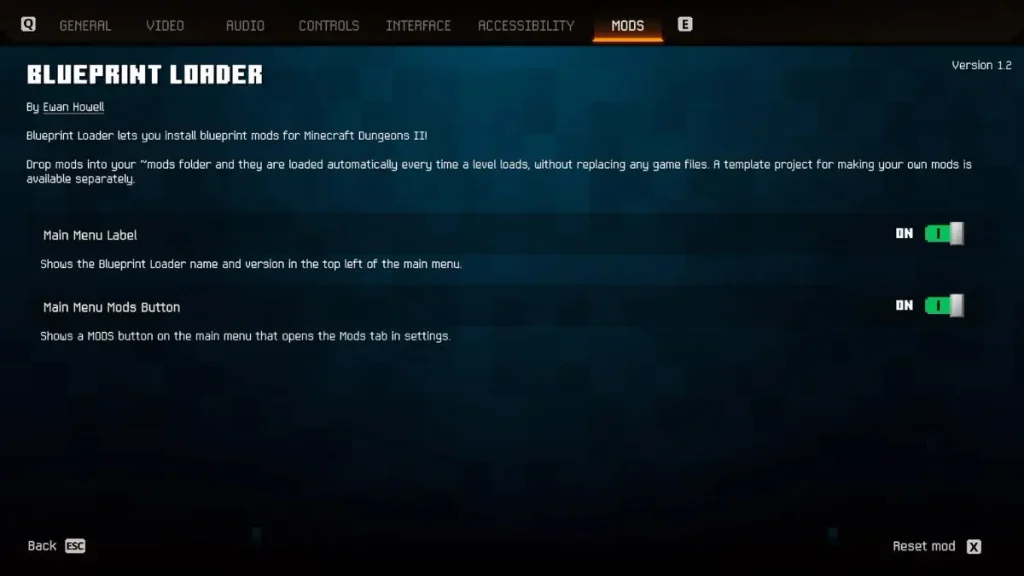
Blueprint Loader is the foundation for this list. It adds a Mods tab to settings with on/off switches and per-mod options. 76 mods list it as a requirement.
Its most useful feature is crash protection. If a mod crashes the game, it gets switched off automatically, and a popup tells you on the next launch. That matters when a game patch breaks a mod overnight.
2. WASD Controls
- Best for: Keyboard players tired of click-to-move
- Needs: Blueprint Loader
- Others see it online: No
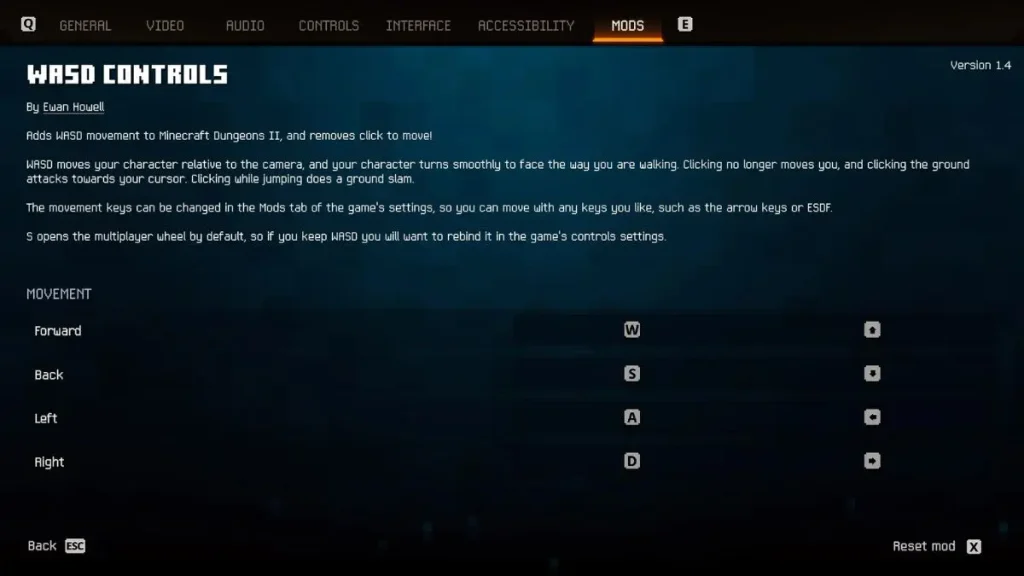
WASD Controls (v1.10) moves your hero relative to the camera and removes click-to-move. Clicking attacks the highlighted enemy, or your cursor if no enemy is highlighted. Clicking mid-jump performs a ground slam.
You can rebind movement to arrow keys or ESDF, and turn off Melee Aim Assist for pure cursor aiming. The catch: S opens the multiplayer wheel by default, so rebind that in controls first.
3. D1 Stats V2 (All Item Stats)
- Best for: Build planners and gear comparison
- Needs: Blueprint Loader
- Others see it online: Each player needs their own copy
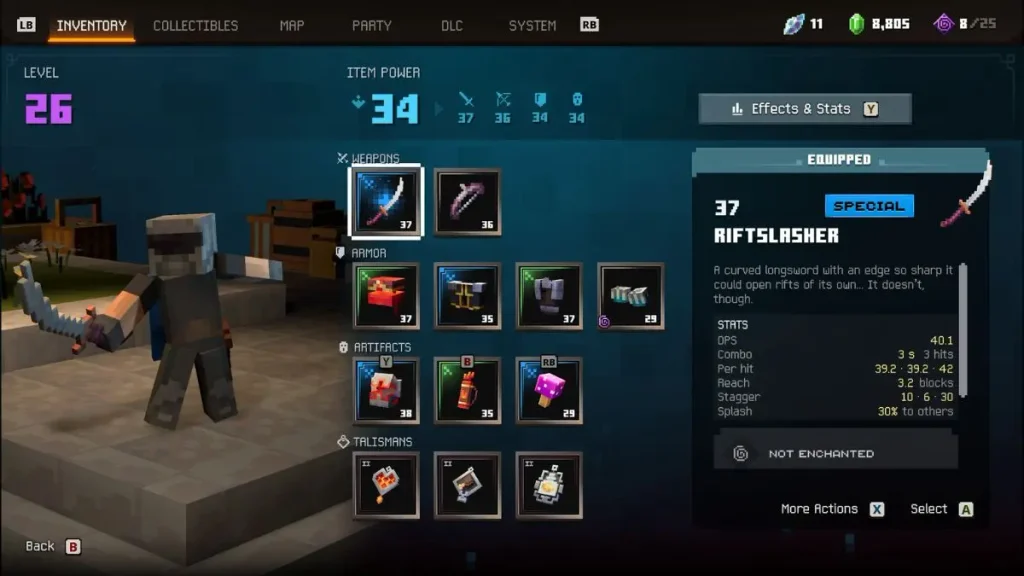
The base game hides most numbers. This mod shows them:
- Melee: DPS, combo, reach and stagger
- Bows: a damage range from uncharged to fully charged, such as 46 to 138
- Armor: how much less damage you take
- Comparison: green and red arrows against your equipped gear, including merchant stock
Pick this over the similar Item Stats mod for the comparison arrows. The two conflict, so install only one.
4. Auto Sell
- Best for: Long loot runs
- Needs: Blueprint Loader
- Others see it online: Not stated
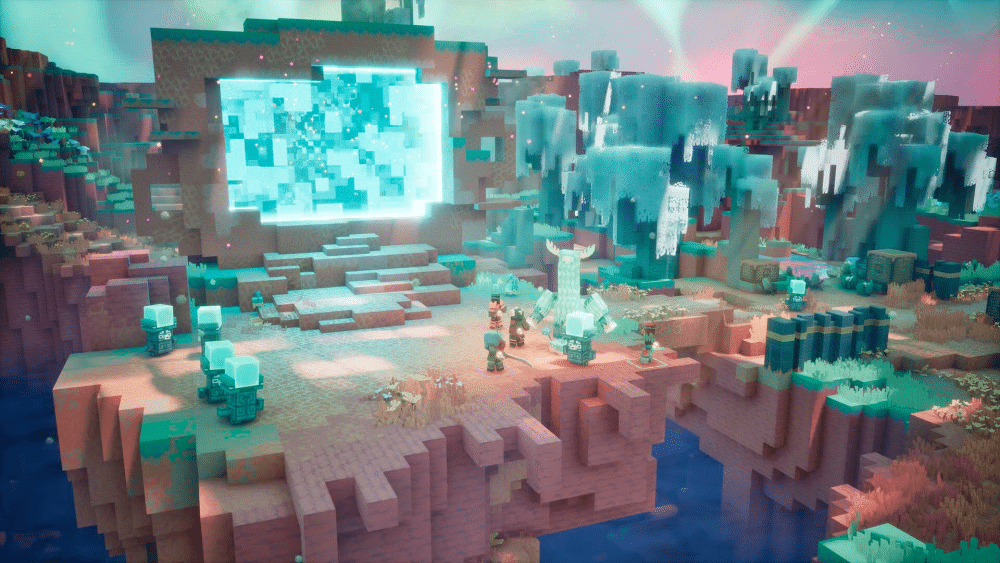
Auto Sell salvages gear for emeralds the moment you pick it up. You set the highest rarity to sell for each slot (Off, Common, Rare, Special, Unique). Keep rules protect enchanted gear, upgrades, merchant buys and quest rewards.
Equipped and locked gear is never sold. Open the settings with F7 or L3 + R3. The author still warns that gear can be sold by mistake, so check your rules before a run.
5. Overlay Map
- Best for: Exploring without opening the full map
- Needs: Blueprint Loader
- Others see it online: No
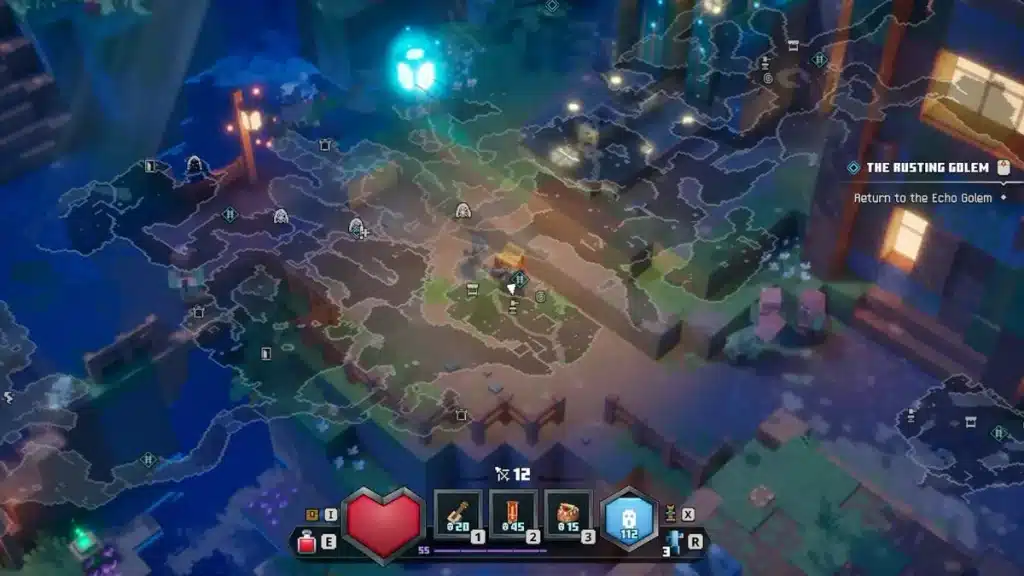
Overlay Map (v1.5) puts a large, see-through map over gameplay. Press M to toggle it, PgUp/PgDown to zoom, and Insert/Delete to change opacity.
Party members show as markers with a direction arrow when they’re off-screen. Tap F to track nearby elites and bosses. Couch co-op players can use it too (added in v1.4).
6. Edge Outlines
- Best for: Players who miss the original’s look
- Needs: Blueprint Loader
- Others see it online: No
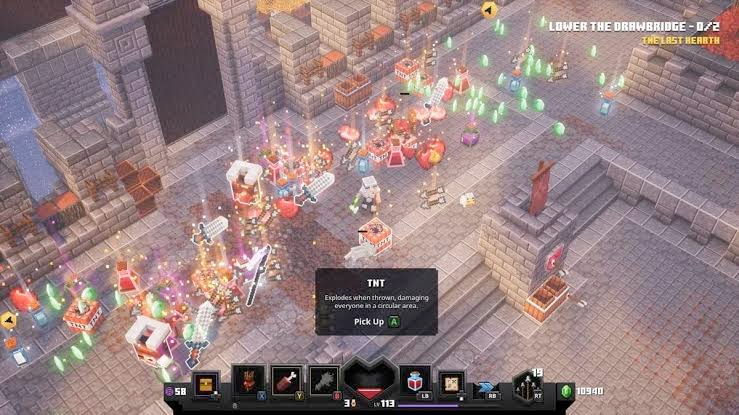
Edge Outlines (v1.2) brings back the subtle block edge lines from the first Minecraft Dungeons. It covers blocks, slabs, stairs and tree trunks, but not characters or foliage.
You get an intensity slider, and since v1.2 you can turn it off without restarting.
7. Uncapped Cutscenes
- Best for: High-refresh monitors
- Needs: Blueprint Loader
- Others see it online: No
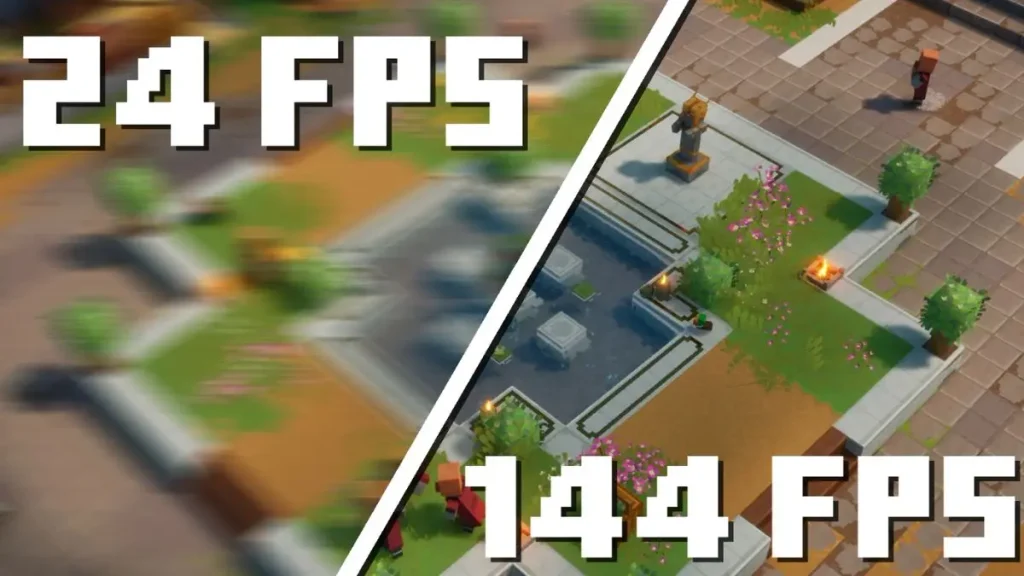
Cutscenes in the sequel are locked to 24fps, which makes animation move in choppy steps. This mod removes the lock so cutscenes run at your normal frame rate. It’s a small fix you notice in every story beat.
8. Custom Skin Loader
- Best for: Using your own Minecraft skin
- Needs: Blueprint Loader
- Others see it online: No
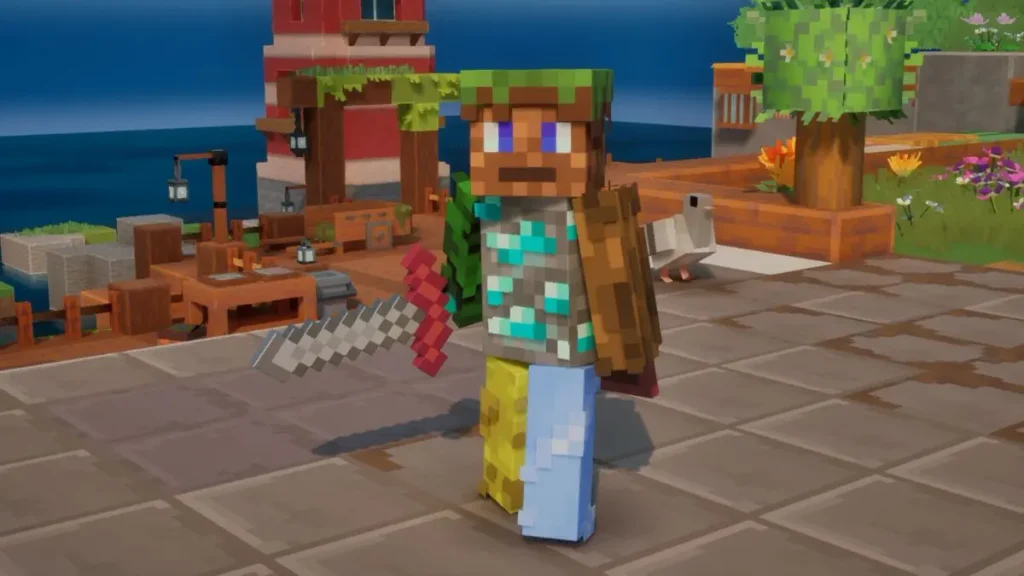
Drop a PNG into the skins or capes folder and press F5 to load it. Skins use the 64×64 layout but accept higher resolutions like 128×128. Capes start at 32×16. Java skins need converting first with the author’s converter.
Pair it with Second Skin Layer, which adds Java’s jacket, sleeve and pants layers.
9. Better Armor (Transmog)
- Best for: Keeping your look while swapping gear
- Needs: Blueprint Loader
- Others see it online: No, they see your real gear
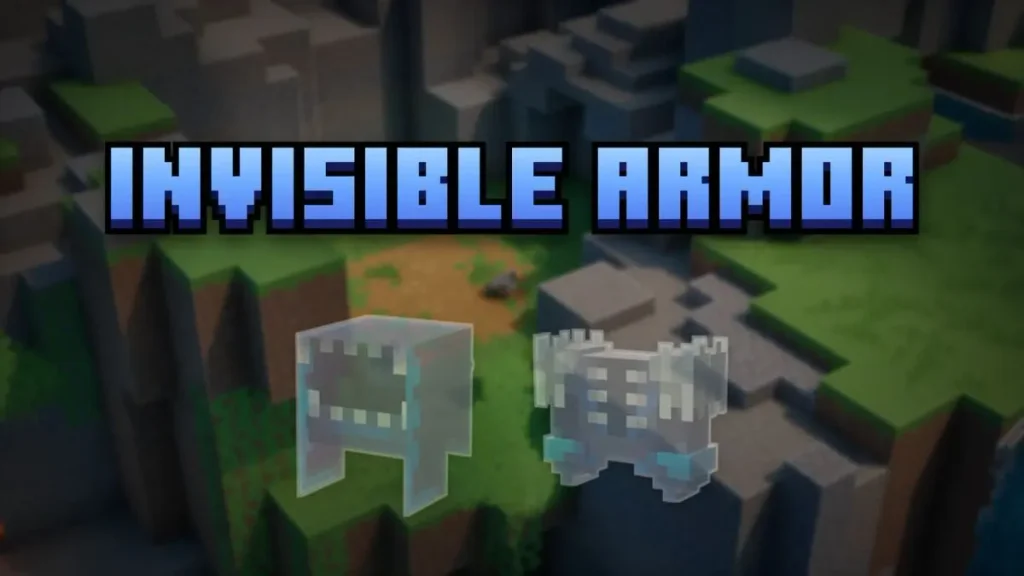
Better Armor lets you hide any armor piece or use any armor you own as a slot’s appearance. Your stats still come from what you’ve equipped, and the mod sends nothing to the server. It covers the same ground as Invisible Armor and adds transmog on top.
10. Actually Pause the Game
- Best for: Solo offline sessions
- Needs: Blueprint Loader
- Others see it online: Doesn’t work online
By default, pausing doesn’t stop enemies. Actually Pause the Game (v1.3) freezes mobs, projectiles and environmental damage while the pause screen or settings are open. Switch off Pause Screen Only to extend it to the inventory, map and quests.
It works only in offline saves. Online saves keep running even when you play alone.
Online visibility and conflicts at a glance
| Mod | Fixes | Others see it online | Known conflict | Endorsements* |
|---|---|---|---|---|
| Blueprint Loader | Mod loading, Mods tab | No | None | 171 |
| WASD Controls | Click-to-move | No | S key opens multiplayer wheel | 86 |
| D1 Stats V2 | Hidden stats | Each player needs mod | Item Stats | 27 |
| Auto Sell | Inventory clutter | Not stated | None listed | 14 |
| Overlay Map | Map interruptions | No | None listed | 19 |
| Edge Outlines | Flat block visuals | No | None listed | 37 |
| Uncapped Cutscenes | 24fps cutscenes | No | None listed | 76 |
| Custom Skin Loader | Fixed skins | No | None listed | 95 |
| Better Armor | Gear appearance | No | None listed | 12 |
| Actually Pause | Fake pause | Offline only | None listed | 26 |
*Nexus Mods endorsements as of October 20, 2026.
Mods to skip for now
Some popular uploads still carry real risks:
- Third Person Camera and Free Aim (debeans): needs a Python 3.10+ helper that reads the game’s memory. Nexus Mods’ scan flags “some suspicious files.” The author provides source code, but Steam is untested, and online use is at your own risk.
- MCD2 Mod Manager (fluke007x): carries the same scan flag, and Steam support isn’t verified. Blueprint Loader’s Mods tab already handles toggling, so you don’t need it.
- third person mod (WIP) by 20fpsguy: still an early, controller-focused build.
A user post on Mojang’s feedback site claims the sequel uses encrypted assets and anti-cheat. Mojang hasn’t replied. If you want a modded install kept away from online sessions entirely, you can block internet access for specific games on Windows 11.
Signing Off
Minecraft Dungeons II modding currently runs through one loader and one prolific author. ewanhowell5195 made Blueprint Loader plus five of the ten picks here. That makes the scene stable, but also fragile: one major game patch could break most mods at once. Blueprint Loader’s auto-disable softens that.
Watch for Mojang’s first content update. If it ships, expect a wave of mod updates. Mojang hasn’t confirmed any official mod support yet.
No. These mods are PC files placed in the game’s Paks folder, so they only work on the Steam and Xbox app (PC Game Pass) versions.
Not for every mod, but nine of the ten here need it. At the time of writing, 76 mods on Nexus Mods list it as a requirement.
No. Custom Skin Loader and Better Armor only change what your own game shows. Other players see the original skin and your real gear.
No. Both modify the same tooltip, so the D1 Stats author recommends installing only one.
Mojang hasn’t published a modding policy for the sequel as of October 20, 2026. Client-side cosmetic and UI mods are lower risk, but online play with mods is at your own risk.
Don’t miss these related reads: