There is something oddly satisfying about finding the exact moment a Facebook friendship started. Maybe you and an old colleague recently reconnected, and you are both trying to remember how far back you actually go. Maybe you are just curious. Whatever the reason, Facebook quietly stores all of this, and once you know where to look, pulling up that information takes less than a minute.
This guide covers everything: how to know how long you have been friends on Facebook, how to see a friendship history including shared content and mutual connections, and how to dig into your relationship history if you need that too. Everything here is current as of 2026, and it works whether you are on a desktop browser, Android, or iPhone.
What Facebook Actually Shows You (And What It Does Not)
Before jumping into the steps, it helps to know what you are working with.
Facebook’s built-in “See Friendship” feature is your best tool here. It shows you the month and year you became friends with someone, shared posts and photos between you, mutual friends, pages you both follow, and groups you are both part of. It is clean, official, and reliable.
A few things worth knowing upfront:
- You can only view your own friendships with someone, not the friendship date between two other people.
- If the other person has strict privacy settings, the “See Friendship” option may not appear. In that case, your Activity Log or your earliest Messenger conversation with them can give you a rough idea of the timeline.
- Facebook does not notify the other person when you look this up.
- If someone has unfriended you or deactivated their account, the friendship date is usually no longer accessible.
- The old URL method (facebook.com/friendship/yourusername/theirusername) still works in some cases, but it is inconsistent enough that the in-app button is always the better starting point.
How to See When You Became Friends on Facebook (Desktop)
This is the quickest way to see a friendship history on Facebook if you are on a computer.
- Type your friend’s name into the Facebook search bar and press Enter.
- Open their profile page.
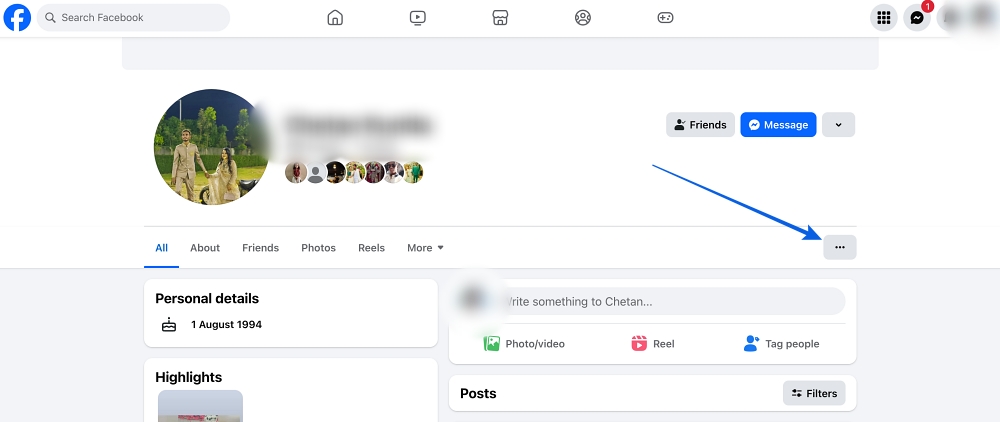
- Click the three-dot menu (…) near the top of their profile.
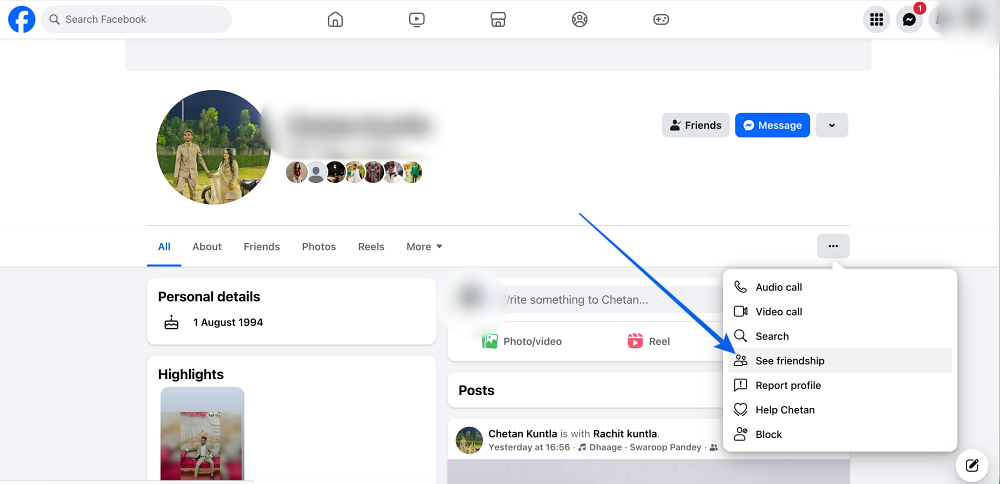
- Select See Friendship from the dropdown.
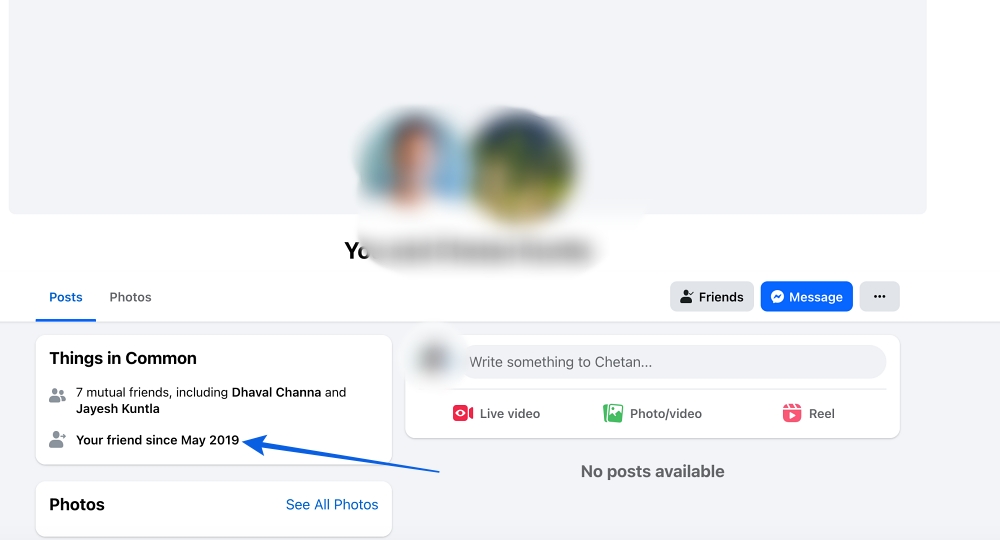
You will land on a page that shows the month and year you became friends, along with any shared history Facebook has on file. The “Things in Common” section is worth browsing through, especially if it is an old friendship you have not thought about in a while.
How to See When You Became Friends on Facebook (iPhone or Android)
The mobile process is just as straightforward. Here is how to see the date that people became friends on Facebook through the app:
- Open the Facebook app and tap the search icon.
- Search for the friend’s name and open their profile.
- Tap the three dots next to the Message button.
- Select See Friendship.
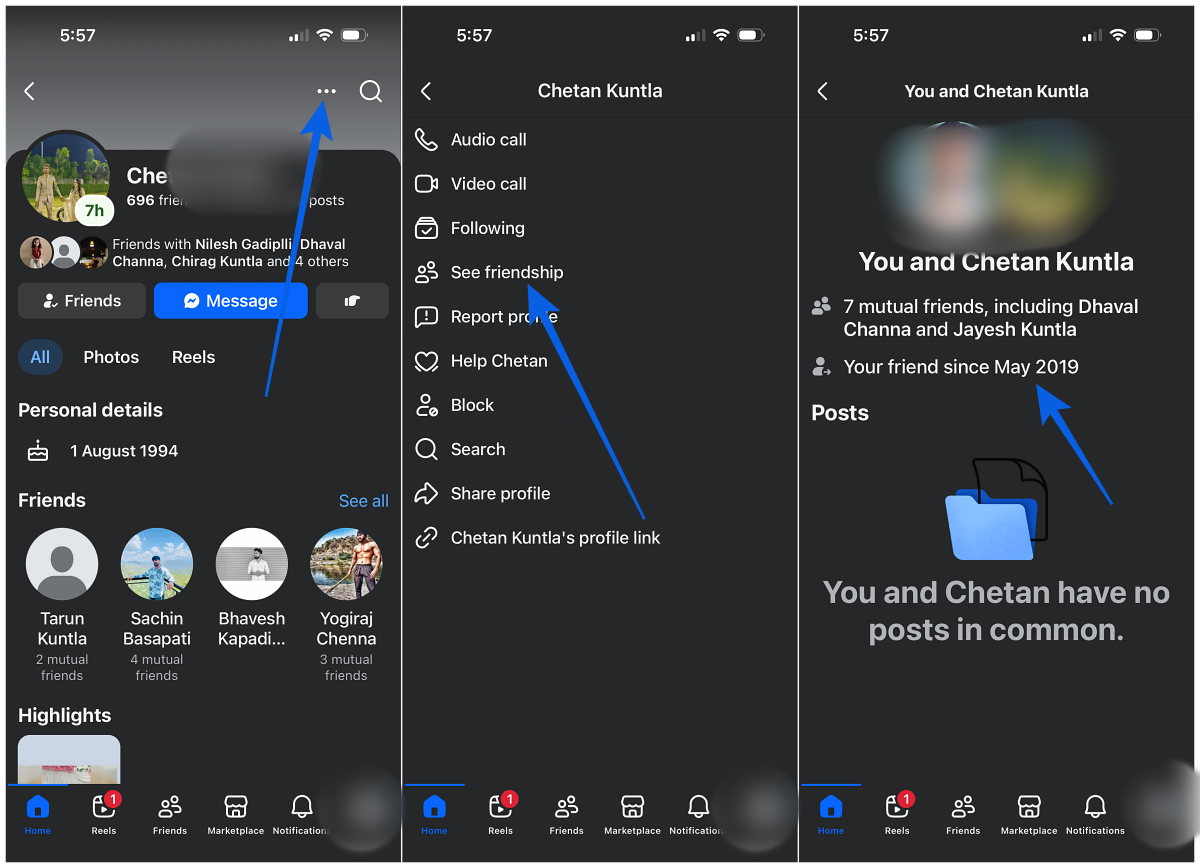
The page that loads will show you the same friendship timeline you would see on desktop, including the month and year it all started.
How to See Your Relationship History on Facebook (Desktop)
If you want to go a step further and see how your relationship status has changed over time, Facebook keeps that history too. Here is where to find it:
- Go to Settings from your Facebook menu.
- Click See more in Accounts Center in the left-hand panel.
- Select Your information and permissions, then click Access your information.
- Choose Personal information from the left panel.
- Click Relationship status on the right.
Everything you have ever set as your relationship status on Facebook will be listed here under the Relationships section.
How to See Your Relationship History on Facebook (iPhone or Android)
The mobile steps follow the same path, just with slight navigation differences depending on your device. On Android, the menu icon sits in the top-right corner. On iPhone, you will find it in the bottom-right corner.
- Open Facebook and tap the menu icon.
- Tap the dropdown arrow next to Settings & Privacy, then tap Settings.
- Tap See more in Accounts Center.
- Select Your information and permissions.
- Tap Access your information, then choose Personal information.
- Scroll to the Profile information section and tap See more.
- Tap Relationship status.
Your full relationship history will be there, showing every change you have made over the years.
How to Delete a Relationship From Your Facebook History
If you need to clean up your history and remove a past relationship, the process is straightforward. On desktop, navigate back to the Relationship status section through Meta’s Accounts Center, click the three dots next to the entry you want gone, and select Delete. The same logic applies on mobile.
One thing worth knowing: deleting a relationship entry does not post anything to your Facebook feed. It happens quietly, which is usually exactly what you want.
A Few Extra Tips Worth Knowing in 2026
Facebook Memories will occasionally surface old friendship milestones on its own, especially on your “friendiversary,” so that is another passive way these dates can resurface without you having to search for them.
If the “See Friendship” button is missing entirely when you visit someone’s profile, it almost always comes down to their privacy settings rather than anything on your end. In that situation, checking your own Activity Log and filtering by that person’s name can sometimes fill in the gaps. Scrolling back through your Messenger thread with them is another rough way to estimate when things started.
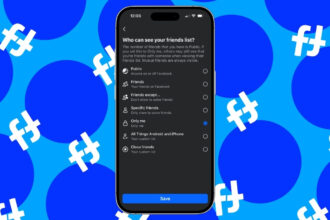
While you are managing your Facebook presence, it is also worth knowing how to hide your Facebook friends list if you prefer to keep that information private, and how to make your Facebook profile completely private for tighter control over what others can see.
You might also like: