If your Facebook feed feels more like a sponsored content dump than a place to connect with people you care about, you’re in good company. Between the “suggested for you” posts, Reels you never asked for, and ads now embedded in Stories, Marketplace, and basically everywhere else, it can feel suffocating. According to survey, 67% of internet users have either skipped content or stopped using a platform entirely because of intrusive ads. Facebook sits squarely at the top of that frustration list.
Here’s the honest truth: you can’t get rid of ads on Facebook completely. Meta’s entire business model runs on advertising, and that’s not changing anytime soon. But you absolutely can reduce Facebook ads on your feed, limit how aggressively they target you, and take back some control over what you actually see. This guide covers the most practical ways to do exactly that.
Use an Ad Blocker with Realistic Expectations
One of the fastest ways to reduce the visual noise is a browser-level ad blocker. These tools can suppress a meaningful chunk of sponsored content and block third-party tracking scripts that feed Facebook’s ad targeting engine. They also serve a secondary purpose: some ads carry malicious scripts, and an ad blocker is a quiet layer of protection against that.
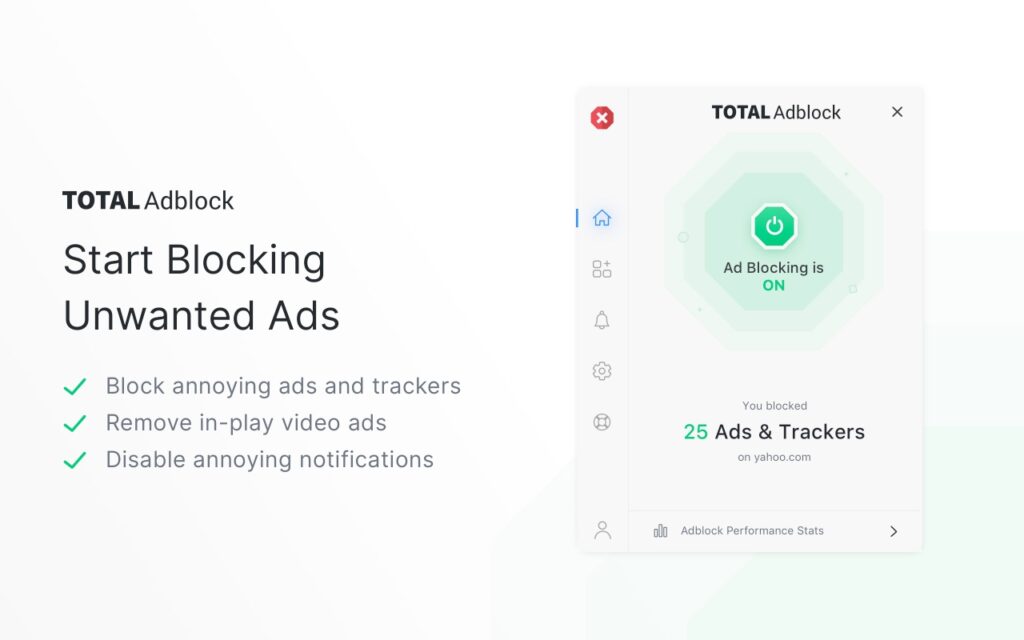
That said, ad blockers don’t override Facebook’s internal ad infrastructure. In 2026, I tested several options head-to-head and found Total Adblock to be one of the more reliable choices for cutting visible ads and throttling tracking. The key insight we kept running into: ad blockers work best when you pair them with Facebook’s own built-in controls, not as a standalone fix.
Hide Individual Ads You Don’t Want to See
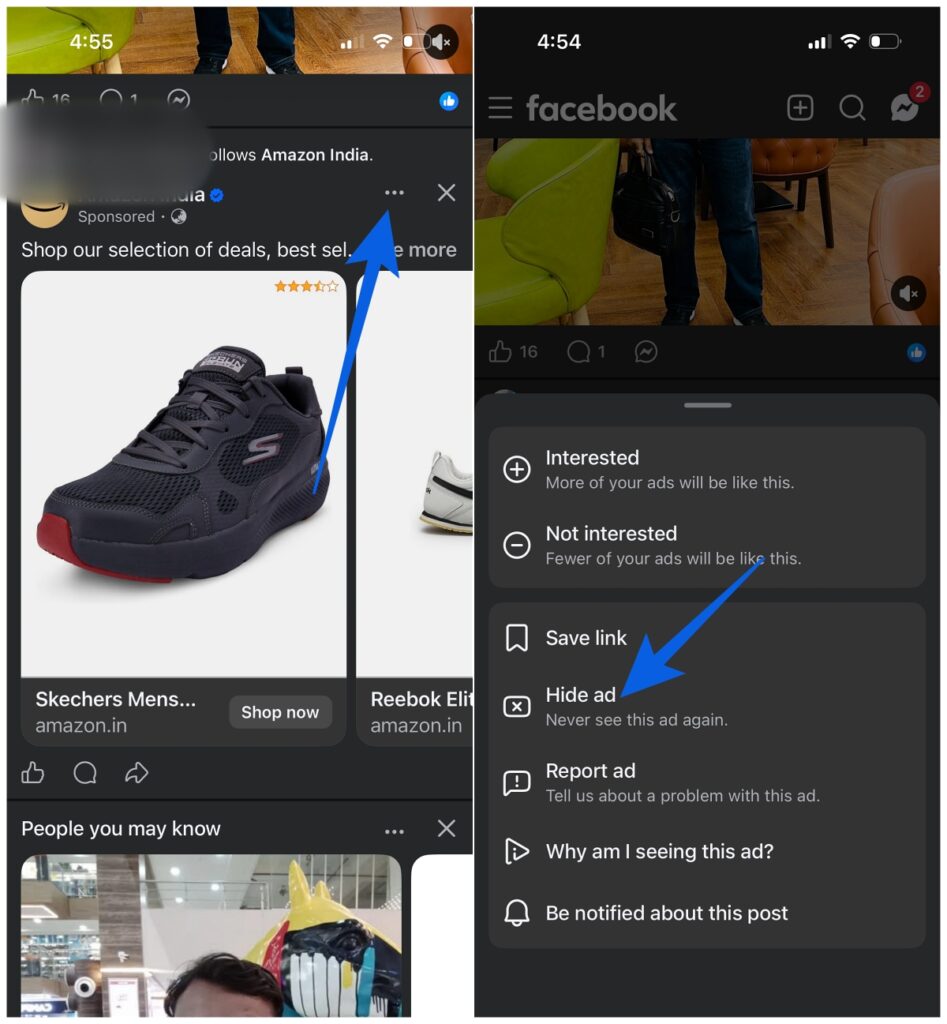
This one’s simple but surprisingly effective over time. When an ad appears that you find irrelevant or irritating, tap the three-dot icon in the top right corner of the post and select “Hide ad.” Facebook registers that signal and adjusts what it shows you. It’s not an overnight fix, but it does shape your feed gradually.
Block Entire Categories of Ads
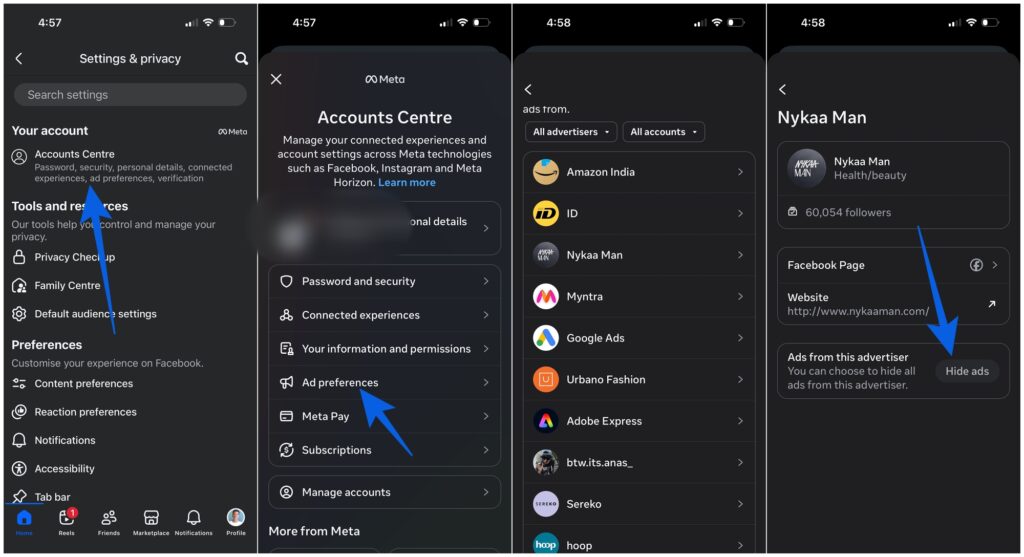
If there are specific ad types you’d rather never see again — gambling, dating, political content — you can actually turn those off. Go to Settings & privacy, then Settings, then select “See more in Accounts Center.” From there, navigate to Ad preferences, then Ad topics, and Hide ads whatever categories you want to stop ads on Facebook from showing you. It’s tucked away, but it’s there.
Adjust What Facebook Knows About You
Facebook’s ad targeting pulls from a surprising amount of data, including your activity on entirely different websites and apps. If you’d rather it didn’t, you can opt out. Head to Settings & privacy, then Settings, then Accounts Center, then Ad preferences, then Ad settings. From here, you can turn off ads based on off-Facebook browsing, trim the interest categories that shape what you see, and update the profile information that feeds their system. The less data Facebook has on you, the less personalized, and often less relentless, the ads become.
Why is Facebook So Ad-Heavy in the First Place?
Because ads are essentially all of Meta’s revenue. There’s no subscription tier that removes them, no opt-out that fully clears your feed. Advertising is the product, and users are the inventory.
People have clearly had enough. Research found that 68% of internet users have tried ad-blocking software on their computers, and about half have done the same on mobile. That’s not a fringe behavior — it’s a signal that the desire to reduce Facebook ads is nearly universal, even if a perfect solution doesn’t exist.
The realistic goal isn’t a completely ad-free Facebook. It’s a more manageable one. With the right combination of an ad blocker, hidden ad feedback, category blocks, and tightened ad preferences, you can make a real dent in how many ads you see and how much your data drives them.
Final Take
You’re not going to turn Facebook into an ad-free space. That’s just not how the platform works. But you can make it feel a lot less overwhelming. A few small changes, applied consistently, make a noticeable difference. Fewer irrelevant ads, less aggressive targeting, and a feed that feels closer to what it was meant to be.
And once you see that shift, you won’t go back to ignoring it.
No. Facebook doesn’t offer an ad-free version. You can reduce ads significantly, but some will always remain.
Using a combination of ad blockers and Facebook’s built-in ad preferences delivers the best results.
No. Most ad blockers only work in browsers. For the app, you’ll need to rely on Facebook’s internal settings.
Yes. Over time, it trains Facebook’s algorithm and improves what shows up in your feed.
Don’t miss these related reads: