Xiaomi has quietly raised the bar with the Redmi K90 series, and it’s not just about raw specs this time. The Redmi K90 and K90 Pro Max feel like a deliberate step into true flagship territory, combining refined design with features you don’t typically see in this segment.
The standout detail? The Bose-tuned woofer integrated right next to the rear cameras on the K90 Pro Max. It’s an unusual addition, but it says a lot about how seriously Xiaomi is pushing the multimedia experience on these devices.
But beyond the hardware, there’s something else that defines the feel of a new phone the moment you unlock it: the wallpaper.
As expected, Xiaomi has included a fresh set of stock wallpapers with the K90 lineup, and they’re now available in full resolution for any device.
What Makes the Redmi K90 Series Stand Out
The Redmi K90 series isn’t just an incremental upgrade. It feels more cohesive.
The design language clearly takes cues from recent iPhones, especially in the camera layout, but it doesn’t come across as a copy. Instead, Xiaomi blends that familiarity with its own visual identity, creating something that feels premium without losing the Redmi character.
The Champion Edition adds another layer to that. Replacing the standard branding with Lamborghini’s logo could have felt excessive, but the execution is surprisingly restrained. The finish, detailing, and color choices all work together in a way that feels intentional rather than flashy.
And that same design philosophy carries over to the wallpapers.
They’re not just included for the sake of it. They’re designed to complement the hardware.
Redmi K90 Pro Max Stock Wallpapers
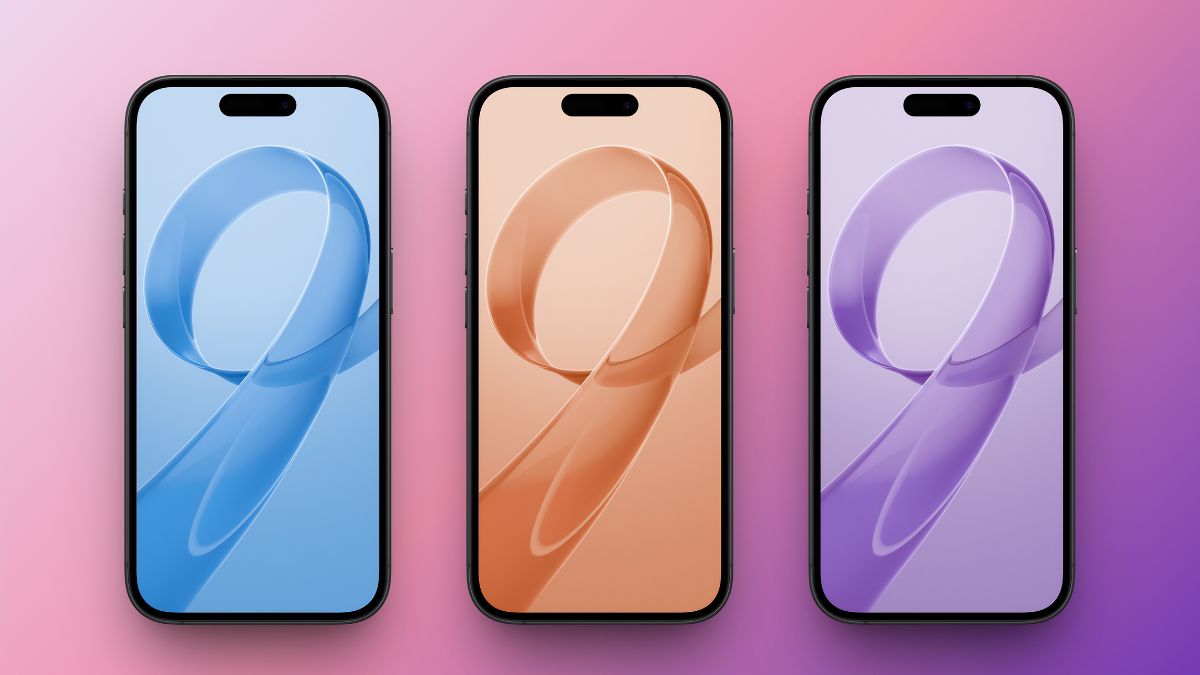
The wallpapers on the K90 Pro Max take a more refined approach compared to what you usually see. Instead of going overly vibrant or complex, Xiaomi keeps things minimal. The design revolves around a smooth abstract pattern that subtly forms the number “9,” tying into the K90 branding without making it obvious.
Each wallpaper shares the same structure but uses a different color palette. Some lean toward softer tones that pair well with clean setups, while others add a bit more depth without becoming distracting. In actual use, they strike a balance that most stock wallpapers miss. They look premium, but more importantly, they stay usable. Icons remain clear, widgets don’t get lost, and the overall interface feels clean.
There are five wallpapers in total, all available in high resolution and ready to use on any device.




Redmi K90 Max Stock Wallpaper
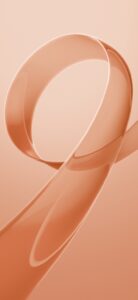
The K90 Max keeps things simple, but in a way that works. There’s one exclusive wallpaper here, alongside access to the broader HyperOS 3 collection. Instead of offering multiple variations, Xiaomi focuses on a single design that feels complete on its own.
It’s a bold abstract composition rendered at 1280 x 2772 pixels, which means it scales cleanly across modern displays without any visible loss in quality. More importantly, it’s a wallpaper that holds up over time. It has enough detail to feel premium, but not so much that it becomes distracting after a few days of use.
It may be just one wallpaper, but it’s clearly designed with long-term usability in mind.

How to Set the Wallpaper on Your Phone
Once you’ve downloaded the wallpaper, applying it takes just a few seconds:
- Open your Downloads folder
- Tap the wallpaper image
- Tap the three-dot menu
- Select Set as wallpaper
- Choose Home screen, Lock screen, or both
On iPhone, simply save the image to Photos and set it from Settings > Wallpaper.
Final Take
Xiaomi didn’t just include wallpapers as an afterthought with the K90 series. There’s a clear design intent behind them. They’re clean, balanced, and actually usable in day-to-day scenarios, which is something a lot of stock wallpapers fail to achieve.
If you like minimal, premium-looking backgrounds that don’t interfere with your setup, these are worth downloading and keeping.
You might also like: