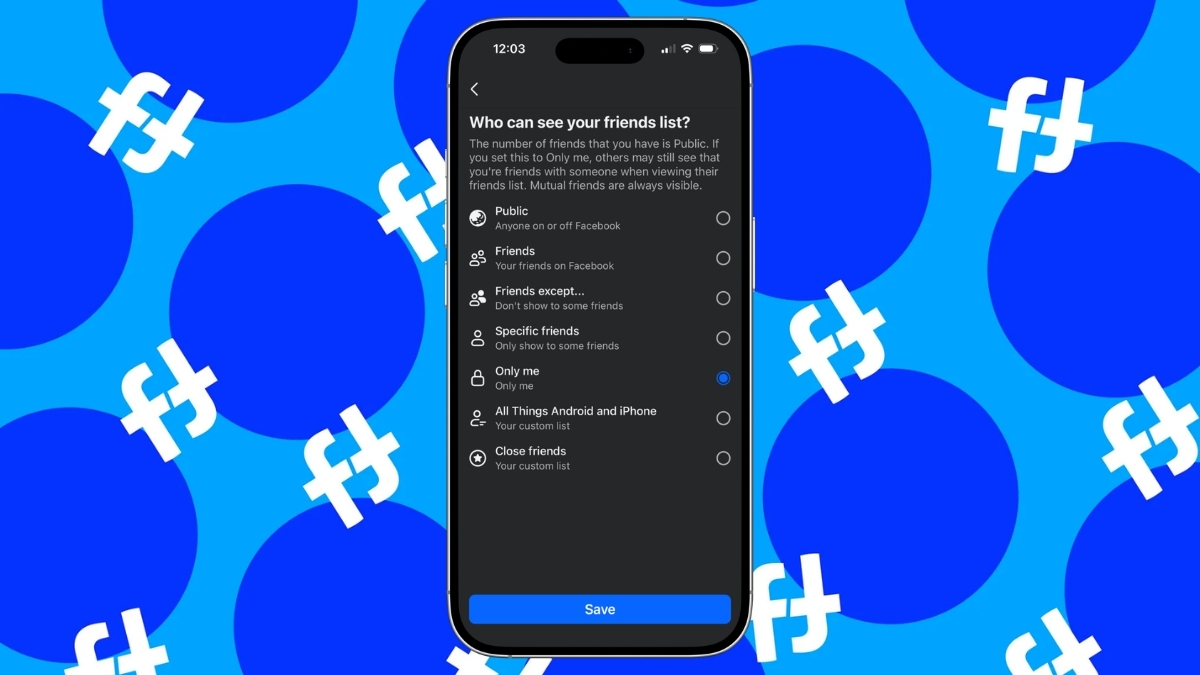
On Facebook, your friend list is visible to everyone by default. This means strangers, contacts, or even people you barely know can see who you are connected with.
Thankfully, Facebook provides a privacy option that lets you hide your friend list within seconds. You can do this from both the mobile app and the desktop website, and the steps are very simple.
There are several reasons why someone may want to hide their friends on Facebook. Many users hide their friends list for safety, personal boundaries, or to avoid unnecessary social attention. Today, we’ll see whether you can hide your friends, what happens when you hide your Facebook friends list, and how to hide it from Android, iPhone, and PC.
Can You Hide Your Friends List on Facebook?
Yes, Facebook officially allows users to control who can see their friend list through built-in privacy settings. This means you are not forced to keep your connections public. You can select different visibility options such as Public, Friends, Friends Except, Specific Friends, and Only Me.
These options give you full control, so you can decide whether you want to keep your list completely private or visible only to certain people. However, even if you hide your full friend list, mutual friends may still appear when someone visits a shared profile.
Related: How to Hide Likes on Facebook (Posts, Reels and Pages)
What Happens When You Hide Your Facebook Friends List?
When you adjust the privacy of your friend list, the change applies immediately and silently. No one receives a notification, and you can switch the setting back anytime. Here is what each main option means:
- Public: Anyone on Facebook can see your friends list.
- Friends: Only people already connected with you can see your friends list.
- Friends Except: Select the people you don’t want to show your friends list to.
- Specific Friends: Select the people who can see your friends list.
- Only Me: Your entire friend list becomes invisible to everyone else.
Also, hiding your friend list on Facebook does not stop friend suggestions. Facebook’s suggestion system works using many background signals, including mutual connections, phone contacts, the same school, workplace, city, pages, interactions, and more.
Therefore, you may still receive suggestions or appear in suggestions even when your friend list is hidden.
Related: How to Make Your Facebook Profile Completely Private
How to Hide Friends List on Facebook Using iPhone or Android
You can easily hide your friends list using the Android or iPhone mobile app. Follow these steps:
- Open the Facebook app on your Android or iPhone device.
- Tap the hamburger menu (three lines).
- Choose Settings & Privacy, then tap Settings.
- Tap How people find and contact you under the Audience and Visibility section.
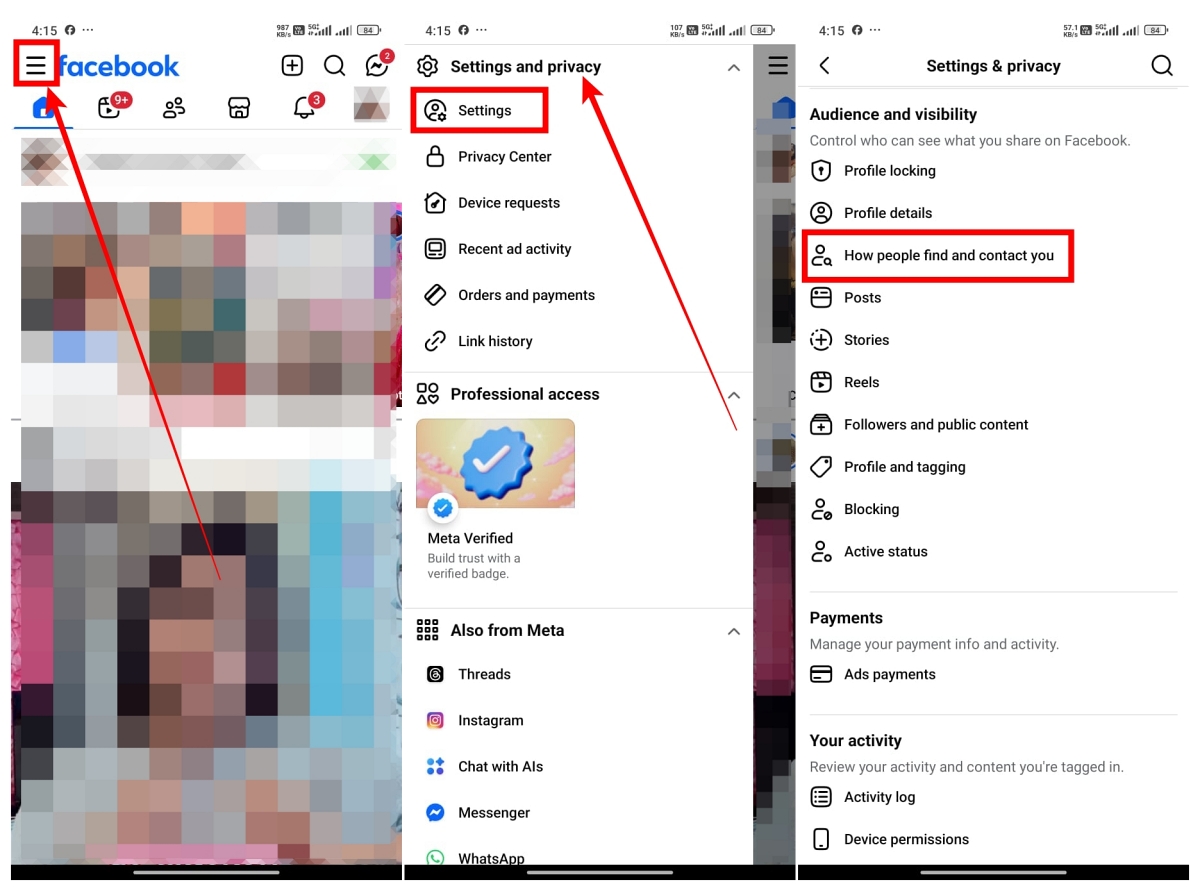
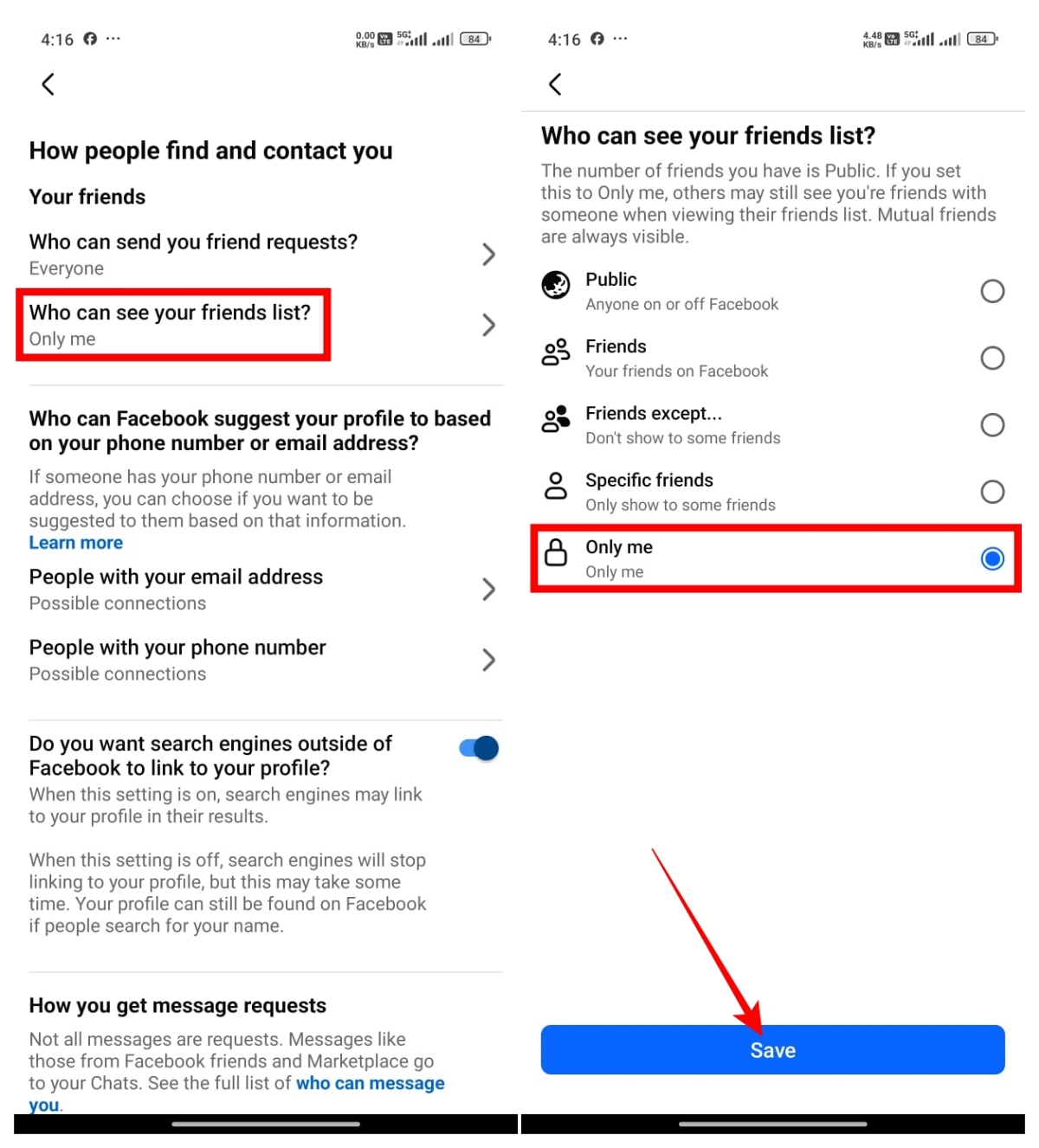
- Tap Who can see your friends list.
- From the options, select Only Me, then tap Save.
How to Hide Friends List on Facebook (Desktop Browser)
If you use Facebook through a desktop browser, the steps to hide your friends list are also simple.
- Open a browser and visit the Facebook website.
- Log in to your account if you haven’t already.
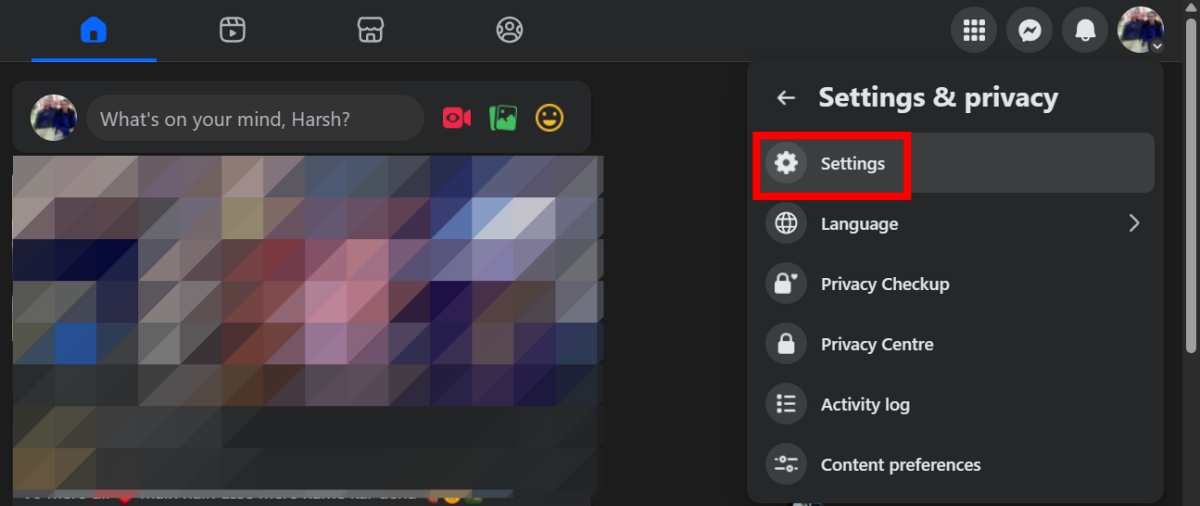
- Click your profile icon in the top-right corner of the screen.
- Select Settings & Privacy, then choose Settings.
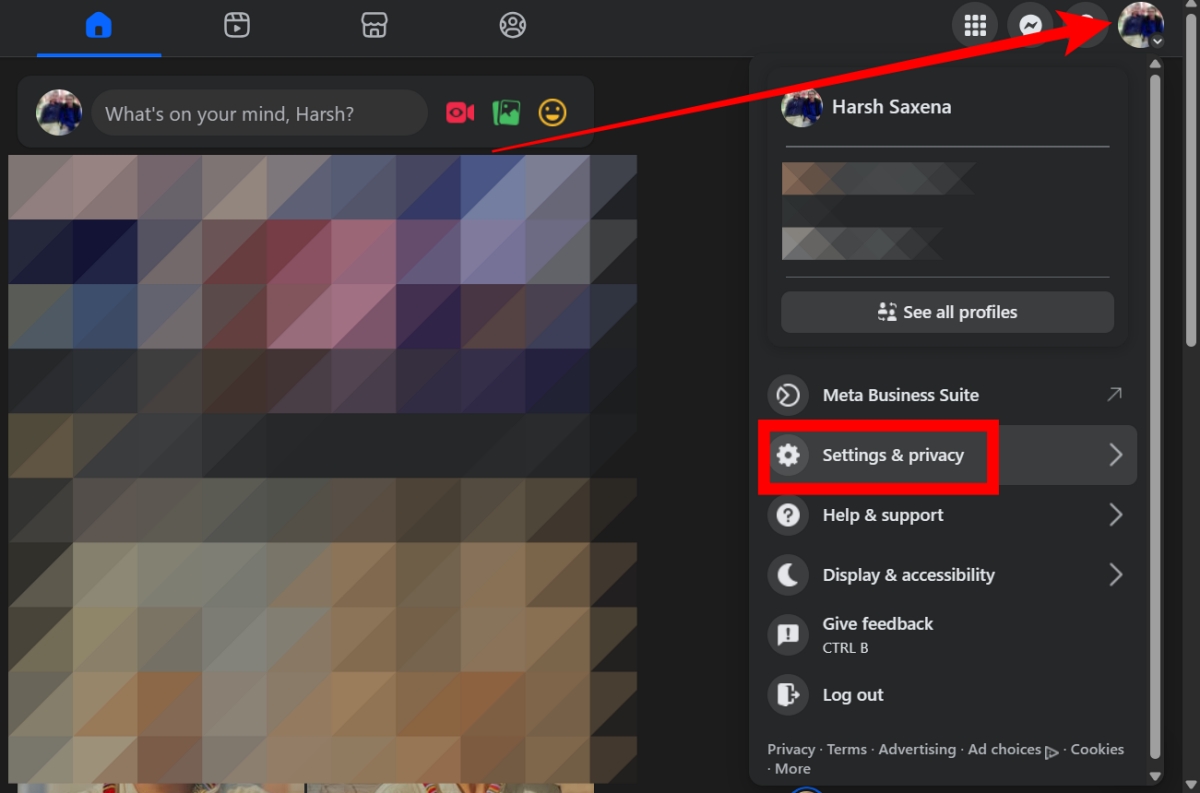
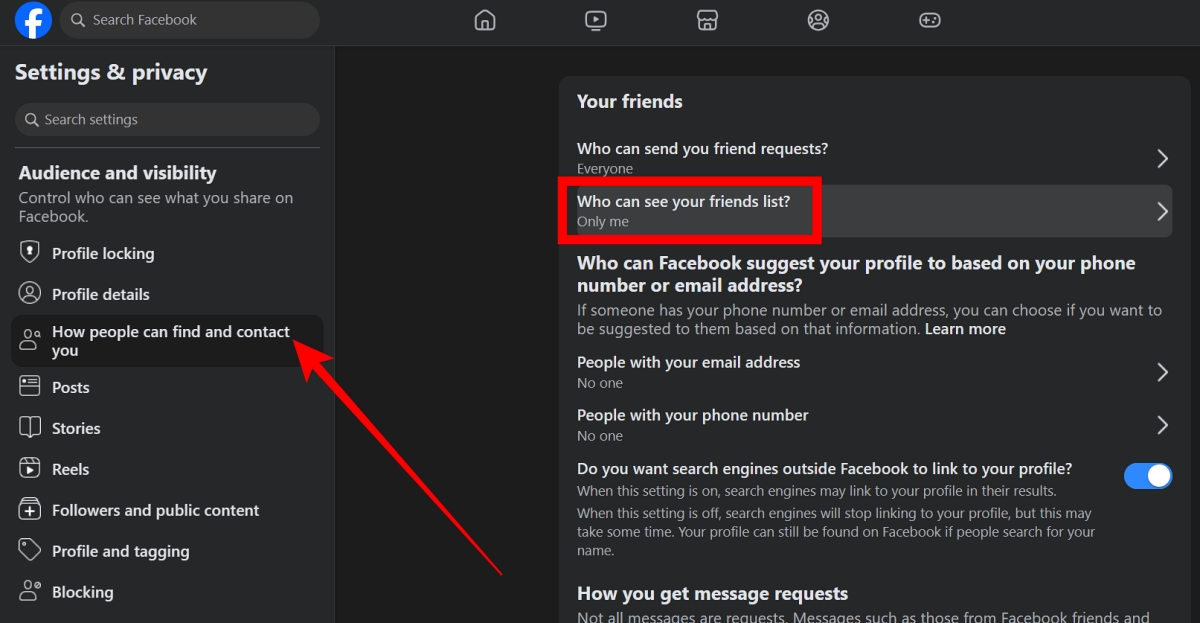
- In the left sidebar, click How people find and contact you under the Audience and Visibility section.
- Click Who can see your friend list.
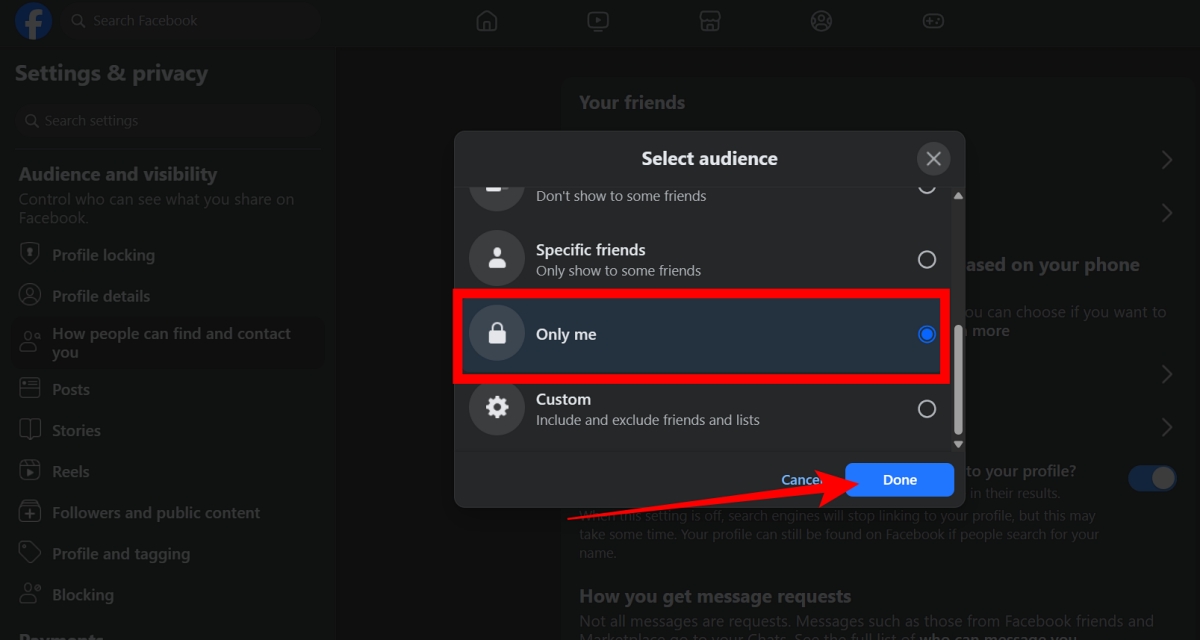
- Select Only Me, then click Done.
How to Hide Facebook Friends From Specific People
If you don’t want to hide your friends from everyone but only from certain people, Facebook also allows that.
Under Who can see your friends list, you will find the Friends Except option. Using this option, you can hide your friends list from specific people instead of everyone. Simply choose the option and select the people you want to restrict from seeing your friends list.
Wrapping Up
With just a few steps, you can control who sees your connections and restrict your friends list from unnecessary visibility. Instead of hiding your friends from everyone, you can also try other privacy settings and keep your profile better protected.
You cannot hide mutual friends on Facebook. If two people share the same friend, Facebook will still show that connection. This setting cannot be turned off.
No. When you change your privacy settings, Facebook does not send a notification to anyone. People will not know that you hid your friend list.
Yes, you can. Use the Friends Except option under Who can see your friends list, and select the person you want to hide your friend list from. Everyone else will still be able to see your friends.
This happens because your friend’s list is public. Even if you hide your own list and set it to Only Me, people can still see the friendship from the other person’s profile if their friend list is set to Public.
Don’t miss these related reads: