Snapchat moved from the classic 2D Bitmoji to a more detailed 3D style, but many users missed the simple comic look. The flat design felt more expressive and nostalgic, so Snapchat brought back a refreshed version that mixes the old charm with the newer avatar system. The catch is that not everyone has it yet.
Keep reading to learn everything you need to know about Comic Bitmoji on Snapchat.
What is Comic Bitmoji on Snapchat?
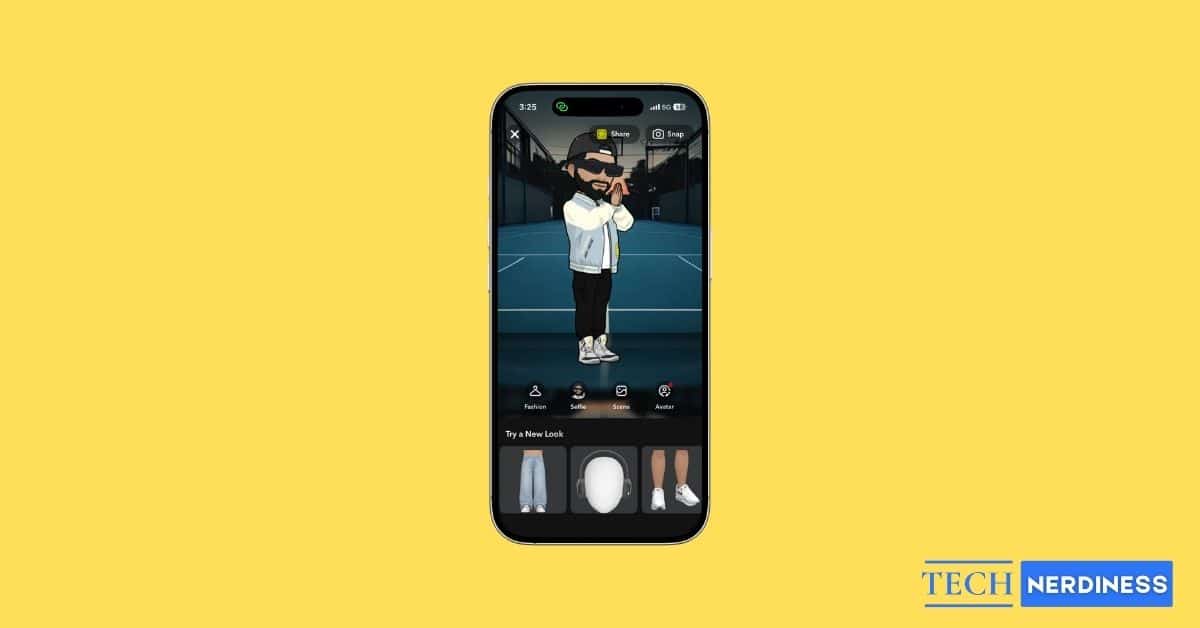
Comic Bitmoji is the new Bitmoji style option that transforms it into a bold, illustrated, 2D comic-book-style character. It brings back the familiar, nostalgic look that many longtime users loved while still keeping all your customizations, including facial features, outfits, hair, makeup, and body type, intact. This is because it still relies on Snapchat’s advanced 3D Bitmoji engine underneath.
Who Can Use Comic Bitmoji?
Snapchat has kept the Comic Bitmoji behind a paywall, meaning it’s exclusive to Snapchat Plus users. Non-Snapchat Plus users will continue with the default 3D Bitmoji style. Those on Snapchat+ can switch styles anytime directly from their avatar settings.
Whether or not Snapchat will make it available to every user in the future remains to be seen.
Comic Bitmoji vs. 3D Bitmoji: Feature Comparison
| Feature | Comic Bitmoji | 3D Bitmoji |
|---|---|---|
| Visual Style | 2D, comic-book, illustrated look | 3D, detailed, textured appearance |
| Aesthetic | Simple, clean, nostalgic | Modern, realistic, dynamic |
| Sticker Appearance | Flat, bold, cartoon-like | Shaded, depth-rich visuals |
| Best For | Classic, expressive, low-detail style lovers | Realistic and detailed avatar fans |
| Customization | No change to settings; only style updates | Same settings with more detail |
| Readability in Chats | Very readable in small sizes | Slightly more complex visuals |
| Performance | Lightweight visuals | Slightly heavier due to 3D |
Also Read: Snapchat Emoji Meanings and All Symbols Explained
How To Turn On the Comic Bitmoji Style in Snapchat Plus
Now that you know what Comic Bitmoji is and whether you’re eligible to use it, here’s how you can switch to the comic-style Bitmoji on Snapchat:
- Head to your Snapchat profile.
- Tap the Snapchat+ banner underneath your profile name.
- Toggle on Comic Bitmoji.

What Happens When You Switch to Comic Bitmoji
Once you toggle on Comic Bitmoji, your chat stickers adopt the 2D comic style, your Snap Map character gains the illustrated look, and your profile image reflects the updated avatar. Simply put, your Bitmoji style updates instantly across the app. The good part is that none of your Bitmoji settings or customizations change; only the art style shifts. The outcome is a cleaner, more expressive, and nostalgic version of your existing Bitmoji.
Can You Switch Back Later?
Yes. You can change your avatar style as often as you like. Switching back to the 3D Bitmoji style takes just a few taps, and none of your customizations are lost in the process. All you need to do is toggle off Comic Bitmoji in Snapchat Plus settings.
Tips for Making the Best Comic Bitmoji
If your current Bitmoji customizations aren’t looking that good in the 2D comic-book style, these tips might help you make your Bitmoji bold and expressive:
- Start by choosing hairstyles and outfit colors that contrast well with the 2D line-art style.
- Bright or solid tones usually pop the most.
- Use minimal accessories so your Bitmoji’s expressions stay clear in stickers and chats.
- Since the comic style emphasizes facial details, experiment with eyebrows, eye shapes, and subtle makeup to make your Bitmoji look more lively.
- Finally, preview a few stickers before finalizing your design.
Signing Off
Comic Bitmoji is a great pick if you want a cleaner, nostalgic, or more playful style. And since switching takes only a few seconds, you can always move back to the 3D look whenever you want, making the feature flexible for every mood and style.
Are you planning to try the Comic Bitmoji style or stick with the 3D look? Share your thoughts, preferences, or questions in the comments below. I’d love to know what you think.