Your teen’s phone buzzes at dinner, they glance at it, smile, and flip it face down. You have no idea who sent that Snap, and on an app built around disappearing messages, you never will. That gap is exactly what Snapchat’s parental controls try to close, without handing you the keys to every chat.
Snap launched Family Center on August 9, 2022, and has expanded it several times since. The biggest recent update landed on January 22, 2026, adding screen time breakdowns and “trust signals” that show how your teen likely knows each new friend. In June 2026, Snap also tightened defaults for users under 16.
Family Center is a visibility tool, not a surveillance tool. Here’s what it shows, what it hides, and how to fill the gaps it leaves.
What You Need Before Setting Up Snapchat Parental Controls
Family Center lives inside the Snapchat app, so there’s no separate parent app to download. Check these four things first:
- Your own Snapchat account. Install the latest version and sign up.
- A friend connection. Your teen must already be on your Snapchat friends list.
- An accurate birthday on your teen’s account. Family Center is built for users aged 13 to 17. Snap blocks teens who registered as 13 to 17 from changing their birth year to 18 or older, but a teen who entered a false adult age at signup won’t get teen protections.
- Your teen’s agreement. Supervision only starts once they accept your invite.
That last point shapes everything else. Family Center is opt-in for both sides, so the setup conversation matters as much as the settings.
How to Set Up Family Center on Snapchat
Once you and your teen are friends, setup is quick:
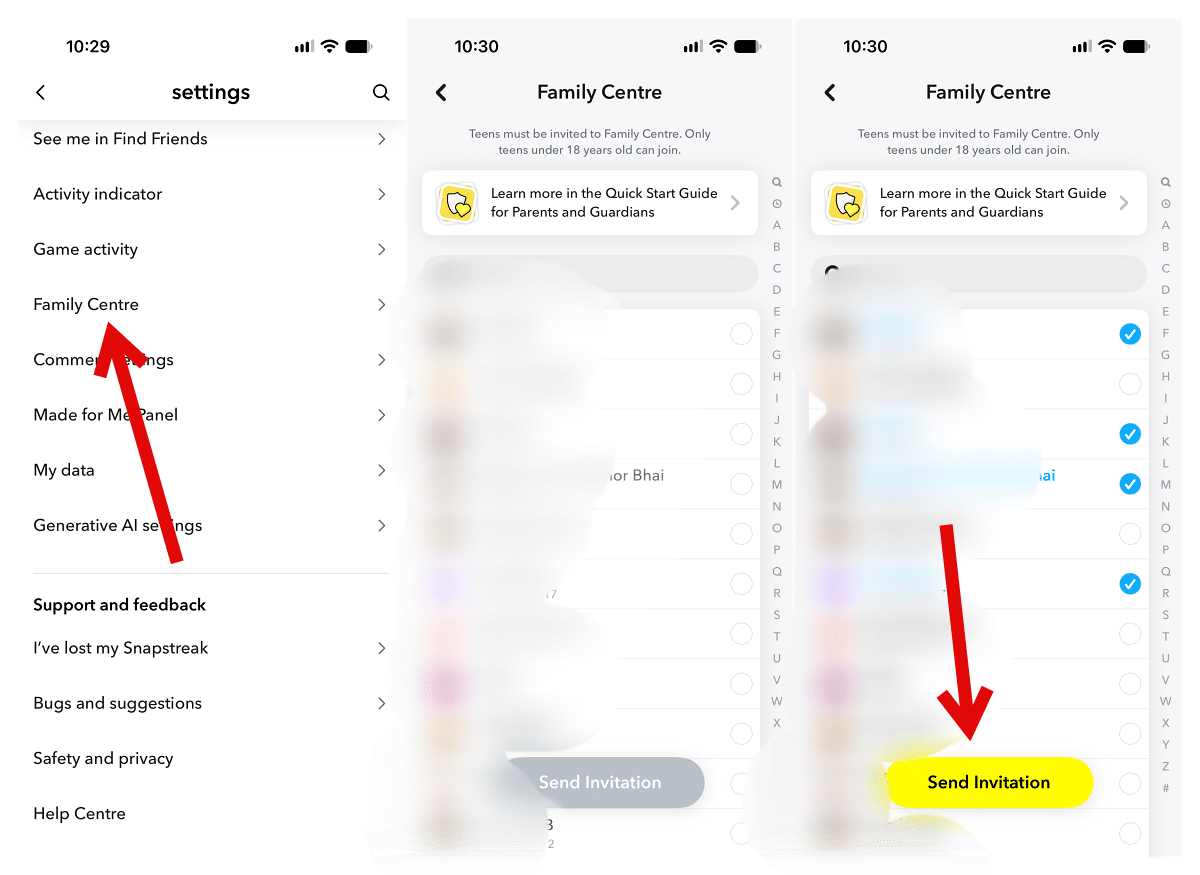
- Open Snapchat and tap your profile icon in the top-left corner.
- Tap the Settings gear, then scroll to Family Center (it also appears on your profile).
- Follow the prompts until you reach the invitation screen.
- Select your teen from your recent friends or search their username, then tap Send Invitation.
- Ask your teen to open the invite and tap to accept.
Worth knowing: the invite arrives as a regular chat message, so it can delete itself immediately or 24 hours after your teen views it, depending on their chat settings. If they open it on the bus and forget, it’s gone. Snap’s own advice is to remind them in person, and it’s good advice.
What Parents Can See in Snapchat Family Center
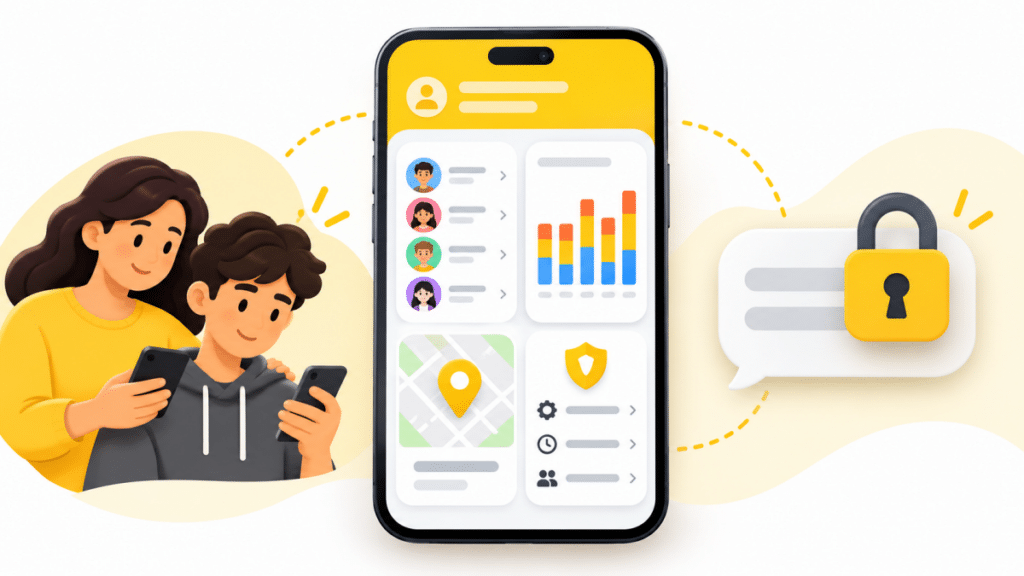
Once linked, your Family Center dashboard shows:
- Your teen’s full friends list, plus any friends they’ve added recently.
- Who they’ve messaged recently, but not what they said.
- Average daily screen time over the past week, split across Chatting, Snapping, Camera, Snap Map, Spotlight, and Stories (added January 2026).
- Their privacy and safety settings, including whether they share their location on Snap Map.
- Your teen’s live location, if they accept your location request.
The screen time breakdown is more useful than a single number. Two hours of chatting with known friends is a different conversation than two hours of Spotlight scrolling, and now you can tell which one you’re looking at.
Trust Signals: How You’ll Know Who a New Friend Is
The January 2026 update addresses the question every parent asks first: “Who is this person?”
When your teen adds a new friend, Family Center now shows how they likely know that account. Snap lists three signals:
- Mutual friends shared between your teen and the new contact.
- A contact book match, meaning the person’s number is saved in your teen’s phone.
- A shared community, such as the same school group on Snapchat.
Here’s the practical read. A new friend with 12 mutual friends and a saved phone number is almost certainly a classmate. A new friend with zero signals deserves a calm question at the next car ride, not a confrontation. If an account looks wrong, you can report it to Snap’s Trust and Safety team directly from Family Center, and the report stays confidential.
The Settings You Can Change From Your Phone
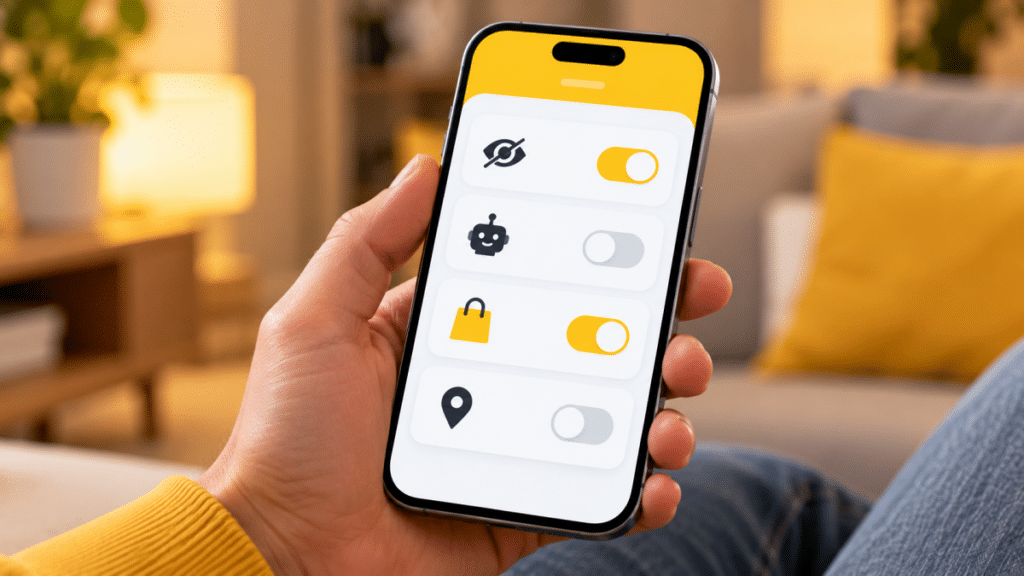
Visibility is most of Family Center, but four controls let you act on what you see. The first three sit under Settings at the bottom of the Family Center page.
Hide Sensitive Content
Toggle on Hide Sensitive Content to limit sensitive or suggestive posts in Stories and Spotlight. Snap admits that no filter is perfect, so some posts still slip through. Treat this as a filter, not a wall.
Disable My AI
Toggle on Disable My AI to stop Snapchat’s AI chatbot from replying to your teen. Snap says that with this on, My AI won’t store or process your teen’s queries either.
Manage Purchases
Tap Manage Purchases and Snapchat hands you off to Apple’s or Google’s parental controls. Snapchat doesn’t block purchases itself. You either block in-app purchases entirely or require approval for each one at the device level, which covers every app, not just Snapchat.
Location Sharing and Place Alerts
You can request your teen’s live location and share yours back. You can also set Place notifications that alert you when your teen arrives at or leaves a saved spot like school or practice. Both require your teen to accept. Without that, you see nothing.
What Family Center Can’t Do (and How to Fill the Gaps)
Family Center deliberately leaves out several things, and knowing them prevents a false sense of security.
- No message or Snap content. Snap designed it this way to mirror real-world parenting. You see who, never what.
- No daily time limits. Family Center shows screen time but can’t cap it. Use Screen Time on iPhone or Google Family Link on Android to set an app limit for Snapchat.
- No control over Streaks. You can’t switch off the daily Streak pressure that keeps many teens opening the app.
- No supervision your teen can’t end. Either of you can tap Leave Family Center at any time. The other person gets a push notification, so you’ll know right away.
- No supervision after 18. Teens automatically age out of Family Center on their 18th birthday.
The pattern is clear. Snapchat handles who your teen talks to; your phone’s operating system handles how long they use it and what they spend. You need both.
Default Protections Snapchat Already Applies to Teens
Before you change a single setting, every 13 to 17 account already starts locked down:
- Private by default. Teens can only chat with mutually accepted friends or people saved in their contacts.
- Hidden from search. Teens don’t appear in search results unless Snap sees an existing connection, such as mutual friends.
- Location off. Snap Map sharing is off for everyone by default, and teens can’t share precise location with non-friends.
- Stranger warnings. Teens get a pop-up when someone without mutual friends or saved contacts tries to message them.
Under-16 accounts get extra restrictions. Snap announced on June 10, 2026 that users under 16 can only share Stories and Spotlight videos with mutually accepted friends, with no followers and no like counts on their content. Direct Snaps can still go to anyone, which is one more reason the friends list view in Family Center matters.
For settings your teen controls on their own phone, our list of Snapchat privacy settings you must change now walks through Ghost Mode, Find Friends, and Contact Me options. If location is the concern, see how to pause your Snapchat location so you know what your teen’s options look like from their side.
Is Snapchat Safe for Teens With Family Center On?
Safer, not safe. Family Center gives you a clear view of your teen’s social graph, and the 2026 trust signals make spotting an unknown adult far easier than scrolling a 300-name friends list. It won’t catch harmful content inside a private chat, and it only works as long as your teen stays linked.
That trade-off is intentional. Snap’s bet is that teens accept supervision they find fair. A teen who feels spied on leaves Family Center, or opens a second account you don’t know about. If you’re stuck decoding what you see in their chats, our guide to Snapchat emoji, symbols, and icons explains the friend emojis and status icons. Managing more than one app? The same approach applies to gaming, and our breakdown of whether Roblox is safe for kids covers it.
Signing Off
Snapchat’s parental controls work best as a conversation starter. The January 2026 update gives you the two things that matter most: where your teen’s time goes and how they know the people they add. Pair Family Center with your phone’s own time limits and purchase approvals, be upfront about why you sent the invite, and you’ll cover most of what Snapchat leaves open.
Yes. Your teen has to accept your invitation, and Family Center can’t run without their consent.
No. You see who they messaged recently, not the content of chats or Snaps.
Not inside Family Center. Use Screen Time on iPhone or Google Family Link on Android.
They age out of Family Center automatically and supervision ends.