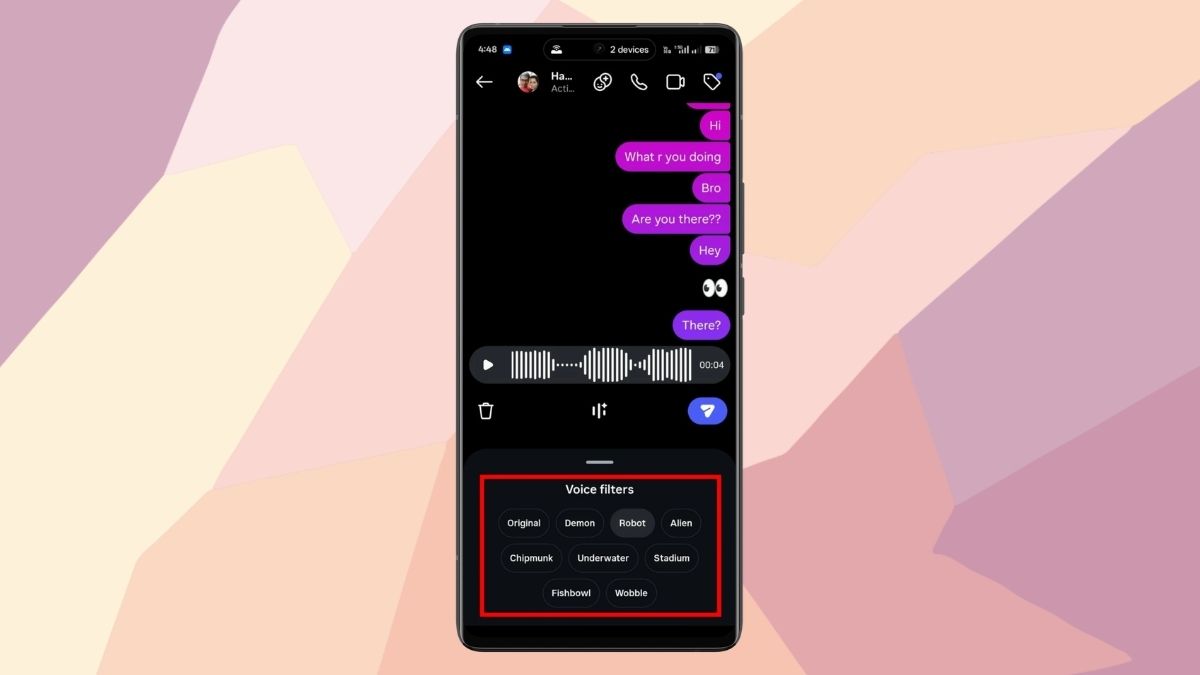
Instagram keeps adding new features to make the platform more interactive for users. Last year, it introduced the Draw Doodle feature in Instagram DMs, and now it has rolled out an AI Voice Effects feature for voice notes in DMs. With this feature, users can apply different voice effects or filters to their voice messages.
Here, we’ll explain what the feature is, what it does, how to use the voice changer in Instagram DMs, and what happens when you send a voice message with effects.
What Is the Voice Changer Feature in Instagram?
The Voice Changer (or Voice Effects) feature lets you modify your voice in real time while recording a voice note in DMs.
Instead of sending a plain audio message, you can apply effects such as Demon, Robot, Alien, Chipmunk, Underwater, Stadium, Fishbowl, and Wobble.
These filters change how your voice sounds while still keeping your original tone and emotion.
What Does This Feature Do?
This feature applies different voice effects to your voice notes while keeping your natural tone and expression intact. It simply adds a creative style to your voice.
In simple terms, it works like photo filters, but for voice messages.
The receiver can also see which effect you used. They have the option to tap the effect and try the same one when replying to your voice note.
Also Check: What Do the Symbols on Instagram Mean
How to Use Voice Effects in Instagram DMs
One of the most interesting parts of this feature is the real-time preview. As you try different effects, you can immediately hear how your voice sounds before sending the message.
Since the effects are interactive, they also encourage back-and-forth engagement. When someone receives your voice note, they can tap the same effect and reply using it.
Follow these steps to use voice effects in Instagram DMs:
- Open the Instagram app and go to the DMs tab.
- Open any chat and tap the microphone icon.
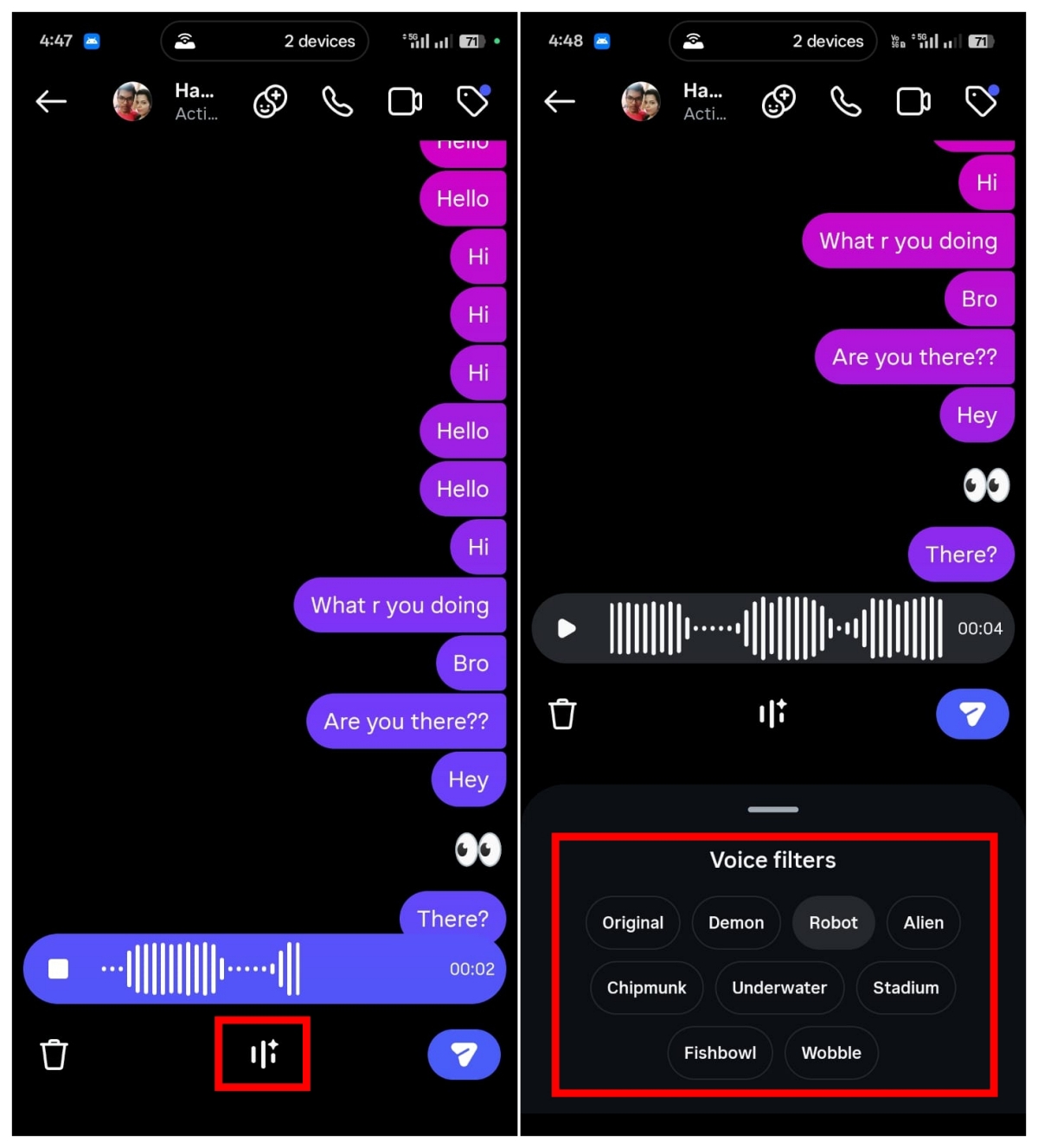
- You will see a new Effects option in the center. Tap it.
- Try different effects and preview how your voice sounds.
- Choose your preferred effect and tap send to deliver the voice note.
What Happens When You Send a Voice Note With Effects?
After sending a voice message with an effect, the receiver will see which effect you used.
They can listen to the message and tap the same effect to reply with it if they want.
Wrapping Up
The AI Voice Effects feature in Instagram DMs may not be a major update, but it adds a fun and creative twist to conversations.
For now, there are only eight voice effects available. However, the feature clearly shows Instagram’s push to encourage more voice-based interaction and keep users more engaged in DMs.
Don’t miss these related reads: