Open your notification shade on a busy morning and you might be looking at a status bar packed with icons you never asked to see. Battery percentage squeezed next to mute and vibrate indicators, followed by notification icons, all crammed into a tiny strip at the top of the screen. Until now, Android hasn’t given you a straightforward way to clean much of that up. Google started addressing that on August 28, 2026, with Android 17 QPR2 Beta 4, the fourth beta in the second Quarterly Platform Release cycle for Android 17.
QPR updates don’t usually reinvent Android. They’re designed to refine what’s already there, squash bugs, and occasionally introduce smaller features between major Android releases. Beta 4 fits that description perfectly: there are several genuinely useful changes, but nothing Google would build a keynote around.
Here’s everything new in Android 17 QPR2 Beta 4 and what is actually worth paying attention to.
Android 17 QPR2 Beta 4: Supported Pixel Devices
Android 17 QPR2 Beta 4 carries build number CP41.260814.003.C2 and is rolling out to a wide range of supported Pixel devices.
That includes:
- Pixel 6a
- Pixel 7 and 7 Pro
- Pixel 7a
- Pixel Tablet
- Pixel Fold
- Pixel 8 and 8 Pro
- Pixel 8a
- Pixel 9, 9 Pro, and 9 Pro XL
- Pixel 9 Pro Fold
- Pixel 9a
- Pixel 10 series
The Pixel 6 and Pixel 6 Pro are no longer part of the beta program, while support for newer devices will depend on Google’s rollout schedule. QPR2 has also been moving quickly. Beta 1 arrived in July, followed by Beta 2 and Beta 3 in August, with Beta 4 landing on August 28.
That’s a fairly aggressive beta cadence compared with the original Android 17 beta program. Android 17 itself is already stable, so QPR2 isn’t a preview of Android 18. Think of it as Google’s next substantial feature-and-maintenance update for Android 17.
If your Pixel is already enrolled in the Android Beta Program, Beta 4 should appear as an OTA update. Just remember that this is still beta software. Bugs, crashes, battery issues, and app compatibility problems can happen, so I wouldn’t install it on a critical device purely to try the new features.
You Can Finally Clean Up the Status Bar
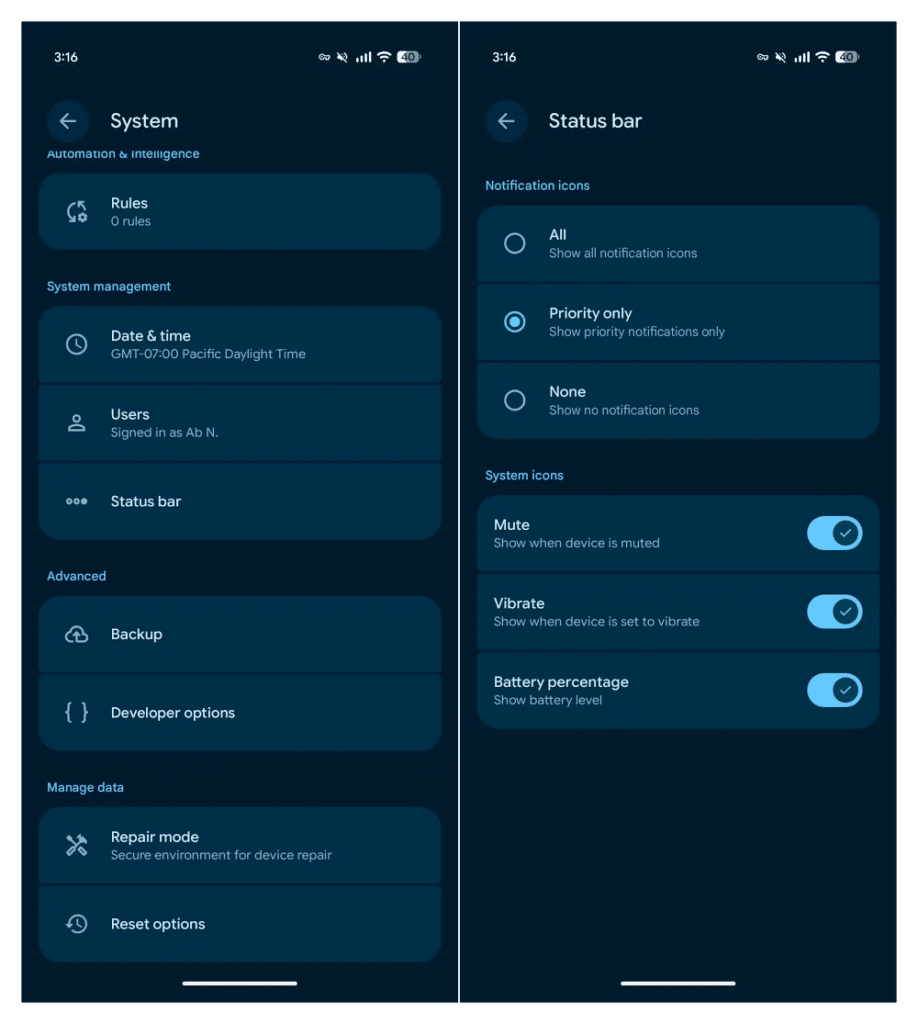
This is easily the most noticeable addition in Beta 4. Google has added new Status Bar controls that let you decide which notification and system icons appear at the top of your Pixel. Instead of Android deciding everything for you, you now get direct control over some of that visual clutter.
For notification icons, there are three options:
- All: Shows all notification icons.
- Priority only: Shows only priority notification icons.
- None: Hides notification icons from the status bar.
System indicators get their own controls as well, including options for things such as the mute indicator, vibrate indicator, and battery percentage. It sounds like a tiny customisation feature until you actually use it.
Switching notification icons to Priority only can immediately make the top of the screen feel less crowded without forcing you to disable the underlying notifications. And if you’re after an extremely clean home screen, choosing None takes things even further.
The important distinction is that you’re controlling what’s displayed in the status bar, not necessarily disabling the notifications themselves. For anyone who has spent years wishing Pixel software offered a little more control over the status bar, this is probably the best change in Beta 4.
Notification Settings Finally Have One Home
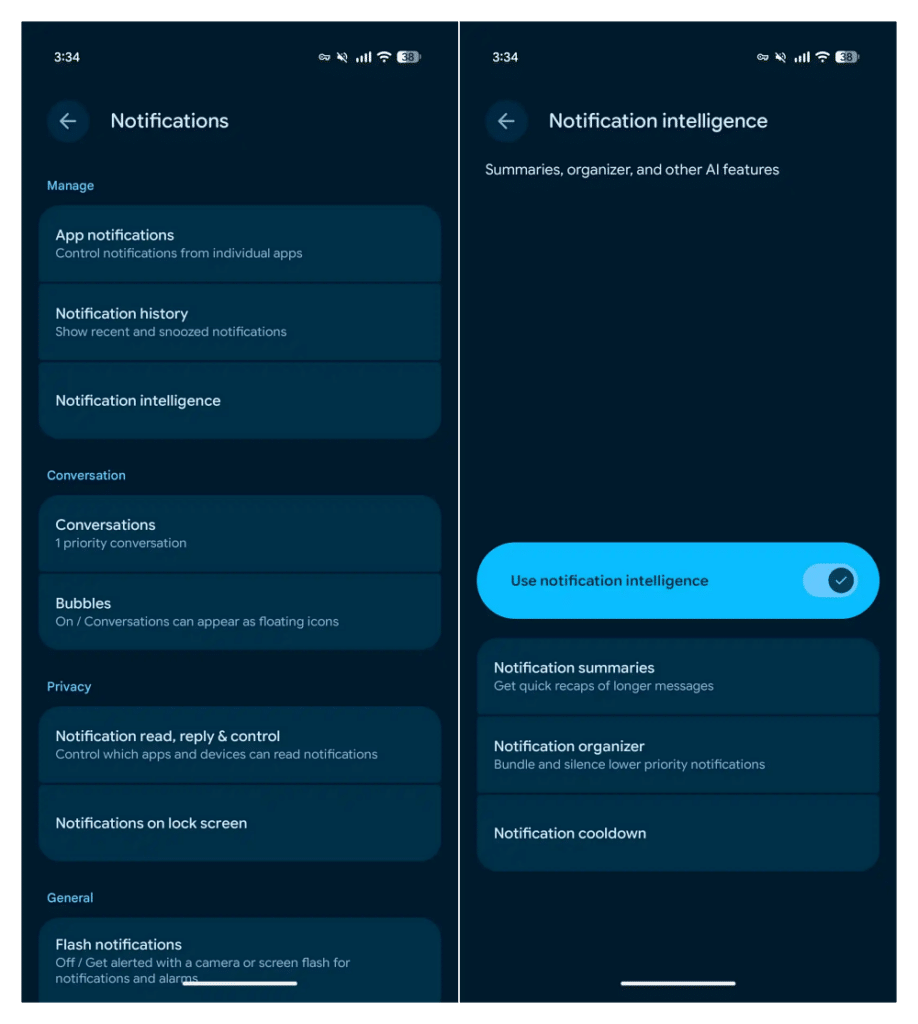
Google is also reorganising some of Android’s increasingly complicated notification features. Beta 4 introduces a Notification Intelligence section that groups several existing tools together:
- Notification Summaries
- Notification Organizer
- Notification Cooldown
These aren’t entirely new features. What’s new is that Google is putting them under one recognisable section instead of scattering related notification controls across Settings.
It’s mostly housekeeping, but the name is interesting. Calling the section “Notification Intelligence” gives Google an obvious home for additional AI-assisted notification features in future Android updates.
For now, though, don’t update to Beta 4 expecting a completely new AI notification system. This change is primarily about organisation.
Smaller Android 17 QPR2 Beta 4 Changes
There are a handful of less significant additions worth knowing about too.
Voice Broadcast Gets a Quick Settings Tile
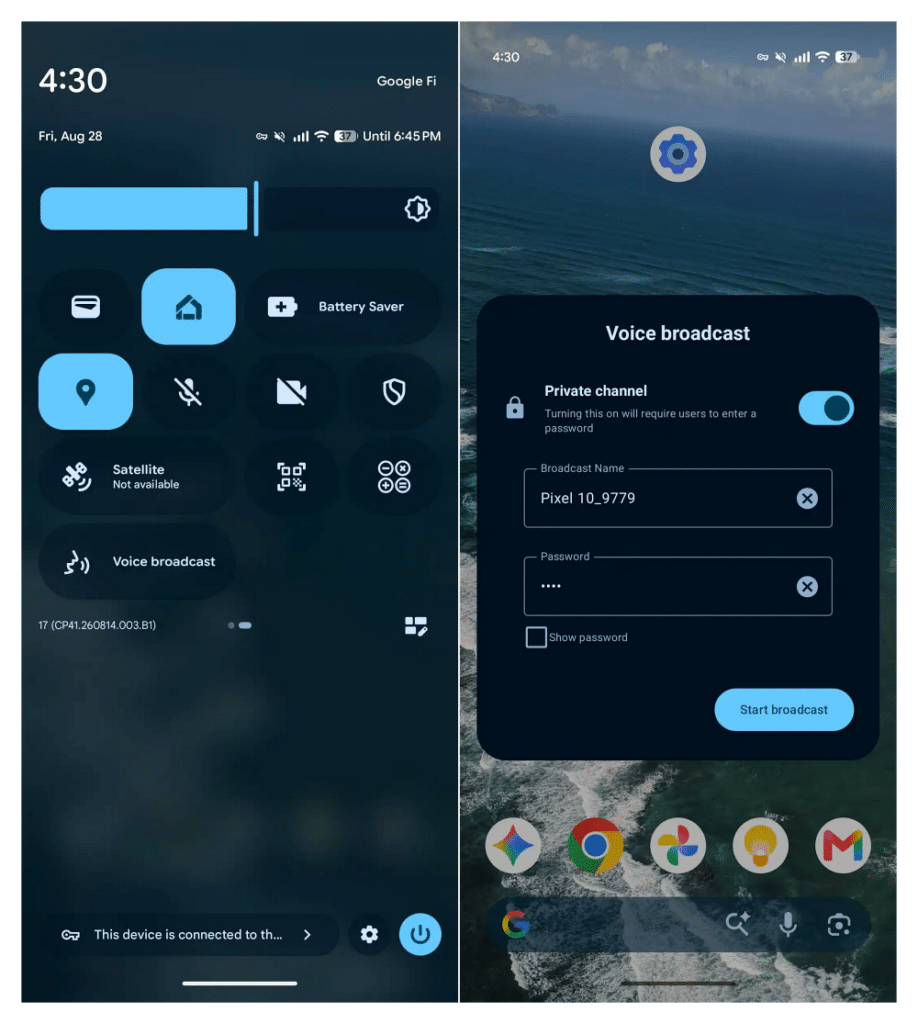
Voice Broadcast now has its own Quick Settings tile, giving you faster access directly from the notification shade. It’s a small convenience, but that’s exactly the sort of feature Quick Settings is designed for.
Wallpaper & Style Gets New Badges
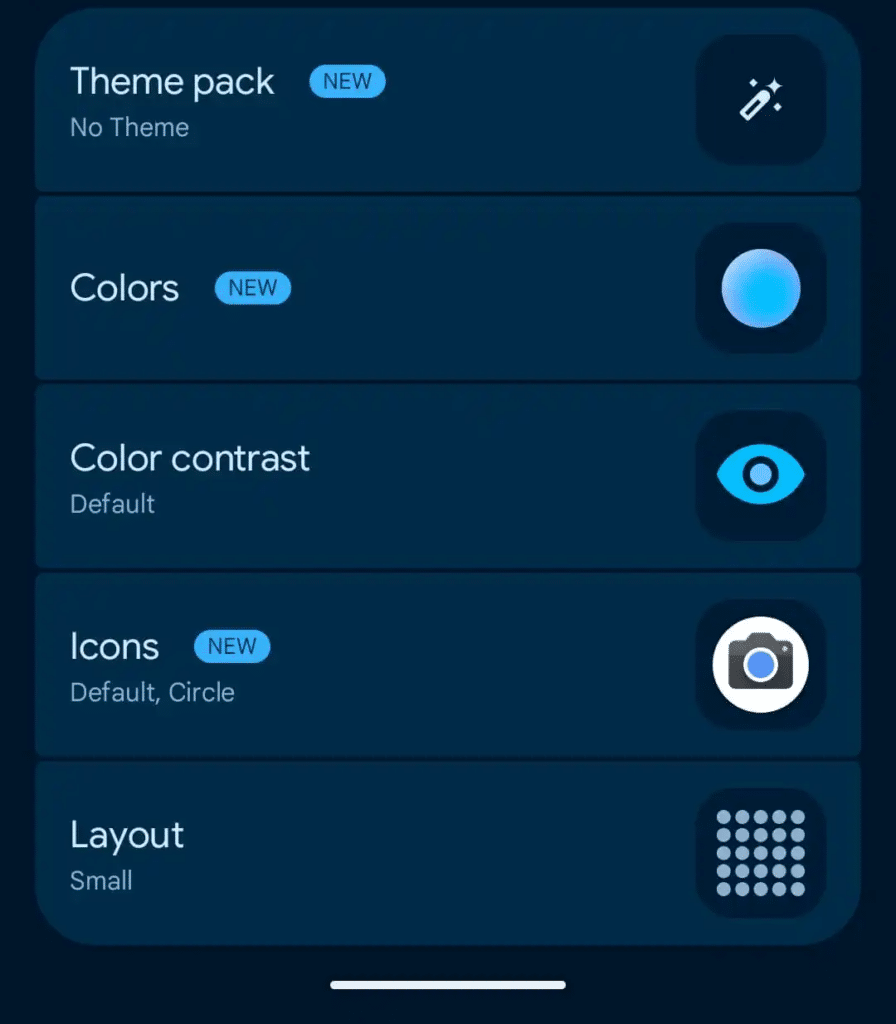
Google has added small visual badges inside Wallpaper & Style. These indicators make it easier to see which personalisation options or effects are currently active instead of requiring you to open individual settings to figure it out.
Long-Press Menus Look More Consistent
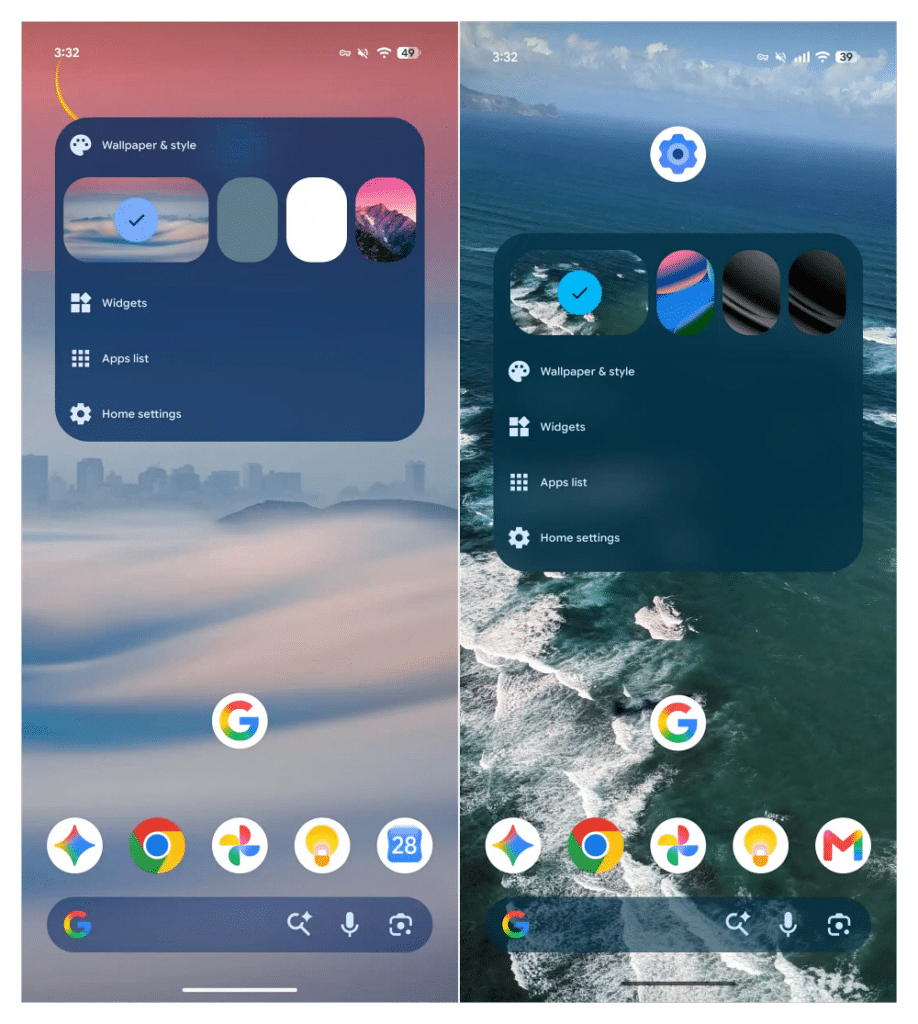
Context menus that appear when you long-press certain interface elements have received another round of visual refinement. Spacing and presentation are more consistent, helping the menus feel better integrated with the rest of Android’s interface.
None of these changes will dramatically alter how you use your Pixel, but collectively they make the OS feel more polished.
Google Makes Call-Forwarding Scams Harder
One of the most important changes in Beta 4 has almost nothing to do with how Android looks. Google is strengthening Android’s protection against call-forwarding scams.
These scams often involve convincing someone to enter a special carrier code that secretly forwards incoming calls to another number. Once forwarding is enabled, attackers may be able to intercept important calls or use the setup as part of a broader social-engineering attack.
Beta 3 introduced additional confirmation around manually initiated call-forwarding actions. Beta 4 extends that protection to programmatic call-forwarding requests.
In practical terms, an app shouldn’t be able to quietly trigger the same call-forwarding behaviour in the background and bypass the safeguard designed for manually entered codes.
That’s an important improvement because protecting only the dialer path would leave another potential route open. It’s not the kind of feature you’ll notice after installing the beta, but it’s arguably more important than many of the visible UI changes.
Android 17 QPR2 Beta 4 Fixes Several Annoying Bugs
Beta 4 also focuses heavily on stability. Google has addressed a collection of reported problems affecting battery behaviour, Bluetooth, navigation, display elements, biometrics, search, screen recording, and other parts of the system.
Unexpected Reboots and Thermal Issues
Some users experienced unexpected restarts during demanding workloads or situations involving higher device temperatures. Beta 4 includes fixes aimed at improving this behaviour.
Charging Improvements
Google has also addressed an issue that could make charging unusually slow as the battery approached a high charge level. If you noticed the final stretch taking much longer than expected on previous QPR2 betas, this update may improve it.
Bluetooth Calls Going Through the Phone Speaker
A particularly annoying bug could cause call audio to come through the phone speaker even when a Bluetooth headset was connected. Beta 4 addresses that routing problem.
Gesture Navigation Fixes
Gesture navigation could become unreliable around certain display areas, including near cutouts. Google has made changes intended to restore consistent gesture responsiveness.
Status Bar and Recents Visual Bugs
Several visual glitches have also been addressed. That includes a transparent status bar that could remain after leaving fullscreen content, along with freezing or clipping issues in the Recents screen.
Google has also fixed visual problems affecting the power menu and Wi-Fi settings in dark mode. It’s worth separating that last fix from a broader Wi-Fi connectivity issue some Android 17 users may encounter.
If your Pixel says it’s connected to Wi-Fi but apps still can’t access the internet, our Android 17 Wi-Fi not working guide covers troubleshooting for that issue.
Face Unlock, Search, and Microphone Fixes
Beta 4 includes additional fixes for several smaller but frustrating problems. Face Unlock reliability has been improved for certain low-light situations, while the app drawer search field should behave more consistently when entering text.
Google has also addressed a microphone issue that could occur during screen recording. Screen mirroring to certain USB-C connected displays and XR glasses has received attention as well.
Individually, none of these fixes is particularly exciting. Together, they’re exactly what you’d want from a late-stage QPR beta: fewer small problems getting in the way of everyday use.
How to Install Android 17 QPR2 Beta 4
If your supported Pixel is already enrolled in the Android Beta Program, installing Beta 4 is straightforward.
Go to: Settings > System > System update
Check for an update, then download and install the available QPR2 beta.
If your Pixel isn’t enrolled yet, you can join the Android Beta Program and enroll an eligible device. Once enrolled, the beta should become available as an OTA update. Google also provides factory and OTA images for users who prefer installing updates manually.
Be careful with the installation method you choose. Flashing a factory image can erase your device depending on the process and configuration, whereas sideloading an OTA package is intended for updating without the same full wipe.
Either way, back up anything important before installing beta software.
Should You Install Android 17 QPR2 Beta 4?
If you’re already running an earlier QPR2 beta, Beta 4 is an easy recommendation. You’re getting additional bug fixes, security improvements, and interface refinements without fundamentally changing how your Pixel works.
If you’re currently on stable Android 17, the answer is different. The new status bar controls are useful, but they’re probably not worth moving your primary phone onto beta software by themselves. Most users are better off waiting for the stable QPR2 release.
Developers, enthusiasts, and anyone already comfortable dealing with occasional beta bugs have more reason to jump in now.
Signing off
Android 17 QPR2 Beta 4 isn’t going to convince anyone to buy a new Pixel, but that’s not what this release is supposed to do. The new status bar controls are the standout addition because they finally give Pixel users more control over one of Android’s most persistent sources of visual clutter. The expanded call-forwarding protection is less visible but arguably more important from a security perspective.
Everything else, from Notification Intelligence and the new Quick Settings tile to the stability fixes, is the unglamorous maintenance work that determines whether Android feels polished months after launch. And that’s exactly what a QPR beta should be. Which Beta 4 change are you most looking forward to using?