Google just pushed out Android 17 QPR1 Beta 6 for Pixel phones today, July 1, 2026, and if you’ve been riding the beta train, this one lands barely a week after Beta 5. That quick turnaround is the tell: this isn’t a feature-stuffed drop, it’s the build where things get locked down. Beta 6 (build CP31.260618.005) marks the Platform Stability milestone, which is the moment the update stops being a moving target and starts feeling like the release Google actually wants on your phone.
If you’ve bounced off a couple of janky beta builds already, this is the update you’ve been waiting for.
What Platform Stability Actually Means for You
“Platform Stability” gets thrown around like jargon, so here’s the plain version. As of the Android 17 QPR1 Beta 6 release, the APIs are frozen. Developers can now build against the final surface and ship apps knowing nothing underneath is going to shift again before the public rollout. For everyone else, it’s the practical signal that daily-driver reliability is close, and that the September stable rollout is now firmly in view rather than a vague “someday.”
It’s the same beat we saw with Android 17 QPR1 Beta 5 a week ago, except Beta 5 was still cleanup mode. Beta 6 draws the line under it.
Everything New in Android 17 QPR1 Beta 6
Don’t expect fireworks here, and that’s by design. A Platform Stability build leans on polish over flash. That said, there’s still a handful of genuinely nice touches that carry over into this build.
New Features in Android 17 QPR1 Beta 6
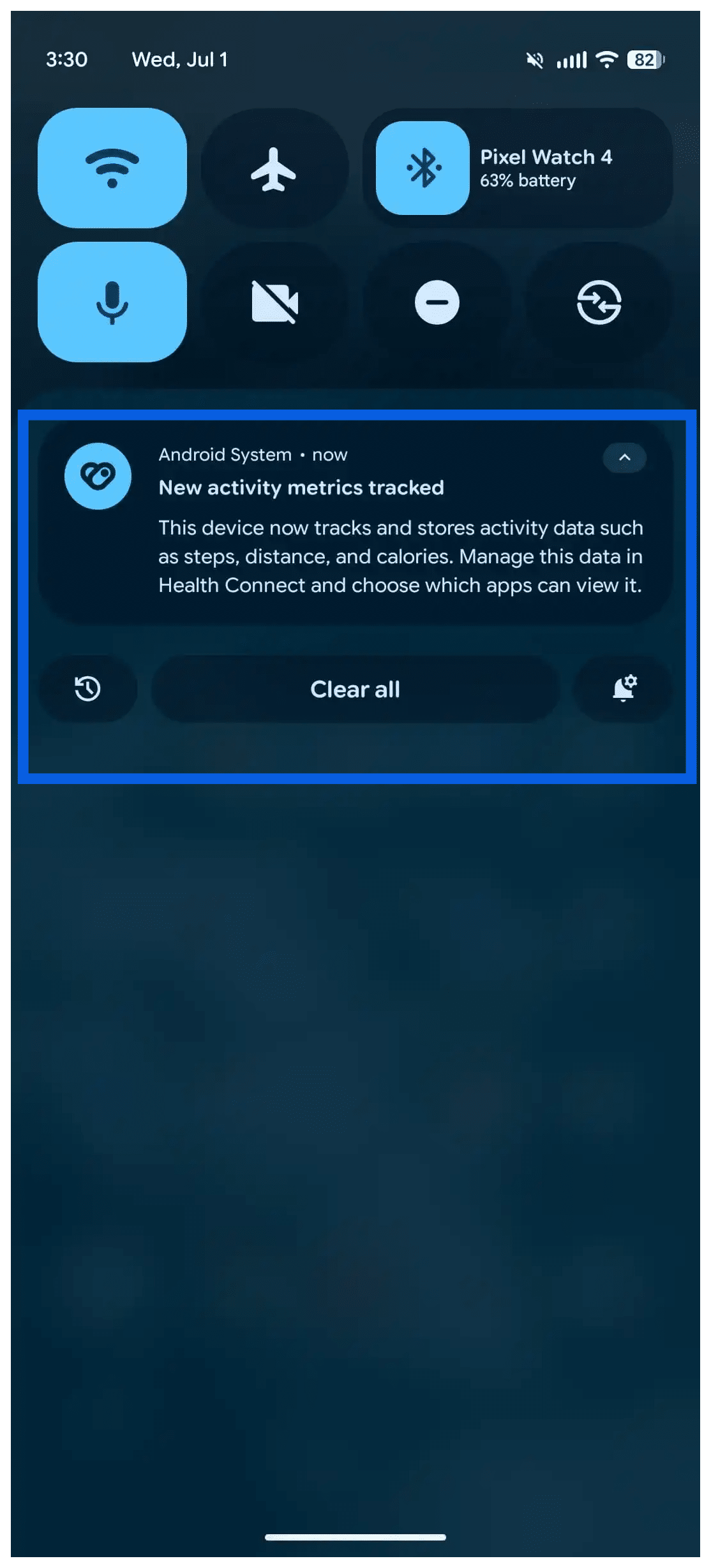
- Health Connect now tracks distance and calories. Bringing this to the phone level means your movement and burn data can flow between fitness apps without you leaning on a single ecosystem to hold it all together. Small on paper, but it’s the kind of change you feel every day if you juggle more than one health app.
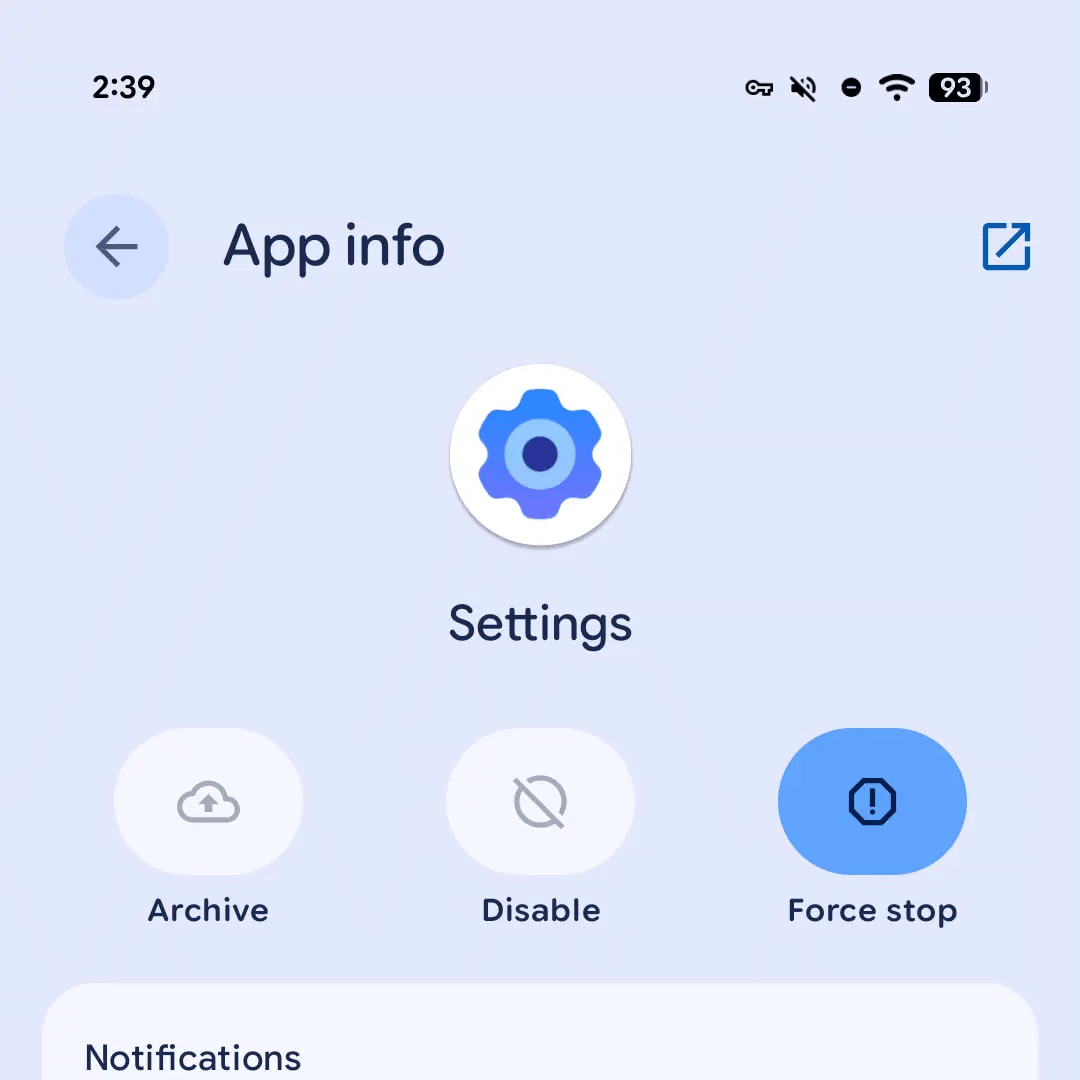
- A dynamic Settings icon. This is the fun one. The redesigned icon first showed up on the Pixel Watch, and now it reacts when you reposition it on the home screen, shifting its look to fit where it lands. It’s a subtle bit of personality that makes the launcher feel alive rather than static.
- A redesigned wallpaper picker. The picker gets a cleaner, more modern overhaul, which matters more than it sounds since it’s one of the first things people touch when setting up a phone.
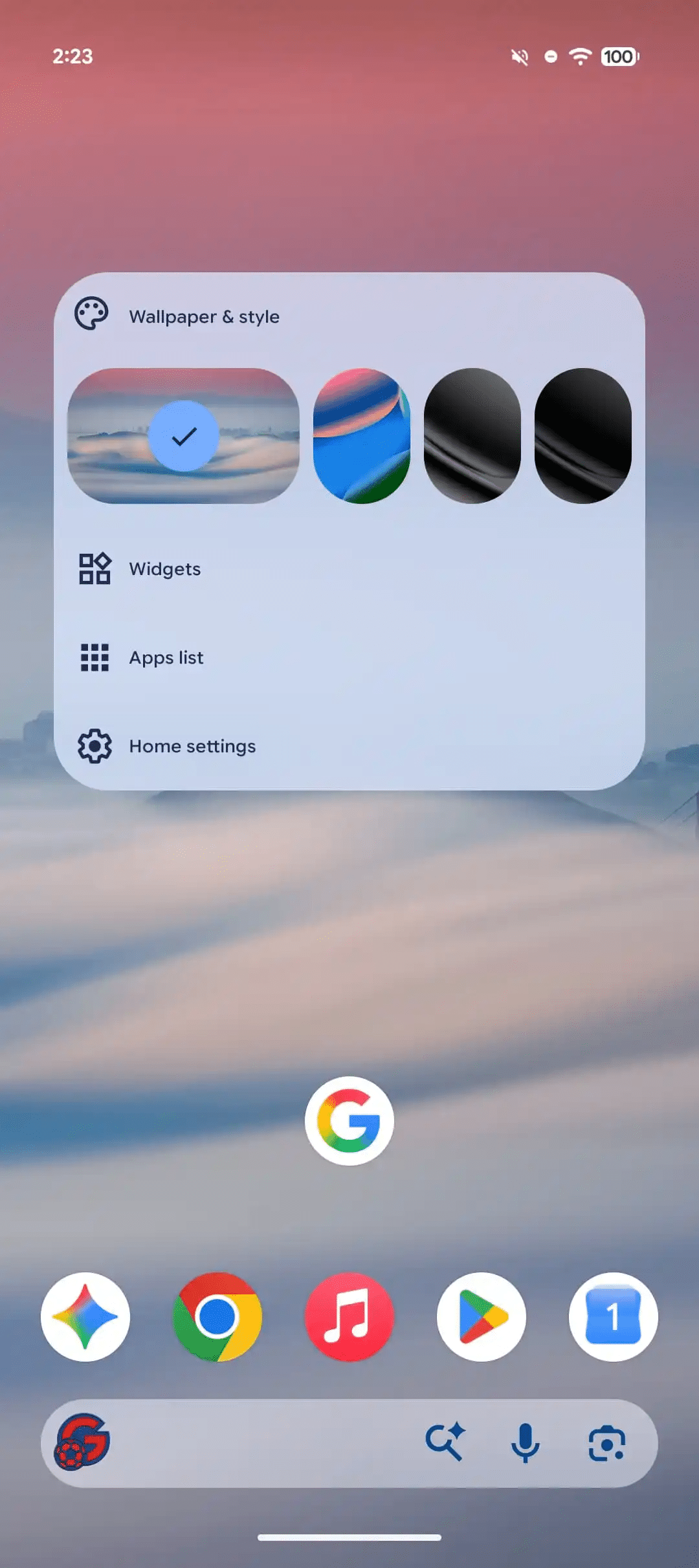
- Under-the-hood UI tweaks. The home screen long-press menu gets tighter spacing so it reads faster, and desktop windowing keeps maturing with taskbar icon refinements and a free-floating picture-in-picture window. If you’ve been testing Android as a quasi-desktop, these are the changes that make it less of a novelty and more of a workflow.
Bug Fixes in Android 17 QPR1 Beta 6
This is where Beta 6 earns its keep. Google squashed several of the small-but-maddening issues that made earlier builds frustrating to live with:
- Multiple spell checker languages couldn’t be selected at once. (Issue #147312111)
- Pressing the volume buttons inside the Clock app did nothing, when it should have triggered the expected on-screen response. (Issue #527400457, #527395501, #524895625)
- Rapidly swiping through the media carousel scrambled the Quick Settings layout and settings icon; smoother animation and layout-state handling during fast transitions fixes it. (Issue #514947195)
- A WindowManagerGlobal bug that was crashing apps. (Issue #516639947)
- Turning on the Wi-Fi hotspot showed a generic default SSID instead of your saved custom name. (Issue #485168823)
None of these are headline material, but collectively they’re the difference between a beta you tolerate and one you actually forget you’re running.
How to Install Android 17 QPR1 Beta 6
Beta 6 is rolling out across the Pixel 6 all the way through the Pixel 10 lineup, including the Pixel 10a, plus the Pixel Tablet, Fold models, and the Android Emulator.
The easy way (recommended): Enroll your device in the Android Beta Program, then grab the over-the-air update from Settings → System → System update. This is the low-risk path and the one most people should take.
The manual way: If you’d rather flash it yourself, factory images and OTA files are posted on the Android Developers site. Only go this route if you’re comfortable with the process.
Heads up before you tap install: If you’re currently on stable Android 17 and jump onto the QPR1 beta, opting back out later can force a full device wipe. If a clean move to the public build matters more to you than testing early, sit this one out and wait for the stable release instead. It’s the same warning that applied at Beta 5, and it hasn’t gotten any less painful.
When Does Stable Land?
The public, stable build of Android 17 to Pixel phones already began its wider rollout, and QPR1 itself, essentially the September Feature Drop, is on track for a stable arrival in September. Beta 6 hitting Platform Stability is the clearest sign yet that the runway is short.
For context on the other side of the fence, Samsung kicked off its Android 17-based One UI 9 Beta back in May 2026 and has been steadily shipping updates, with the official version expected to debut on its next round of foldables. So the wider Android 17 story is playing out on two tracks at once.
The Bottom Line
Android 17 QPR1 Beta 6 isn’t the update you screenshot and show your friends. It’s the one that quietly makes the whole thing feel finished, freezing the APIs, tidying up the annoyances, and setting the stage for the September stable release. If you’ve been holding off on the betas waiting for something dependable, this is a reasonable place to jump in, just weigh that opt-out wipe warning before you do.
Worth checking on Amazon: