If you’ve been frustrated with Windows 11 lately, you’re not alone. Sluggish performance, unwanted AI clutter, aggressive ads in the Start menu, forced restarts at the worst possible times, the list of complaints has been growing for years. And Microsoft has finally acknowledged it.
In March, Windows president Pavan Davuluri publicly confirmed that the company is taking serious action to address what he called “pain points” across Windows 11, the kind of issues that have quietly pushed millions of users back to Windows 10 or toward alternatives like SteamOS. Behind that public commitment is an internal initiative that sources close to Microsoft’s development teams have confirmed: it’s codenamed Windows K2.
Windows K2 Explained: What It Is (and What It Isn’t)
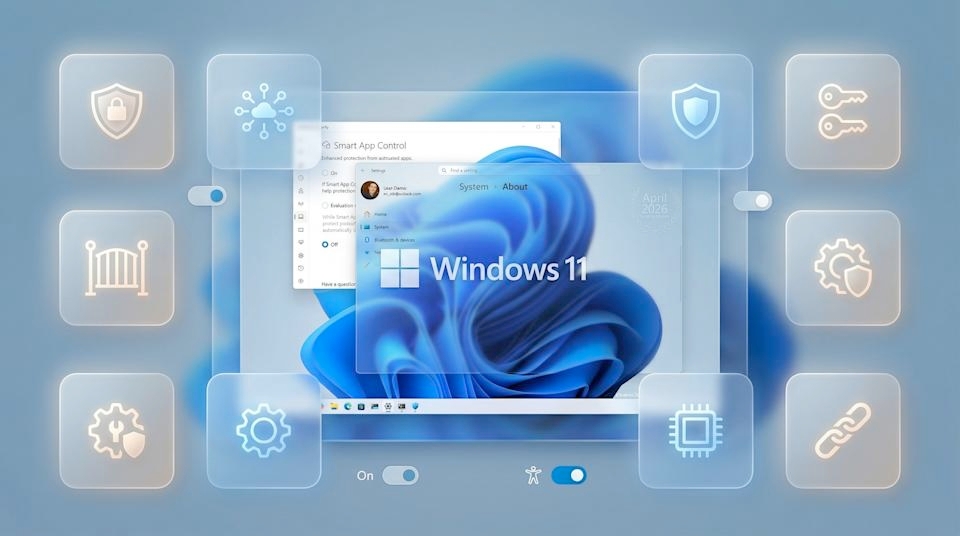
Before anything else, let’s clear up the biggest misconception: Windows K2 is not Windows 12. It’s not a new version of the OS, and it’s not a single major update you’ll download one day and install like a fresh ISO. Think of it less like a product launch and more like a company-wide reset.
Windows K2 is an internal Microsoft codename for a long-term quality initiative that was quietly put together in the second half of 2025. The goal is straightforward but ambitious: fix the things that have been eroding user trust in Windows 11, and make sure those fixes actually stick. That means addressing everything from performance bottlenecks and system bloat to AI feature overload, inconsistent UI, and the kind of disruptive update behavior that has frustrated users for years.
This is not a one-and-done effort. K2 is an ongoing initiative that will roll out gradually through Insider builds, monthly updates, and broader releases well into 2026 and 2027. It’s not about shipping a flashy new feature — it’s about rebuilding the foundation that Windows 11 should have launched with.
Why Windows 11 Needed This in the First Place
Honestly, Windows 11’s reputation has taken a real beating. Microsoft spent the past few years chasing agility, shipping new features as fast as possible, pushing Copilot into every corner of the OS, and flooding the interface with ads and MSN content, all while core fundamentals like speed, reliability, and basic usability quietly fell behind.
Windows 10, an OS that’s over a decade old, still outperforms Windows 11 in certain real-world benchmarks. That’s a problem Microsoft can no longer ignore. If you’ve ever felt like Windows 11 was designed for someone else’s priorities and not yours, that frustration is exactly what K2 is trying to address.
The K2 initiative is built around three core pillars: Performance, Craft, and Reliability. A fourth pillar, Community, focuses on rebuilding genuine enthusiasm around Windows through Insider meetups and more direct engagement from Microsoft’s own teams on social media and forums. If one pillar slips, the whole experience suffers. That’s the mindset driving the effort internally.
Top Features Coming With Windows K2
Here’s where things get genuinely exciting. These aren’t vague promises; they’re specific, tangible changes already in progress.
A Faster, Cleaner Start Menu
Microsoft is rebuilding the Start menu from scratch using WinUI 3, its modern in-house UI framework. The result is expected to be up to 60% faster and more responsive than what’s currently in Windows 11. On top of that, the new Start menu will support more customization, including the ability to resize it and hide sections, and perhaps most importantly, ads are being removed from it entirely. That’s no small decision given the financial trade-off involved, but it signals that Microsoft is serious.
A Taskbar That Actually Does What You Want
One of Windows 11’s most-requested features is finally happening: the taskbar will be movable and resizable again. Microsoft has already officially confirmed this change, and it’s part of a broader push to give users back control over their own workspace.
File Explorer That Doesn’t Feel Sluggish
File Explorer is getting a meaningful performance overhaul. Navigation and file processing will be faster, and search is getting a major upgrade with features like instant filename search. Microsoft is benchmarking these improvements against a third-party app called File Pilot, which says a lot about how far behind the native experience has fallen.
Smarter, Less Invasive Updates
The goal is to get Windows 11 to a point where a restart is only required once a month. Display and audio drivers will update during restarts rather than during active use, reducing the number of times Windows disrupts your workflow. Under-the-hood changes are also in the works to make the entire update process more seamless and less aggressive.
Widgets and AI/Copilot Dialed Back
MSN will no longer hog the Widgets panel by default. Instead, it’ll be treated as secondary functionality; the Widgets Board will prioritize actual widgets. Similarly, Copilot and AI features are being scaled back across the interface so they enhance the experience rather than dominate it.
Better Gaming Performance
Microsoft views SteamOS as the benchmark for gaming performance and is working toward making Windows gaming genuinely competitive on identical hardware within the next year or two. Foundational platform changes are underway, specifically to close that gap.
A Leaner, Lighter OS Overall
There’s a dedicated push to reduce memory usage at idle and shrink the overall footprint of Windows 11 so it runs better on low-end devices, gaming handhelds, and high-end systems alike.
The Cultural Shift Happening Inside Microsoft
One of the most interesting aspects of Windows K2 is what’s happening internally, not just in the product. Microsoft’s teams have historically been obsessed with shipping fast. Agility was the goal, and getting features out the door quickly was rewarded even when quality suffered as a result.
That culture is actively changing. Under K2, new features are not allowed near public preview builds until they’ve cleared a significantly higher internal quality bar than before. The emphasis on speed has been replaced with an emphasis on getting it right. It’s a real cultural shift, and one that has to happen at the team level to produce results users actually notice.
What This Means If You’re Setting Up or Cleaning Up Windows 11 Right Now
K2’s improvements are already beginning to land in Insider builds, with more rolling out through the summer. But you don’t have to wait for all of them to start working toward a better Windows 11 experience today.
If you’re setting up a fresh install, you can set up Windows 11 without a Microsoft account to keep things lean from the start. Already running it? Running through a proper Windows 11 debloat removes a lot of the junk K2 is trying to clean up on Microsoft’s end. And if you’ve recently done a clean install, check out the full list of things to do right after installing Windows 11. Most of those steps align directly with what K2 is trying to fix at the system level.
Is Microsoft Finally Fixing Windows 11?
The honest answer: it looks that way, and more credibly than any previous promise. Windows K2 isn’t a marketing campaign. It’s an internal initiative with real structural and cultural changes behind it. The specific improvements being worked on, a rebuilt Start menu, movable taskbar, faster File Explorer, reduced bloat, better updates, and scaled-back AI clutter, address exactly the things that have frustrated Windows 11 users the most.
There’s no completion date for K2 because it’s not meant to be completed. It’s meant to become the new standard for how Windows is built. If Microsoft sticks to it, Windows 11 by the end of 2026 could look and feel like a very different and much better product than it is today.
No. Windows K2 is not a new version of Windows. It’s an internal Microsoft codename for an ongoing quality initiative focused on fixing Windows 11’s biggest issues: performance, bloat, reliability, and UI consistency. There is no separate Windows K2 download or ISO.
Some changes are already shipping through Windows Insider builds, with more expected throughout summer 2025 and into 2026-2027. Most users on stable builds will receive K2 improvements gradually through regular monthly updates rather than a single large release.
That’s one of the stated goals. Microsoft is specifically working to reduce memory usage at idle, shrink the OS footprint, and improve responsiveness across both low-end and high-end devices. While results will vary by hardware, the initiative is designed with broader device compatibility in mind.