NYT Wordle has quietly become one of the most-played word games on the internet, and honestly, it’s not hard to see why. It’s quick, it’s free, and there’s just enough mental friction to make solving it feel genuinely satisfying. But if you’ve been playing for a while, there’s a good chance the daily puzzle has started to feel… a little too easy.
That’s where Wordle Hard Mode comes in.
If you’ve heard about it but never quite understood what changes or whether it’s actually worth enabling, this guide breaks it all down. What it is, how it works, how to turn it on, and whether it’ll actually push you.
What Is Wordle Hard Mode?
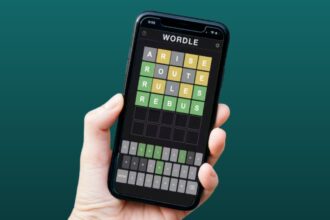
Wordle Hard Mode is an optional setting in the NYT Wordle game that adds a specific restriction to how you can guess. Once you turn it on, any letter that gets revealed as yellow or green in a previous guess must be used in every guess that follows.
That’s it. One rule. But it changes the way you think about the puzzle more than you’d expect.
In normal mode, you can freely guess any valid five-letter word, regardless of what’s already been revealed. Hard mode takes that freedom away. You can’t ignore a revealed letter just because it’s inconvenient for your strategy. If the game shows you something, you have to work with it.
How Does Wordle Hard Mode Actually Work?
Enabling Wordle Hard Mode doesn’t change the answer or make the target word more obscure. The puzzle itself stays exactly the same. What changes is the ruleset you’re playing under.
Here’s what Hard Mode enforces:
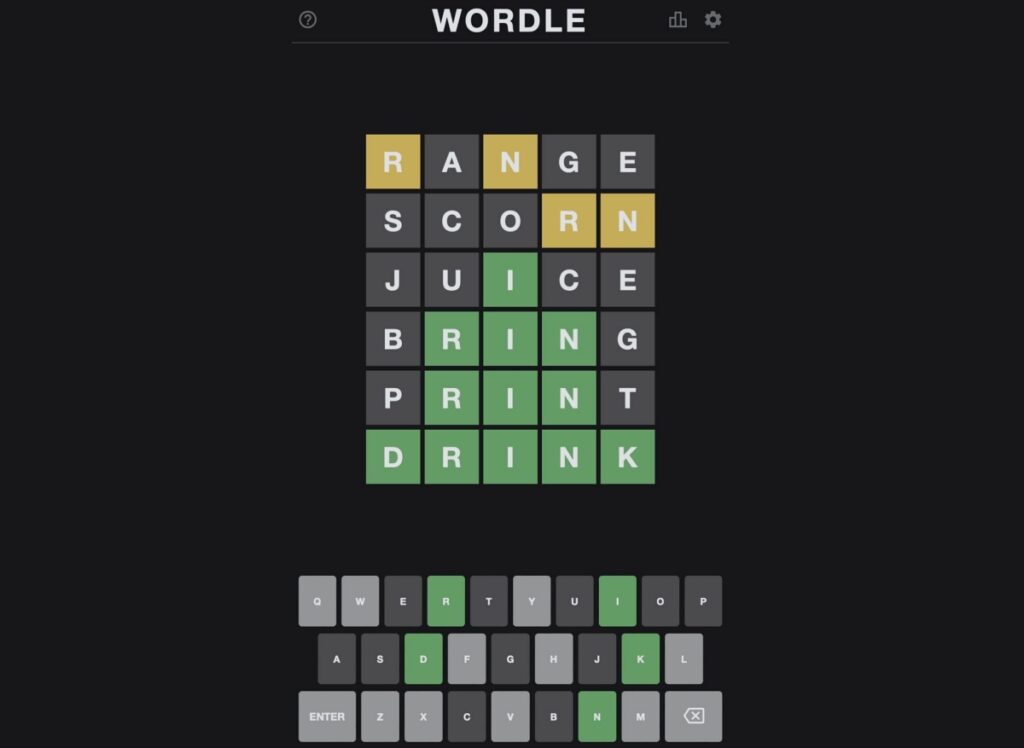
You must use every revealed letter in your next guess. Any yellow or green letter from a previous guess has to appear in your following attempt. Yellow letters need to show up somewhere in the word, while green letters must stay in the exact same position.
You can’t guess random words to eliminate letters. This is the big one. In normal mode, a popular trick is to submit throwaway words just to cross off letters from the board. It’s effective, sure, but it’s also a shortcut that bypasses the actual puzzle-solving process. Hard mode blocks that entirely. Every word you enter has to carry forward what you already know.
This is also why picking the best starting words for Wordle matters even more in Hard Mode. A strong opener that surfaces common letters early puts you in a much better position for the guesses that follow.
One more thing worth knowing: a February 2026 update to Wordle quietly changed how the answer pool works. Previously used answers can now reappear in rotation over time. This affects both modes, but it hits Hard Mode players differently. If you’ve been using your memory of past solutions to eliminate possibilities, that strategy is now less reliable. It levels the playing field a bit and makes each puzzle feel fresher, even for long-time players.
How to Enable Wordle Hard Mode
The Hard Mode toggle is tucked away in settings and easy to miss if you don’t know where to look. Here’s how to turn on Wordle Hard Mode:
- Go to the NYT Wordle website.
- Click the Settings icon (the cog) in the top-right corner of the screen.
- Find the Hard Mode toggle and switch it on.
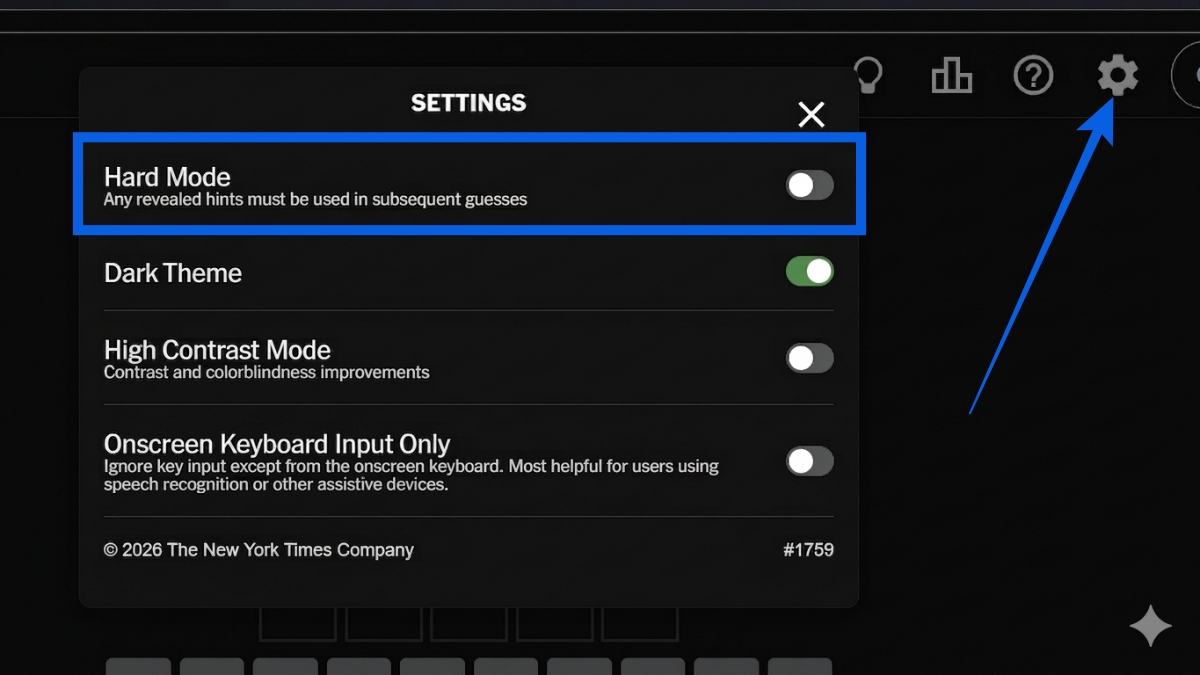
One important heads-up: you can only enable Hard Mode before you make your first guess. Once you’ve started the puzzle, the toggle locks and you can’t switch it on mid-game. You can, however, turn it off at any point during a game if things get too rough and you need to fall back to normal mode.
If you’re new to the game and still finding your footing, it’s worth reading up on how to play Wordle before jumping into Hard Mode. Getting the fundamentals down first makes the harder ruleset a lot less frustrating.
How Hard Mode Is Different from Normal Mode (And Why It Matters)
The normal Wordle puzzle is genuinely great for building vocabulary and logical thinking. But over time, experienced players tend to develop shortcuts. Letter elimination becomes a reflex. You know which words to guess just to knock out common letters, and the actual deduction work gets bypassed almost entirely.
That’s not a criticism. It’s just how habits form. But it does mean you stop growing as a player.
Hard mode closes off those shortcuts and forces you to actually use what the puzzle gives you. Every guess has to be purposeful. You’re thinking more carefully about word structure, letter positioning, and what combinations are still possible. It’s a fundamentally different mental exercise.
If you’re the kind of person who plays puzzle games like Wordle because you want a genuine brain workout, Hard Mode is the more honest version of the game. Normal mode lets you optimize for streaks. Hard mode asks you to actually solve.
Does Wordle Hard Mode Actually Make the Game Harder?
Yes, but probably not in the way you’d expect.
For players who already use revealed letters in every guess naturally, enabling Hard Mode changes almost nothing. You’re essentially already playing under those rules without realizing it. Switching the toggle on won’t feel any different.
The players who feel the biggest impact are the ones who’ve been leaning heavily on letter elimination. If that’s been your main strategy, the first few days in Hard Mode can be genuinely humbling. Words that seemed easy in normal mode suddenly become tricky because you can’t use your usual workarounds.
From personal experience: switching to Hard Mode exposed some surprisingly bad habits. Using random words to burn through the alphabet had become automatic. Words like BEGUN or ENVOY suddenly felt much harder than they should have, simply because the elimination crutch was gone.
But here’s the thing: once the initial adjustment settles in, the game actually becomes more enjoyable. You’re engaging with the puzzle differently. And if you ever hit a wall, you can always check out today’s Wordle hints to nudge yourself in the right direction without giving up the answer entirely.
You can turn Hard Mode on only before your first guess each day. Once you start guessing, the option locks. However, you can turn it off at any point during a game if you need to, so there’s an exit if things get too tricky.
No. The target word stays exactly the same regardless of which mode you’re playing. Hard Mode only changes the rules for how you’re allowed to guess, not what you’re guessing.
Not really, at least not right away. If you’re still getting comfortable with the game, normal mode gives you more freedom to experiment and learn. Once you have a solid strategy and a feel for the puzzle, Hard Mode is a great next step to genuinely challenge yourself.