If you have ever felt that small hesitation when someone asks for your phone number just to add you on WhatsApp, you are not alone. Whether it is a new colleague, a vendor, or someone from an online group, your number feels personal. Sharing it freely does not always sit right, and WhatsApp seems to have finally taken that concern seriously.
On June 29, 2026, WhatsApp officially announced that usernames are coming to the platform, letting you connect with people without ever handing over your phone number. The full feature is rolling out later this year, but reservations have started this week so users can claim their preferred handle before the wider launch. With over three billion people on WhatsApp, the company opened reservations early to give everyone a fair shot at the name they actually want.
Below, you will find exactly how the username system works, the rules WhatsApp has set, how to reserve yours right now, and the privacy tools tied to it.
What WhatsApp Usernames Actually Do
Before you get excited about claiming your ideal handle, there are a few ground rules to know.
A username on WhatsApp acts as a replacement for your phone number when starting a conversation. Once the feature is fully live, anyone you message for the first time will see your username, not your digits. The same applies in reverse: you can message new people, businesses, or join group chats using a name instead of asking for or sharing a number.
Notably, this does not affect existing contacts who already have your phone number saved. The feature is designed for new connections, where sharing a personal number has always felt like a leap of trust.
Importantly, WhatsApp has confirmed there is no username directory and no search function. People will need to know your exact username to start a conversation, which keeps the system intentionally private rather than discoverable.
WhatsApp Username Rules You Should Know
Before you try to claim your ideal handle, there are a few ground rules to be aware of:
- Length must be between 3 and 35 characters.
- The first character must be a letter — usernames cannot start with a number or symbol.
- Only lowercase letters (a–z), numbers (0–9), periods, and underscores are allowed.
- Cannot start with “www.” or end with a domain extension like “.com” or “.in,” since those resemble web addresses.
- Cannot contain two consecutive periods.
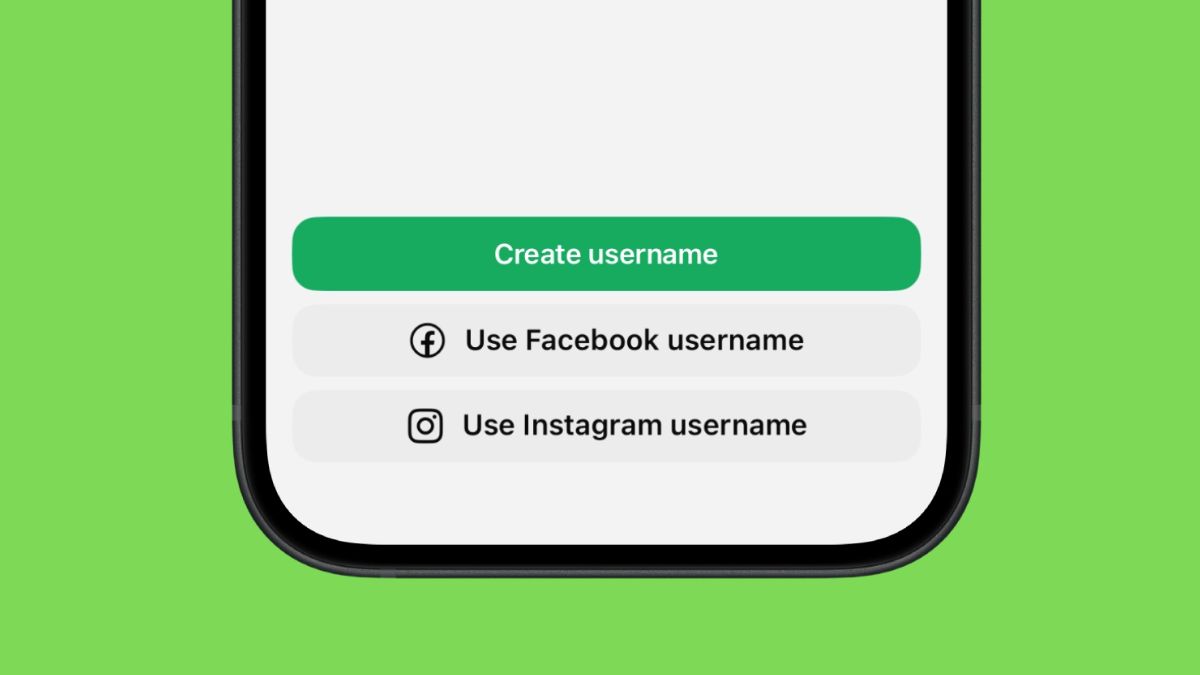
Here is where it gets interesting: WhatsApp usernames are tied to Meta’s broader identity system. If a username is already taken on Instagram or Facebook, you may need to verify ownership before claiming it on WhatsApp. Creators, small businesses, and organizations that already hold a handle on those platforms can use a claims system to maintain a consistent identity across Meta apps.
How to Reserve Your WhatsApp Username Right Now
Reservations opened globally on June 29, 2026, though the prompt is reaching users in waves. Here is how to claim yours when it appears:
- Open WhatsApp and head to Settings.
- Tap Account, then look for the new Username section. You may also see the option directly under your Profile.
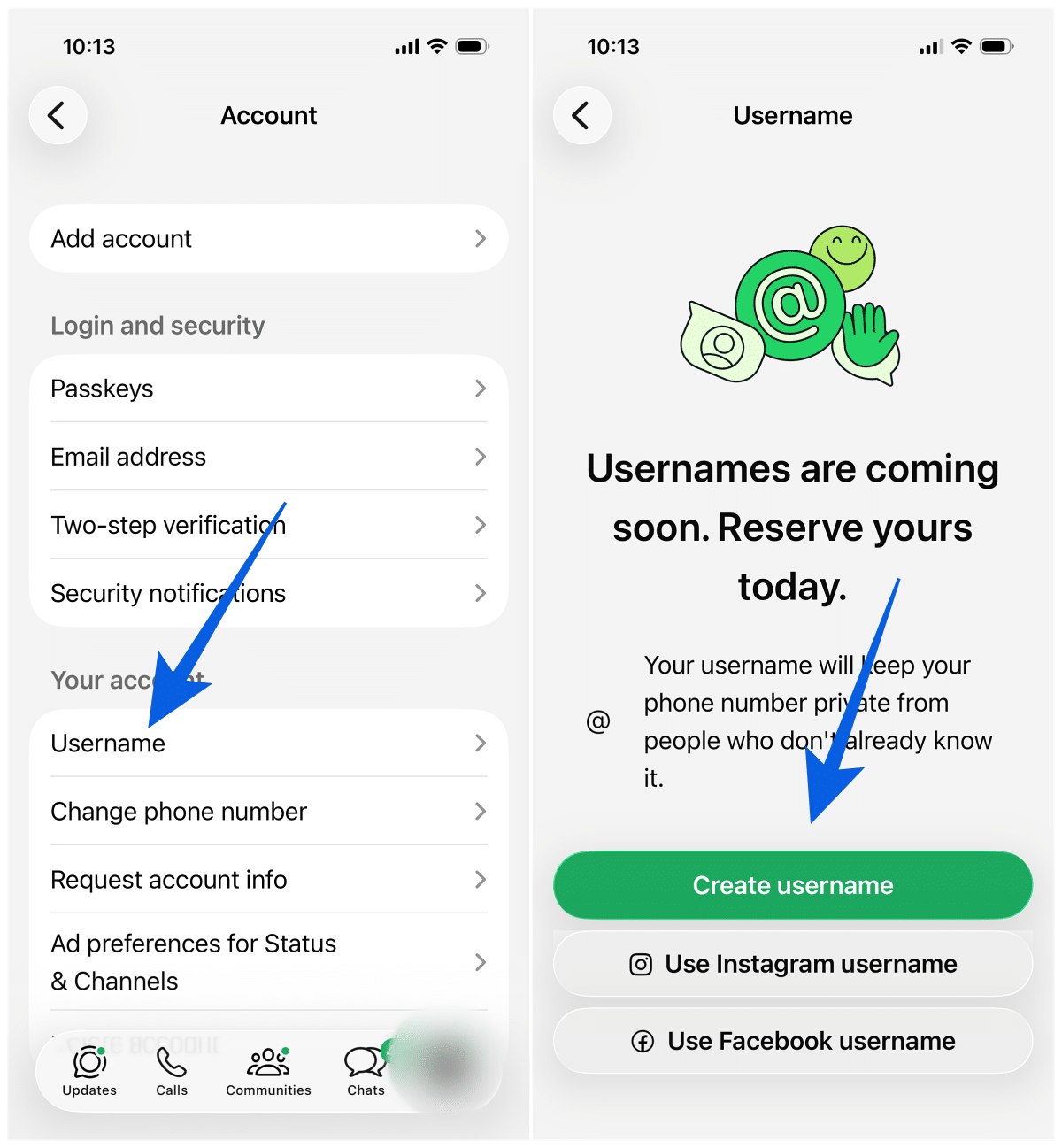
- Tap Create Username and enter your preferred handle.
- Confirm to reserve it for use when the feature launches later this year.
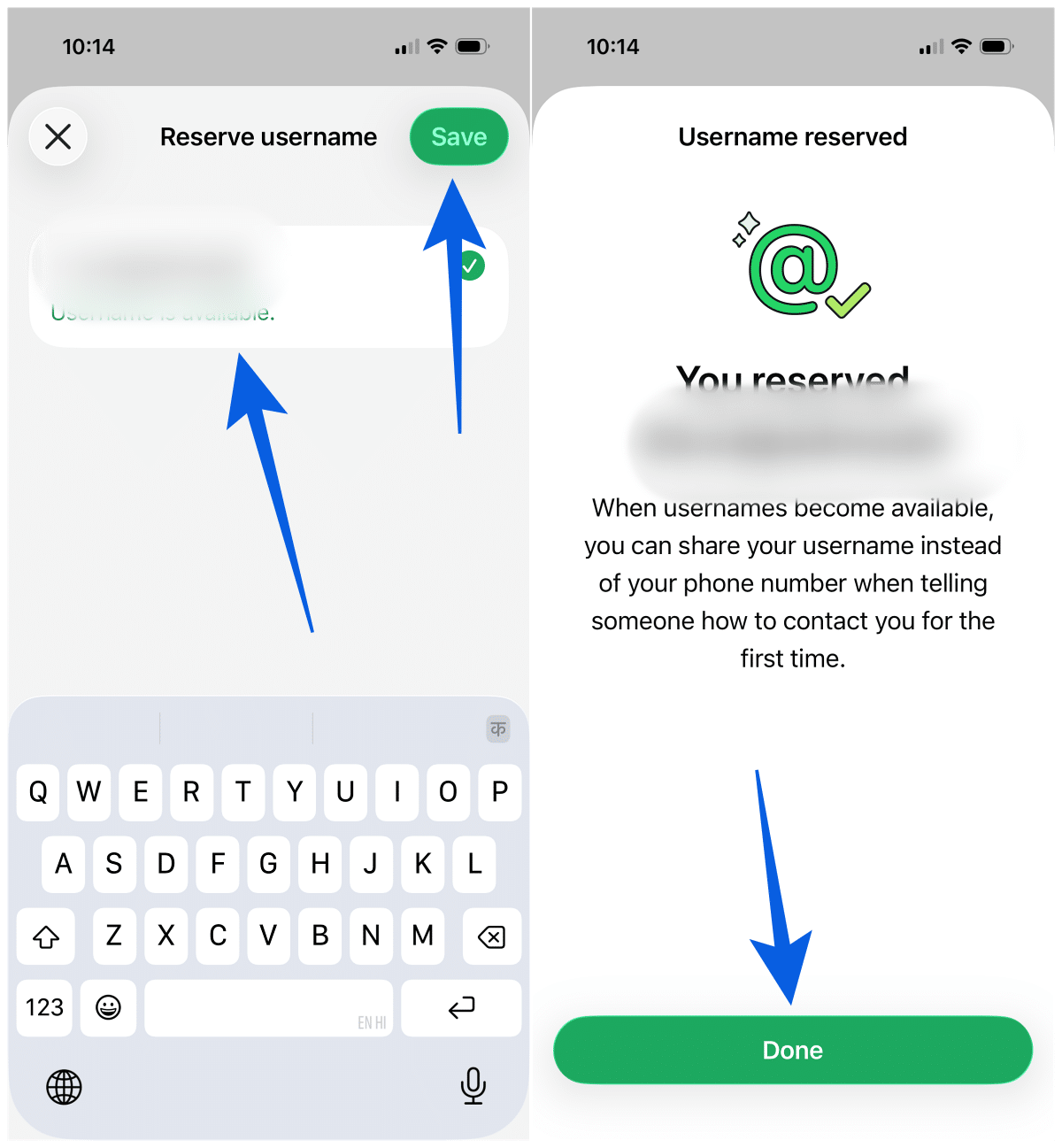
If you do not see the option yet, you are likely waiting for the rollout to reach your account. The latest WhatsApp for Android and iOS builds are receiving it first. While you wait, it can be useful to understand what the various WhatsApp icons and symbols actually mean, since the interface continues to evolve with each update.
Reserving a username does not change how you message anyone today. The handle only becomes active once WhatsApp launches the full feature later this year.
The Username Key: An Extra Layer of Privacy
Alongside usernames, WhatsApp is introducing an optional username key — a four-digit code that someone must enter the first time they try to message you using your username. People who already have your phone number are unaffected, but for new contacts, the key acts as a secondary gate.
It is not mandatory, but it is a genuinely useful privacy tool. Even if someone discovers your exact username, they still cannot start a conversation without that code. For anyone who values control over who can reach them, this alone makes the update worth paying attention to.
Should You Use the Same Username Across Meta Platforms
Because WhatsApp usernames sit within Meta’s wider identity system, you can reuse the same handle on Instagram, Facebook, and WhatsApp. On the surface, that sounds convenient — and for creators and brands, it certainly is.
However, there is a trade-off. A consistent username across platforms also makes it easier for someone to link your accounts together and build a fuller picture of your online presence. If keeping your WhatsApp identity separate from your social media accounts matters to you, choosing a different username here is the smarter call. You may also want to revisit WhatsApp’s privacy settings once your username is active.
When Will Usernames Officially Launch
WhatsApp has confirmed that the feature is arriving through a gradual rollout over the coming months, with the full launch expected later in 2026. Reservations are the first phase, giving users time to lock in their preferred names before the system goes live across the platform.
What does not change through any of this: WhatsApp messages will continue to be protected by end-to-end encryption. The username feature simply adds a new layer of convenience and privacy on top of the protections already in place. If you are someone who likes staying ahead of new WhatsApp tools, it may also be worth comparing the WhatsApp Plus premium plan to see whether its features align with what you are after.
Wrapping Up
WhatsApp usernames have been in the works for years, and the June 29 announcement finally puts a real timeline on the rollout. Whether you want to protect your personal number, lock in a brand-consistent handle, or simply control who can message you, the reservation window is the moment to act. The full launch is still months away, but with three billion users in the queue, the names worth having will move quickly.
No. The entire purpose of the username feature is to let you connect with others without revealing your phone number. Sharing your username keeps your digits private, even for first-time contacts.
No. Usernames must be unique. Since they are tied to Meta’s identity system, a handle already taken on Instagram or Facebook may not be available on WhatsApp either, though verified ownership can override this in some cases.
Reservations opened on June 29, 2026, and the full feature is expected to launch later in 2026 through a gradual rollout. WhatsApp has not given a specific date yet.
It is an optional four-digit code that someone must enter the first time they message you using your username. People who already have your phone number are not affected, and existing chats continue as normal.
No. WhatsApp has confirmed there is no username directory or search feature. Anyone who wants to message you needs to know your exact username.