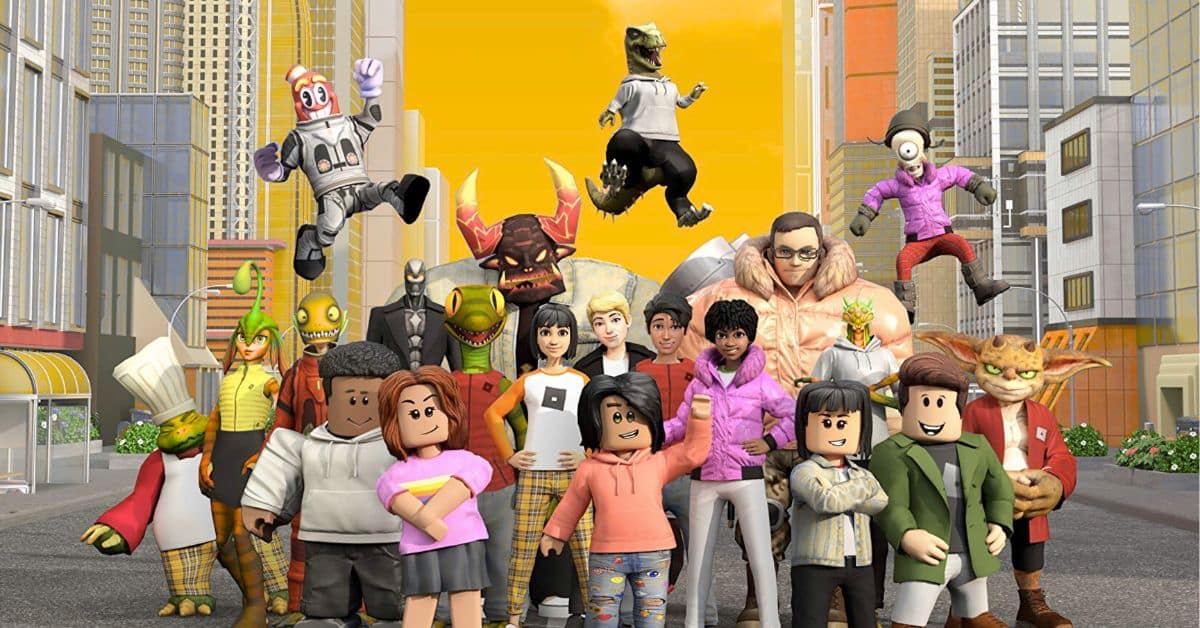
With over 150 million active users, there’s a high chance you might have heard the name Roblox from your child. Based on user-generated worlds and game creation, Roblox is a platform offering millions of experiences into one place. While adults can play Roblox, the platform is mostly filled with kids and teenagers.
However, with such a high chance of exposure to all kinds of content, we understand you might be worried about your child’s safety here. We were too, so we decided to create a dedicated guide on the same. So with that, let’s find out if Roblox is safe for kids and what you can do to make it safer right here.
What is Roblox?
First things first. You might be wondering what exactly Roblox is. For parents completely unaware, Roblox is an online platform that houses millions of user-generated experiences. Think of it as an empty canvas where users worldwide come together and create games others can play. This happens through Roblox Studio and is one of the biggest things that makes the platform unique.
As we mentioned, Roblox is currently used by over 150 million players worldwide and has over 40 million experiences. It’s available across all major platforms, including PC, mobile, consoles, and even Meta Quest. As such, you can see how widespread its appeal is.
What’s more is that Roblox is completely free to create an account and play various games. However, some experiences themselves might charge you for certain items. This is also a risk factor we will discuss below. Furthermore, Roblox houses hundreds of genres of games, including action, simulation, racing, roleplay and more.
Roblox users can also easily talk to each other using text or voice channels and party chat. This is something we’ll discuss further below. Now that you know what Roblox is, let’s look at the risks that come with it.
What Are the Risks of Roblox for Kids?
Roblox itself is a great platform for gamers to have a wide variety of experiences. It’s free to use and download, easy to comprehend and requires little to no technical know-how. However, these exact features that people love are a double-edged sword for parents and kids alike.
As a platform with many risks, Roblox exposes kids to several concerns. These are:
1. Exposure to Inappropriate Content
Roblox experiences are largely user-generated and made by fellow gamers. However, because of the quantity, the moderation around these games isn’t airtight. This can lead to elements leaking onto experiences that might not be appropriate.
These can include exposure to violence, nudity, bad language and other harmful content. These themes aren’t suitable for young children and are among the biggest risks on Roblox.
2. Interaction with Strangers
A big part of Roblox is based on communication with fellow gamers online. The platform provides access to voice and text chat with multiple people at the same time. While there are some safeguards in place, most communication can still happen over text.
Unfortunately, this also means that children can potentially interact with strangers online. These strangers can sometimes convince kids to share confidential information online or, in the worst cases, ask them to meet in person. This raises concerns about online safety on Roblox.
3. In-Game Purchases
While Roblox is free to play, many experiences in it have their own monetization systems that encourage players to spend online. This, of course, uses real-world money in exchange for in-game items. However, kids often have a limited understanding of money.
As such, a lot of Roblox gamers frivolously spend online by taking their parents’ credit cards and buying things without consent. Furthermore, your child might even feel pressured to buy the latest items to keep up with the latest trends. This can lead to a chain reaction that is a waste of money and harmful to a kid’s mental health at the same time.
4. Addictive Gameplay and Overuse
If you find yourself addicted to social media apps because of endless content, your child might be at the same risk with Roblox. Since the platform offers endless experiences and reward-driven content, kids might experience similar compulsive scrolling behaviors, except with games.
This inability to stop playing games online can affect children’s schoolwork, social life, physical health, and even mental well-being. Over time, this habit can make it harder for kids to develop healthy screen boundaries and self-control. You might also notice irritability or frustration when you ask your child to stop playing.
5. Cyberbullying
Like most social media platforms online, Roblox can expose kids to cyberbullying, including teasing, harassment, and even verbal violence. While children are resilient, the behaviour they are exposed to at this age forms the crux of their mindset. As such, it’s all the more important that children are shielded against cyberbullying on Roblox.
How Roblox Keeps Kids Safe?
Roblox itself has many built-in safety features that are designed to make the entire experience safe for young and old users alike. These features include automatic chat filters that block inappropriate content, age-based account restrictions, and even content moderation that blocks harmful language and signals.
While these safeguards help reduce risk, there are steps parents can take both online and offline. Here is how you can keep your kids safe on Roblox.
How to Keep Your Child Safe on Roblox
1. Adjust Privacy and Chat Settings
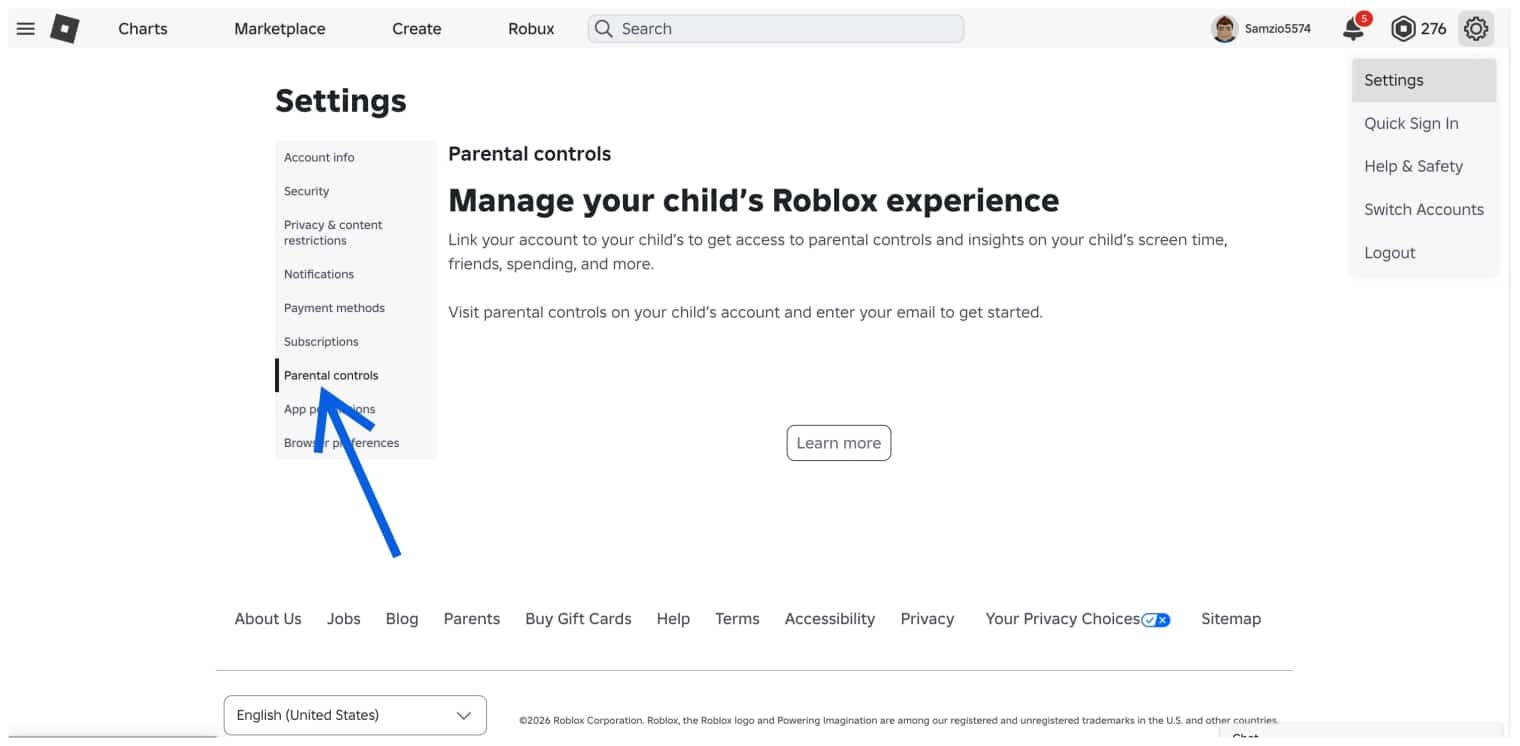
One of the most important things you can do is limit the exposure your child has to strangers online. Start by checking your kid’s chat and privacy settings on Roblox. You can see who is allowed to message your child, what experiences they can be invited to, and even overall chat access. Start by creating an account on the official Roblox website and then linking your account to your child’s.
Once done, head over to your child’s Roblox Settings > Parental Controls > Settings You Manage. From there, you can easily modify communication and party settings or disable your kid’s Roblox chat altogether. This is one of the most effective ways to limit your child’s exposure online. Alternatively, if your child is ID verified and wants to talk to a particular friend online, then it’s best to enable Trusted Connections and let them communicate.
2. Set Content Restrictions
Besides limiting who your child can talk to, you can also control the type of experiences your kid can access. To do so, go to your Roblox account and follow the steps below:
- Once in the account, head over to Settings.
- Then click Privacy & Content Restrictions.
- Here, you can adjust the slider based on the type of experiences you want your child to access.
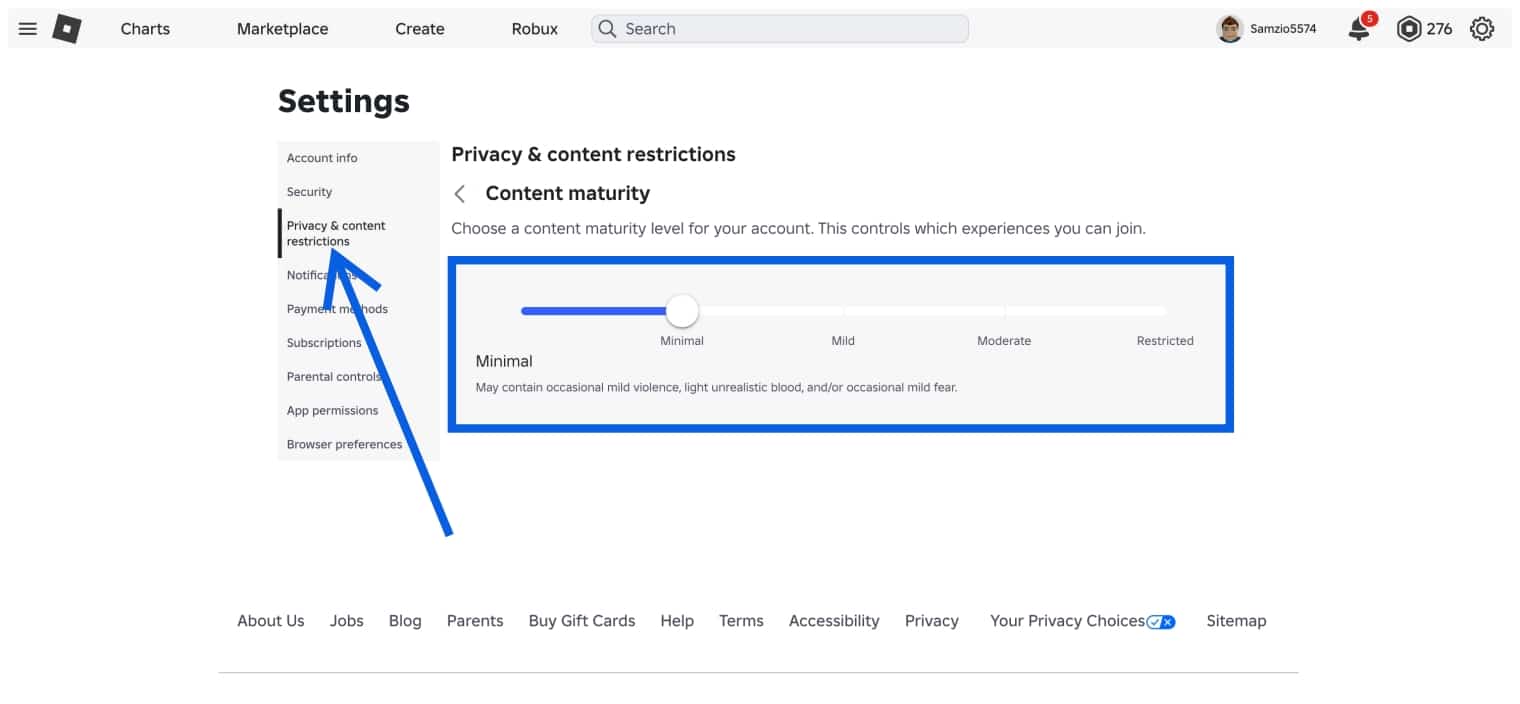
If your child is young, then keeping the slider at Minimal is safest. For older kids, Mild can be suitable with supervision.
3. Control In-Game Purchases
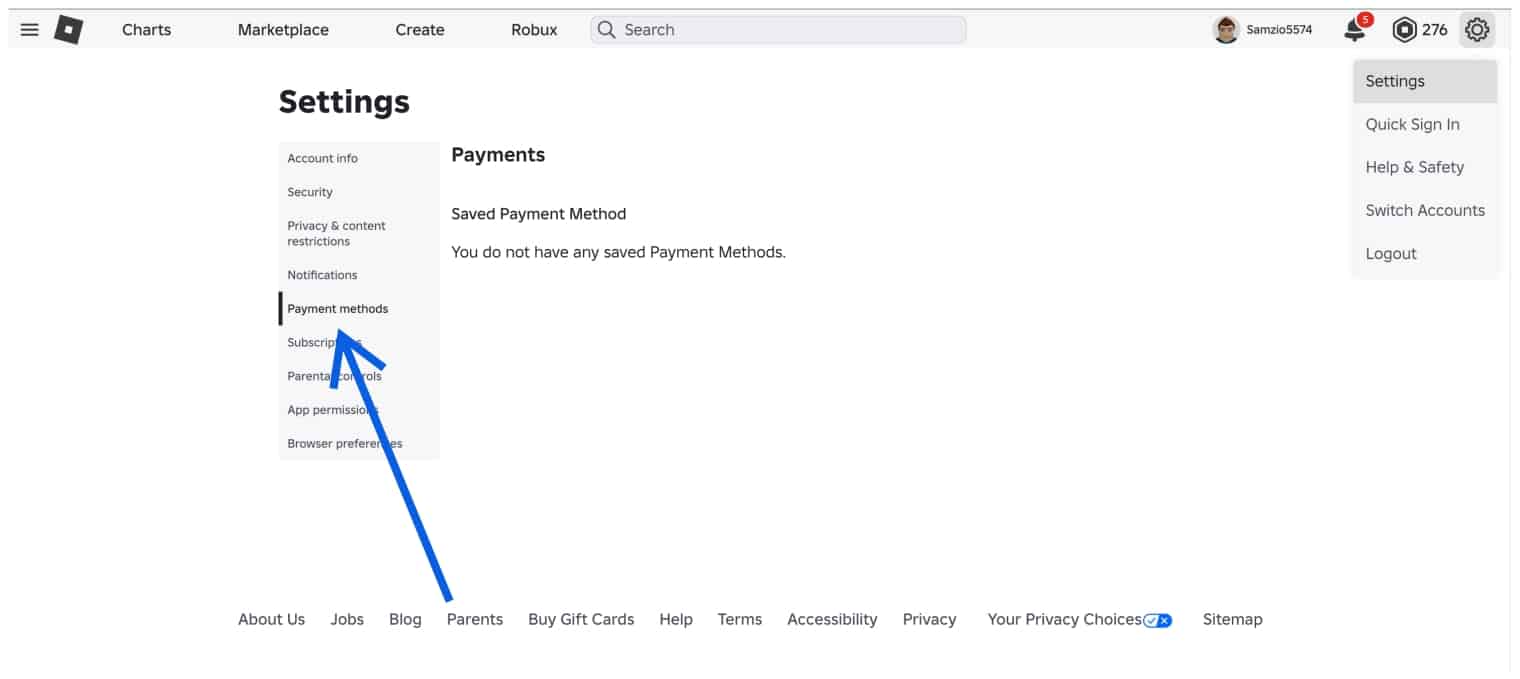
Another way you can reduce harmful exposure and minimize spending is by controlling what your child can buy in Roblox experiences. Since it’s quite easy to buy Robux online, kids can easily be led into spending large amounts through saved payment methods. Thankfully, you can remove such payment options from their account.
Head over to your Roblox account settings and then to Payment Methods. If your child has made a recent purchase, you will see the saved method here. You can remove it and teach them mindful spending for the future.
4. Set Screen Time Limit
While Roblox itself doesn’t have a screen time limiter, parents can set device usage limits instead. Most mobile devices and tablets include screen time settings or apps you can enable to give your kids a limit.
This will help teach your child healthy boundaries around screen time and maintain a balance between their personal life and gaming. Clear routines will make it easier for your kids to follow limits without arguments or confusion.
5. Maintain Open Communication
Last but not least, one of the best things you can do to keep your kid safe on Roblox is to talk about their online experiences. The easiest way to do this is by asking what kind of games they play, the kind of people they play with, and most importantly, who they talk to regularly. Kids sometimes don’t fully understand right from wrong and might be confused by language from strangers online.
Teaching kids the importance of healthy internet usage helps them set healthy boundaries not just with strangers but with everyone in general. Furthermore, this will help your children communicate better with you too.
Final Thoughts
We hope by now you know if Roblox is safe for kids and how you can better protect their privacy. With the right settings and supervision, Roblox can be a fun and safe experience for kids. If you still have any doubts, then let us know in the comments below.
Yes, Roblox can be safe to play for kids when you actively monitor kids and exercise proper parental control and settings. As with any online platform, safety depends on how you use it.
They can, but only if your settings allow it. Thankfully, you can follow our steps above to fully disable chat so strangers can’t approach them.
Yes, your child can spend real money on the platform if they have access to a payment method. You can follow our settings above to remove them all.
Like any social media platform, Roblox can be addictive for children if they are left unsupervised. You can set screen time limits and encourage healthy communication with them to mitigate this.
Yes, Roblox does have many parental control settings that can help you manage chat, experiences and more.
You might also like: