While Roblox doesn’t really run into a lot of issues in general, there are times when the games inside it might throw up errors or other problems. One such issue is Roblox Error Code 267, a server kick message that can prevent users from joining certain Roblox experiences. This error has a lot of different causes. Thankfully, it’s fixable with a couple of simple steps. Want to know what they are? Keep on reading to learn more about Roblox Error Code 267, its causes and how to fix it here.
What is Roblox Error Code 267 and What Causes It?
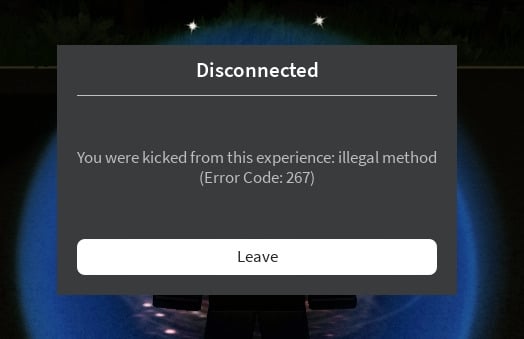
Roblox Error Code 267 is a fairly common server-sided message. This error is not isolated to any single platform or experience, so you can experience it anywhere. You can encounter this error in the middle of playing, and the game will kick you out. Sometimes the error message gives a reason for why it happens.
Main reasons this error occurs are:
- Suspicious Activity: Sometimes Roblox might detect suspicious activity, including any exploits, injectors or hacks that users might install. Upon detection, the platform will show this error and kick them out immediately.
- Unstable Internet: If you have an ISP that gives very high ping, packet loss or inconsistent speed, Roblox Error Code 267 might show up.
- VPN Use: Players who use a Virtual Private Network (VPN) might also run into issues. This is because some Roblox experiences detect VPN connections and may kick players for security reasons.
- Antivirus and Firewall: Sometimes your computer’s antivirus might detect Roblox use as malicious and create a barrier between you and the platform.
- Game-Specific Causes: Some games have their own systems in place that prevent some players from joining it. These include age barriers, network restrictions and other things.
Common Error Code 267 Messages on Roblox
Depending on the reasons above, Roblox Error Code 267 can come with different warning messages. Some of the most common ones you will see are:
- You were kicked from this experience.
- Banned from the server.
- Unbanned in X hours.
- Kicked due to unexpected client behavior.
- Cheating suspicion.
If you see any of these, then there’s no need to panic. Roblox might also sometimes not know the reason and just show “unknown reasons” as the cause. In any case, keep reading below to learn how to fix Roblox Error Code 267.
How to Fix Error Code 267 on Roblox
With all the reasons above, let’s begin learning how to fix Roblox Error Code 267 here. The most common fixes are:
1. Roblox Server Status
Sometimes, the most obvious problem is from Roblox’s side itself. While regular maintenance doesn’t usually cause this, some errors from the platform side might cause this. So as a first step, begin by heading over to the official Roblox Server Status page. Once there, look for ‘All Systems Operational.‘ This indicates that everything is fine from Roblox’s end.
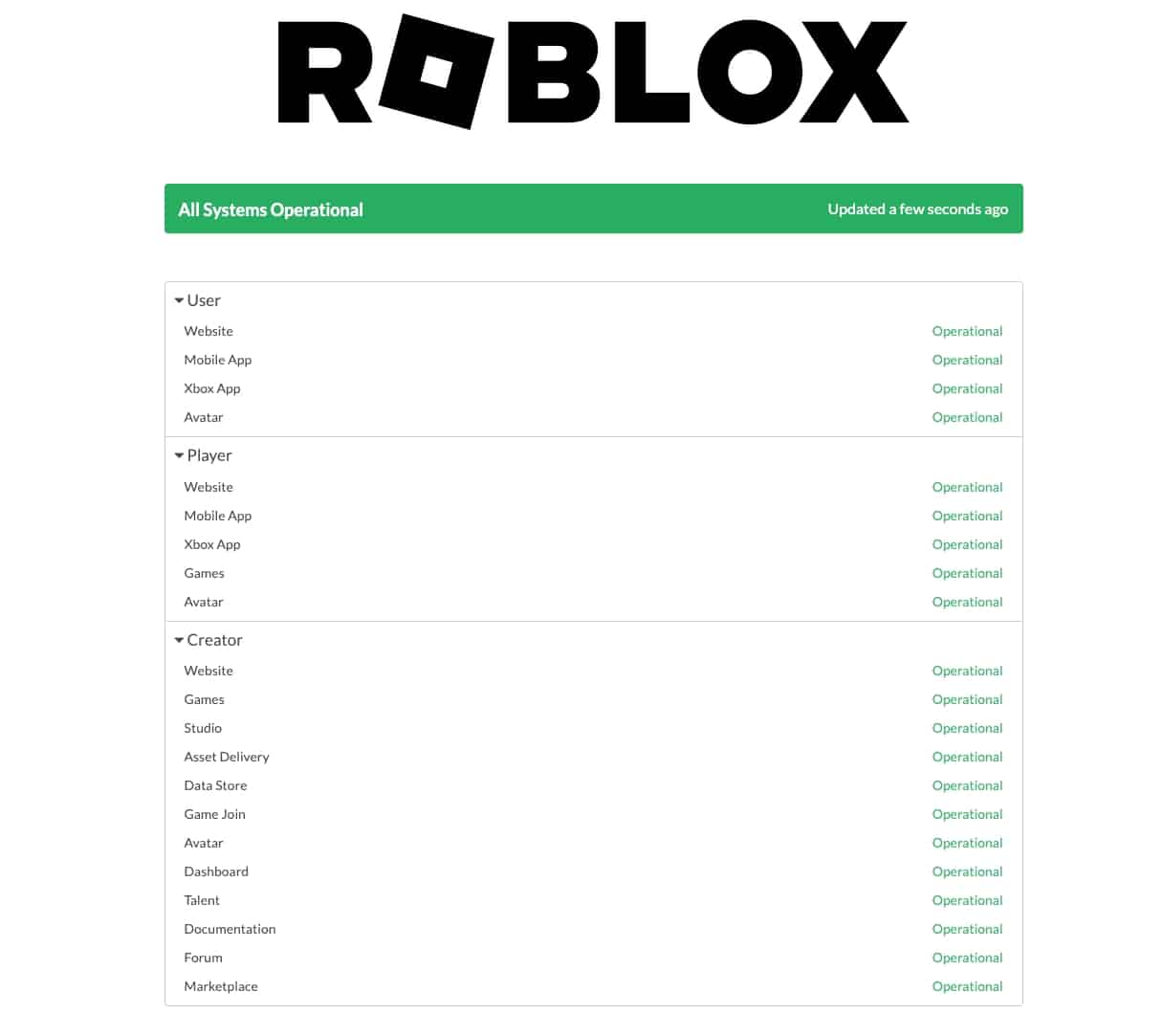
If that’s the case, then it’s on us to fix the error. If not, and you see an error message here, then all we can do is wait for Roblox to fix the Error Code 267.
2. Disable VPN
If you’re someone who loves using VPNs, you might be causing the issue yourself. As we mentioned above, Roblox isn’t a fan of Virtual Private Networks and will block or kick you out if it detects one. So, do ensure you turn off your VPN before entering the experience. Each VPN has its own steps, so follow your provider’s guide for more help on this.
For a quick glance, check out how to disable the VPN for Surfshark, NordVPN and ExpressVPN here.
3. Clear Roblox Cache
While a bit rare, there are times a corrupted Roblox cache on your Windows or macOS or even mobiles might be causing this issue. In rare cases, this can lead to errors or connection issues that may trigger Roblox Error 267. Thankfully, it’s quite easy to clear the Roblox cache so you can get back to gaming again.
4. Update Roblox App
Are you sure you’re running the latest version of the Roblox app? Version mismatches are one of the most common reasons players can be kicked from various experiences. Sometimes, you can even be prevented from logging onto Roblox altogether. For all those cases and more, please ensure you’re running the latest version of the Roblox app on your desired platform. Given below are the links for the latest Roblox version you can download for your platform. So just install that and login to fix your error.
- Windows
- macOS
- Google Play Store (Android)
- Apple App Store (iPhone)
- Amazon App Store (Fire TV)
5. Disable Antivirus
As we also mentioned, your system’s Antivirus might be causing this issue.
In such a case, it’s best to turn it off to experience Roblox without any errors. While you might think this only plagues Windows users, there are times even Mac users can run into this. Some of the steps you can take to mitigate this are:
- Disable Protection Service: Windows users can turn off “real-time protection” on their Windows antivirus software to make sure Roblox can easily pass through. Just head over to your system settings and toggle it off.
- Disable Firewall: Underneath the same settings, you can also turn off the Windows Firewall to ensure it’s not blocking anything. So once in the antivirus settings, toggle it off.
6. Restart your Internet or Contact ISP
While this might seem a bit too basic, you’d be surprised how many people don’t realise the problems a bad Internet connection brings. If your router hasn’t been restarted in some time, simply turn it off, wait for 10 seconds and then turn it back on again. This will give you a new link and hopefully also fix the Roblox Error Code 267.
Alternatively, you can also contact your ISP if an inconsistent Internet plagues you at every turn. Since this issue might be affecting more than just Roblox.
7. Create a New Roblox Account
While we don’t really recommend this fix, you can create a new Roblox account if you want to play that much. To do this, head over to the Roblox page, but make sure you’re logged out from your old account. Once done, fill up the form you see and just log in to play.
Final Thoughts – Fix Roblox Error Code 267 with ease
We hope our dedicated guide above helps you fix this error without issues. If it still refuses to budge, then it’s time to either wait a bit or contact Roblox support. If you’ve already solved it, then why not head over to our ultimate Roblox codes list and try out some new experiences?
Generally speaking, Roblox Error Code 267 is not a ban but a server kick message. This can be caused by many errors, including being kicked from a game server, VPN use or even a false positive from an antivirus. Follow our steps above to fix it.
The duration of the error will depend on the cause. In many cases, the error resolves quickly once the cause is fixed. If the problem is from Roblox’s end and/or major, then it might take longer. Sadly, if the error is because you were banned from an experience, that will stay until the ban is lifted.
If you only get it in one game, then it generally means the issue is game-specific. Ensure you’re fulfilling all the game requirements to play. Alternatively, try contacting the developer for support.
Yes, Roblox Error Code 267 can happen on any platform. So if you’re getting this error on your mobile device, then it’s best to clear the cache using our linked article above.
As we have also recommended above, restarting your device and Internet can sometimes help fix the error. So when all else fails, it’s best to go back to basics.