If you’ve been waiting for Apple to finally take AI seriously on iPhone, this week’s leak is your signal that something genuinely different is coming.
Bloomberg’s Mark Gurman published a series of re-created renders today, the first visual look at what iOS 27’s redesigned Siri actually looks like in practice. These aren’t vague speculation or wishful mockups. They’re illustrations built directly from information Bloomberg obtained from people familiar with Apple’s internal development plans. And while Apple routinely tests multiple versions of features before going public, the direction is clear: Siri is being rebuilt from scratch, and it looks nothing like what you’re used to.
“The company often tests multiple designs of features internally, and the final version set to be introduced to the public in June could differ,” Bloomberg noted.
You can see every image here and explore what the leak reveals in full context.
What the iOS 27 Siri Leak Actually Shows, and Why It Matters
The biggest thing this iOS 27 leak reveals isn’t just a visual refresh. It’s a structural rethinking of how you interact with your iPhone.
Siri is getting two distinct surfaces in iOS 27, and understanding the difference between them is key to understanding why this feels like a genuine leap rather than an incremental update.
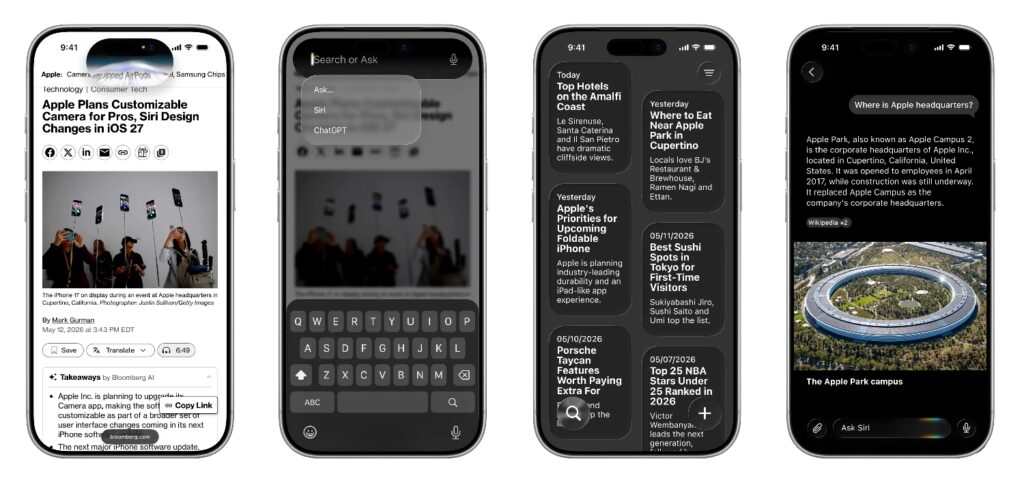
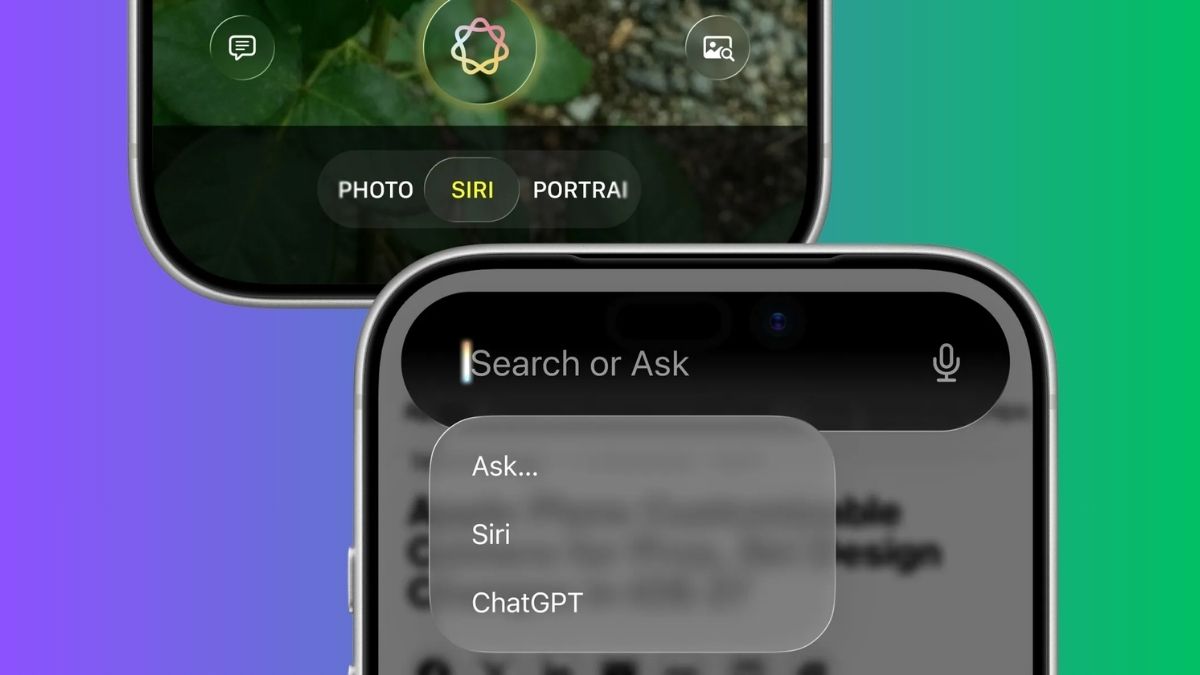
Surface one: the Dynamic Island. Saying “Siri” or holding down the power button will trigger a redesigned animation directly inside the Dynamic Island. It’s a subtle but meaningful change: Siri no longer takes over your screen. It lives at the top, contained and ready.
Surface two: “Search or Ask.” This is the one that changes daily behavior. Swipe down from the top center of your iPhone screen, from anywhere in iOS 27, and you’ll land in a new interface that Bloomberg is calling “Search or Ask.” It’s designed for getting things done or searching by typing, though voice remains an option throughout. Think of it as a smarter, AI-native replacement for Spotlight, surfacing Siri Suggestions, recent web searches, weather, frequently used apps, and shortcuts for common actions like recording a voice memo.
One detail worth noting for current iPhone users: swipe down from the top-left corner only to reach Notification Center. The top-center gesture is now dedicated to Search or Ask. It’s a small gesture change that could catch longtime users off guard at first.
iOS 27’s New Siri App: A Standalone Chatbot Experience Built Into Your Phone
Beyond the Dynamic Island integration, the iOS 27 leak reveals a full standalone Siri app, and this is where Apple is clearly making its move against ChatGPT, Gemini, and Claude.
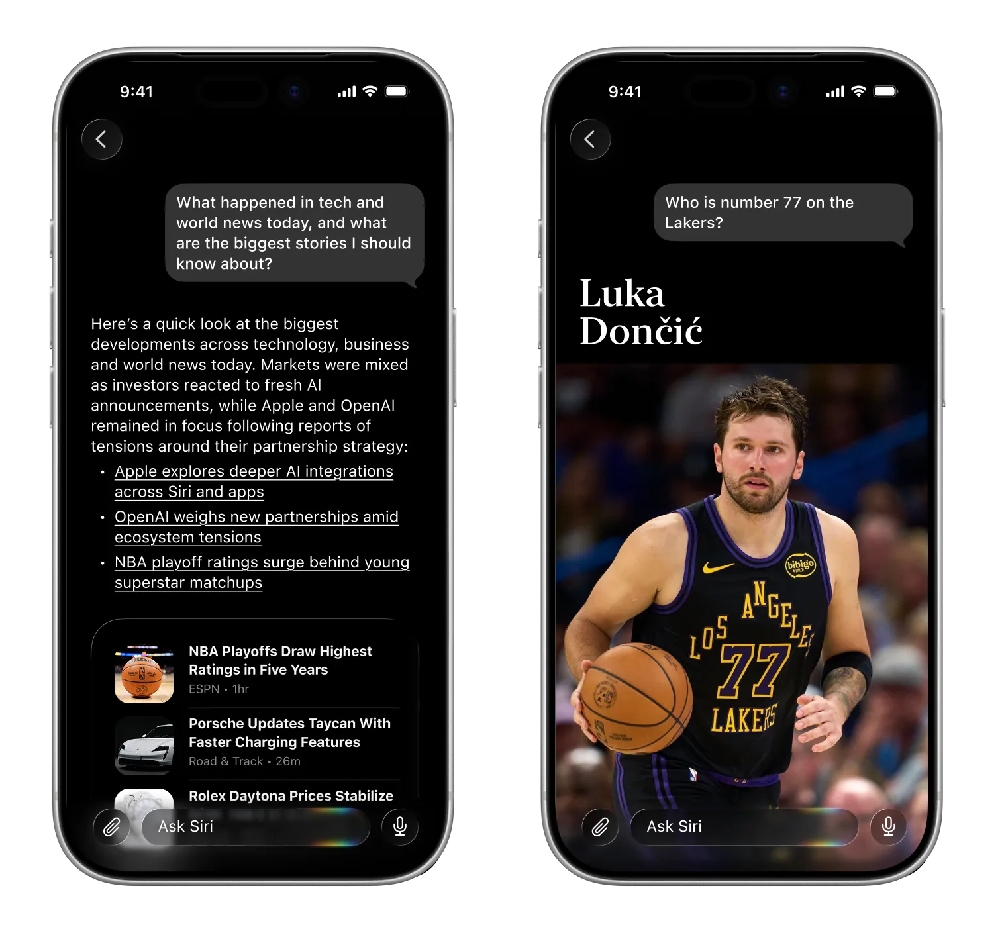
The Siri app works across iPhone, iPad, and Mac. It supports both text and voice input, maintains a running conversation history (which users can set to expire), and allows back-and-forth exchanges rather than single-shot queries. In practice, it functions the way any modern AI chatbot does: you ask something, Siri responds, you follow up, and it remembers.
The renders show a dark interface by default, with an “Ask Siri” text field anchored at the bottom, a microphone icon for switching to voice, and a paperclip icon for attaching images or files. Past conversations appear as message bubbles in a history view, familiar to anyone who’s used ChatGPT or Claude.
This matters because it’s the first time Siri has had memory within a session in any meaningful, visible way. Apple showed a glimpse of where this was headed at WWDC 2024, demoing a user asking Siri about their mother’s flight status and lunch reservation, information pulled directly from Mail and Messages. That “personalized Siri” capability, with genuine on-screen awareness and personal context understanding, is part of what’s arriving in iOS 27. You can explore the full iOS 27 expected features list to see how deep that contextual intelligence goes.
How “Search or Ask” Actually Works
The render of the “Search or Ask” feature shows a richer experience than its name suggests. When you swipe down from the top center of the screen, you’re not just getting a search bar, you’re getting a smart, contextual launchpad.
Results surface in a rich text card that visually pops out of the Dynamic Island. The card can show answers inline without requiring you to open a full app or browser. For more depth, say, a follow-up question or a longer explanation, users can swipe further down to open a full conversation inside the Siri app.
It’s a tiered experience: quick answer at the top, deep conversation available beneath it. That design philosophy, lightweight surface with a deeper layer underneath, suggests Apple has thought carefully about the difference between “I need a quick answer” and “I want to actually think through something with AI.”
The integration with Apple’s new AI-powered search system sits inside this same interface, which means Search or Ask isn’t just pulling from Siri. It’s also tapping into Apple’s own web intelligence layer for broader queries.
Which iPhones Will Actually Get This, and the Google Deal You Should Know About
Here’s the practical part that matters most for a lot of people.
Because the revamped Siri is powered by Apple Intelligence, it requires an iPhone 15 Pro or newer. That’s the same threshold that has defined Apple Intelligence availability since iOS 18. If you’re on an iPhone 15 (non-Pro) or older, the new Siri experience won’t be available to you. Check the iOS 27 supported devices list to confirm compatibility before getting too excited about specific features.
There’s also a bigger story running underneath this: Apple and Google have reached a deal that brings Gemini in to help power the underlying AI models behind Apple Intelligence, including this more personalized version of Siri. That’s a significant shift. Apple, which has historically guarded its AI layer tightly, is now building its most visible consumer-facing AI feature on top of a Google model.
And Gemini isn’t the only outside model coming to iOS 27. Siri has been able to reach out to ChatGPT since iOS 18.2. The new “Extensions” feature in iOS 27 will open that up further, allowing users to connect additional chatbots directly to Siri, with Gemini and Claude reportedly among the first options. This essentially turns Siri into a front-end layer for multiple AI models, rather than a single closed system.
When to Expect iOS 27
Apple is scheduled to unveil iOS 27 at WWDC 2026, which kicks off with a keynote on Monday, June 8 at 10 a.m. Pacific Time. Public beta testing typically follows shortly after, with the final release arriving in September.
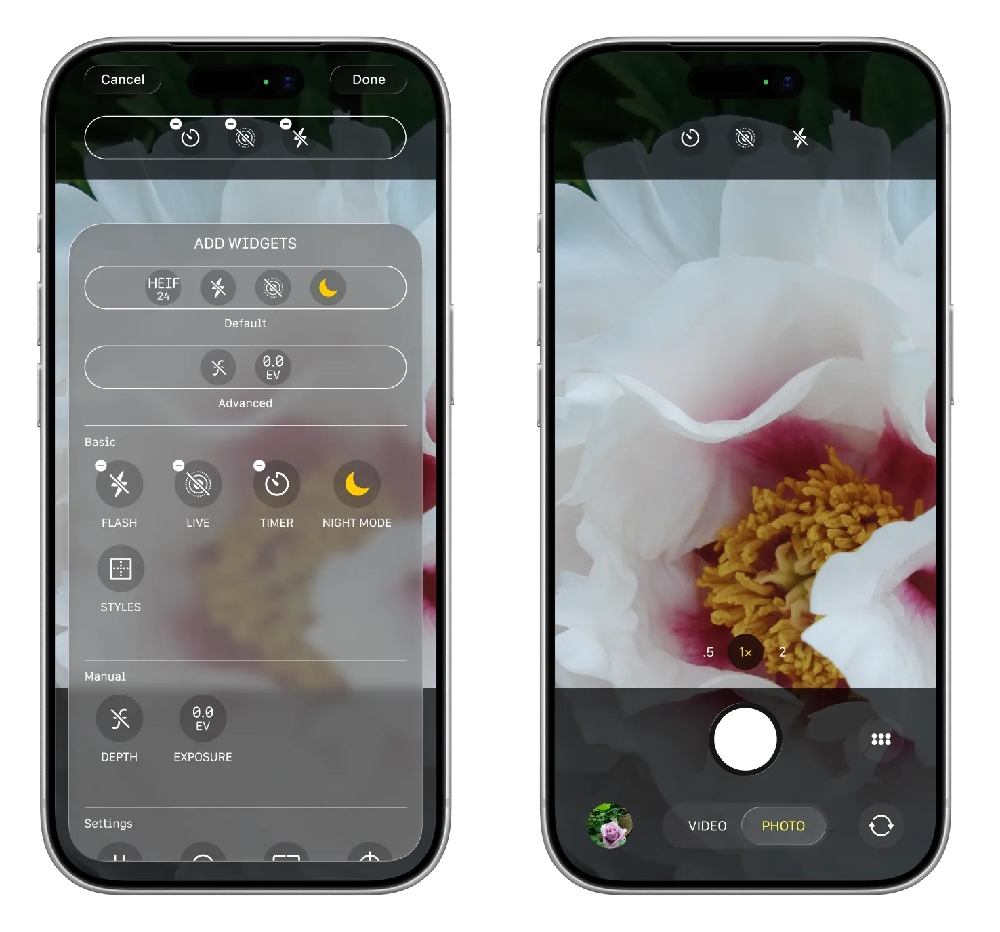
This is also where the iOS 27 leak picture gets interesting: Bloomberg’s reporting notes that the Camera app is also receiving design changes in this update, as part of a broader visual and functional overhaul Apple appears to be rolling out across the system. We’ll cover those details as they come.
The Siri redesign has been in the works for longer than most people realize. What’s different this time is that the renders give us a specific, grounded picture of what it actually looks like, not a concept, but a direction Apple is clearly committed to. Whether the final version matches these illustrations exactly or Apple makes adjustments before June, the scope of the change is no longer in question.