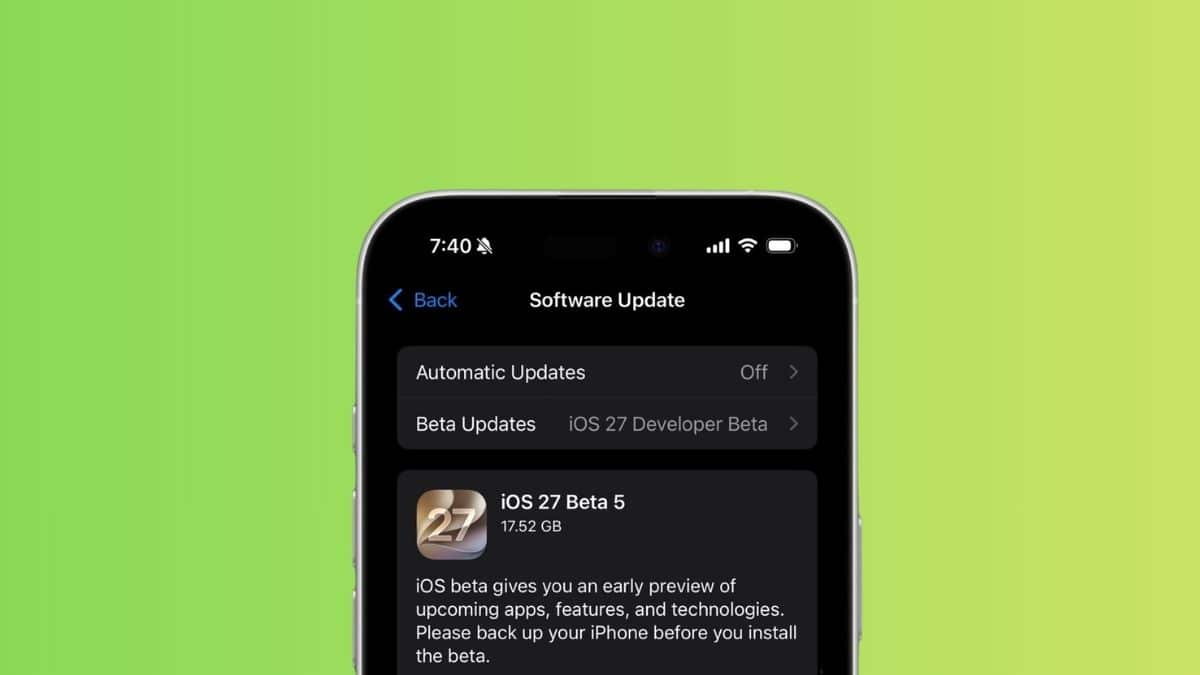
If you’ve been checking your Settings app every few days waiting for that “Beta Update” notification, you already know the rhythm of this summer’s iOS 27 cycle. Every couple of weeks, a new build lands, and every time it does, there’s a quiet scramble to figure out what actually changed versus what’s just a bug fix nobody will notice.
Apple released iOS 27 beta 5 to developers on Monday, August 10, 2026. It’s the fifth developer build since the software was first announced at WWDC in June, and it lands a little over a month before iOS 27 is expected to ship widely alongside this year’s new iPhones.
This isn’t a flashy release. Beta 5 is Apple tightening bolts, not adding a headline feature. But a handful of the changes are genuinely useful, especially if you rely on Siri, use search from your Home Screen constantly, or have been annoyed by how Control Center handles your cellular connection. Here’s everything that’s actually different.
When iOS 27 Beta 5 Landed, and What’s Still Left Before Launch
Apple has kept a fairly predictable cadence with this cycle, and it helps to see where beta 5 fits before getting into the features themselves.
- Developer beta 1: June 8, 2026 (announced at WWDC)
- Developer beta 2: June 22, 2026
- Developer beta 3: July 6, 2026
- Public beta 1: July 13, 2026
- Developer beta 4: July 20, 2026
- Developer beta 5: August 10, 2026
- Release candidate: expected around September 9, 2026
- Stable release: expected around September 14, 2026, timed to Apple’s fall keynote
Those last two dates aren’t confirmed by Apple yet, so treat them as informed estimates rather than settled fact. iOS 27 will run on every iPhone that currently supports iOS 26, from the iPhone 17 lineup down through the iPhone 11 and iPhone SE (2nd generation). If you want the exact model-by-model breakdown, TechNerdiness has the full iOS 27 compatible devices list already put together.
One honest caveat: beta software is still beta software. Earlier builds in this cycle, including beta 4, weren’t recommended for a primary iPhone because of real performance hiccups. Beta 5 smooths some of that out, but it’s still not the release to put on the phone you actually depend on.
Siri’s Voice Finally Sounds Less Robotic, If Your iPhone Can Handle It
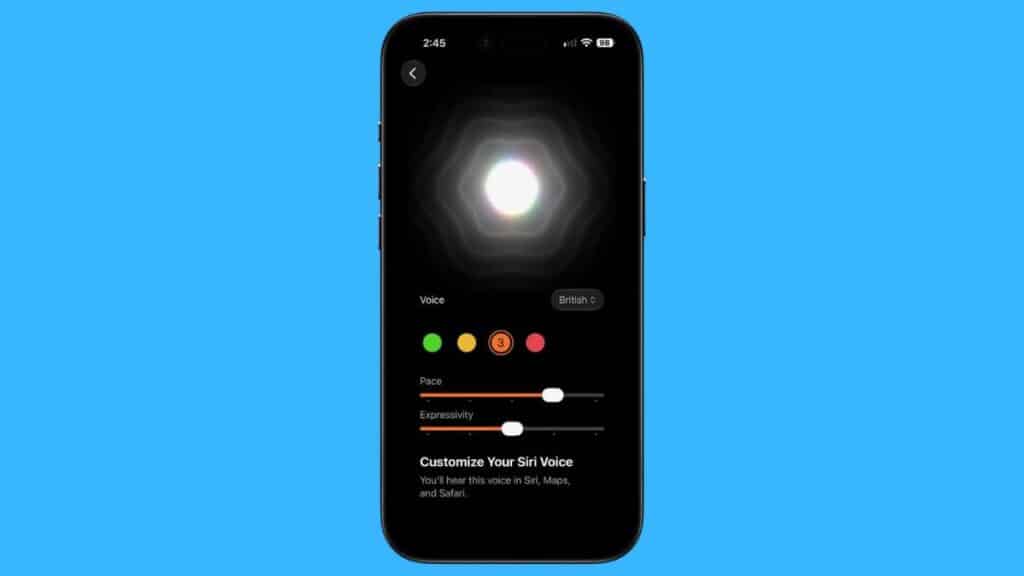
Here’s something Apple rarely admits outright: Siri’s synthesized voice has sounded roughly the same for years, no matter how much the assistant underneath it changes. Beta 5 is the first real crack at fixing that.
You can now adjust Pace and Expressivity across all seven American English voices and, new in this build, four British English voices too. Slide expressivity up and Siri sounds noticeably more like a person reacting to what you said, rather than reading it back at you.
The catch is hardware. These sliders run entirely on-device, and Apple is gating them behind roughly 12GB of RAM, which currently limits the feature to the iPhone 17 Pro, iPhone 17 Pro Max, and iPhone Air. If you’re on an iPhone 16 or earlier, you’ll still get the standard Siri voice; you just won’t see the new customization options in Settings. It’s a narrow rollout, but it’s also a preview of where Apple’s on-device Siri overhaul is headed as the assistant gets rebuilt into something closer to a full conversational app.
A New “Before Searching” Menu Puts You Back in Control
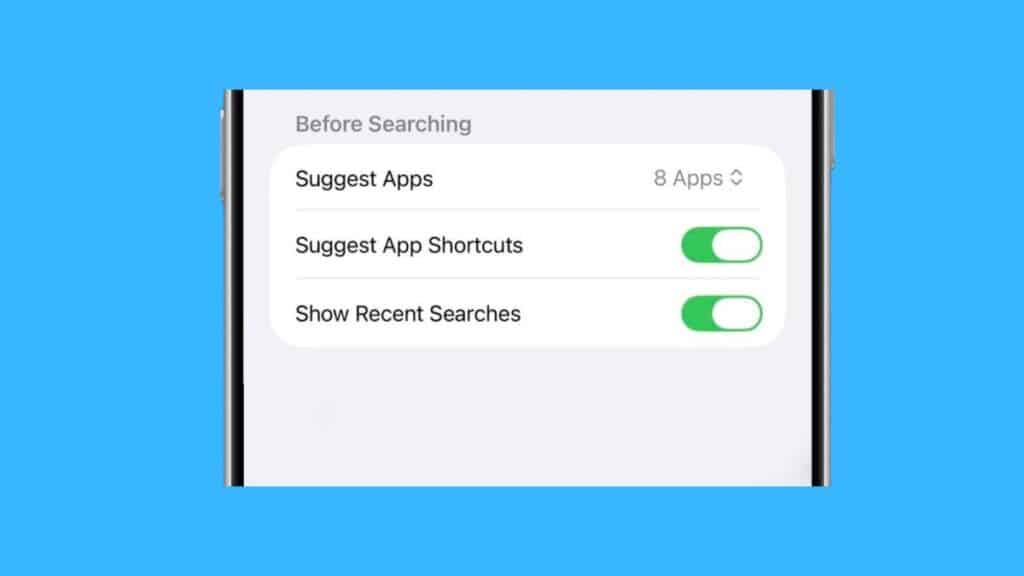
If you’ve ever swiped down on your Home Screen to search for something specific and gotten a wall of app suggestions you never asked for, beta 5 has a fix aimed directly at you.
Settings now includes a new Before Searching section that lets you decide how much clutter shows up before you’ve typed a single letter. You can choose whether 0, 4, or 8 apps appear as suggestions, toggle app shortcut suggestions on or off, and control whether recent searches show up automatically. Apple also added a Search the Web option at the bottom of results, so jumping from an on-device search to a full web search doesn’t require backing out and opening Safari separately.
None of this is dramatic on its own, but it’s the kind of quality-of-life fix that matters more than people realize once you’ve lived with the cluttered version for months. It also fits a pattern this cycle: Apple has been quietly reworking Spotlight-adjacent search behavior across several betas, and this is one of the more visible results.
The App Icons Are Shifting Again, Icon by Icon
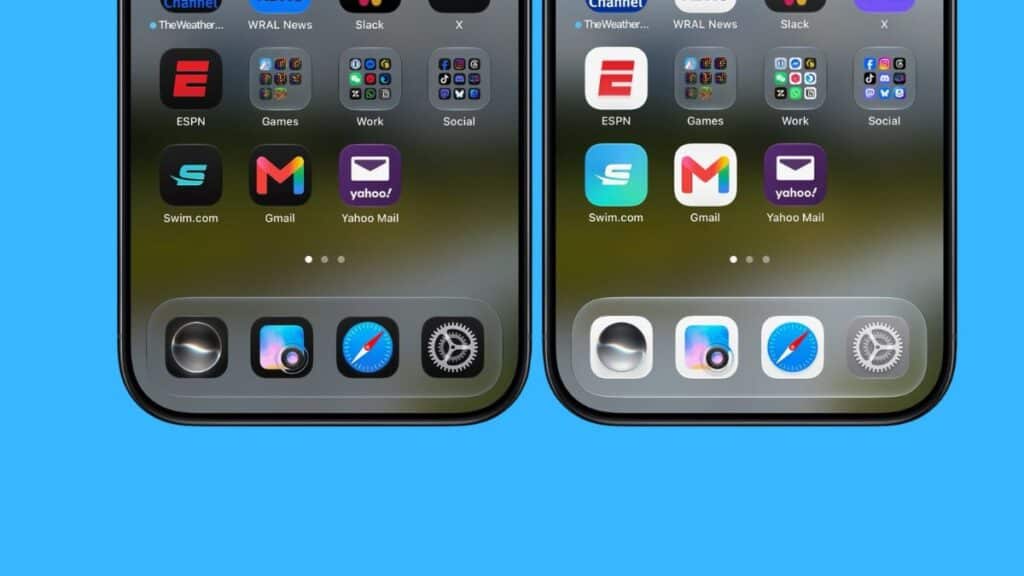
Search isn’t the only interface Apple is still fine-tuning this late in the cycle. Liquid Glass, the redesigned interface language introduced with iOS 26, is still getting refined a full beta cycle later, and beta 5 touches several app icons directly. Safari now has a small dot at its center. Siri’s icon leans harder into the glassy, translucent look. Settings, Remote, Preview, and the Orders icon inside Apple Wallet all picked up detail refinements too.
Individually, these are cosmetic tweaks. Together, they’re a signal that Apple is still actively tuning Liquid Glass rather than treating it as finished, which tracks with reports that the “Clearest” transparency setting was also adjusted again in this build. If you’ve customized your Home Screen around the iOS 27 look already, the official iOS 27 wallpapers are available now too, no beta required.
Small Changes That Add Up
A handful of smaller adjustments round out beta 5. None of these is worth updating for on its own, but together they explain why this build feels more polished than beta 4.
- Contacts now shows company names beneath a person’s name in lists and search results, useful if you save work contacts by company rather than by name.
- Apple Wallet’s Create a Pass feature is now available outside the U.S., extending a feature that was previously U.S.-only.
- Control Center no longer shows your cellular connection type (5G, LTE, and so on) when you’re connected to Wi-Fi, and new cellular signal bars were added to both Control Center and the status bar.
- 5G+ availability expanded to Spain, part of Apple’s ongoing region-by-region rollout of faster cellular tiers.
- Settings > General > About now shows the date you last installed a software update, handy if you’ve ever forgotten exactly when you updated.
- Mail added a Personalize Smart Replies toggle, off by default, which lets Apple Intelligence tailor suggested replies to how you actually write.
- Battery settings can now flag whether a poor cellular connection is draining your battery, giving you an actual diagnosis instead of a vague low-battery warning.
- New splash screens appear in Photos, Wallet, and Music, briefly explaining what’s changed in iOS 27 the first time you open each app after updating.
Taken as a group, these fixes say more about where Apple’s attention is right now than any single headline feature would. This is a cycle focused on cleaning up loose ends before launch, not introducing new ones.
Should You Install iOS 27 Beta 5 Right Now?
If you’re already running a developer or public beta on a secondary device, updating to beta 5 is a straightforward call. It’s a genuinely lighter, more stable build than beta 4. If you’re on beta 4 and it’s been running fine, there’s no urgent reason to update immediately either, though you’ll want the fixes eventually.
If you haven’t installed any iOS 27 beta yet, this still isn’t the moment to put it on your primary iPhone. The public beta is the safer entry point once you decide to try it, and it’s worth knowing in advance that beta software occasionally introduces its own bugs. TechNerdiness has already covered how to fix an iPhone stuck on “Indexing in Progress” after updating, a real issue some testers hit earlier in this cycle, as a reminder of what beta life can look like.
And if you’re catching up on iOS 27 after skipping a few betas, don’t miss some of what shipped earlier in the cycle, like the ability to set alarm and notification volumes separately, a small change that’s easy to overlook next to bigger Apple Intelligence headlines.
For the full technical changelog, Apple’s own iOS & iPadOS 27 beta release notes are the definitive source, and they’re worth a look if you want the developer-facing details this article doesn’t cover.
Final Thoughts
Beta 5 isn’t the update that defines iOS 27. That’s still the Siri overhaul and the deeper Apple Intelligence features Apple previewed back in June. What beta 5 actually delivers is evidence that Apple is spending August doing the unglamorous work of stabilizing what it already announced, from search suggestions to Siri’s voice to a dozen small settings tweaks.
With a little over a month left before the expected September 14 release, that’s exactly the kind of update you want to see this late in a beta cycle.