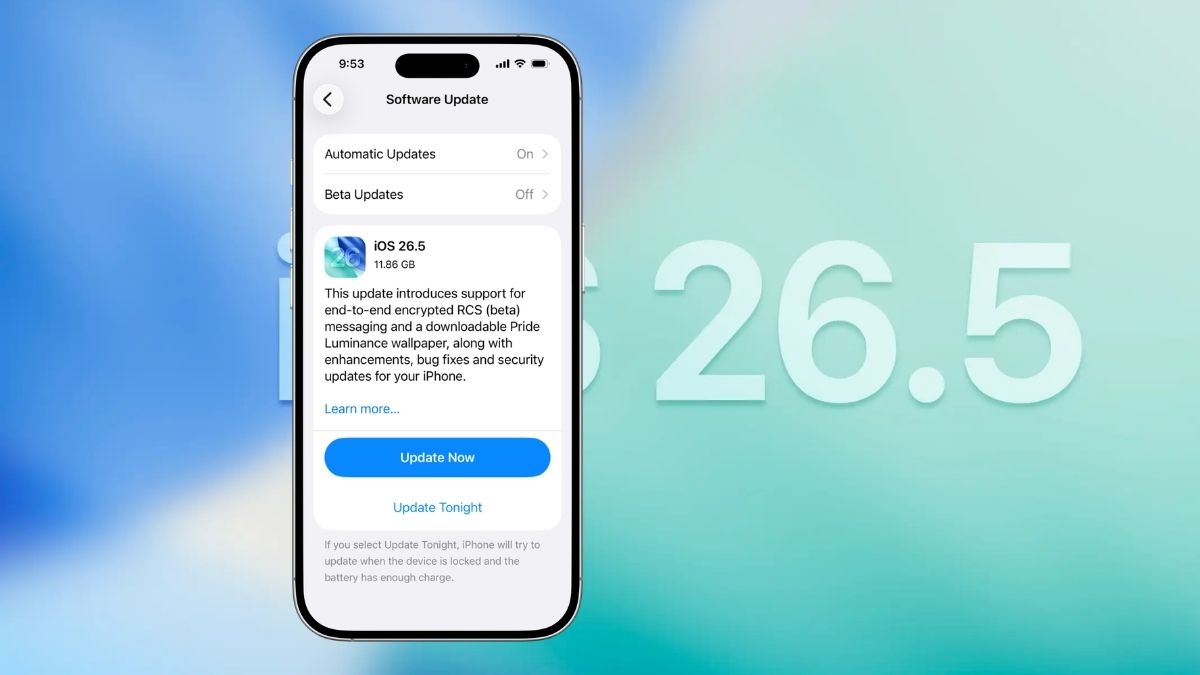
Apple dropped iOS 26.5 on May 11, 2026, and while it is not the kind of update that rewrites the rulebook, it brings a handful of genuinely useful additions that are easy to appreciate once you start using them. Think smarter Reminders alerts, a fresh batch of Pride wallpapers, encrypted RCS messaging, and a few quality-of-life tweaks that quietly make daily iPhone use a little better.
If you are already running iOS 26.4.2, updating is straightforward. Head to Settings > General > Software Update and it should be waiting for you. The update is supported on iPhone 11 and later, and corresponding updates for iPadOS 26.5 and watchOS 26.5 rolled out the same day.
Here is a full breakdown of the new features in iOS 26.5 and what they actually mean for you.
Suggested Places Is Now in Apple Maps
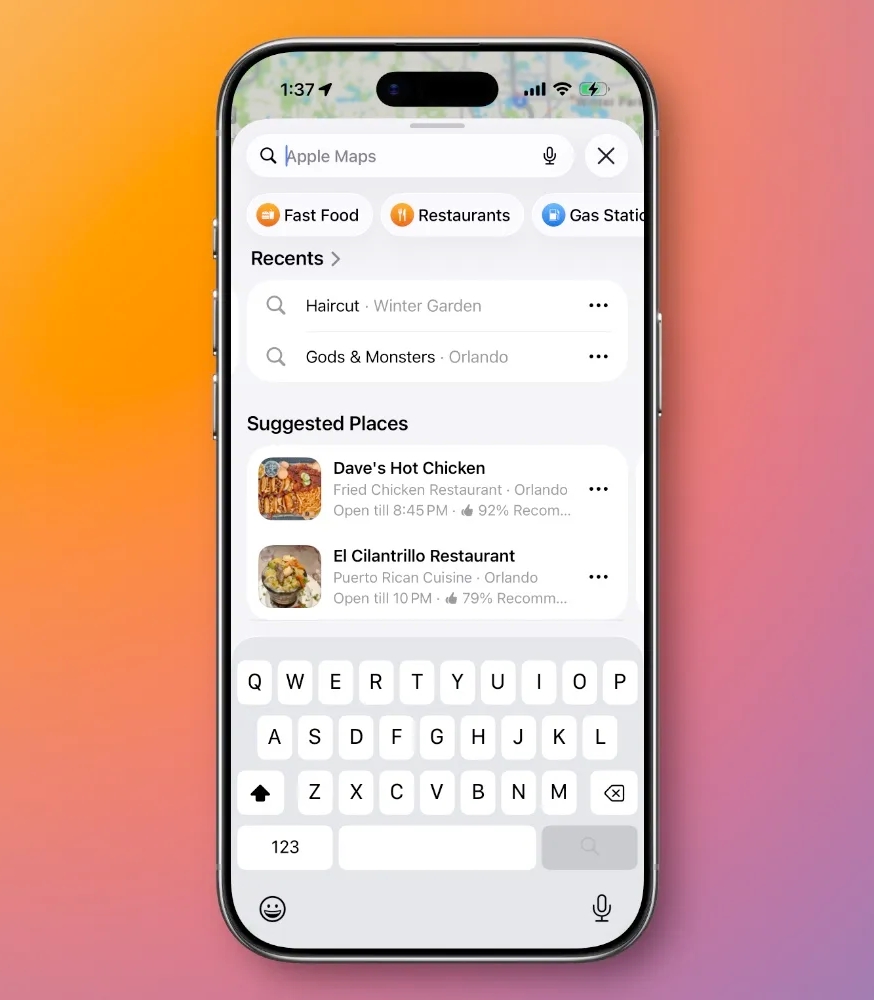
Apple Maps has a new section called Suggested Places, and it is exactly what it sounds like. Based on where you are and what you have been searching for recently, Maps surfaces nearby spots worth checking out — restaurants, landmarks, shops, and the like — without you having to actively look for them.
It is a small but genuinely handy addition, especially when you are in an unfamiliar area and do not have a specific destination in mind.
There is one thing worth knowing upfront, though. Apple has confirmed it will begin showing ads inside Suggested Places for users in the United States and Canada later this year. Sponsored results will carry an “Ad” label to separate them from organic recommendations, so you will be able to tell the difference. Still, it is worth being aware that the feature is partly a commercial play, not just a discovery tool.
Related: Tired of the Apple Maps Voice? Here’s an Easy Way to Change It
11 New Pride Wallpapers With a Custom Builder
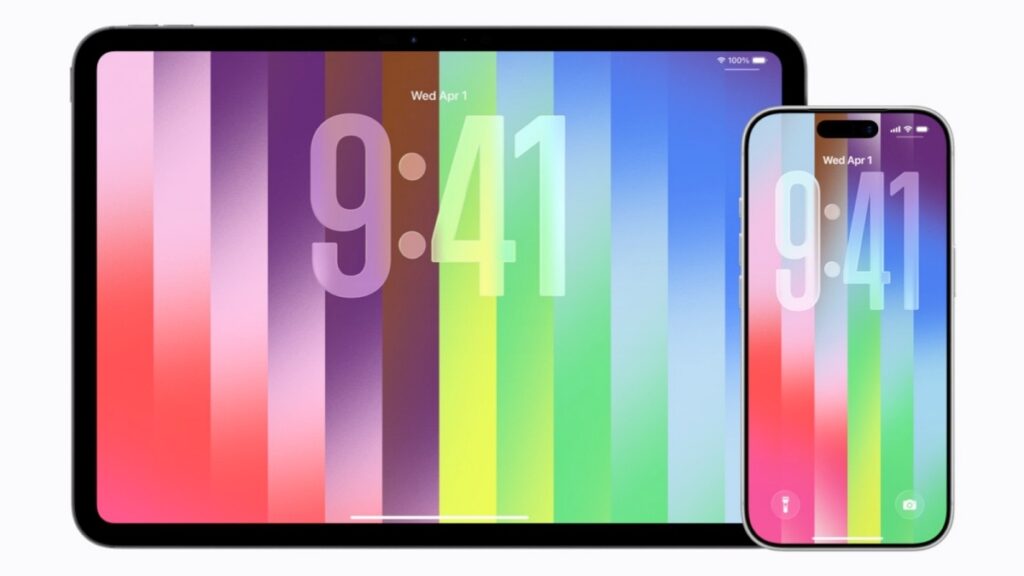
Every spring, Apple adds a new wave of Pride-themed wallpapers to mark the season. This year is no different — iOS 26.5 brings 11 new Pride wallpapers to iPhone and iPad.
What makes this year’s batch more interesting is the addition of a wallpaper builder. Rather than just picking from a preset collection, you can select up to 12 colors yourself and create something that feels more personal. It is a small creative touch that goes a long way for anyone who likes their home screen to reflect their own style rather than a default Apple design.
Monthly Payments for Annual App Subscriptions
This one is genuinely useful for a lot of people. One of the new features in iOS 26.5 is a payment flexibility update for App Store subscriptions. Developers can now offer monthly installment plans for their annual subscriptions, so a $99 per year app could be broken into 12 smaller monthly payments instead of one upfront charge.
If you have ever looked at an app’s yearly plan, wanted the savings it offers over the monthly tier, but could not justify the full amount at once, this is built for exactly that situation. Yearly plans almost always work out cheaper in the long run, and now you do not have to front the whole cost to access them.
The catch: Apple is not rolling this out in the United States or Singapore at launch. It will be available in select other regions first.
Encrypted RCS Messaging Is Coming to the Messages App
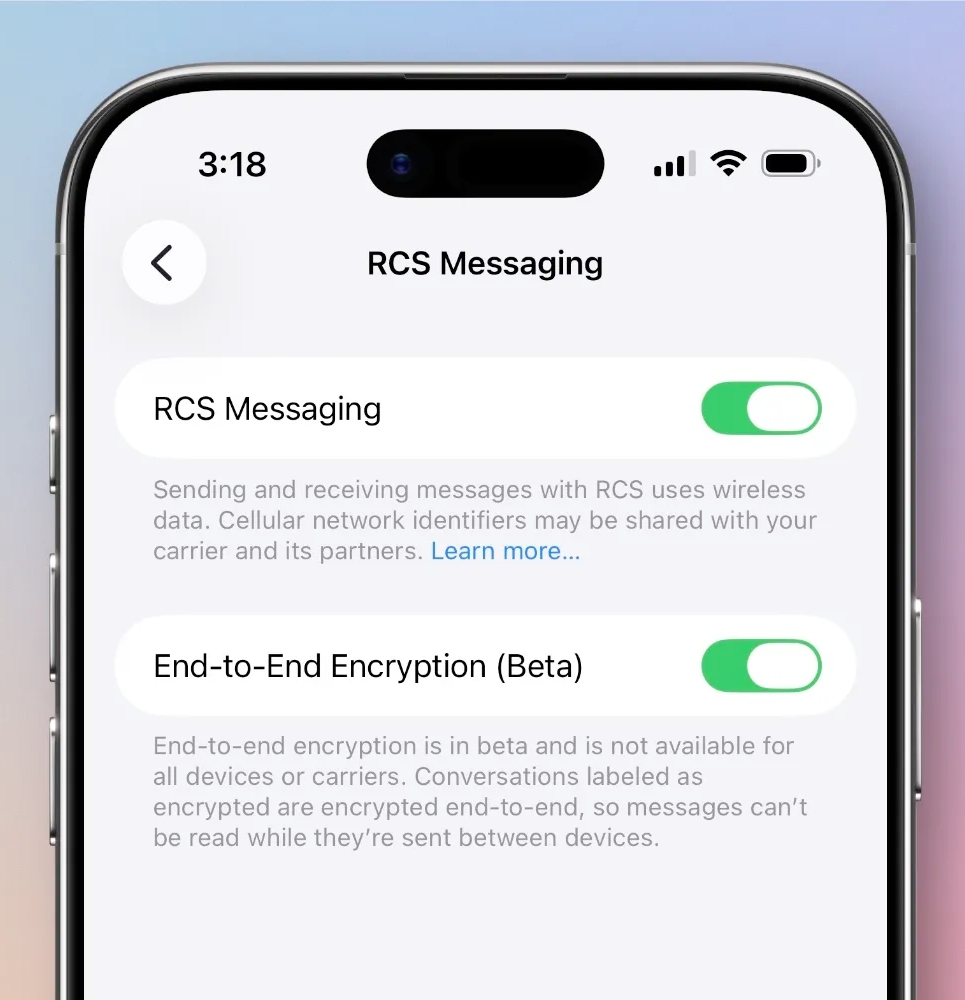
This is arguably the most significant change in everything new in iOS 26.5, even if it is still early days. Apple is introducing support for end-to-end encrypted RCS messaging — a meaningful step toward making cross-platform conversations between iPhone and Android users genuinely private.
For some context: iMessage has always been end-to-end encrypted, but standard RCS messages have not been. Apple brought RCS to iPhone with iOS 18 back in 2024, which improved the experience between iPhone and Android considerably — better media quality, typing indicators, read receipts, improved group chats — but the encryption gap remained. iOS 26.5 starts closing that.
For now, encrypted RCS is in beta and only works with supported carriers. Broader availability is expected to roll out over time, likely reaching full deployment alongside iOS 27 later this year. But the foundation is being laid here, and that matters.
Reminders App Finally Shows Precise Snooze Times
If you rely on the Reminders app to stay on top of things, this small update will feel long overdue. Previously, when you snoozed a reminder, your options were vague buckets like “Afternoon” or “Evening” — not exactly useful if you needed a nudge at a specific time.
iOS 26.5 changes that. Snooze options now show actual times, like Remind Me in 1 Hour or Remind Me Tomorrow at 9:00 AM. It is a minor UX fix on paper, but if reminders are a core part of how you manage your day, the difference in usefulness is real.
Other Changes Worth Knowing About
Beyond the headline additions, iOS 26.5 includes a number of smaller but welcome updates:
Magic Keyboard, Mouse, and Trackpad pairing got easier. You can now pair these accessories via USB-C first, and the device automatically switches to Bluetooth once the connection is established. No more fumbling through setup menus.
Regional feature updates are rolling out in the EU and Brazil, including Live Activities support and continued prep for sideloading compliance — part of Apple’s ongoing response to regulatory requirements in those markets.
General stability, battery, and security improvements round out the update, along with the usual bug fixes. Older iOS branches, including iOS 18.x, also received security patches on the same day.
You might also like: