What if you could score the exact moment you’re living in with a track that exists just because you imagined it? That idea no longer belongs to sci-fi alone. You’ve probably heard of AI-generated music, especially as it’s become increasingly mainstream.
However, it can still feel like it’s just for tech-savvy creators with the right apps and the patience to learn how everything works. That’s no longer the case, though. With Google Gemini, you can imagine a track and bring it to life in a few minutes without any sophisticated tech skills.
What Is AI Music Generation in Gemini?
At the core of this feature is Lyria 3, a music generation model developed by Google DeepMind. Unlike earlier models, Lyria 3 can produce full compositions from a simple text prompt or image. That includes instrumentals, vocals, and original lyrics. If you’ve used the previous generations, you’ll notice the improvement: the AI-generated tracks sound more layered and far less robotic than before.
Google has built this directly into the Gemini app, so you’re likely one of the millions of people who already have access without downloading anything new. Every track you generate also comes with its own custom cover art, courtesy of an AI model called Nano Banana.
Why You Might Actually Want AI Music
You might be wondering what you’d ever need AI music for. You’d be surprised.
If you’re like me, you probably need focus music for deep work sessions. Now, with Gemini, you can imagine it and generate it. Even if you only need background music for a dinner party, describe the mood you want and let Gemini create something that fits. Instead of scrolling through royalty-free music libraries and hoping something works, you can pair a photo or video from your gallery with a prompt and let Gemini create a matching soundtrack. Content creators will get the most out of this: unique audio, with no licensing to worry about.
Beyond the practical use cases, you can create music about an inside joke from your friend group or a memory you share with your partner. You could make a nostalgic Afrobeat song for a family member, or a dramatic ballad about your friend’s terrible cooking. The more specific the scenario, and the more personal the prompt, the better the result tends to be.
How AI Music Generation in Gemini Works
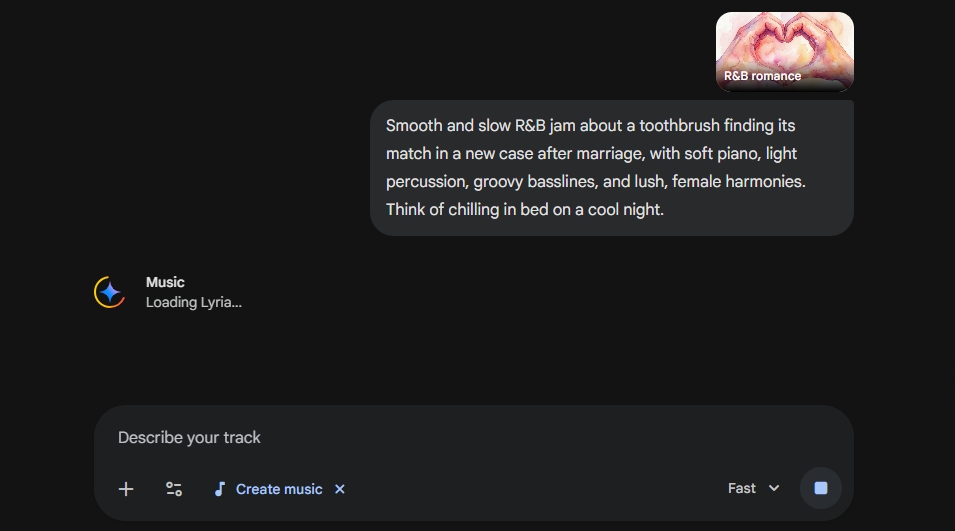
Generating music in Gemini is simple, even if the technology behind it isn’t. Type a prompt or upload an image, and Gemini sends that input through Lyria 3. The model processes it and produces a track in a matter of seconds.
In your prompt, specify the genre, mood, era, and tempo you want. You can also include specific vocal textures, like “coarse male tenor.” This gives you control over the output without needing any knowledge of music theory or production.
Two features are worth highlighting here. Google embeds every generated track with SynthID, an imperceptible watermark from DeepMind that identifies the audio as AI-generated. Gemini also includes built-in filters that prevent the system from directly mimicking real artists, which matters given how much scrutiny AI music faces over copyright and artist rights.
Longer Tracks with Lyria 3 Pro
The original Lyria 3 model caps tracks at 30 seconds, which can feel limiting. Google addressed that a month after launch with Lyria 3 Pro, a more advanced version that generates tracks up to three minutes long. It also gives you finer creative control: you can specify structural elements like intros, verses, choruses, and bridges directly in your prompt, and the model understands song structure better than the original.
Lyria 3 Pro is available in the Gemini app, but only to paid subscribers. If you’re on the free tier and want more than a 30-second clip, this is the upgrade that unlocks it.
Who Can Use It and What It Costs
Getting started requires almost nothing. You need access to the Gemini mobile app or the desktop version at gemini.google.com, along with a Google Account. You must be 18 or older to use the music generation features.
This feature is available globally in every country where the Gemini app is supported. At launch, it works in English, German, Spanish, French, Hindi, Japanese, Korean, and Portuguese. The basic functionality is free. Subscribing to Google AI Plus, Pro, or Ultra gets you higher generation limits and access to Lyria 3 Pro, which helps if you plan to create a large number of tracks or want longer songs.
Related: What’s New in Gemini 3 Features
Steps to Generate AI Music for Free with Google Gemini
As long as you have a Google account, it’s super easy to generate AI music in Gemini:
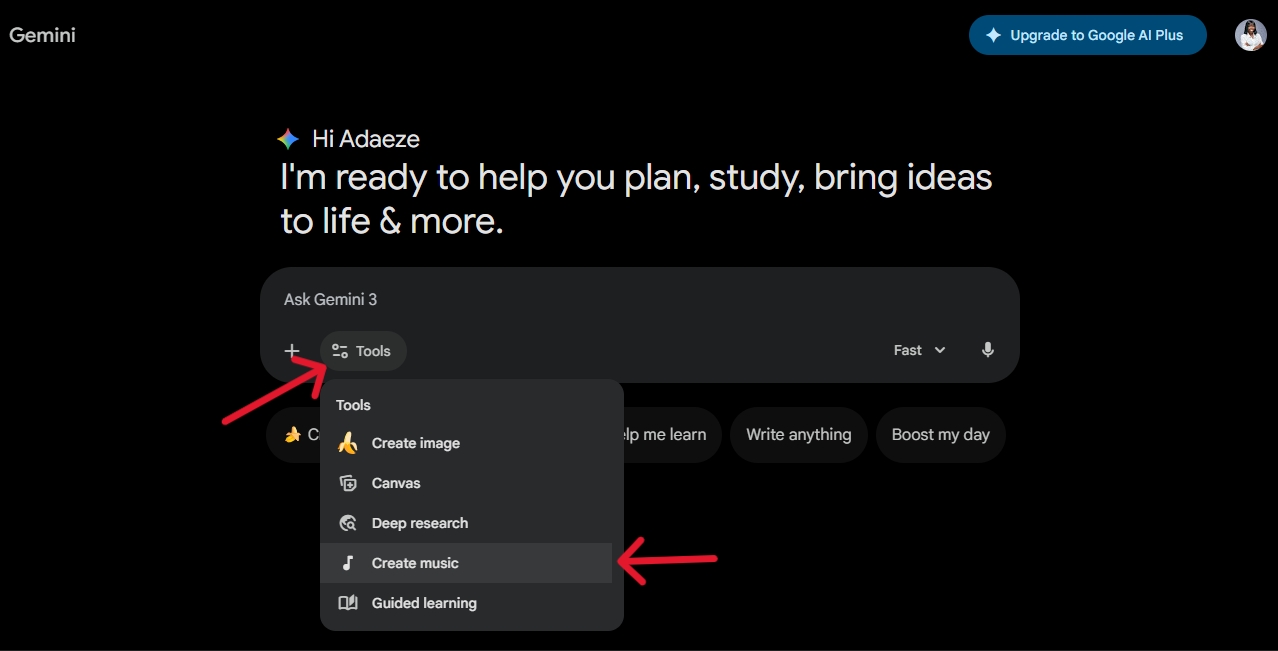
- Open Gemini through the mobile app or by visiting gemini.google.com in your browser.
- Click the icon that looks like two sliders moving in different directions. On a web browser, you’ll find Tools beside this icon.
- Select Create music.
- In the text box, describe what you want, including the genre, mood, instruments, or even a specific story you want the track to follow. You can also upload an image or video for creative inspiration.
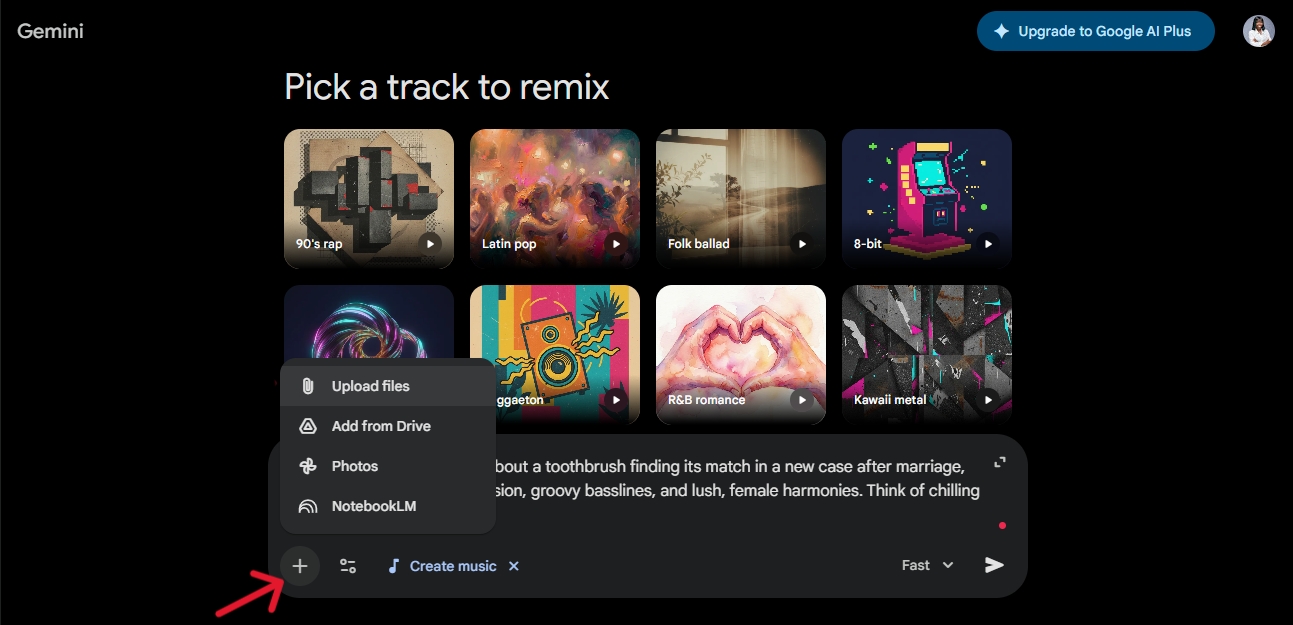
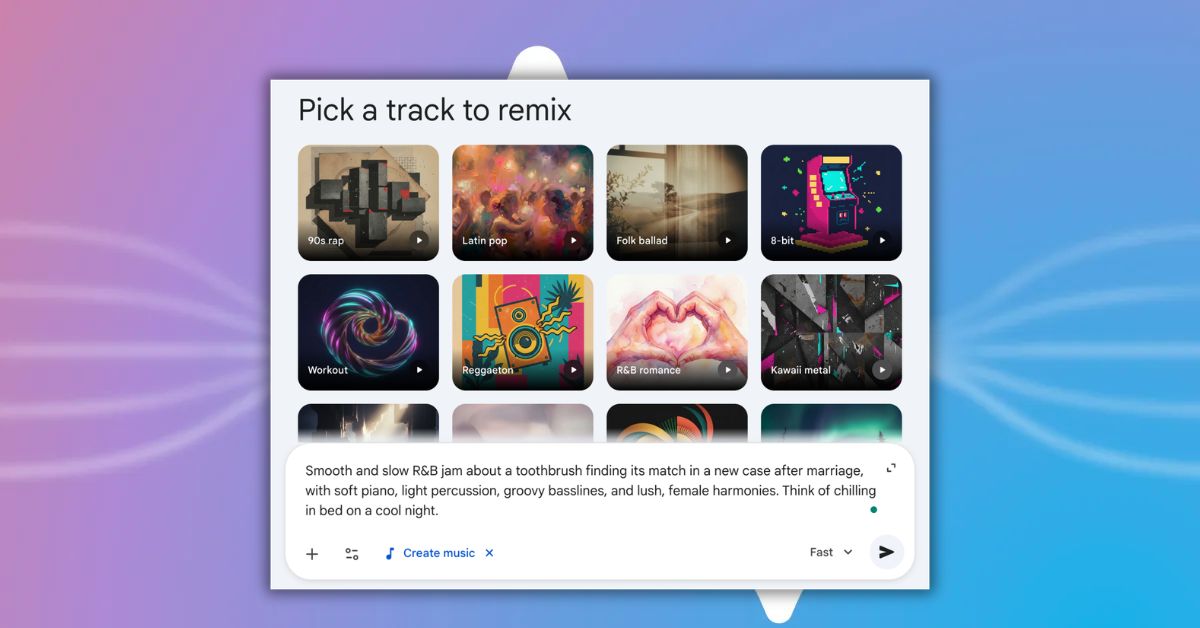
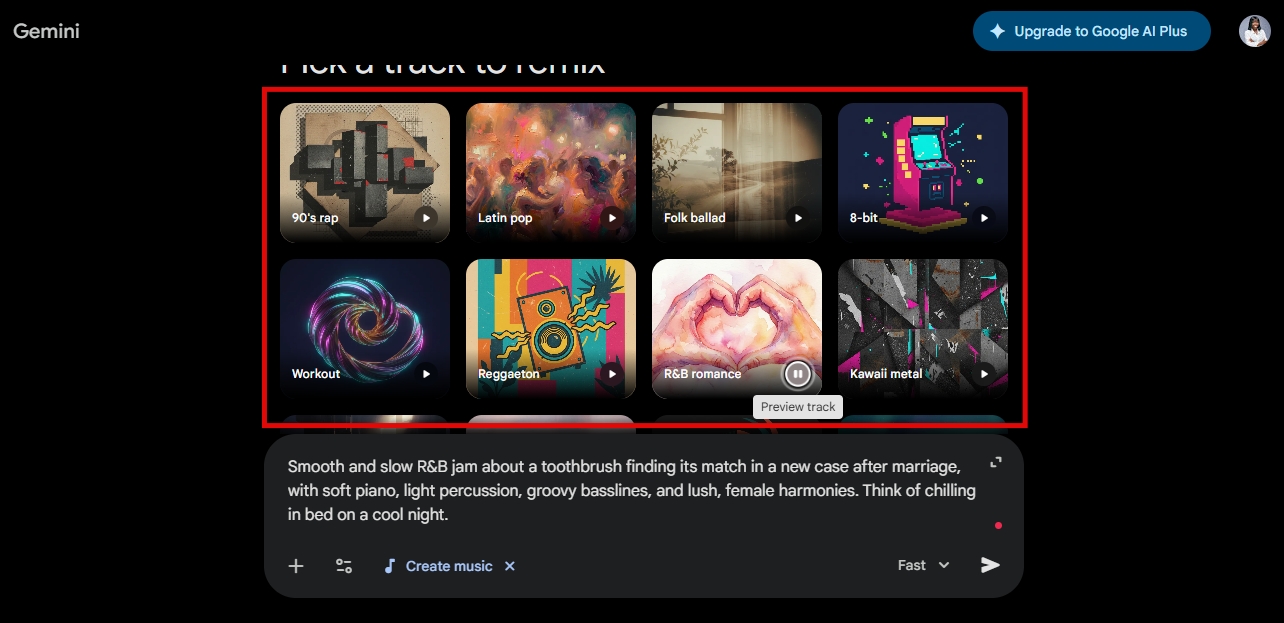
- You can also choose a track to remix from the templates displayed in Gemini.
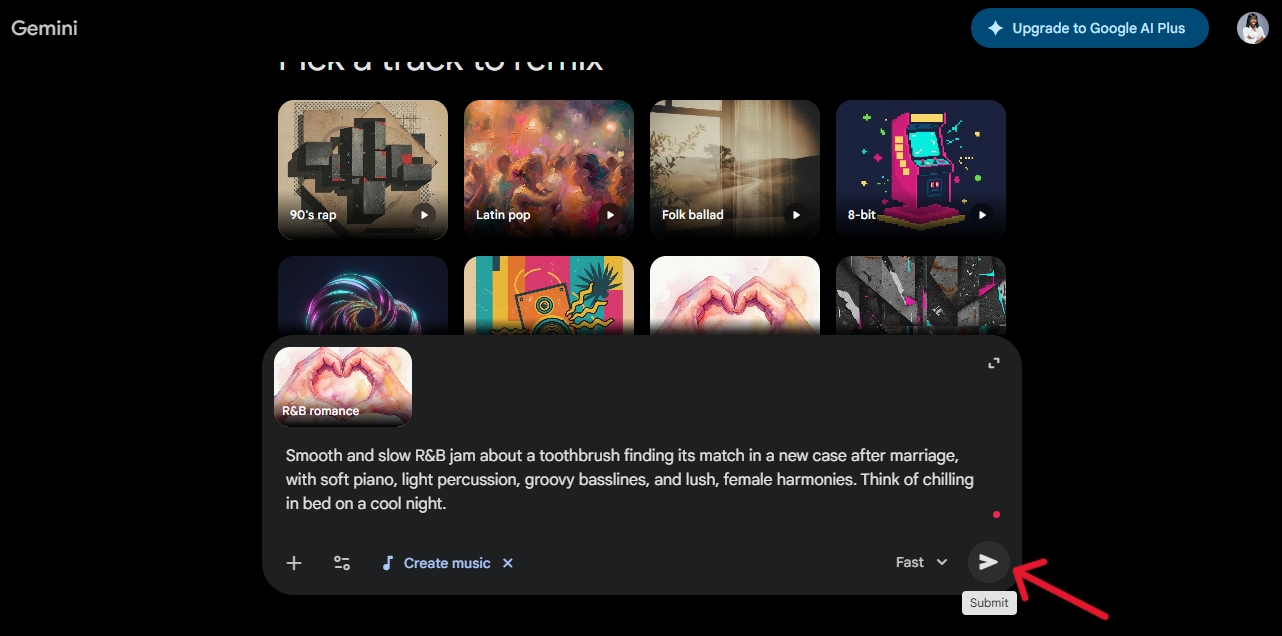
- Hit the send button and wait a few seconds while Lyria 3 generates your track and Nano Banana creates the cover art.
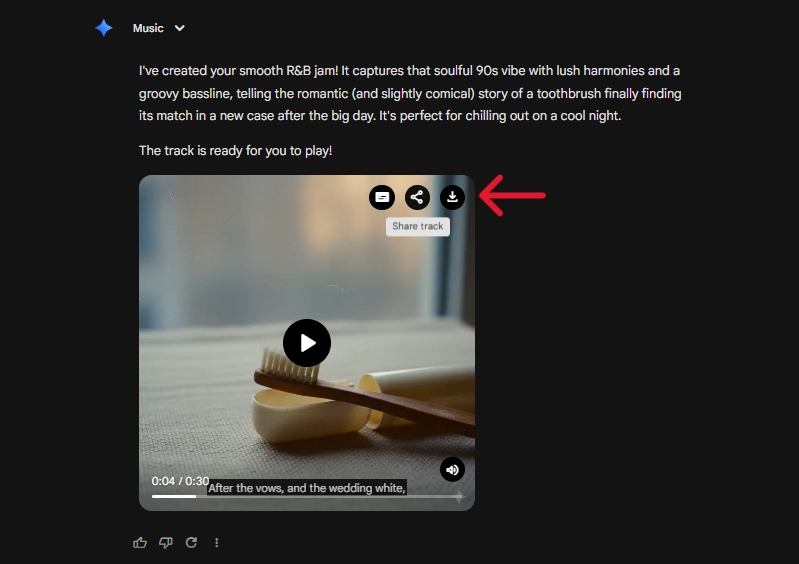
- Once the track is ready, you can hide or show subtitles, share it directly to social platforms, or download the track by hovering over the top-right corner of the cover art.
That’s all there is to it.
Sample Prompt for Generating Viral AI Music in Gemini
The quality of the AI music you generate depends heavily on the descriptions you feed into Gemini. If this is your first time, it might be hard to know what a strong prompt looks like, so here’s one to try:
Smooth and slow R&B jam about a toothbrush finding its match in a new case after marriage, with soft piano, light percussion, groovy basslines, and lush, female harmonies. Think of chilling in bed on a cool night.Aim to describe the genre or style, the tempo, instruments, vocal style, mood, atmosphere, setting, and subject. Keep your descriptions clear and coherent. The more vividly you can picture the song in your head, the closer Lyria 3 will get to what you’re imagining.
Final Thoughts
The 30-second limit on the free model might feel like a constraint, and the beta label is a reminder that this feature is still evolving. You can always loop a short track, especially if it’s instrumental, and Lyria 3 Pro already solves the length problem for subscribers who want something longer.
It’s still early days, but Google has made it easy to express yourself musically. Whether you’re generating something funny, heartfelt, or purely experimental, you can turn what’s in your head into a track in minutes. It’s worth trying once, if only to hear what the ideas in your head actually sound like.
You might also like: