Ram Navami is all about strength, devotion, and the triumph of good over evil. And now, with AI tools becoming more accessible, celebrating the festival has taken a creative turn. Instead of basic edits, you can create powerful, cinematic visuals that actually stand out.
If you’ve been searching for a Ram Navami AI photo editing prompt, especially tailored for boys, you’re in the right place. With tools like Gemini, it’s surprisingly easy to turn a simple photo into something that feels divine and visually striking.
Whether you’re aiming for a royal warrior look inspired by Lord Ram, a calm spiritual vibe, or a festive traditional style, the right prompt makes all the difference. In this guide, you’ll learn how to create Ram Navami AI photos in Gemini using well-crafted prompts that deliver clean and impressive results.
Ram Navami AI Photo Editing Prompts
When using a Gemini AI Ram Navami photo editing prompt, your goal should be clarity and intent. The more specific your prompt is, the better your final image will look.
These types of prompts help you generate images that feel both modern and respectful.
Prompt 1 – Divine Celebration of Faith
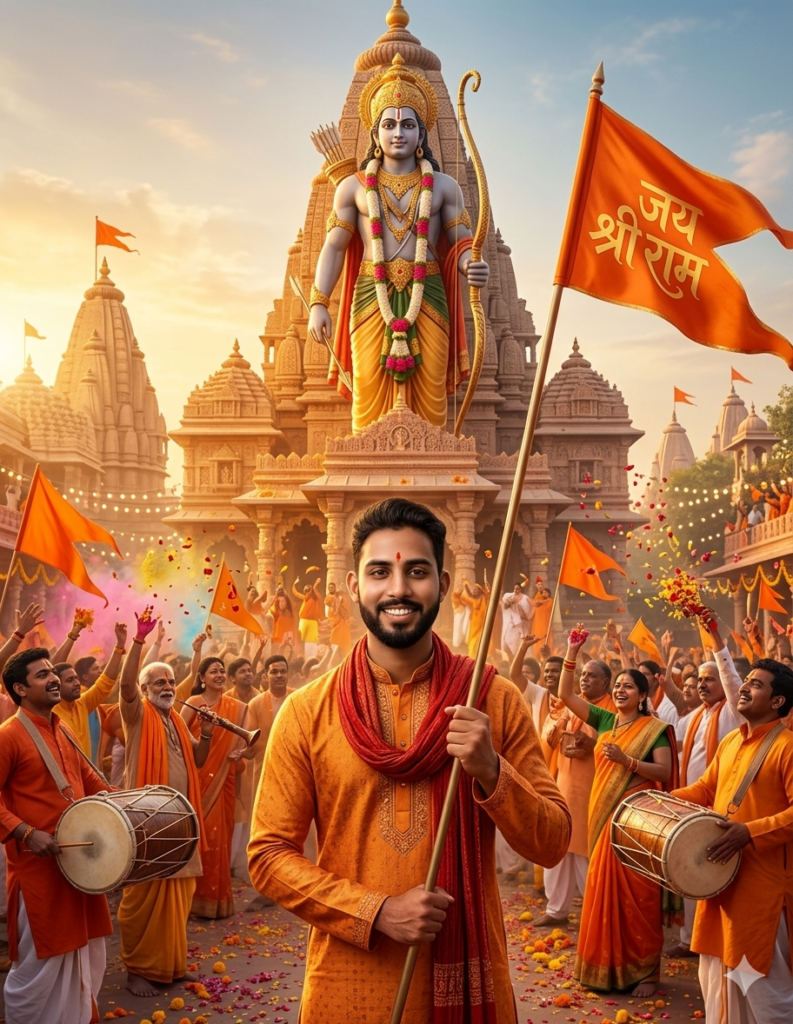
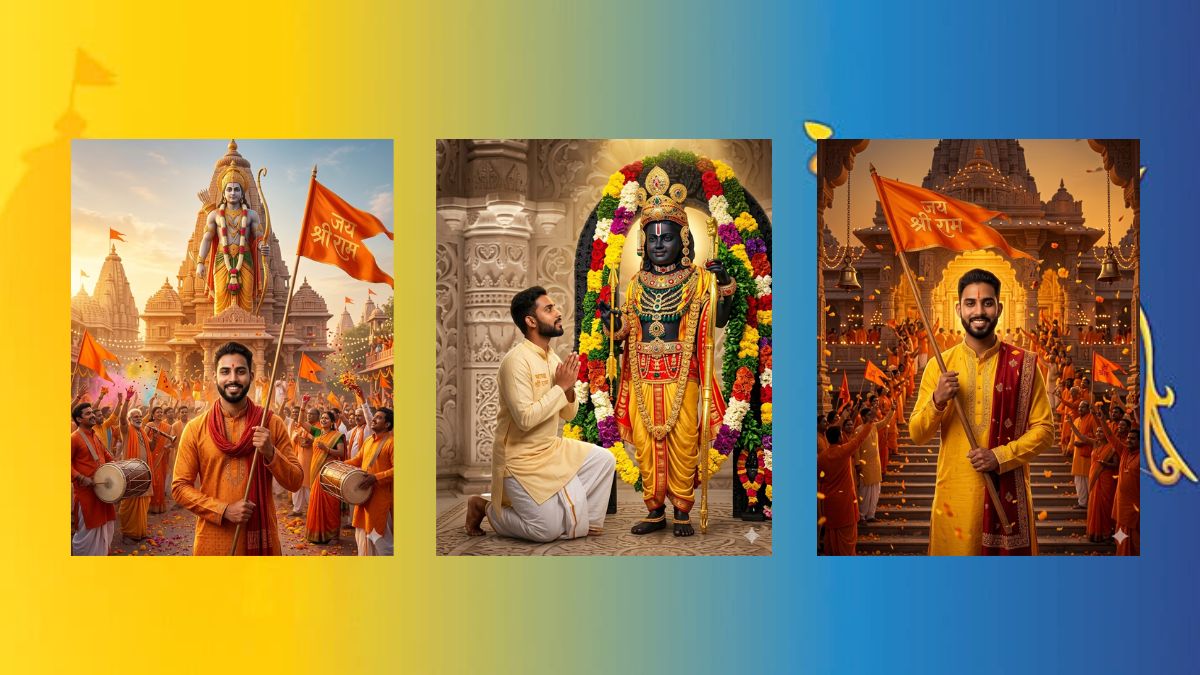
Highly detailed cinematic scene of a young Indian man standing proudly before a grand Hindu temple during a festive celebration, holding a large saffron flag reading “Jai Shree Ram.” He wears an orange kurta with a red scarf, facing the camera with a confident smile. Behind him, a towering statue of Lord Ram with a bow rises above the temple entrance. The background is filled with devotees in saffron attire, waving flags, playing drums, and celebrating with flower petals in the air. Golden temple architecture glows under warm sunset light, creating a divine atmosphere. Slight face-focused zoom while keeping the vibrant celebration visible. Ultra-realistic, cinematic lighting, 8K, sharp focus, rich saffron tones. Use face from uploaded image, keep 100% accurate.Prompt 2 – Golden Hour of Devotion
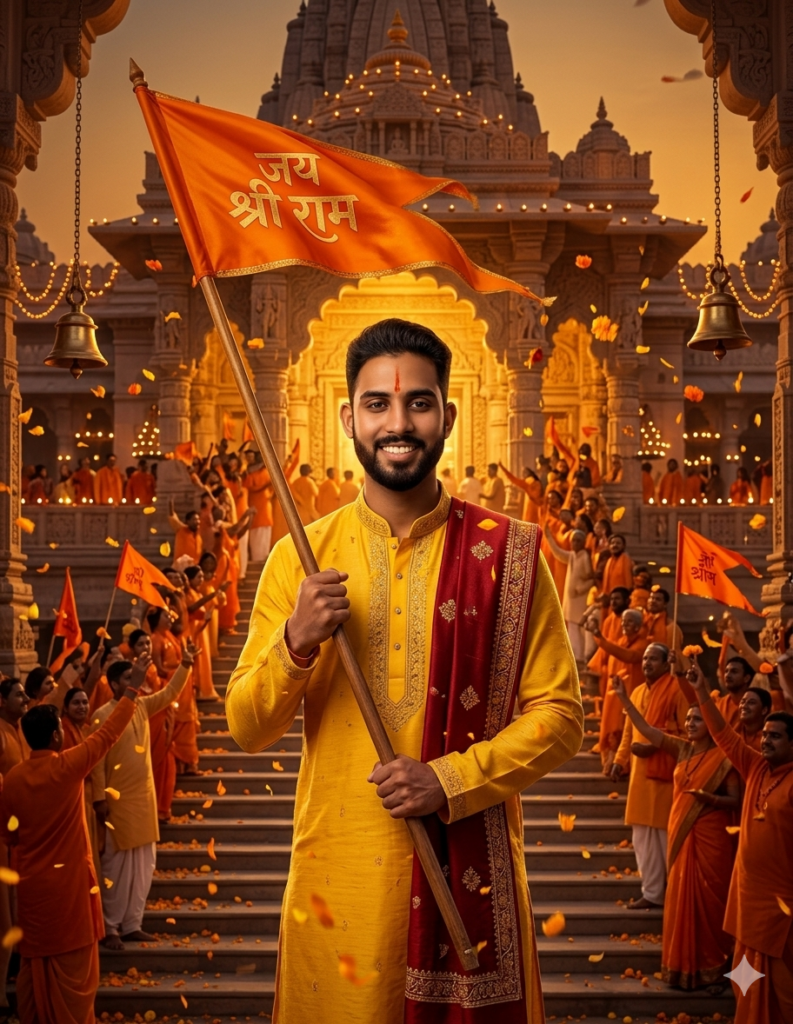
Cinematic ultra-detailed portrait of a young Indian man standing at the entrance of a grand Ayodhya-inspired temple, holding a large saffron flag with “Jai Shree Ram.” He wears a bright yellow kurta with an embroidered stole, looking directly at the camera with a confident, devotional smile. The temple glows in golden light, with devotees in saffron waving flags as flower petals fill the air. Temple bells, diyas, and decorative lights enhance the festive atmosphere. Slight face-focused framing while keeping the temple and crowd visible. Ultra-realistic, cinematic lighting, 8K, sharp focus, rich saffron tones. Use face from uploaded image, keep 100% accurate.Prompt 3 – Ayodhya Celebration
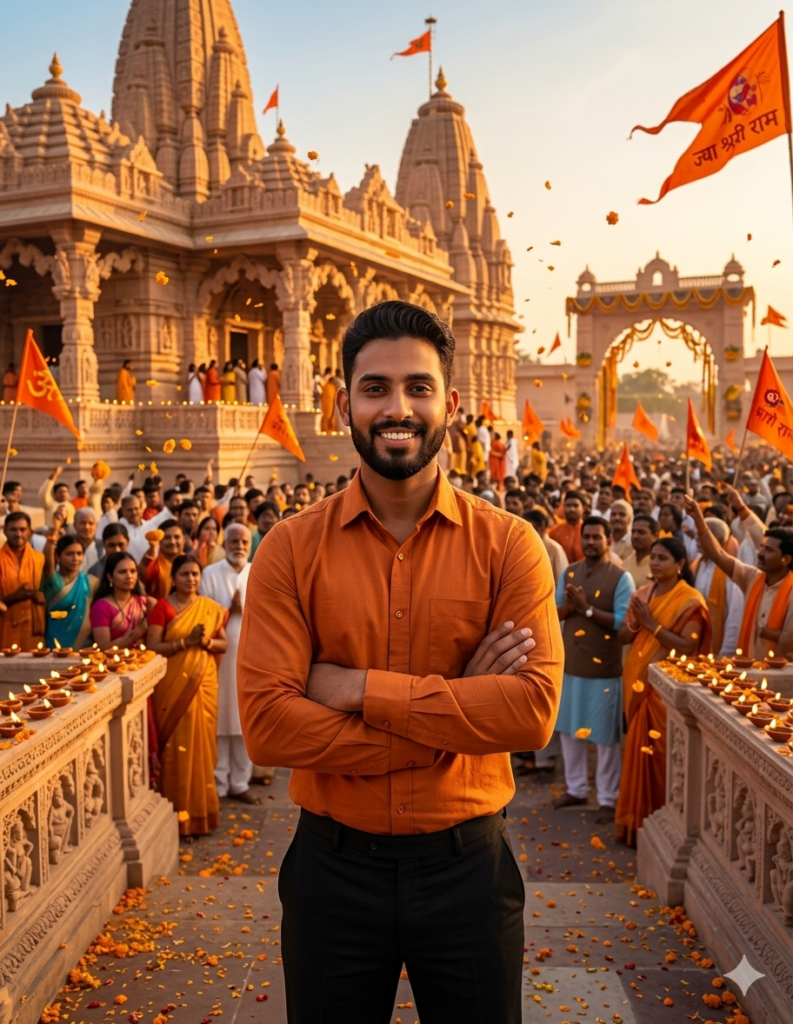
Using the uploaded reference image, create a realistic celebration scene at Ayodhya Ram Mandir. The same person appears clearly with identical face and body structure, wearing an orange shirt and black pants, standing confidently in front of the grand temple. The setting features a joyful devotional atmosphere with saffron flags, flower petals in the air, glowing diyas, and a spiritual crowd in the background under warm golden sunlight. Cinematic lighting, ultra-realistic, sharp focus, vibrant festive tones.Prompt 4 – A Moment of Divine Devotion
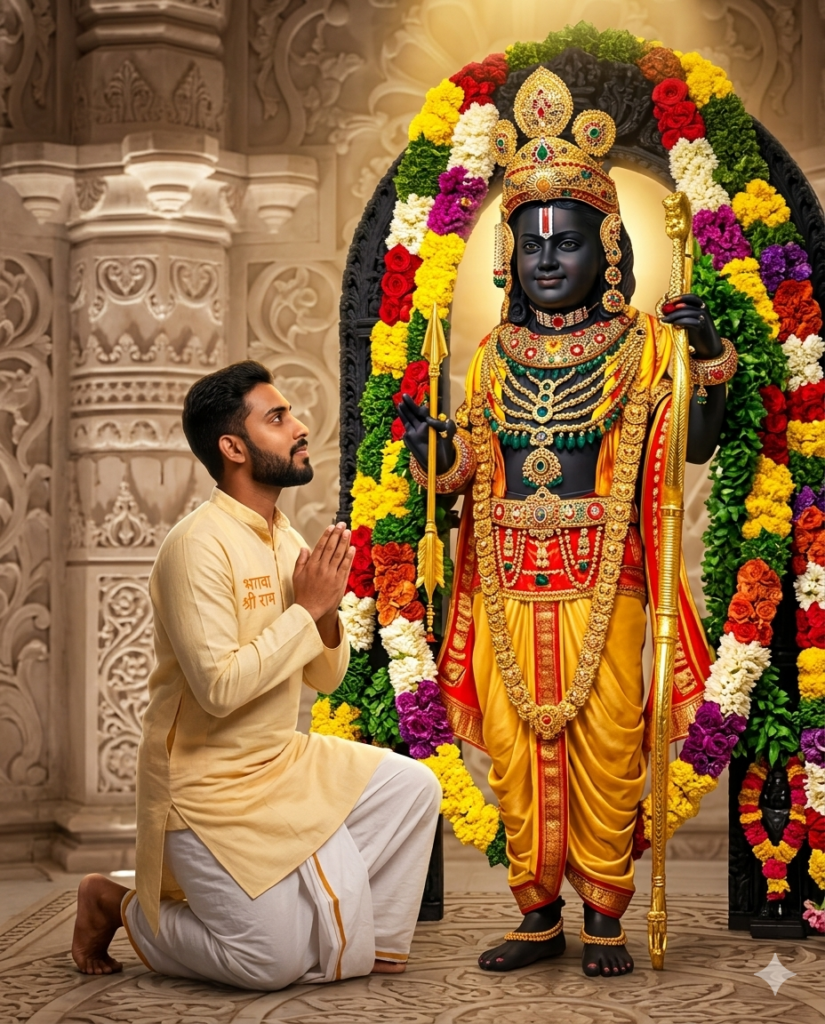
Ultra-realistic 8K cinematic devotional portrait, 4:5 ratio. Use uploaded face with 100% facial accuracy, natural skin texture, no alteration. Subject kneeling on one knee in front of Lord Ram (facing him, not turning back), hands joined in Namaste, calm emotional expression looking up into Lord Ram’s eyes. Maintain natural dark skin tone.

Lord Ram depicted in divine Shyama Varna (deep black-blue tone), serene and majestic, with a soft divine smile. Attire exactly as traditional idol: rich golden-yellow silk dhoti with red border, heavy layered gold necklaces with emerald and ruby details, golden armlets, bracelets, gemstone waist belt, ornate golden crown with peacock feather motif. Holding golden bow in left hand and arrow in right. White Urdhva Pundra tilak on forehead.

Subject clothing: white dhoti and light-yellow kurta with “भगवा श्री राम”.

Background: grand traditional temple setting with carved marble pillar on left, full circular floral arch of marigold (yellow), rose (red), jasmine (white), and purple flowers.

Lighting: warm divine golden rim light behind Lord Ram, soft front fill, subtle glow aura, overhead golden spotlight. Ultra-sharp 8K detailing on jewelry, silk textures, and flowers. Cinematic, photorealistic, deeply spiritual and regal atmosphere, no painting or cartoon style.
Prompt 5 – Ram Navami Utsav
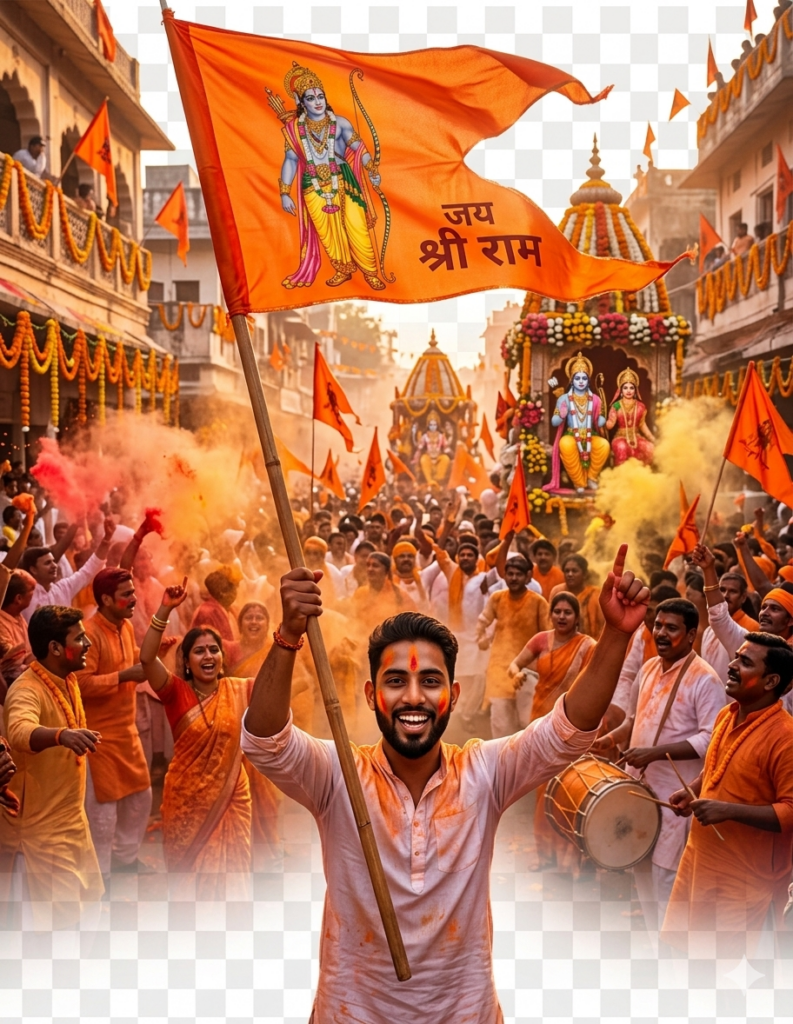
Energetic young Indian man leading a Ram Navami street procession, holding a saffron flag of Lord Rama. He stands at the front with a confident, spirited expression as a crowd behind chants “Jai Shri Ram.” Colorful gulal fills the air, with festive decorations and temple chariots in the background. Vibrant lighting enhances the celebration. Cinematic composition, ultra-detailed, 8K, sharp focus, rich saffron tones, dynamic motion and depth.Once you get comfortable using a Gemini AI Ram Navami photo editing prompt, you can experiment with other festive styles as well. For example, check out Gemini AI Navratri Photo prompts if you want more colorful and vibrant AI edits.
Things to Keep in Mind While Creating Ram Navami AI Photos
While using any Ram Navami AI photo prompt for boys, it’s important to strike the right balance between creativity and devotion.
Focus on elements that enhance the spiritual vibe:
- Traditional outfits (kurta, dhoti, or royal attire)
- Symbolic props like bows and arrows
- Temple or nature-inspired backgrounds
- Soft golden or divine lighting effects
Avoid over-editing or adding unnecessary effects that make the image look artificial. The goal is to keep it clean, meaningful, and visually appealing.
Also, make sure your prompts include descriptive keywords like:
- “divine aura”
- “cinematic lighting”
- “spiritual background”
- “royal warrior look”
This helps tools like Gemini generate sharper and more realistic images.
Above all, respect the cultural significance of the festival. A well-thought-out Ram Navami AI photo editing prompt 2026 should not just look good but also feel appropriate and authentic.
How to Create Ram Navami AI Photos in Gemini
If you’re new to this, here’s a simple way to get started and create your image in minutes:
- Copy the prompt you like.
- Open Gemini and tap Create Image.
- Upload the photo you want to edit.
- Paste the prompt you copied.
- Customize any text or name if needed.
- Tap Send and let Gemini generate the image.
- Save the final result to your device.
That’s it. The process is quick, and you don’t need any editing skills to get great results.
Gemini is one of the easiest and most effective tools right now. It works well with detailed prompts and delivers clean, high-quality images without much effort.
A good prompt is clear and descriptive. It should include details like outfit, lighting, background, and mood. The more specific you are, the better your image will turn out.
Yes, absolutely. That’s the advantage of AI tools. Even beginners can create professional-looking images by simply using the right prompt and uploading a photo.
You might also like: