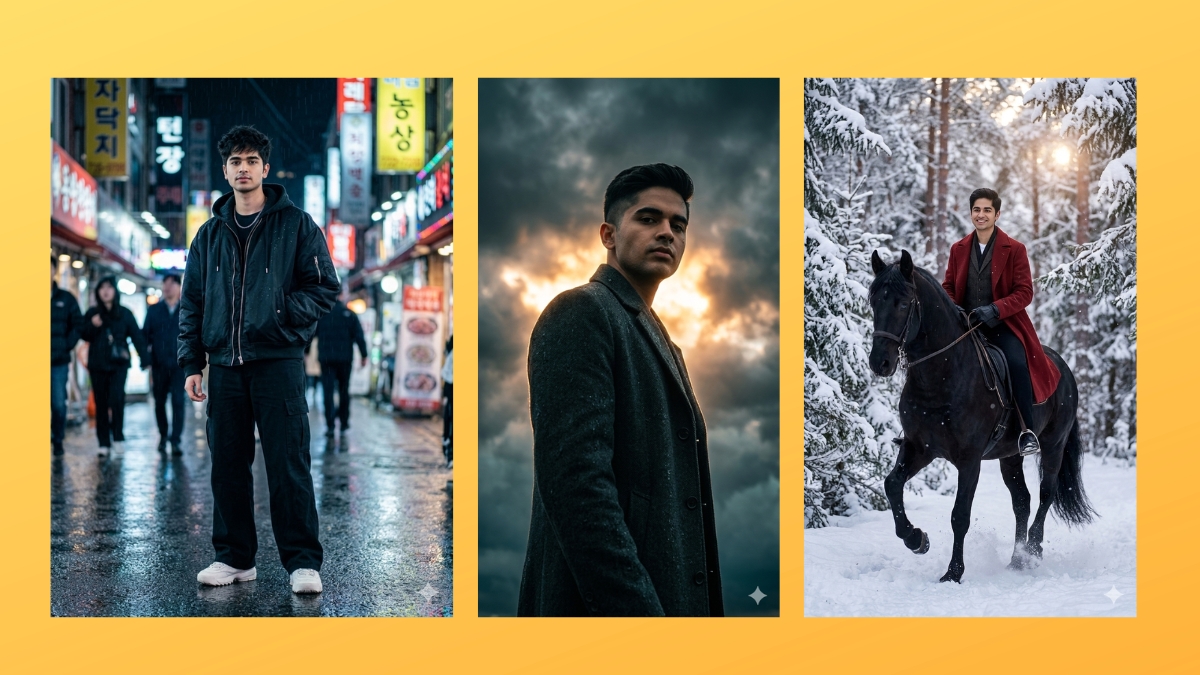
Everyone wants cool and stylish pictures of themselves these days, whether it’s to post on social media, set as a profile picture, or send to friends. Platforms like Instagram have made visually appealing photos more popular than ever. From cinematic portraits and street-style shots to luxury vibes, neon lighting, and anime edits, people love sharing eye-catching images that stand out.
However, not every impressive photo you see on social media today is actually real. Many of the striking portraits that grab your attention instantly are now created using artificial intelligence. With the rapid rise of AI tools, users can generate highly stylized images that look professional without needing advanced editing skills.
We’re now living in the AI era, where creating trending portraits takes only a few seconds. Tools like Google Gemini can generate unique AI portraits from a simple prompt. You just upload your photo, enter a prompt, and the AI creates a stylish image based on your description. In this article, we’ve compiled 10 trending Gemini AI prompts for boys that are currently going viral on social media, along with steps on how to use them later in the guide.
10 Gemini AI Prompts for Boy-Style Photos
Copy the prompts below and paste them into Google Gemini with your photo to recreate these trending AI images.
1. Urban Professional Looks
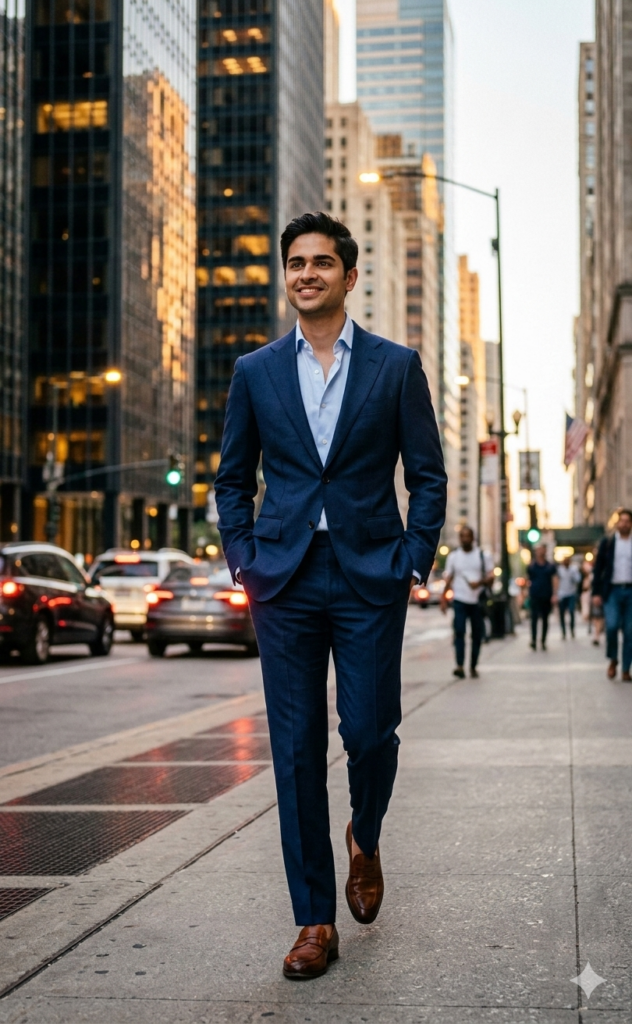
Generate a photorealistic image of a handsome man in his late 30s wearing a tailored navy suit and light blue dress shirt (no tie), walking confidently down a busy city street at magic hour. The background shows blurred skyscrapers and streetlights, with a confident, thoughtful expression and a high-fashion magazine aesthetic with rich colors and sharp detail.2. A Cinematic Portrait of Emotional Release
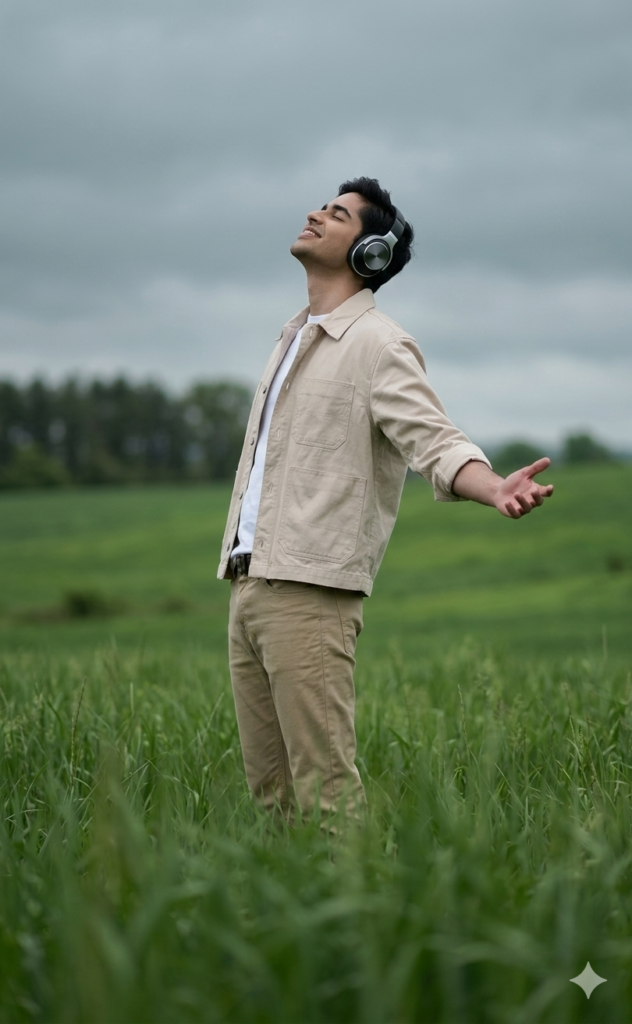
A cinematic, slightly telescopic shot of the person exactly as in the reference image, standing in a lush green field of tall grass under an overcast sky. Their face, body, and outfit remain unchanged. They lean slightly back with one arm outstretched and palm open, head tilted back and eyes closed, wearing large silver over-ear headphones, conveying calm and emotional release. The shot uses a subtle low-angle perspective with blurred grass in the foreground for a dreamy depth of field. Muted green and gray color tones with soft, diffused lighting create a serene, reflective, and slightly melancholic cinematic mood.3. The Crimson Rider Boy Prompt
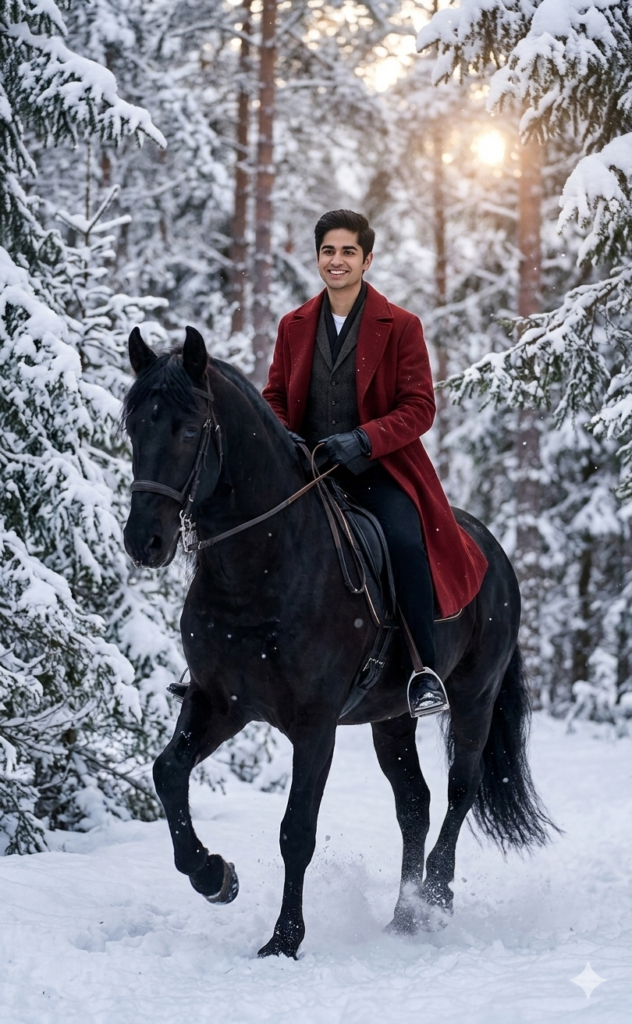
A handsome dark-haired man riding a magnificent black horse through a snowy, ethereal forest. He wears a long deep-red coat, dark vest, and black gloves, with a cinematic, high-fashion winter atmosphere.4. Korean Street Fashion Boy Prompt
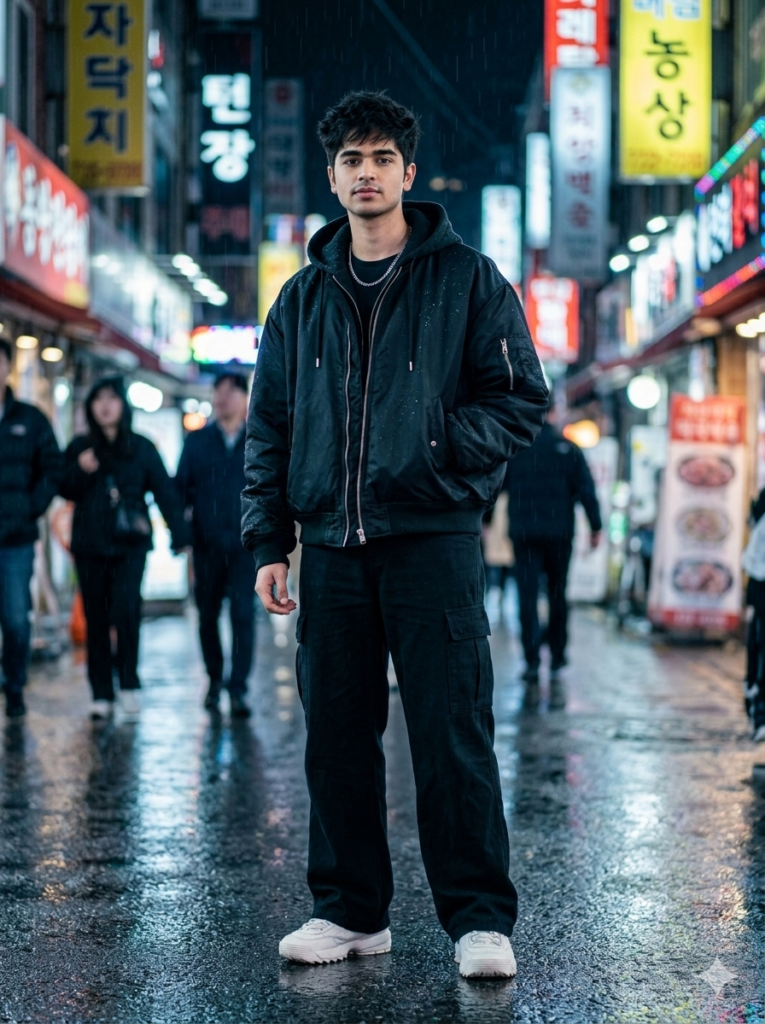
Create a 4K portrait of a stylish 22+ Indian boy in Korean streetwear: an oversized black jacket, wide pants, silver chain, and sneakers. Messy textured hairstyle, neon-lit rainy street background with cinematic tones, sharp facial details, cool color grading, and DSLR-style blur.5. Misty Forest Editorial Prompt
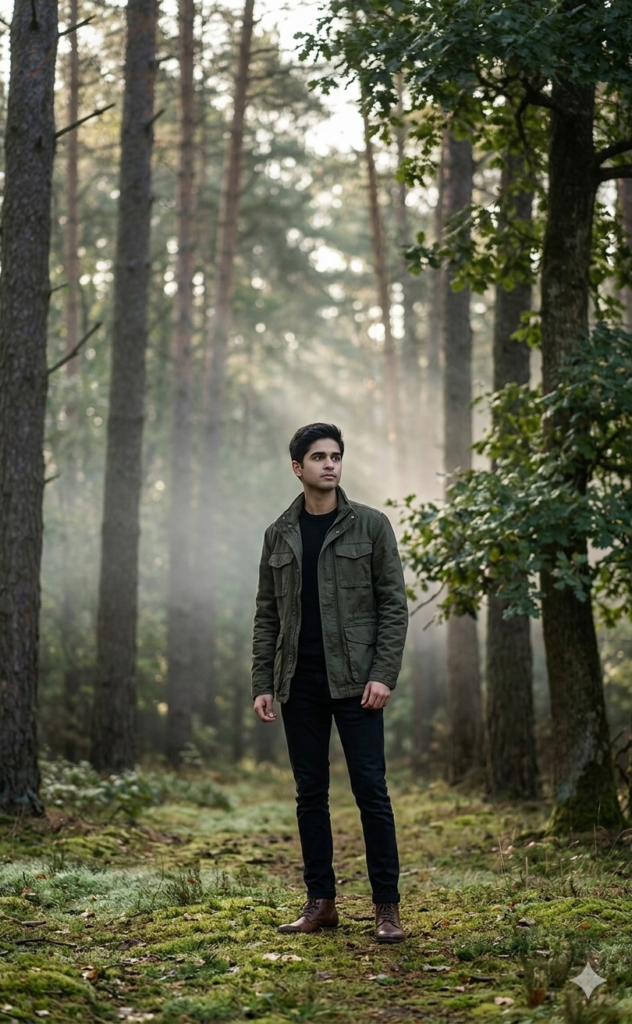
A hyper-realistic cinematic medium-long shot of a male subject (use uploaded face as reference) standing at the edge of a forest in the early morning. He wears a dark green field jacket over a black shirt, slim black jeans, and leather boots. Soft mist drifts between tall trees as morning light filters through the canopy. Relaxed posture, looking into the forest with a cinematic nature editorial mood.6. Stormy Cinema Overcoat Prompt
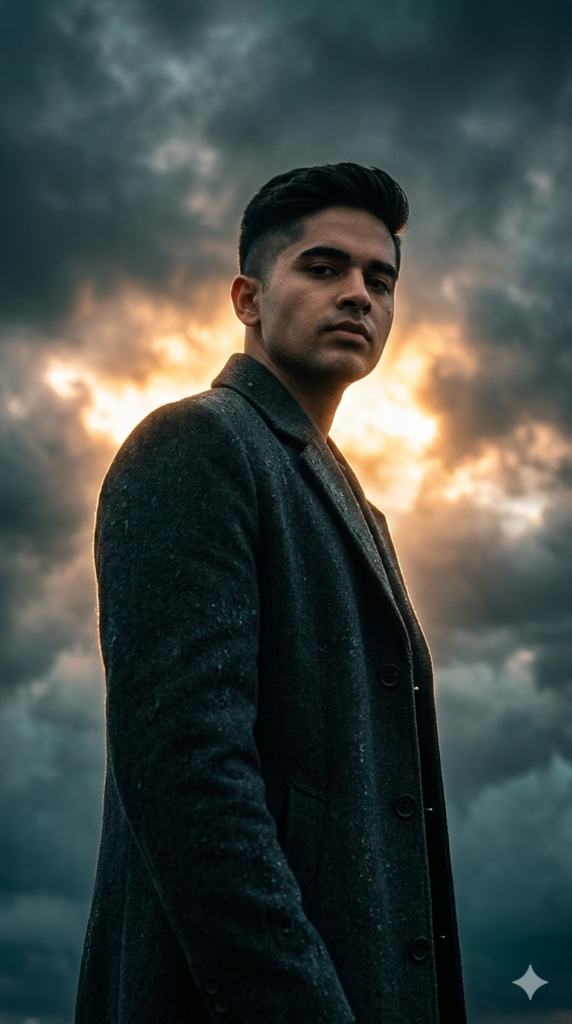
A cinematic low-angle medium shot of a stoic male figure (use the uploaded face as reference) with a modern undercut. He wears a dark charcoal overcoat and stands against a dramatic stormy sky. Dark clouds part behind him, revealing intense golden-orange light like a sunset or supernatural rift. Strong backlighting creates a glowing rim light around his silhouette, with his face in soft shadow. High-contrast volumetric lighting with a teal-and-orange cinematic color grade, hyper-realistic, portrait mode.7. Neon-Lit Cyber Aesthetic Prompt
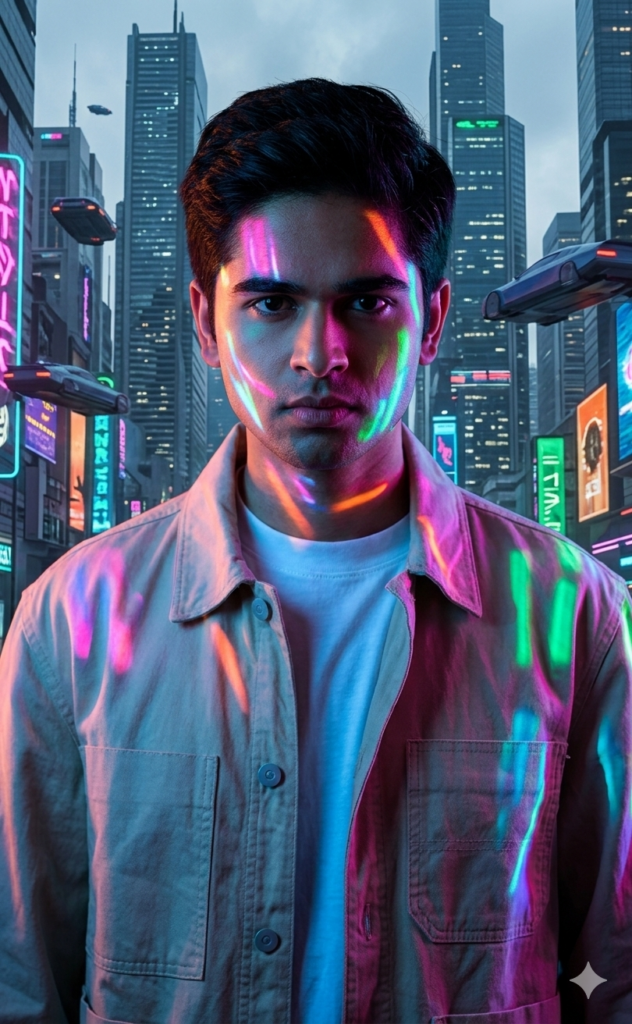
Portrait with neon lights in cyberpunk style, vibrant colors, dramatic shadows, realistic skin and hair, urban background, using the reference photo.8. Sunlit Linen Travel Prompt
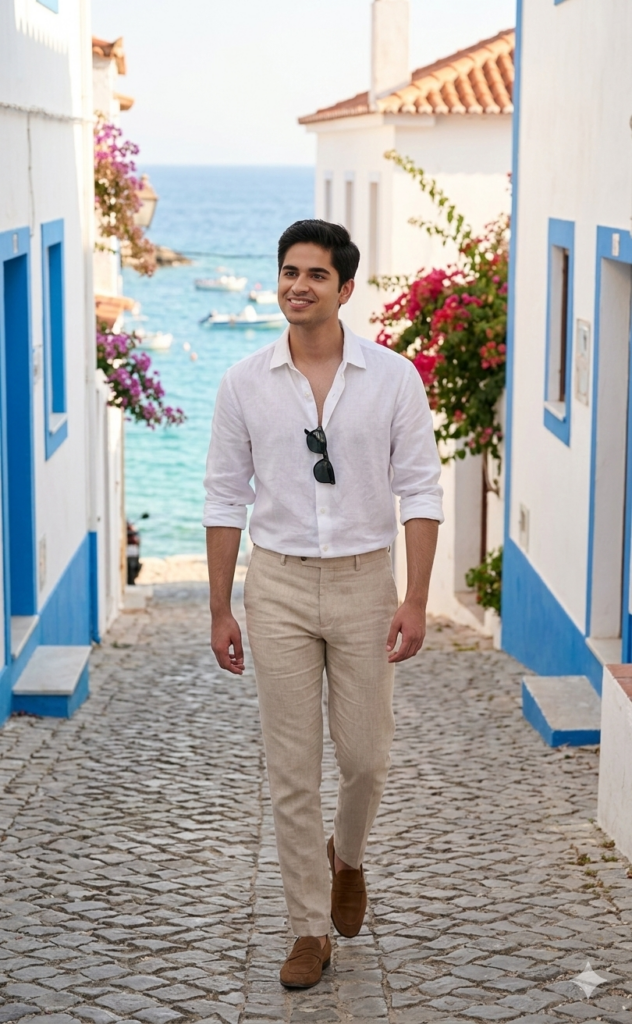
A photorealistic sunlit medium-long shot of a male subject (use uploaded face as reference) walking along a Mediterranean coastal street in the early morning. He wears a white linen shirt with rolled sleeves, beige trousers, and brown suede loafers, with sunglasses hanging from his shirt. Whitewashed buildings, terracotta rooftops, and a glimpse of turquoise sea appear in the background, while soft morning sunlight creates warm tones and gentle shadows, giving the image a calm travel editorial vibe.9. Modern Executive Portrait Prompt
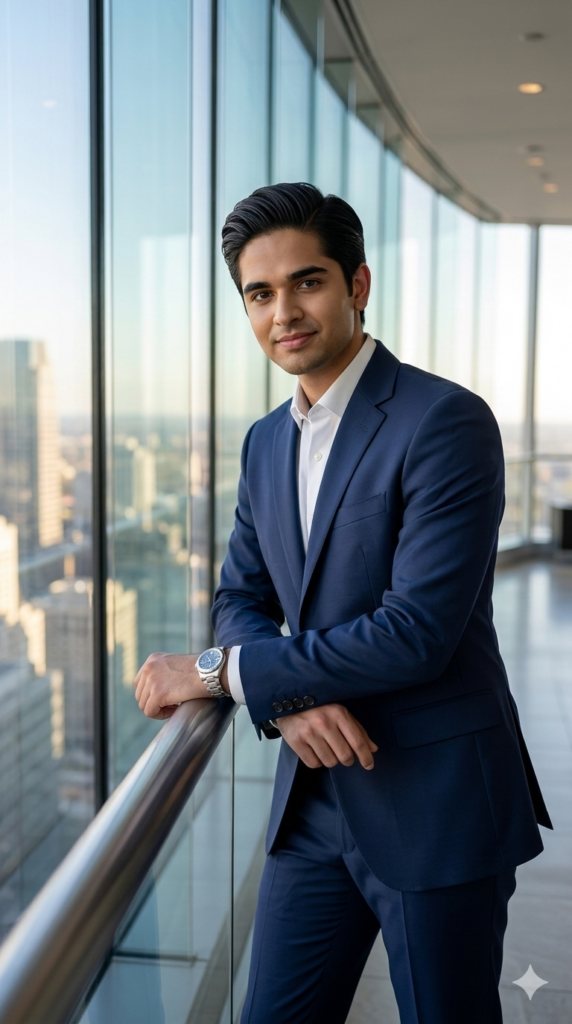
Generate a 4K HD portrait of a young Indian man wearing a navy formal suit, white shirt, and watch. Hair slicked back with a confident expression. Set in a modern skyscraper lobby with glass walls, posing while leaning on a railing or standing confidently. Use soft natural lighting, DSLR sharpness, and a cinematic Instagram-style look.10. Urban Street Style Boy Prompt
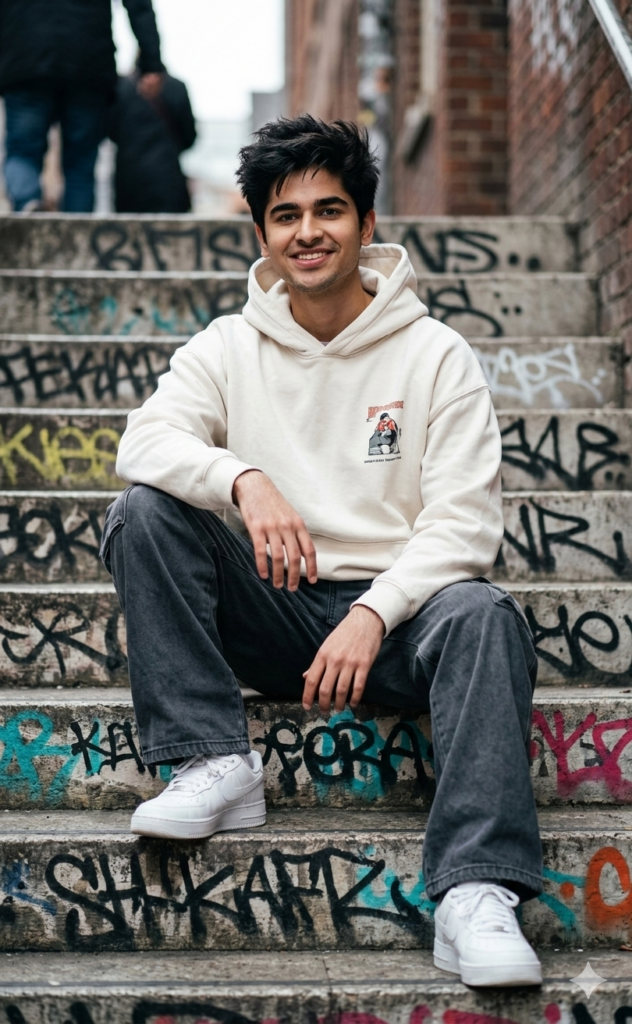
Generate a 4K ultra-realistic portrait of a stylish Indian boy wearing an oversized hoodie, cargo pants, and sneakers. Messy textured hair, sitting on urban graffiti stairs with a confident pose. DSLR clarity, cinematic urban tones, Instagram street-style vibe.How to Make Stylish Trending Photos of Yourself Using These Prompts?
After seeing the prompt, you might not be able to stop yourself from creating pictures of your own. If yes, here’s how you can do it:
- Open Gemini on your phone or desktop.
- Upload a photo of yourself or someone whose image you want to transform. Ensure it is clear, high resolution, and facing toward the camera.
- Copy a prompt from above and paste it into the AI app with the image.
- Customize the prompt if you want. You can adjust the background, color intensity, lighting, etc.
- Hit enter and wait for the result. Once it’s ready, download it.
Wrapping Up
These are some of the prompts currently trending on social media that you can use to turn an ordinary photo of yourself into a stylish AI image. If you enjoy experimenting with AI photos,
Read more: