Important: iPhone cleaner apps work within Apple's strict iOS sandbox. They cannot access system folders, clear app caches, or perform deep system-level cleanup like Android cleaners can. What they can do is remove duplicate photos, compress large videos, merge contacts, and clean email clutter, and they do this exceptionally well. Beware any app that claims otherwise.If you’ve ever opened your iPhone camera only to be met with a “Cannot Take Photo – Storage Is Full” alert, you’re not alone. Between burst shots, Live Photos, duplicate contacts, and years of screenshots you forgot existed, iPhones fill up fast. The App Store is flooded with cleaner apps, but most either hide their best features behind paywalls or drown you in ads before doing anything useful.
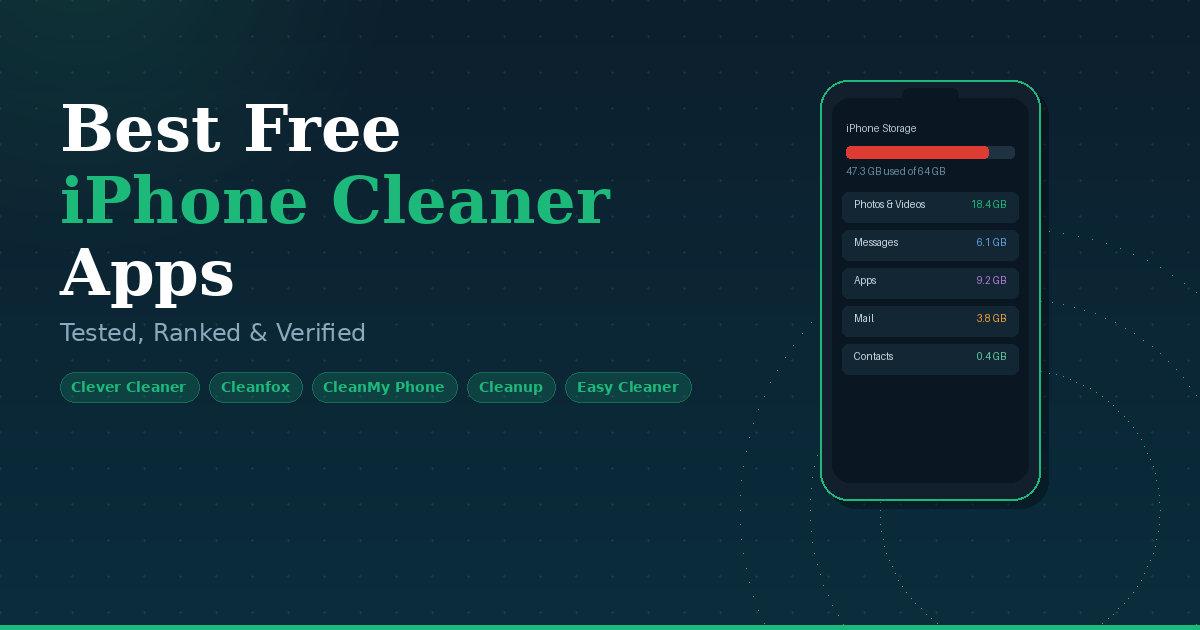
We reviewed and tested eight of the top-rated iPhone cleaner apps available in 2026, focusing specifically on what’s genuinely free, what actually works, and which apps respect your privacy while doing it. Here’s everything you need to make the right choice.
What Can iPhone Cleaner Apps Actually Do?
Before downloading anything, it’s worth understanding what these apps are and aren’t capable of. iOS is a tightly controlled environment. Apps cannot access system files, clear other apps’ caches, or modify anything outside their permitted sandbox. Here’s what they genuinely can handle:
- Duplicate Photos: Detect and remove exact duplicates & visually similar shots, burst photos, and HDR copies.
- Video Compression: Shrink large video files without noticeable quality loss, freeing up gigabytes instantly.
- Screenshot Cleanup: Gather all screenshots in one place for bulk review and deletion.
- Contact Management: Merge duplicate contacts, delete blank entries, and clean up outdated records.
- Email Cleanup: Unsubscribe from newsletters, delete old attachments, and reduce inbox storage bloat.
- Large File Finder: Surface the biggest storage hogs on your device so you can decide what to keep or delete.
Red flag to watch for: Any app claiming to "clear system junk," "clean RAM," or "cool down your iPhone" is overstating its capabilities. These are iOS limitations, not features any third-party app can bypass. Stick to apps with transparent, realistic feature lists.What to Look for in a Free Cleaner App?
With dozens of cleaner apps on the App Store, the gap between a genuinely useful tool and a frustrating waste of time comes down to a handful of specific qualities. Here is exactly what to check before you download anything.
AI-Powered Duplicate Detection: Basic duplicate detection only catches photos that are pixel-for-pixel identical. That barely scratches the surface. The best apps use AI to identify visually similar shots too, including burst photos, bracketed exposures, near-identical angles taken seconds apart, and HDR versions saved alongside standard copies. If an app only finds exact duplicates, it is leaving a significant amount of storage on the table.
Local Processing and Privacy: Your photo library contains some of the most personal data on your device. Any cleaner app that uploads your photos to a remote server to run its scan is a serious privacy risk, regardless of what its policy page says. Look for apps that explicitly state all processing happens on-device. Clever Cleaner and CleanMy Phone both confirm this. If an app is vague about where your data goes, that is a red flag worth taking seriously.
Honest and Transparent Free Tier: One of the most common frustrations with cleaner apps is discovering the paywall only after the scan has run and your files are sitting in a queue. A trustworthy app is upfront about exactly what is free and what costs money before you invest time running a full scan. Check whether the app lets you preview results and understand the limitations before asking for payment, not after.
Low Ad Interference: A storage cleaner that buries you in ads before letting you delete anything creates a worse experience than just managing files manually. Ad-supported apps are not automatically bad, but there is a clear difference between an occasional banner and an app that gates every deletion behind a full-screen video ad. Check recent App Store reviews to get a realistic picture of the ad experience before downloading.
Coverage Beyond Just Photos: Photos and videos are the biggest storage culprits for most users, but they are not the only ones. A cleaner that also handles duplicate contacts, email attachment clutter, and large forgotten files gives you far more value from a single install. If you want one app to cover all your storage issues, confirm it handles more than just the camera roll before committing.
Active Development and iOS Compatibility: iOS updates regularly change how apps interact with the photo library and file system. An app that has not been updated in two or more years may have compatibility gaps with newer iPhone models or recent iOS versions. Always check the “Last Updated” date on the App Store listing. A recent update is a sign the developer is actively maintaining the app and keeping pace with Apple changes.
The 7 Best Free iPhone Cleaner Apps (2026)
These apps were ranked based on feature depth, how genuinely free the core experience is, real-world cleanup effectiveness, privacy practices, and overall usability. The first five are fully free, with no subscriptions and no ads.
1. Clever Cleaner: AI CleanUp App ( No Ads · No Paywalls )
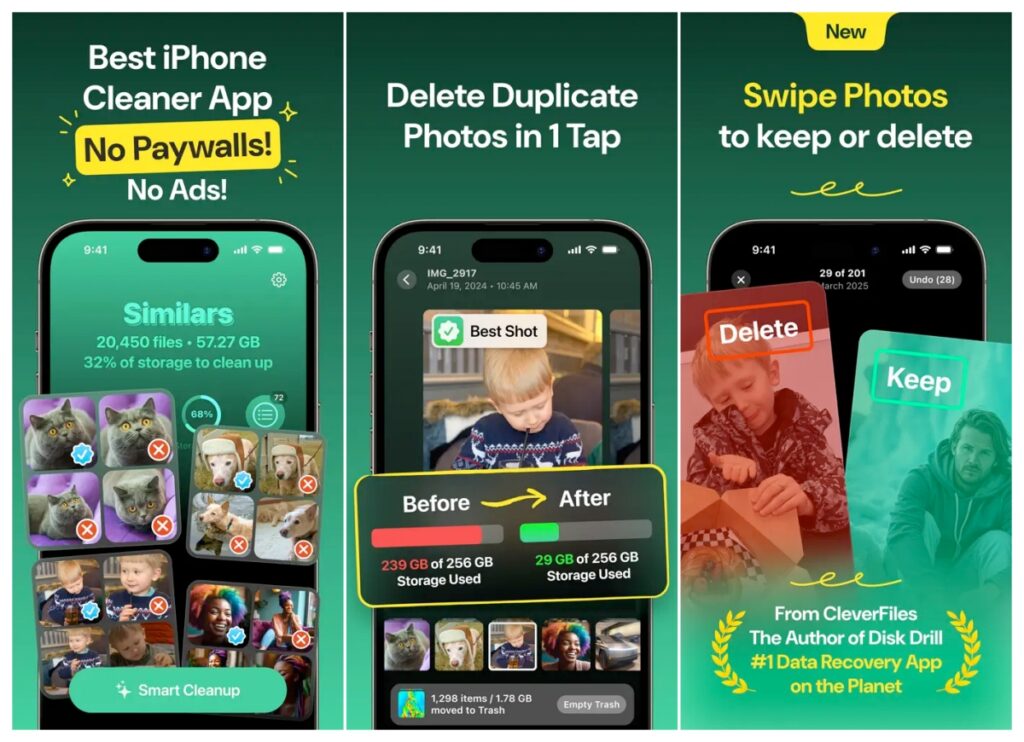
Clever Cleaner sits at the top of this list for one simple reason: it delivers more than most paid competitors, completely for free. Developed by CleverFiles, the same team behind Disk Drill, one of the most trusted data recovery apps on Mac, Clever Cleaner uses genuine AI to detect duplicate and visually similar photos, not just exact matches. There are no ads, no subscription prompts, and no features locked behind a paywall. Everything works, for everyone, at no cost.
The app scans your library locally on your device, with nothing uploaded to any server, and organizes everything into clear categories: Similars, Heavies, Screenshots, Live Photos, and a Swipe Mode for manual one-by-one review. A one-tap Smart Cleanup handles the whole process automatically for users who want it done fast.
Key Features:
- AI Duplicate Detection
- Video Compression
- Screenshot Cleaner
- Live Photo Compressor
- Swipe Mode
- Heavy File Finder
- Smart One-Tap Cleanup
- 100% Local Processing
| Pros | Cons |
|---|---|
| ✅ Completely free, no exceptions | ❌ No contact or email cleanup tools |
| ✅ No ads or in-app purchases ever | ❌ No calendar event management |
| ✅ Among the best AI duplicate detection tested | ❌ Focused on media only (photos/videos) |
| ✅ Full local processing for complete privacy | |
| ✅ Swipe mode for manual control |
Best for: Anyone who wants a no-nonsense, truly free photo and video cleaner with zero strings attached.
2. Easy Cleaner
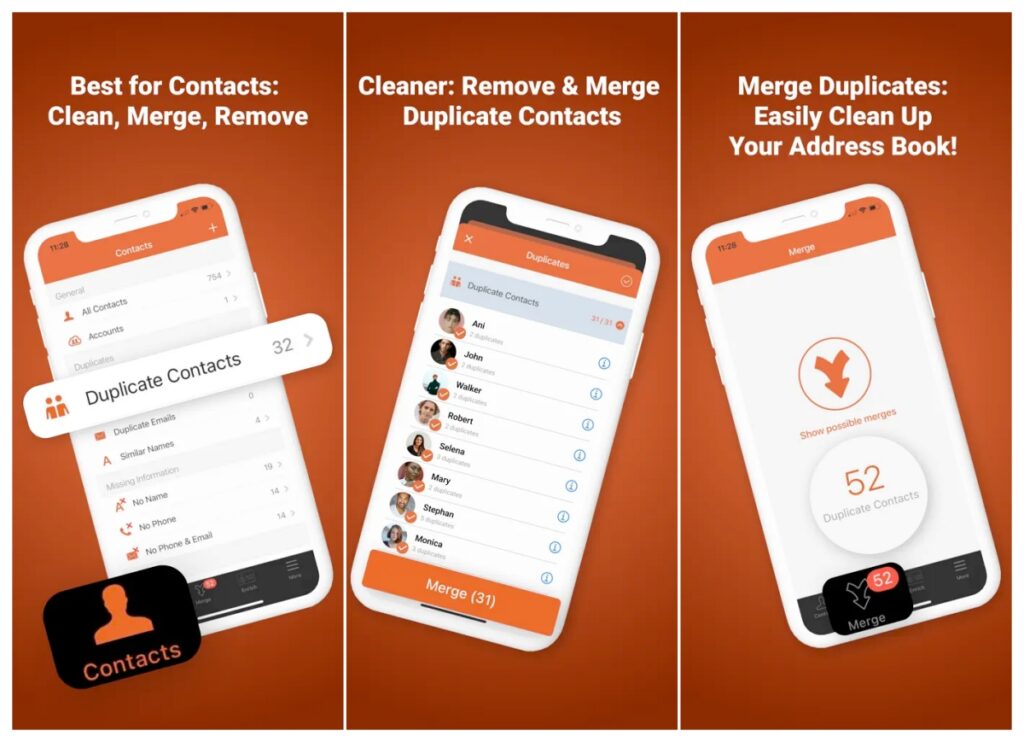
Easy Cleaner earns its spot by doing something most photo cleaners completely overlook: fixing your contacts. It scans your entire contact list, identifies duplicates by name, number, or email address, and merges them safely, all without ads and all for free. Every change comes with a restore point, so there’s zero risk of accidentally losing any contact data.
It’s a focused tool with a specific purpose, and that focus is its greatest strength. If your phonebook is a mess of duplicates, blank entries, and half-filled records from old imports, Easy Cleaner clears it up in minutes.
Key Features
- Duplicate Contact Merger
- Blank Entry Removal
- Restore Points
- No Ads
- Fast Scanning
| Pros | Cons |
|---|---|
| ✅ Best-in-class contact duplication | ❌ No photo or video cleaning tools |
| ✅ Restore point before every change | ❌ No photo or video cleaning tools |
| ✅ No ads, no upgrade pressure | ❌ Not a full all-in-one solution |
| ✅ Fast and lightweight | |
| ✅ Beginner-friendly interface |
Best for: Users with a cluttered, duplicate-heavy contact list who want a dedicated, safe fix.
3. Cleanfox: Inbox Cleaner
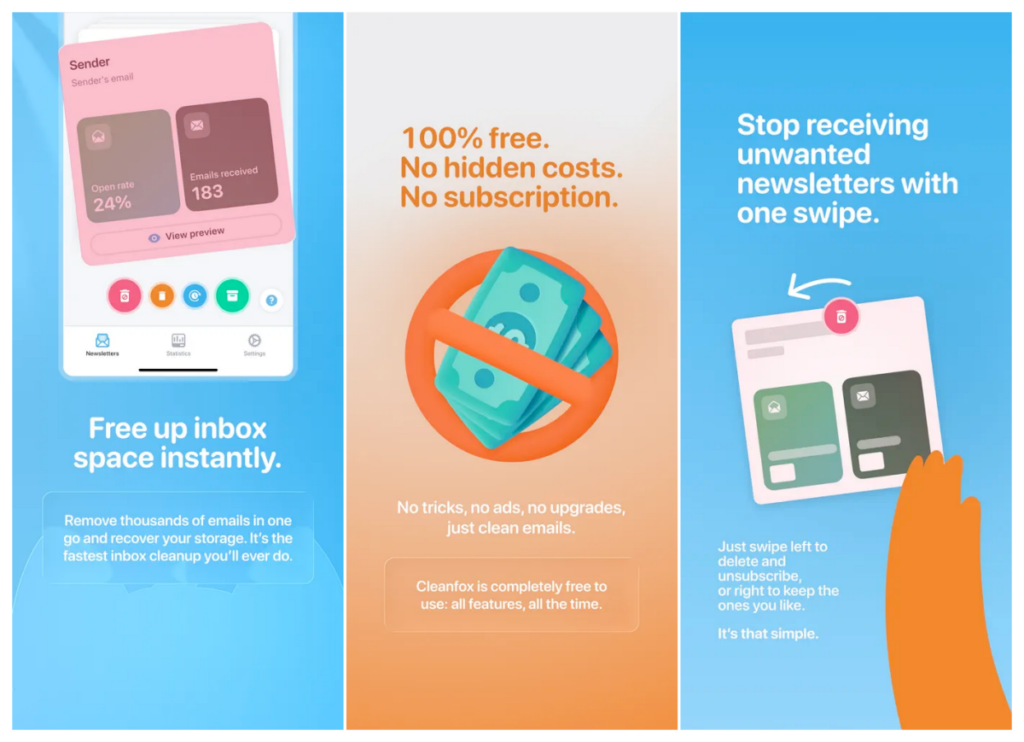
Most iPhone cleaner apps ignore the Mail app entirely, which is a significant oversight. Email clutter is one of the most overlooked storage drains on an iPhone, especially old attachment-heavy newsletters and long-forgotten subscription threads. Cleanfox connects to your Gmail, Outlook, or Yahoo inbox, groups senders together, and lets you delete everything from a sender, keep it all, or clear old emails while staying subscribed. Setup takes under a minute, and the cleanup results are immediately visible.
Key Features:
- Newsletter Unsubscribe
- Gmail / Outlook / Yahoo
- Bulk Sender Deletion
- Attachment Cleanup
- Inbox Overview
| Pros | Cons |
|---|---|
| ✅ Solves an often-ignored storage problem | ❌ Requires email account access |
| ✅ Connects to multiple email providers | ❌ Does not clean photos or contacts |
| ✅ Free for core cleanup features | ❌ Some advanced features are premium |
| ✅ Great complement to a photo cleaner |
Best for: Users with bloated email inboxes who want to reclaim storage hidden in old newsletters and attachment threads.Best for: Users with bloated email inboxes who want to reclaim storage hidden in old newsletters and attachment threads.
4. Cleanup: Phone Storage Cleaner
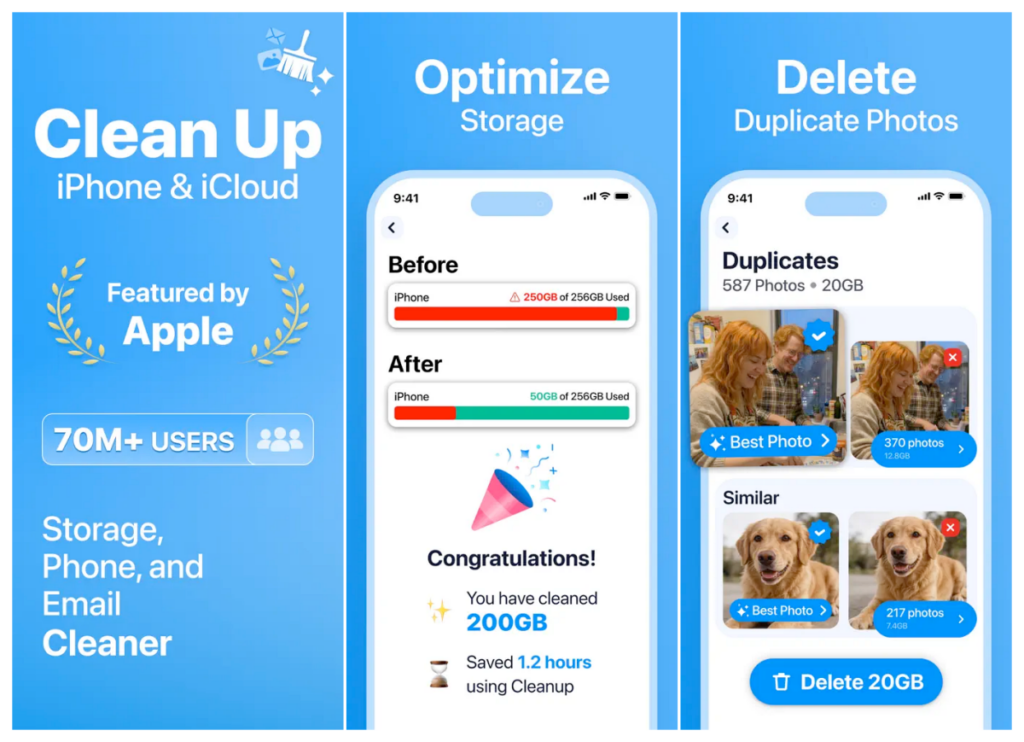
Cleanup is one of the most widely downloaded iPhone cleaner apps on the App Store, with nearly 600,000 ratings, and for good reason. It covers photos, contacts, email, and even lets you add custom home screen widgets and charging animations. The app now offers a 7-day free trial with full unlimited access to all features, a significant upgrade from the old ad-gated model. After the trial, it reverts to an ad-supported free mode where you can delete around 20 photos per ad watched. A weekly or lifetime subscription removes ads entirely and keeps all features unlocked.
Key Features:
- Duplicate Photo Detection
- Contact Merger
- Mailbox Cleaner
- Video Compression
- Home Screen Widgets
- Charging Animations
- Swipe + AI Cleanup
| Pros | Cons |
|---|---|
| ✅ One of the most feature-complete options | ❌ Free version is heavily ad-supported |
| ✅ Nearly 600K App Store ratings | ❌ ~20 photo limit per ad in free mode |
| ✅ Covers photos, contacts, and email | ❌ Some users report duplicate detection gaps |
| ✅ Lifetime purchase available at $49.99 | ❌ Weekly subscription ($3.99/wk) adds up quickly |
| ✅ Fun extras like widgets and animations |
Best for: Users who want an all-in-one app and don’t mind ad-supported free use or are willing to pay for premium.
5. Boost Cleaner – Clean Up Smart
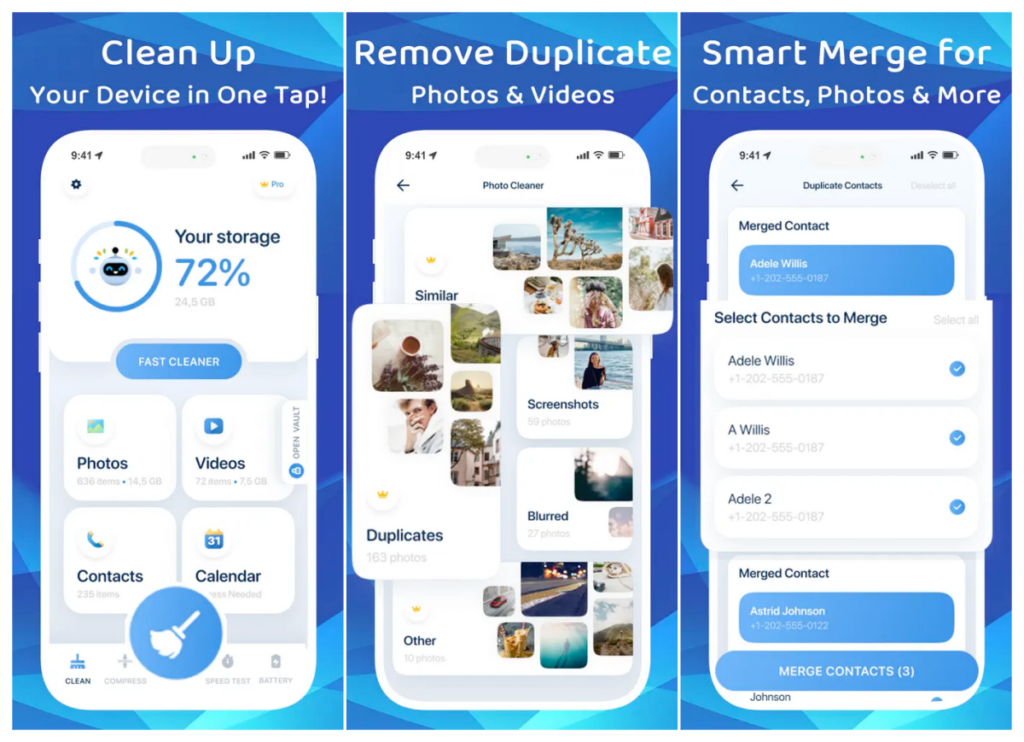
Boost Cleaner stands out by scanning beyond the photo library. It also tackles videos, screenshots, contacts, and even calendar events that other cleaners completely ignore. Its interface is clean and straightforward. Open the app, see your storage usage at a glance, then select what to clean. The video compression tool is particularly effective, consistently reducing file sizes without visible quality loss. The main caveat is that the full feature set is behind a subscription, and not all plans include a free trial period.
Key Features:
- Similar Photo Detection
- Video Compression
- Screenshot Cleanup
- Contact Merger
- Calendar Cleanup
- Storage Overview Dashboard
| Pros | Cons |
|---|---|
| ✅ Covers photos, videos, contacts, and calendar | ❌ Full features require subscription |
| ✅ Strong video compression tool | ❌ ~20 photo limit per ad in free mode |
| ✅ Clean, easy-to-navigate interface | ❌ Some users report duplicate detection gaps |
| ✅ Broadest non-photo coverage of any app here | ❌ Weekly subscription ($3.99/wk) adds up quickly |
Best for: Users who fill storage with videos and want an all-around cleaner that goes beyond photos.
6. Cleaner Kit: Storage Cleaner
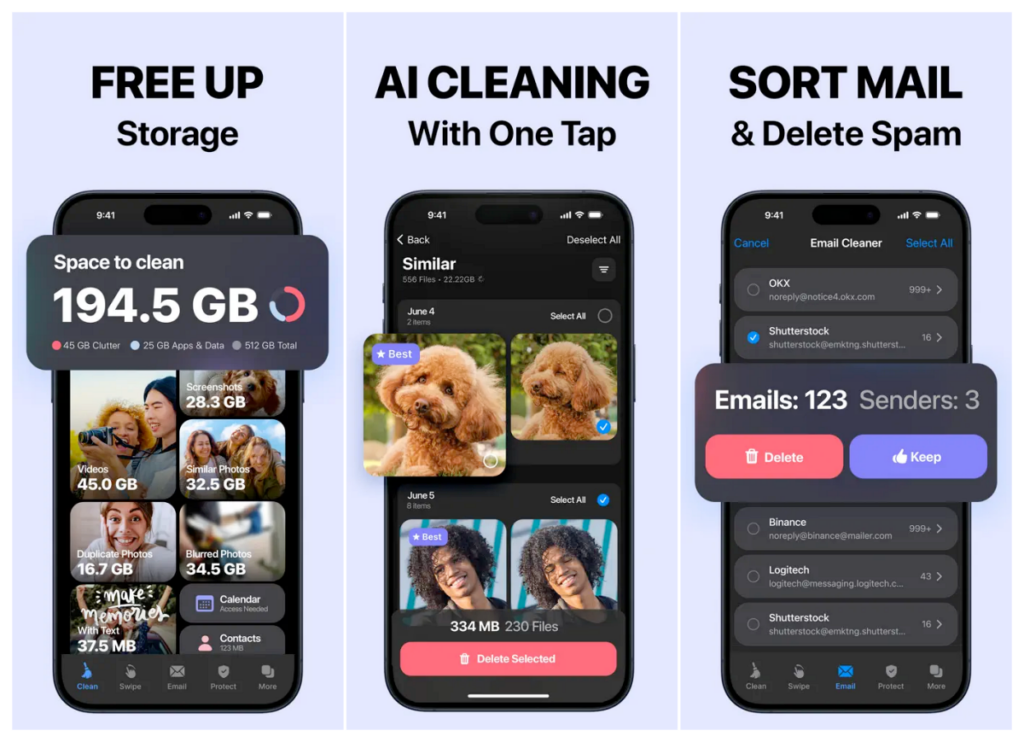
Cleaner Kit is one of the most visually polished iPhone cleaner apps available, with a dashboard that displays your available storage, Wi-Fi speed, RAM, and CPU usage at a glance. Beyond that, it handles duplicate photos, videos, contacts, and calendar events. It also includes a security center with an ad blocker, a private secure folder, and customizable charging animations. It requires a subscription for full access, but the 3-day free trial gives you a fair window to evaluate it on your actual device data.
Key Features:
- Storage Dashboard
- Duplicate Photo & Video Cleaner
- Contact & Calendar Cleanup
- Ad Blocker
- Private Secure Folder
- AI Photo Organizer
- Charging Animations
- 3-Day Free Trial
| Pros | Cons |
|---|---|
| ✅ Most visually polished UI on this list | ❌ Paid subscription required for most features |
| ✅ Comprehensive all-in-one feature set | ❌ $4.99/week is on the expensive side |
| ✅ 325K+ App Store ratings | |
| ✅ Ad blocker adds genuine value | |
| ✅ 3-day trial to test before committing |
Best for: Users who want an all-in-one maintenance suite with a polished interface and don’t mind paying for it.
7. CleanMy Phone: Careful Cleaner
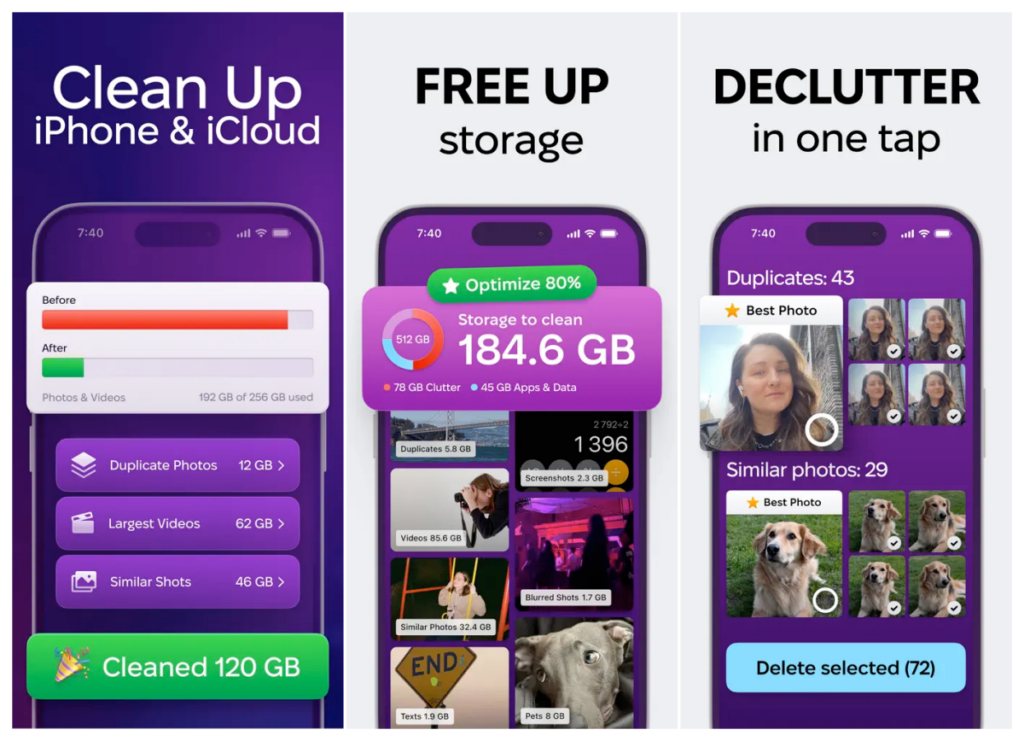
CleanMy Phone is developed by MacPaw, the well-known team behind CleanMyMac. That pedigree shows: this is one of the most polished, privacy-focused iPhone cleaners available in 2026. It runs entirely offline, meaning none of your photos are ever uploaded anywhere. The app stands out for its unique Live to Still feature, which converts Live Photos into standard still images rather than deleting them, saving space without any data loss. Its AI also organizes your entire photo library into smart categories like Travel, People, Pets, Food, and Documents, making it significantly easier to browse and manage your library even when you are not cleaning.
The scan speed is exceptional, completing a full library scan in just over one minute in independent testing. It includes a 3-day free trial, after which a subscription is required. It does not have an email cleaning tool, which keeps it focused but limits its value compared to broader all-in-one options.
Key Features:
- AI Duplicate and Similar Photo Detection
- Live Photo to Still Converter
- AI Photo Categories (Travel, Food, Pets…)
- Video Compression
- Blurry Photo Removal
- Contact Merger (Similar Contacts)
- 100% Offline Processing
- 3-Day Free Trial
| Pros | Cons |
|---|---|
| ✅ Made by MacPaw, a highly trusted developer | ❌ Only a 3-day free trial before paywall |
| ✅ Fastest scan speed tested (approx. 65 seconds) | ❌ No email cleaning tool |
| ✅ 100% offline, zero data uploaded | ❌ Subscription pricing is on the higher end |
| ✅ Unique Live to Still feature saves space without deleting | ❌ Similar photo detection is slightly less aggressive than some rivals |
| ✅ AI library categories genuinely help with organization | |
| ✅ Requires iOS 17 or later, ensuring modern compatibility |
Best for: Privacy-conscious users who want the fastest, most polished cleaner from a developer with a proven track record and who do not mind paying for quality.
Side-by-Side Comparison
| App | Price | Photos | Videos | Contacts | Calendar | Ad-Free | Best For | |
|---|---|---|---|---|---|---|---|---|
| Clever Cleaner | Free | ✅ | ✅ | ✗ | ✗ | ✗ | ✅ | All-around free pick |
| Easy Cleaner | Free | ✗ | ✗ | ✅ | ✗ | ✗ | ✅ | Contact cleanup |
| Cleanfox | Free (core) | ✗ | ✗ | ✗ | ✅ | ✗ | ✅ | Email inbox cleanup |
| Cleanup App | 7-day trial / $3.99/wk | ✅ | ✅ | ✅ | ✅ | ✗ | ⚠️ Ads in free | Full-featured freemium |
| Boost Cleaner | Free trial / Sub | ✅ | ✅ | ✅ | ✗ | ✅ | ✅ | Video-heavy users |
| Cleaner Kit | 3-day trial / $4.99/wk | ✅ | ✅ | ✅ | ✗ | ✅ | ✅ | Premium all-in-one |
| CleanMy Phone | 3-day trial / Sub | ✓ | ✓ | ✓ | ✗ | ✗ | ✓ | Privacy-first, premium |
Tips to Keep Your iPhone Storage Clean Longer
The best cleaner is one you rarely need. These habits will help you stay on top of storage before it becomes a crisis.
- Enable iCloud Photos. Your entire photo library syncs to iCloud in real time, and you can enable “Optimize iPhone Storage” to keep smaller versions on your device while the full-resolution originals stay in the cloud.
- Turn off Live Photos for everyday shots. Live Photos take up roughly twice the space of a standard photo. Save Live Photos for moments that matter, not every casual snapshot.
- Use the built-in iOS Duplicates feature. Go to Photos – Albums – Duplicates. Apple’s native tool catches exact duplicates for free. Use it alongside a cleaner app for similar shots.
- Offload unused apps instead of deleting them. Go to Settings – General – iPhone Storage. “Offload Unused Apps” removes the app but keeps its data. You can reinstall later without losing your progress.
- Set message history to expire. Go to Settings, then Messages, – Keep Messages and set it to 1 Year or 30 Days. Years of message attachments are one of the most overlooked storage drains on an iPhone.
- Clear your Safari cache monthly. Go to Settings, then Safari, then Clear History and Website Data. Safari caches can grow surprisingly large over time, especially on older devices.
- Run a cleaner app once a month. A monthly 10-minute cleanup session with Clever Cleaner or your preferred tool prevents the storage warnings before they happen.
Our Final Verdict
You do not need to spend a cent to clean up your iPhone in 2026. Clever Cleaner is our top pick, completely free, no ads, no paywalls, with the best AI duplicate detection we tested. For contacts, Easy Cleaner is the go-to. For inbox clutter, nothing beats Cleanfox. If you want a paid all-in-one option, Cleanup offers the most features, while CleanMy Phone by MacPaw is the most polished and privacy-focused upgrade worth paying for.
Our pick: Start with Clever Cleaner for photos, Easy Cleaner for contacts, and Cleanfox for email. That free trio covers every major storage problem on an iPhone.
Yes, within the limits of what iOS allows. They genuinely free up storage by removing duplicate photos, compressing large videos, merging contacts, and clearing email clutter. What they cannot do is access system files, clear app caches for other apps, or perform deep-level cleanup like you’d see on Android. Any app claiming otherwise is misleading you.
Apps from reputable developers are safe, especially ones like Clever Cleaner that process everything locally on your device with no cloud uploading. Always check the app’s privacy policy before granting full photo library access. Avoid any app that requires you to log into your Apple ID, as no legitimate cleaner app needs your Apple account credentials.
No, not immediately. When a cleaner app deletes photos, they go into your iPhone’s “Recently Deleted” album in the Photos app and stay there for 30 days. You can recover anything from there during that window. After 30 days, they are permanently removed. This gives you a safety net if the app removed something you wanted to keep.
Indirectly, yes. When an iPhone’s storage is nearly full (typically under 1-2GB free), iOS performance degrades noticeably. Freeing up significant storage by removing duplicate photos and large videos can noticeably improve responsiveness. However, if your device is slow for other reasons (old hardware, outdated iOS), a cleaner app won’t fix that.
Once a month is a solid maintenance habit for most users. If you take a lot of photos, film videos frequently, or travel often (which tends to generate bursts of media), you might benefit from a quick cleanup every two weeks. Setting a recurring calendar reminder makes it easy to stay consistent.
Yes. Apple introduced a native Duplicates feature in iOS 16. You’ll find it in Photos – Albums – Duplicates. It catches exact duplicates well but does not detect visually similar photos, burst shots, or HDR variants the way a dedicated AI cleaner like Clever Cleaner does. For most users, using both the built-in tool and a dedicated cleaner gets the best results.