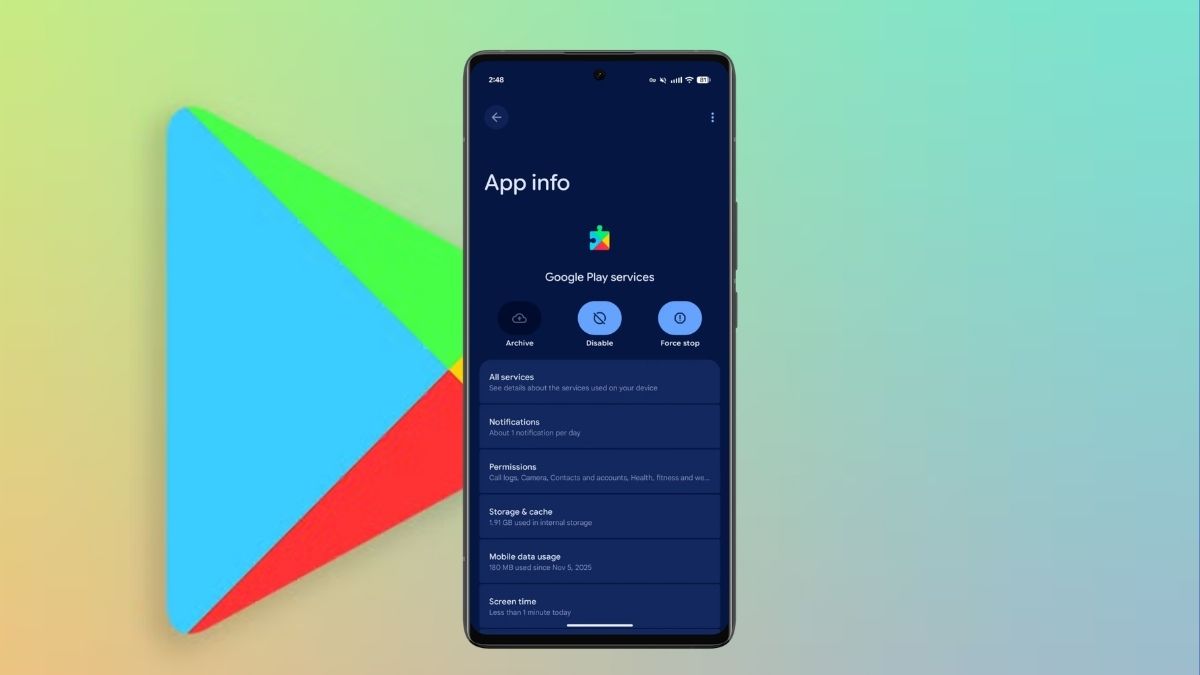
Google dropped the June 2026 Google System Updates on June 1, 2026, and while it’s not a headline-grabbing release, it quietly does what these monthly drops do best: tighten security, give developers better building blocks, and smooth out a few rough edges in the Play Store experience you use every day.
If you’ve been following along since last month, the Android May 2026 Google System Updates set the tone with privacy and connectivity improvements. June continues that momentum with a tighter focus on credential management, Play Store polish, and critical security patches.
Here’s what’s actually in this update and what it means for you.
What Is the Google System Update, Exactly?
Before diving in, these updates aren’t a single app you download. The “Google System” is a collection of background services that Google updates silently through the Play Store, with no full Android OS upgrade required. That means your phone can get meaningful security and feature improvements without waiting months for a carrier-approved software rollout.
The components that make up this system include services you’ve probably never opened but rely on constantly:
- Google Play services – the backbone that lets apps talk to Google’s infrastructure
- Google Play Store – the app distribution layer
- Android System Intelligence – on-device smarts for features like Live Captions and Smart Reply
- Google Play Protect Service – malware scanning running quietly in the background
- Android System WebView – the browser engine embedded in apps
- Private Compute Services – handles on-device AI processing privately
- Device Health Services, SafetyCore, SIM Manager, and a dozen more
Most of these update silently. You’ll rarely notice them until something genuinely improves.
To check your current version: Settings → Security & Privacy → System & Updates → Google Play system update. To manually trigger one on Pixel: Settings → [your name] → All services → Privacy & security → System services.
One important caveat worth keeping in mind: just because a feature appears in the official changelog doesn’t mean it’s live for everyone. Google rolls capabilities out gradually, and some features take weeks or even months to reach all devices.
Google Play Services v26.21: The Changes That Actually Matter
Developer Tools for Maps-Based Apps (Phone)
This one’s developer-facing, but its downstream impact lands on you as a user. Google has added new APIs that help both first-party Google apps and third-party developers better integrate Maps-related functionality into their products. Think smoother location-aware experiences in apps that rely on map data: better routing integrations, smarter place suggestions, and fewer handoff glitches between an app and Google Maps itself.
You won’t see a changelog entry in your favorite app about this. But over the next few months, expect location-dependent apps to feel more coherent.
Password and Passkey Portability: A Genuinely Big Deal (Phone)
This is the standout feature of the Android June 2026 Google System Updates, and it doesn’t get enough attention.
Google Password Manager can now import and export passwords and passkeys to and from third-party password managers using the Credential Exchange standard. If you’ve ever felt locked into Google’s ecosystem because your credentials were trapped there, or vice versa, stuck in 1Password or Bitwarden and unable to bring those credentials into Android’s native flow, that wall is coming down.
This is part of a broader industry effort to make credential portability a standard rather than an exception. For everyday users, it means more freedom: switch password managers without the nightmare export/import dance, or use Android’s built-in passkey support while keeping your existing manager as the source of truth.
It’s the kind of infrastructure-level improvement that doesn’t make for a flashy demo but genuinely changes how secure your digital life can be.
Google Play Store v51.7: Six Improvements Worth Knowing
Pricing Transparency Gets an Upgrade (Phone)
Sale prices, discount percentages, and offer end dates are now more clearly displayed across Play Store listings. If you’ve ever added an app to your wishlist thinking it was on sale, then come back to find the price had reset while you weren’t looking, this update is for you. The Store is now surfacing deal context more prominently so you can make faster, better-informed purchase decisions.
A Fresher Look for App Purchase Dialogs (Auto, Phone, TV)
The dialog box that pops up when you tap “Get” or “Buy” on an app has been redesigned. This applies across phones, Android TV/Google TV, and Android Auto. It’s a subtle UX refresh, but cleaner dialogs reduce friction, especially on TV interfaces where the old design could feel clunky with a remote.
Pre-Registration and Auto-Install Now Use a Single Flow (Phone)
Previously, pre-registering for an upcoming app and enabling auto-install were two separate steps. They’ve been merged into one. Small change, but it removes a moment of confusion for users who pre-register games or apps and then wonder why they didn’t automatically install on launch day.
Pop-Up Notifications for Monthly and Loyalty MAX Challenges (Phone)
Google Play’s rewards and challenge system now surfaces via pop-up banners directly in the Play Store. Monthly challenges and Loyalty MAX challenges, Google’s engagement programs tied to Play Points, will now reach you proactively instead of requiring you to hunt for them in menus. Whether you’re into these reward programs or not, it’s a cleaner notification architecture than what existed before.
Better App Content Discovery on Listing Pages (Phone)
Two related improvements here: installed app store listing pages now show in-app content, think game updates, new levels, or seasonal events, and the Play Collections browsing experience has been improved for finding similar apps. If you spend any time exploring the Play Store for new apps in a category you like, browsing similar content just got more intuitive.
June 2026 Android Security Bulletin: What You Should Know
Alongside the Google System updates, Google published the June 2026 Android Security Bulletin on the same date, with security patch levels of 2026-06-05 or later covering the full set of issues.
This month’s bulletin is substantial. Critical patches address remote and local privilege escalation vulnerabilities in Framework and System components, the kind of flaws that, in a worst-case scenario, could be exploited without any interaction from you. Patches also cover the Kernel and hardware vendor components from Imagination Technologies, MediaTek, Unisoc, and Qualcomm, meaning the coverage extends well beyond Google’s own code.
Some of these fixes arrive via Project Mainline, Google’s mechanism for pushing security patches through the Play Store without a full OS update, specifically in MediaProvider and Documents UI.
Pixel devices are already rolling out the corresponding monthly security patches. Samsung and other Android partners have begun, or are beginning, their own rollouts, often bundled with their own additions.
To verify your security patch level: Settings → About phone → Android version → Android security update. If you’re not on 2026-06-05 yet, check for updates manually or simply wait a few days for the staged rollout to reach your device.
How to Get the June 2026 Google System Updates
Most of this happens automatically in the background. But if you want to check or manually trigger the update:
- Open Settings.
- Navigate to Security & Privacy → System & Updates → Google Play system update.
- Tap Check for update.
For the security patch level specifically, go to Settings → About phone → Android version.
Updates roll out in stages, so if you don’t see it immediately, give it a few days. For full technical details, Google’s official release notes are available on the Google System Services Release Notes page, and the complete vulnerability list lives in the Android Security Bulletin.
The Bottom Line
The June 2026 Google System Updates won’t rewrite your Android experience overnight. But password portability via Credential Exchange is a meaningful step toward a more open, interoperable security ecosystem, and the security patches address real vulnerabilities that matter for everyone running Android.
Most of this works best when you stay current. Keep automatic updates on, check your security patch level periodically, and let Google’s infrastructure do what it’s designed to do.
All information current as of June 2026. Feature availability varies by device and region. Some capabilities roll out gradually over several weeks.
You might also like:
- Android 17 Security and Privacy Features: What’s New
- Gemini Intelligence Hardware Requirements
- What’s New in Android 17: Key Upgrades Worth Getting Excited About