You sent the message an hour ago. Two grey ticks. No reply. Now you’re wondering whether they read it, ignored it, or never opened the chat at all.
The double tick is the status icon people check most in WhatsApp, and the one they misread most. Two grey ticks confirm delivery, not reading. Two blue ticks confirm reading, but only when the other person allows it. Between those two states sit several exceptions that WhatsApp’s Help Center mentions only briefly.
Here’s what each tick means, why your ticks sometimes stay grey, and how to read the signals correctly.
What the Double Tick Means in WhatsApp
A double tick means WhatsApp delivered your message to the recipient’s device. Its color tells you the rest.
- Two grey ticks (✓✓): The message reached the recipient’s phone or one of their linked devices. They haven’t opened it yet, or they’ve turned off read receipts.
- Two blue ticks (✓✓): The recipient opened the chat and the message appeared on their screen.
For context, here’s the full set of message status icons:
| Icon | Status | What it tells you |
|---|---|---|
| Clock | Pending | The message hasn’t left your phone, usually because you’re offline |
| One grey tick | Sent | WhatsApp’s servers received it, but it hasn’t reached the recipient |
| Two grey ticks | Delivered | It reached their phone or a linked device |
| Two blue ticks | Read | They opened the chat |
Only the blue ticks count as a read receipt. Everything before that reports delivery. For the rest of the app’s symbols, see our guide to WhatsApp icons and symbols.
Why Your Message Shows Two Grey Ticks but No Blue Ticks
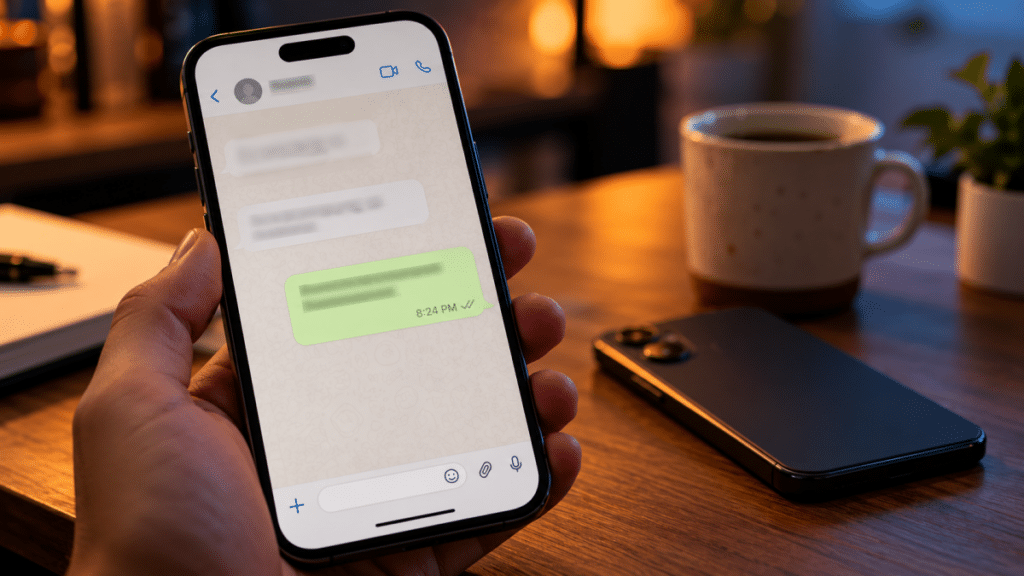
Grey ticks that never turn blue usually come down to one of four causes:
- They haven’t opened the chat. The message sits on their phone, unread.
- They read the notification preview. Reading a message on the lock screen or in the notification shade doesn’t open the chat, so the ticks stay grey.
- Read receipts are off. Either they disabled the setting, or you did. The setting works both ways (more on that below).
- Their device hasn’t reported back. A weak or dropped connection can delay the read signal.
You can’t tell these apart from the ticks alone. A grey double tick means “delivered,” and anything more is a guess.
The Linked Device Quirk Most Guides Skip
Two grey ticks don’t always mean the message reached the recipient’s phone. WhatsApp lets one account run on up to four linked devices, including WhatsApp Web, the desktop app, a tablet, or a second phone through Companion Mode.
If the recipient left WhatsApp Web open on an office laptop, your message can show two grey ticks while their phone sits switched off in a drawer. The message was delivered, just not to the device they carry.
This explains a common mix-up: “It says delivered, but they say their phone was dead.” Both can be true.
How Double Ticks Work in WhatsApp Groups

Groups follow stricter rules. The second grey tick appears only after every member has received the message. The ticks turn blue only after every member has read it.
In a 50-person group, one member with a dead phone keeps your ticks grey. One member who never opens the group keeps them from turning blue. The ticks reflect the slowest member, not the majority.
Groups also ignore the read receipts setting. Members who switched it off still show up as readers in group chats.
To see who has read a group message:
- Open the group and find your message.
- On Android: Tap and hold the message, then tap the Info (i) icon.
- On iPhone: Swipe left on the message, or tap and hold and select Info.
The Message Info screen lists who it was Delivered to and who it was Read by, with timestamps. It works in one-on-one chats too. That makes it the most reliable way to check a message’s status, more so than squinting at tick colors.
Turning Off Blue Ticks: What You Gain and Lose
Read receipts are a two-way switch. Turn them off, and others won’t see blue ticks on messages you’ve read. You also stop seeing blue ticks on messages you send.
To change the setting:
- Android: Tap the three-dot menu, then go to Settings > Privacy and toggle Read receipts.
- iPhone: Go to Settings > Privacy and toggle Read receipts.
Switching it off doesn’t cover everything:
- Group chats still show read receipts.
- Voice messages still send play receipts. The microphone icon turns blue once you play the message.
- Status updates work differently: your name no longer appears in someone’s viewer list when you view their status, and you stop seeing who viewed yours.
The voice note exception catches many people. You can hide that you read a text, but playing a voice note always shows.
Does a Single Tick Mean You’re Blocked?
Not on its own. WhatsApp’s Help Center states that messages sent to someone who blocked you show one tick and never get a second one. But a phone that’s switched off or out of data, or one that no longer has WhatsApp installed, shows the same single tick.
Look at the pattern instead of one message:
- The single tick persists for days, not hours.
- You can’t see their last seen, online status, or profile photo updates.
- Your calls never connect.
Even all of these together don’t prove a block, because privacy settings can hide last seen and profile photos too. WhatsApp makes it hard to tell on purpose. If one tick turns into two later, you weren’t blocked; their phone was offline.
Quick Reference: Reading the Ticks Correctly
| What you see | Most likely reason | What to check |
|---|---|---|
| Clock that won’t clear | Your connection | Your Wi-Fi or mobile data |
| One grey tick for hours | Recipient offline | Wait, or try a call |
| One grey tick for days | Phone off, app removed, or blocked | Last seen and profile photo |
| Two grey ticks, no reply | Unread, or read receipts off | Message Info for a timestamp |
| Two grey ticks, “my phone was dead” | Delivered to a linked device | Ask if WhatsApp Web was open |
| Blue mic on a voice note | Played, regardless of settings | Nothing; it was heard |
| Group stuck on grey | One member hasn’t received it | Message Info for the gaps |
Signing Off
Two grey ticks mean delivered. Two blue ticks mean read, though read receipts can be off, and groups and voice notes follow their own rules. Most tick anxiety comes from treating “delivered” as “read.” When you need to know for sure, open Message Info and check the timestamps. When the ticks stay grey, the person may simply be busy.