Using the same WhatsApp account on two phones is now officially possible, with no hacks or workarounds needed. WhatsApp’s Companion Mode and Linked Devices features remove the old one phone limitation, making it easier to stay signed in across multiple devices. The setup is straightforward, but there are a few rules and limitations you should understand before you begin.
How WhatsApp Ties Accounts to Phone Numbers
Let’s clear this first, your WhatsApp account can only be linked to one phone number. There’s no way to run a single account with two different numbers. If you have a dual SIM Android, you can still run two separate WhatsApp accounts (one per number), but that’s not the same as using one number on two devices. On iPhone, this dual account option doesn’t exist.
So, how do you actually get the same account across two phones? That’s where Linked Devices and Companion Mode come in.
How to Use WhatsApp on Two Phones with Same Number
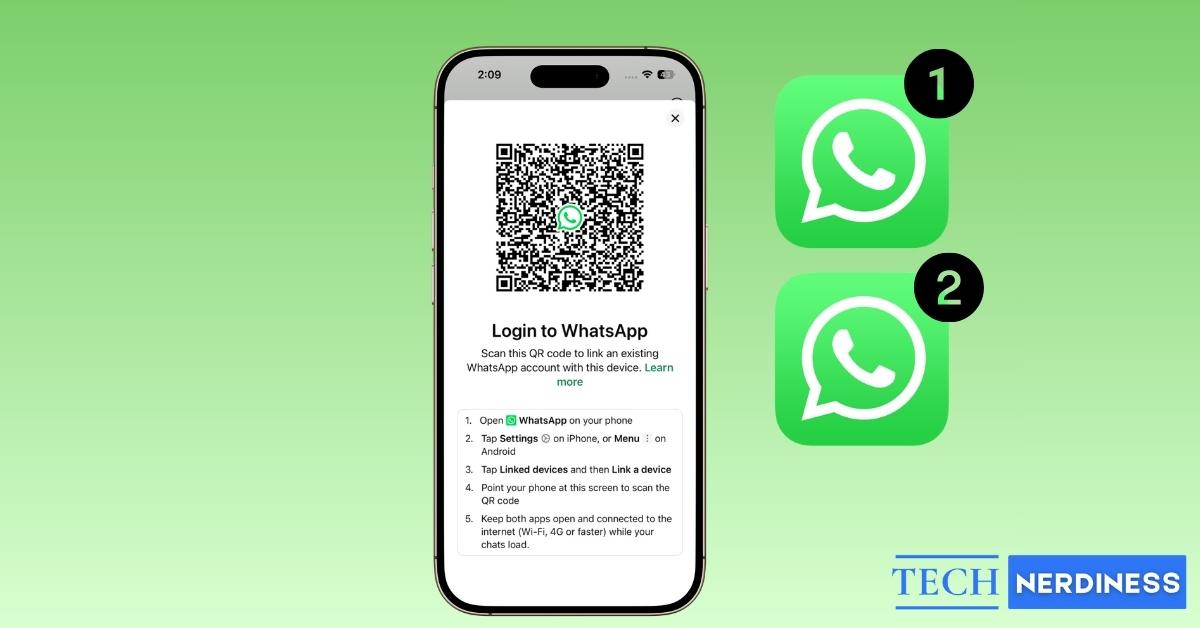
WhatsApp launched Companion Mode in April 2023, and this is the feature that makes it possible. It lets you use your main WhatsApp account on another phone, tablet, or even up to four devices at once. Here’s how it works:
- Install WhatsApp on your secondary phone. Instead of entering your number, choose Link to an existing account.
- On your primary phone:
- On Android: Open WhatsApp → three-dot menu → Linked Devices.
- On iPhone: Open WhatsApp → Settings → Linked Devices.
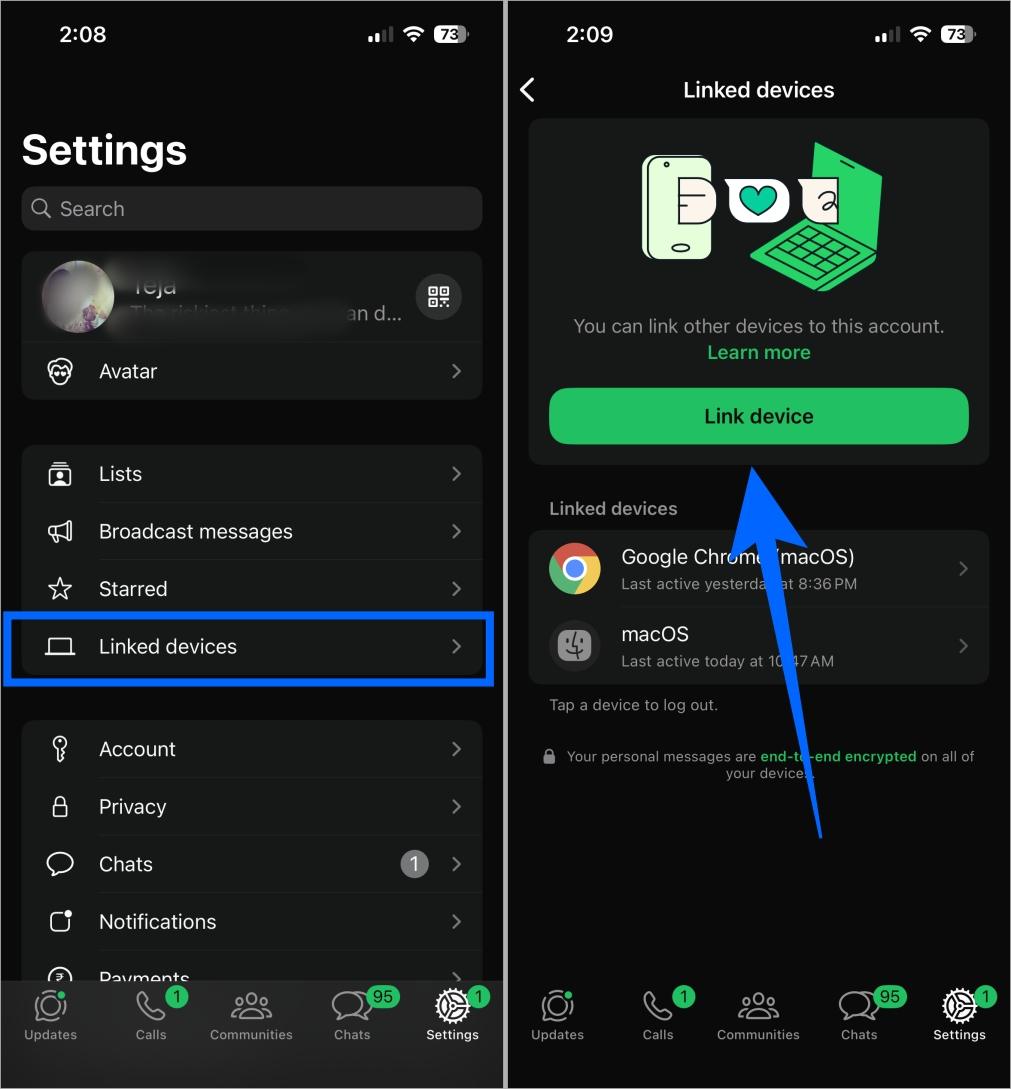
- Tap Link a device and unlock your phone (Face ID, Touch ID, PIN, or password).
- Scan the QR code shown on your secondary phone.
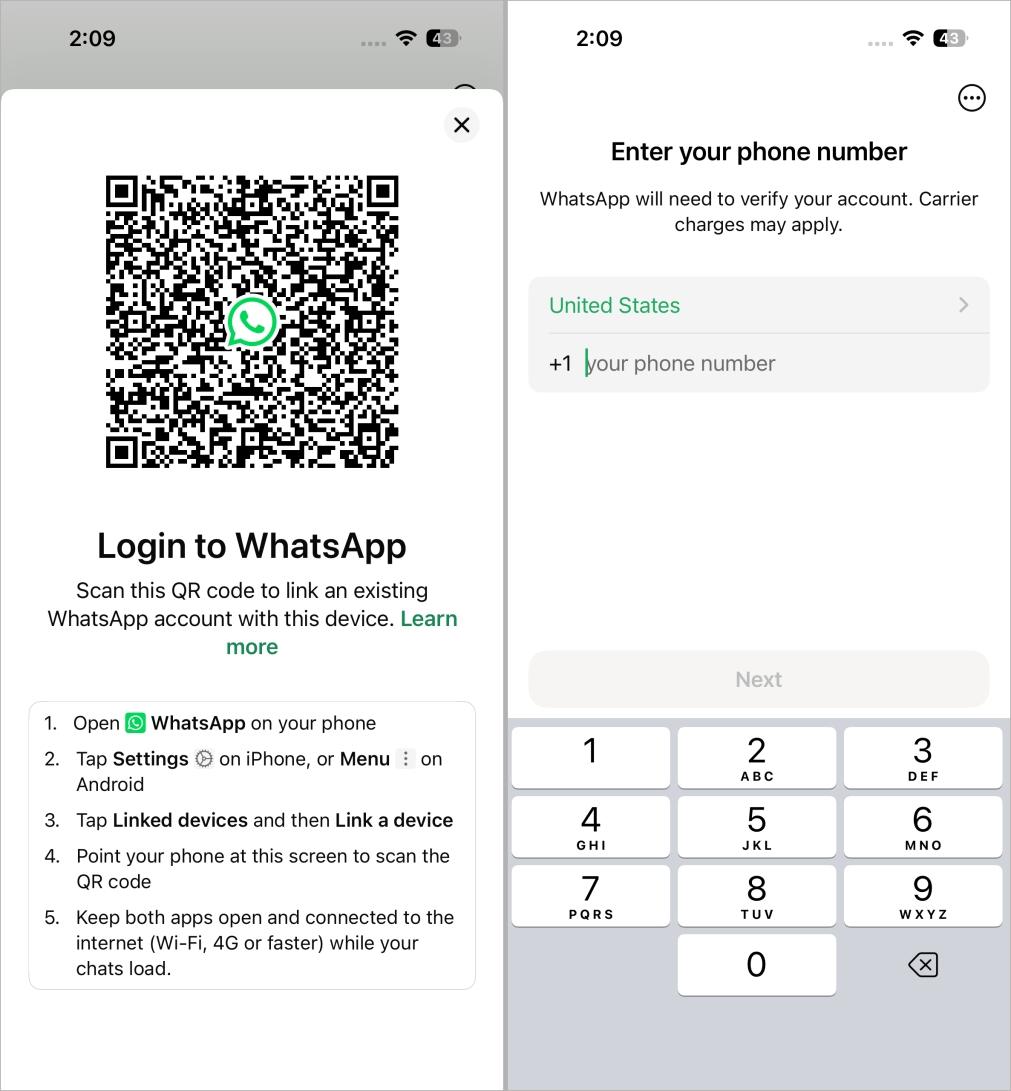
That’s it. Within seconds, your WhatsApp account is active on both phones. Messages are synced, and you can chat from either device.
Requirements and Limitations to Keep in Mind
Before you rush to try it, here are a few important details:
- You need internet access on both phones (Wi-Fi, LTE, or 5G) while setting up.
- Your primary phone must log in and connect to internet at least once every 14 days, or your linked devices will log out.
- Some features don’t work on secondary phones, such as live location and status updates. You’ll still see all the standard icons and indicators, and if you’re not sure what they mean, check out our guide to WhatsApp symbols and their meanings.
- Recent chats are synced, but older messages may not fully appear on linked devices. The full history stays safe on your primary phone.
- If you frequently switch accounts between devices, WhatsApp may block re-verification temporarily as a security measure.
Alternatives: Other Ways to Use WhatsApp on Two Phones
Companion Mode is the cleanest way, but there are other options worth knowing:
- WhatsApp Web: Open WhatsApp Web in a browser on your second phone or tablet, then scan the QR code from your primary device. It works, but needs the primary phone to stay online.
- Dual WhatsApp: On dual SIM Android phones, you can run two separate WhatsApp accounts, one for each number. iPhones don’t support this.
- Business solutions like DoubleTick: These tools allow teams to share a WhatsApp account across multiple devices, with features like chat assignments, broadcasts, and analytics.
Final Thoughts
So yes, you can finally use WhatsApp on two phones with same number officially and without tricks. The feature is stable, simple to set up, and works for both personal and business accounts. Just remember the limits: your main phone has to stay active, some features are restricted, and chat history syncing isn’t always perfect. But for anyone juggling two phones, this change makes WhatsApp a lot more flexible and far less frustrating.
FAQs
Yes, with Companion Mode, you can link your account to up to four devices, including a second phone.
Yes, recent chats sync instantly, but older history may not fully appear on linked devices.
Yes, Companion Mode works on both iPhone and Android.